Samsung GALAXY Tab 2 Manual
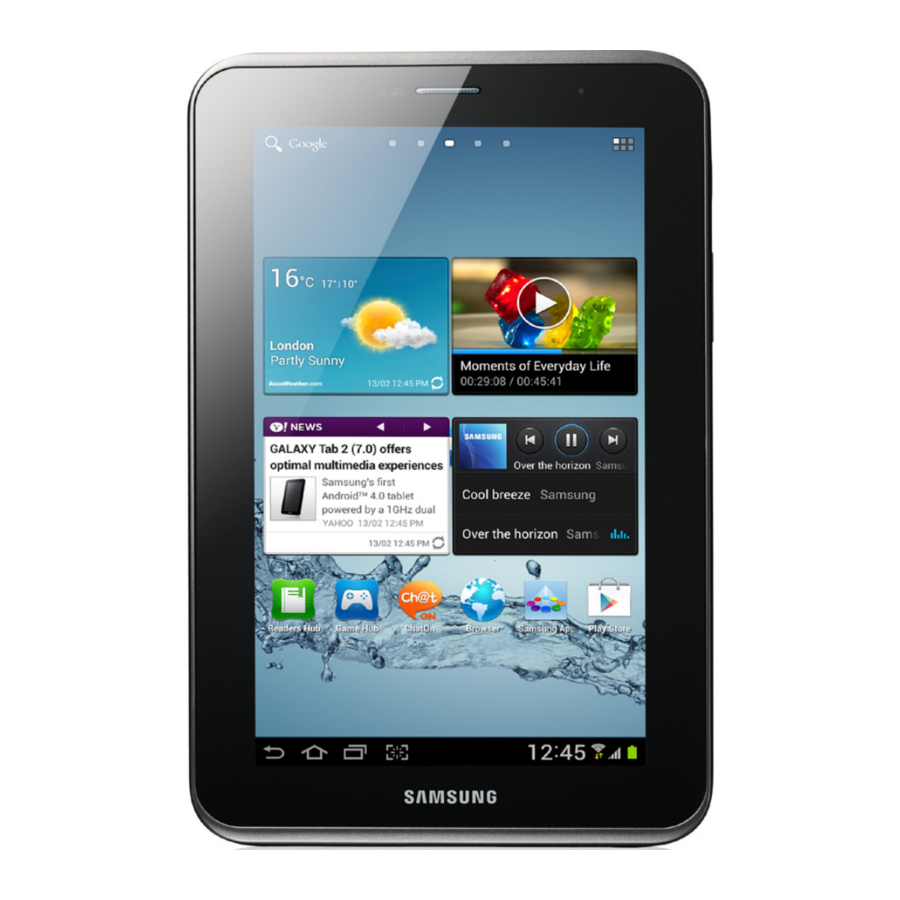
Setting up your device
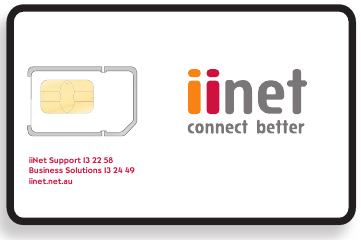
- Remove your SIM from the plastic card and insert into your tablet.

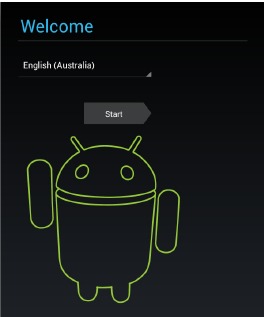
- Switch on your tablet and walk through the quick set up, including options such as language and date/time settings.
If you do not have an available wireless network to connect to, you may need to skip some steps and set up your mobile broadband connection first.
![]()
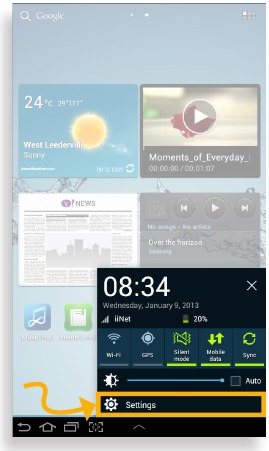
- On the Home Screen, tap the clock.
![]()
- On the pop up window, tap 'Settings'
![]()
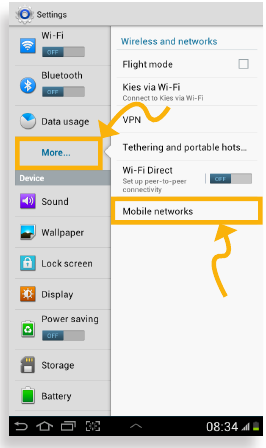
- Tap 'More...' then tap 'Mobile Networks'
![]()
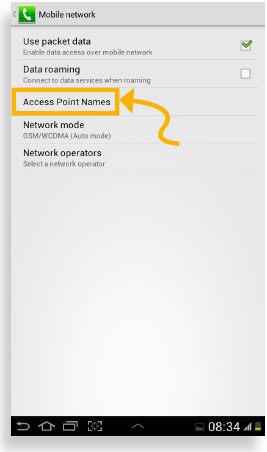
- Tap 'Access Point Names'
![]()
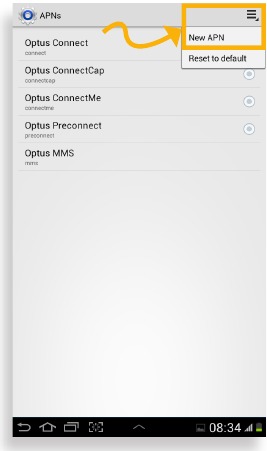
- Tap the Menu icon, then tap 'New APN'
![]()
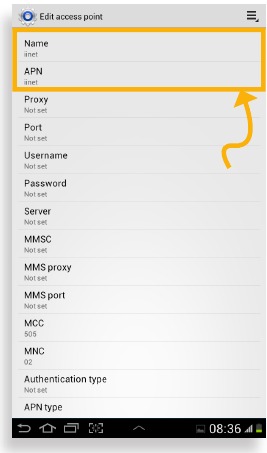
- Enter 'iinet' into the Name and APN fields
![]()
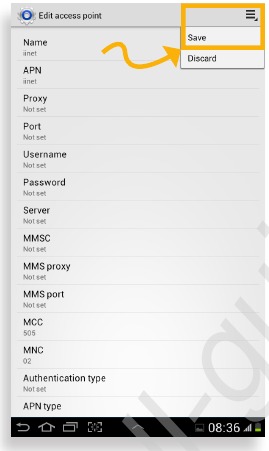
- Tap the Menu icon, then tap 'Save'
![]()
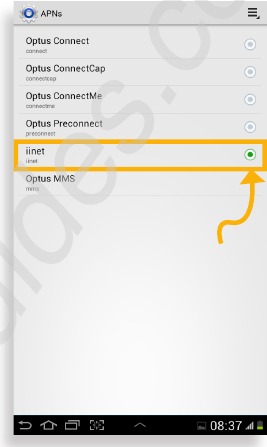
- Ensure 'iinet' is selected using the radio button
![]()
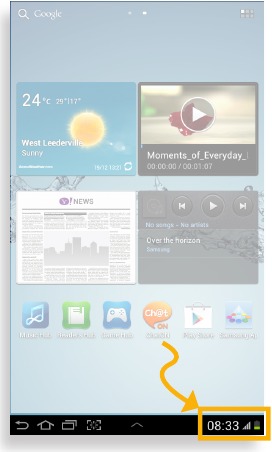
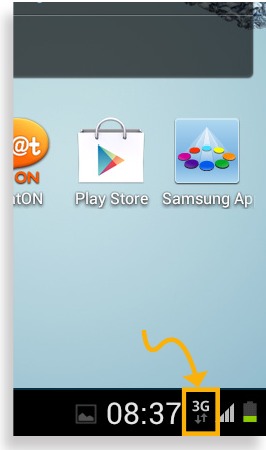
- Icon indicates the MBB service is now working
![]()
Now it's time to activate your SIM card.

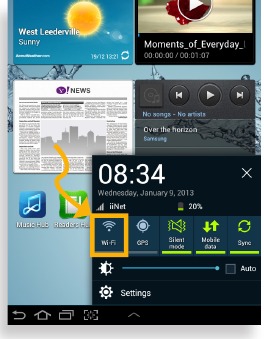
- Tap the clock in the bottom right hand corner, then ensure Wi-Fi is off by tapping the icon if it is currently active (not greyed out)
![]()
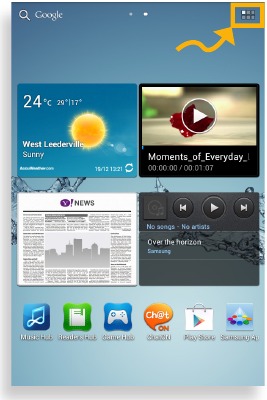
- Back on the home screen, tap the Applications icon
![]()
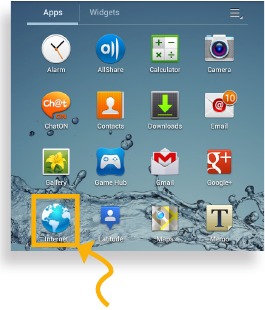
- From the Applications screen, tap the internet icon
![]()
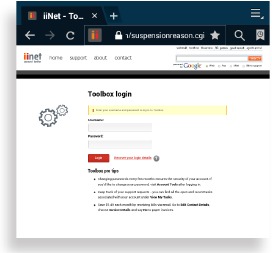
- Enter iinet.net.au into the address bar and once loaded, login with the username and password found on the letter in your tablets packaging.
![]()
- You will be redirected to an activation page, enter at least 9 points of ID into the relevant fields (username, date of birth, etc)

- Tap 'activate my service'.
After waiting 15 minutes, restart your tablet by holding the power button and selecting the 'Restart' option.
Once restarted, your tablet will now be ready to use with your mobile broadband service.
If you have any problems, call our support team on the number listed at the end of this manual.



If you have any problems, call our support team on the number listed below:
iiNet Support
13 22 58
support@iinet.net.au
iiNet Business Support
13 24 49
bizsupport@iinet.net.au
Westnet Support
1300 786 068
support@westnet.com.au
TransACT Support
13 30 61
support@transact.com.au
Internode Support
1300 788 233
support@internode.on.net
References

Download manual
Here you can download full pdf version of manual, it may contain additional safety instructions, warranty information, FCC rules, etc.
Download Samsung GALAXY Tab 2 Manual


