Nedis BTMA100BK - Bluetooth Multi Adapter Quick Start Guide
Intended use
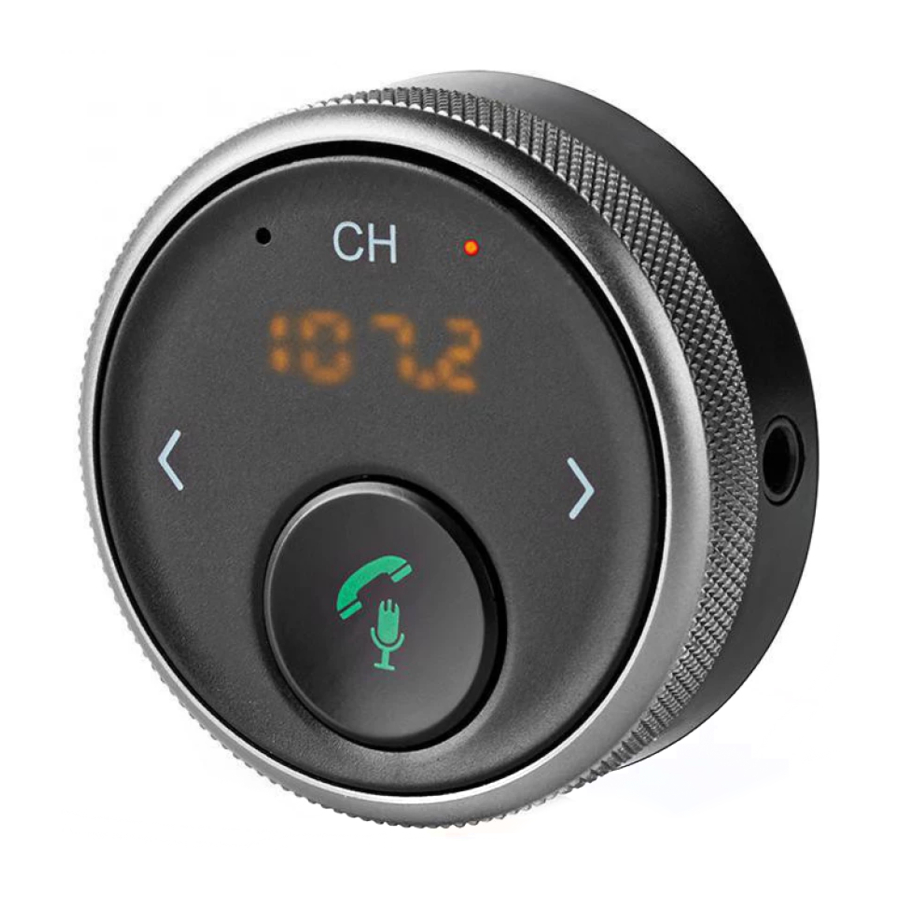
The product is exclusively intended for streaming music from a Bluetooth device to an FM receiver such as a car radio and for answering and making hands-free phone calls.
Any modification of the product may have consequences for safety, warranty and proper functioning.
Main parts

- Microphone
- Display
- Power button
- Play / Pause or Answer / Hang up
- Previous song / Volume down
- Micro USB port
- Next song / Volume up
- AUX port
- Status indicator LED
- Frequency button
- USB cable
- 3.5 mm audio cable
- Hook and loop sticker
Safety instructions

- Only use the product as described in this manual.
- Be careful when using the product while driving. Always focus your attention on the road.
- Do not expose the product to water or moisture.
- Do not expose the product to direct sunlight, naked flames or heat.
- Do not drop the product and avoid bumping.
Install the product

To prepare the product for wired use:
- Attach the product to your car dashboard (B
![]() & B
& B![]() ). Use A
). Use A![]() .
. - Press A
![]() to switch on the product.
to switch on the product. - Tune your car radio to an unused FM frequency.
- Press A
![]() to tune the product to the same frequency.
to tune the product to the same frequency.
 & B
& B ). Use A
 .
. to switch on the product.
 to tune the product to the same frequency.
To prepare the product for wireless use:
- Repeat steps B
![]() and B
and B![]() .
. - Connect one end of A
![]() to A
to A![]() .
. - Connect the other end of A
![]() to the radio's AUX port.
to the radio's AUX port.
![information]() The product powers off automatically 10 minutes after being disconnected.
The product powers off automatically 10 minutes after being disconnected.
 to A
to A .
.Pair a Bluetooth device
To pair a mobile device to the product, do the following:
- Activate Bluetooth on your phone and connect with the product (BTMA100BK).
- If asked, enter the pairing code '0000'.
Play music
The product can play music from the connected Bluetooth device:
- Play music from the mobile device that is connected to the product via Bluetooth.
- Press A
![]() to play or pause the music.
to play or pause the music. - Press A
![]() or A
or A![]() to switch between songs.
to switch between songs. - Press and hold A
![]() or A
or A![]() to control the volume.
to control the volume.
- Press A
 to play or pause the music.
 or A
or A to switch between songs.
Answer phone calls
 When a call comes in while playing music, the product will automatically switch to telephone mode.
- To answer an incoming call, press A
![]() .
. - To reject an incoming call, press and hold A
![]() for 3 seconds.
for 3 seconds. - During a call, press and hold A
![]() for 3 seconds to switch to private mode.
for 3 seconds to switch to private mode. - To call the previous number, press A
![]() twice.
twice.
When making a call, you must dial the number on your phone. Once the call connects, you can use the product's hands-free function.
Activate a voice assistant
- Press and hold A
![]() for 2 to 3 seconds to activate the voice assistant on your mobile phone (Siri or Google Assistant).
for 2 to 3 seconds to activate the voice assistant on your mobile phone (Siri or Google Assistant).
Charge the product

When battery power is low, A will blink.
To charge the product:
- Connect A
![]() to A
to A![]() .
. - Connect the other end of A
![]() to a power outlet.
to a power outlet. - A
![]() lights up to indicate that the product is charging.
lights up to indicate that the product is charging. - A
![]() turns off when the product is fully charged.
turns off when the product is fully charged.
- A
 to A
to A .
.Specifications
| Product | Bluetooth Multi Adapter |
| Article number | BTMA100BK |
| Power supply | 5 VDC / 0.28 A |
| Battery | Li-ion |
| Battery capacity | 300 mAh |
| Max. battery lifetime | 5.5 hours |
| Max. battery charging time | 1 hour |
| Wireless technology | FM Bluetooth® 4.2 |
| FM frequency range | 87.6 - 107.9 MHz |
| Max. radio transmit power | 6.5 dBm |
| Bluetooth frequency range | 2402 - 2480 MHz |
| Bluetooth profile | A2DP AVRCP HFP |
| AUX output | 3.5 mm stereo jack |
| Display | LED |
Declaration of Conformity
We, Nedis B.V. declare as manufacturer that the product BTMA100BK from our brand Nedis®, produced in China, has been tested according to all relevant CE standards and regulations and that all tests have been passed successfully. This includes, but is not limited to the RED 2014/53/EU regulation.
The complete Declaration of Conformity (and the safety datasheet if applicable) can be found and downloaded via webshop.nedis.com/#support
For additional information regarding the compliance, contact the customer service:
Web: www.nedis.com
E-mail: service@nedis.com
Phone: +31 (0)73-5991055 (during office hours)
Nedis B.V., de Tweeling 28
5215 MC 's-Hertogenbosch, the Netherlands

Nedis BV
De Tweeling 28, 5215 MC 's-Hertogenbosch - The Netherlands
09/19

References

Download manual
Here you can download full pdf version of manual, it may contain additional safety instructions, warranty information, FCC rules, etc.
Download Nedis BTMA100BK - Bluetooth Multi Adapter Quick Start Guide
