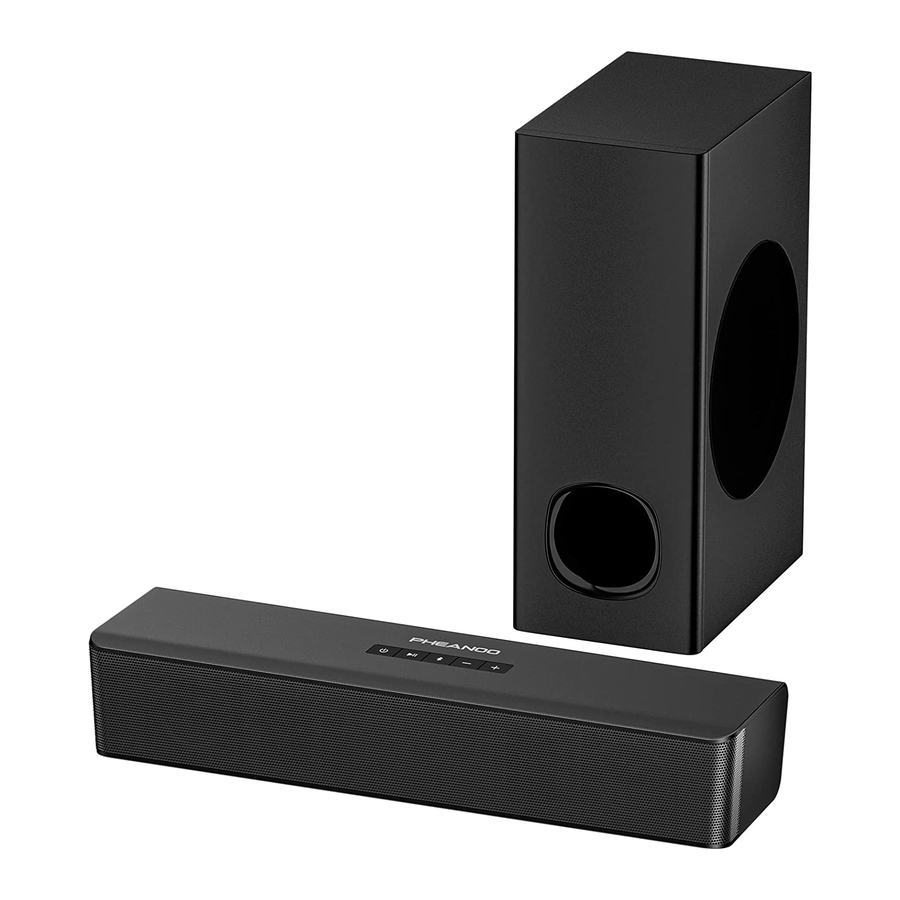
Pheanoo P15 - 2.1CH Soundbar With Subwoofer Manual

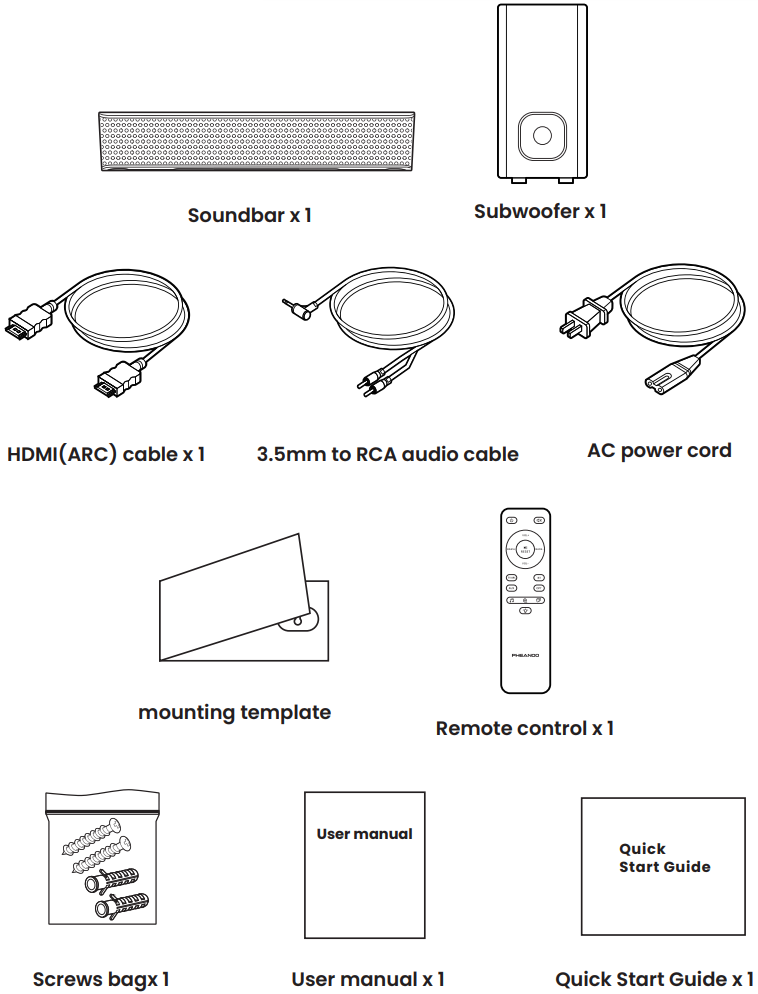
What's in the box

USE YOUR DEVICE

Sound bar
Sound bar - Overview

Subwoofer

How to control your soundbar

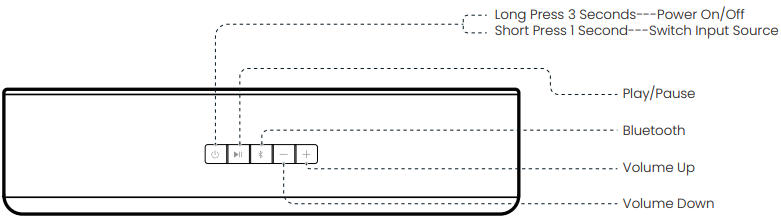
  1. Top panel
    How to control your soundbar - Top Panel
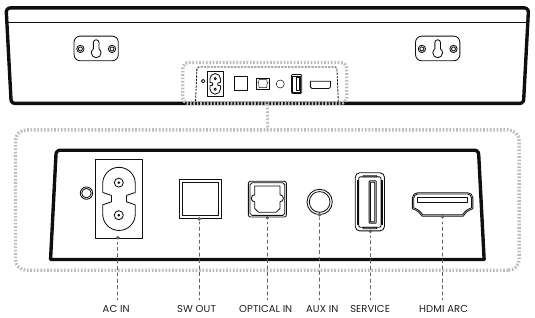
  2. Connectors
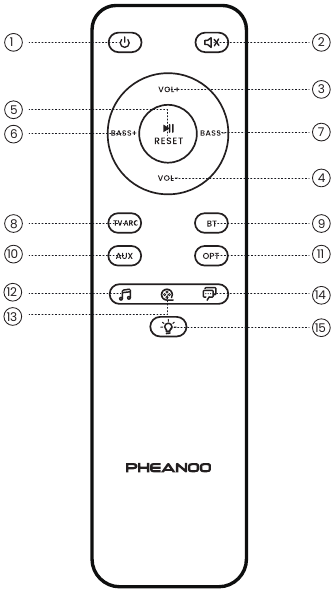
    How to control your soundbar - Remote control
  1. POWER
    Turns on the Sound Bar or sets it to standby mode. (Turns on the Sound Bar or sets it to standby mode.)
  1. MUTE
    Turns off the sound temporarily or turns on the sound (Turns off the sound temporarily or turns on the sound)
VOL+
  1. VOL+
    Increase volume (Increase volume)
VOL-
  1. VOL-
    Decrease volume (Decrease volume)

RESET
  1. RESET(PLAY/PAUSE)
    Start, pause or resume play in BT Mode Press and hold for about 2 seconds to reset the volume level and switch to the Movie EQ effect. (Start, pause or resume play in BT Mode Press and hold for about 2 seconds to reset the volume level and switch to the Movie EQ effect.)
BASS+
  1. BASS+
    Increase bass level (Increase bass level)
BASS-
  1. BASS-
    Decrease bass level (Decrease bass level)
TV ARC
  1. TV ARC
    Set the input source for the Soundbar to HDMI ARC mode (Set the input source for the Soundbar to HDMI ARC mode)
BT
  1. BT
    Set the input source for the Soundbar to Bluetooth mode (Set the input source for the Soundbar to Bluetooth mode)
AUX
  1. AUX
    Set the input source for the Soundbar to AUX mode
OPT
  1. OPT
    Set the input source for the Soundbar to Optical mode (Set the input source for the Soundbar to Optical mode)
  1. MUSIC
    Selects MUSIC for the sound effect (Selects MUSIC for the sound effect)
  1. MOVIE
    Selects MOVIE for the sound effect (Selects MOVIE for the sound effect)
  1. DIALOGUE
    Selects DIALOGUE for the sound effect (Selects DIALOGUE for the sound effect)
  1. INDICATOR
    Turns on/off the indicators on the Bar Speaker. (Turns on/off the indicators on the Bar Speaker.)

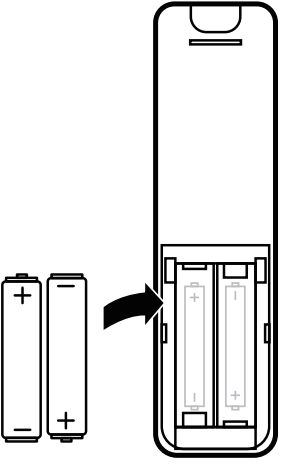
Remote Control Battery Replacement

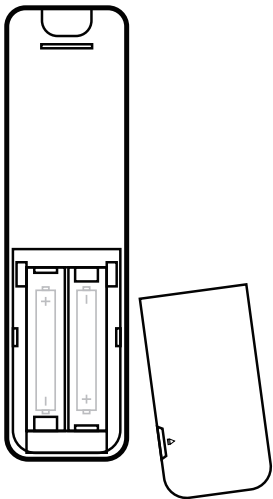
  1. Remove the battery cover (Remove the battery cover)

  2. Insert 2 AAA batteries according to the markings inside battery slot (Insert 2 AAA batteries according to the markings inside battery slot)
  3. Close the battery cover (Close the battery cover)

Model P15
Function BT/AUX/HDMI(ARC)/OPT
Drivers 2.25"*2 SB+ 4"*1 SW
Frequency Response 45Hz-20KHz
Signal-to-Noise Ratio 107dB
lmpedance 6Ω*2+4Ω*1
Max Output Power 140W
Power lnput 110V-240V~50Hz/60Hz 1A
Bluetooth Version Version: 5.0 Range: up to 10m
Dimensions Soundbar: 405*97*75mm
Subwoofer: 140*200*360mm

Download manual

Here you can download full pdf version of manual, it may contain additional safety instructions, warranty information, FCC rules, etc.

Download Pheanoo P15 - 2.1CH Soundbar With Subwoofer Manual

Available languages

Table of Contents