VAVA Moov 28 Wireless Stereo Headphones Manual
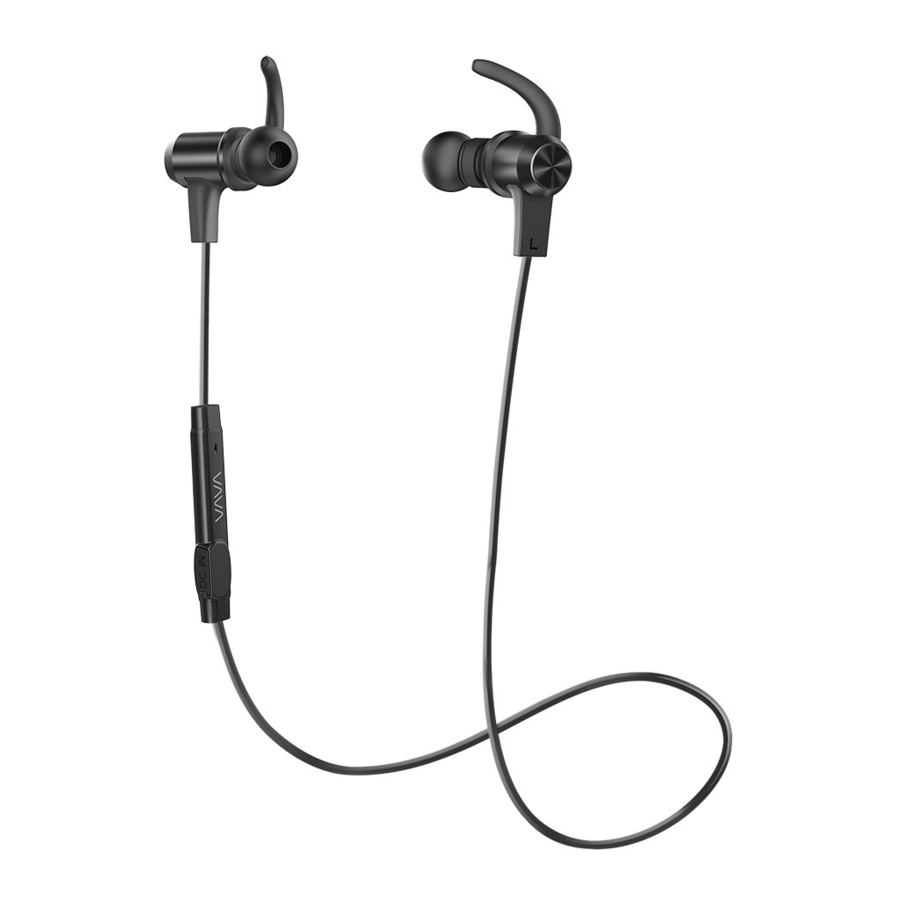
Package Contents
- 1×VAVA MOOV 28 Wireless Stereo Headphones

- 1×USB Charging Cable

- 6×Ear Buds (two are equipped on the headphones)
")
- 6×Ear Hooks (two are equipped on the headphones)
")
- 1×Travel Pouch

- 1×User Guide


Product Diagram

- Volume+/Next Track
- Multifunction Button
- LED Indicator
- Volume-/Previous Track
- Microphone
- Micro USB Charging Port
How to Use
Charging
- Connect the charging port with any USB charging adapter or active computer USB port.
- Charging will start automatically with the LED indicator turning red.
- The headphones are fully charged when the LED indicator turns blue.
Note:- Charge the headphones at least once every 6 months when not using for a long time.
- Make sure the battery is fully charged before putting the headphones away for storage.
Pairing
- Make sure the headphones and your Bluetooth® device are next to each other (within 3 feet / 1 metre).
- The first time you use the headphones, press and hold the Multifunction Button until the LED indicator flashes red and blue alternately. Now the headphones is in pairing mode.
- Activate Bluetooth® function on your phone and search for the nearby Bluetooth® connection: Find "VAVA MOOV 28" in the search results. Tap on the name to connect. Once connected, only the blue LED will flash.
Note:- The Bluetooth® headphones can remember previous paired devices.
- If the headphones cannot pair with your Bluetooth device, press and hold the Volume + / - Button at the same time until the LED Indicator flashes blue twice and 2 beep sounds are heard to clear the pairing history. Then restart the headphones to pair again.
How to Wear
Please wear the headphones as shown in the diagram:
- Attach the ear hooks onto the earphones.
- Wear the earphones and the hooks on your ears and adjust for the best fit.

NORTH AMERICA
E-mail: support.@vava.com
Tel: 1-888-456-8468 (Monday-Friday: 9:00 – 17:00 PST)
Address: 46724 Lakeview Blvd, Fremont, CA 94538
EUROPE
E-mail:
support.uk@vava.com(UK)
support.de@vava.com(DE)
support.fr@vava.com(FR)
support.es@vava.com(ES)
support.it@vava.com(IT)
EU Importer: ZBT International Trading GmbH, Halstenbeker Weg 98C,
25462 Rellingen, Deutschland
ASIA PACIFIC
E-mail: support.jp@vava.com(JP)
MANUFACTURER
Shenzhen NearbyExpress Technology Development Company Limited
Address: Block D, Minle Industrial Park, Meiban Road, Longhua District,
Shenzhen, China. 518131

References

Download manual
Here you can download full pdf version of manual, it may contain additional safety instructions, warranty information, FCC rules, etc.
Download VAVA Moov 28 Wireless Stereo Headphones Manual