SteriPEN MED-3000 - Infrared Thermometer Manual
- 1 INTRODUCTION
- 2 INTENDED PURPOSE
- 3 PRECAUTIONS
- 4 CONTRAINDICATIONS
- 5 PRODUCT IDENTIFICATION
- 6 DESCRIPTION OF LCD DISPLAY
- 7 WHAT IS A "NORMAL" TEMPERATURE?
- 8 BATTERY INSTALLATION/ REPLACEMENT
- 9 SWITCHING BETWEEN FAHRENHEIT AND CELSIUS
- 10 TURNING ON THE TRACKING LIGHT
- 11 SWITCHING BETWEEN MEASURING MODES
- 12 MEASURING HUMAN TEMPERATURE
- 13 MEASURING OBJECT/ LIQUID TEMPERATURE
- 14 MEMORY FUNCTION
- 15 CLEANING INSTRUCTIONS
- 16 TROUBLESHOOTING
- 17 APPLIED STANDARDS
- 18 PRODUCT SPECIFICATIONS
- 19 THERMOMETER SET
- 20 UTILIZATION
- 21 WARRANTY
- 22 SYMBOL INFORMATION
- 23 References
- 24 Download manual
- 25 In Other Languages
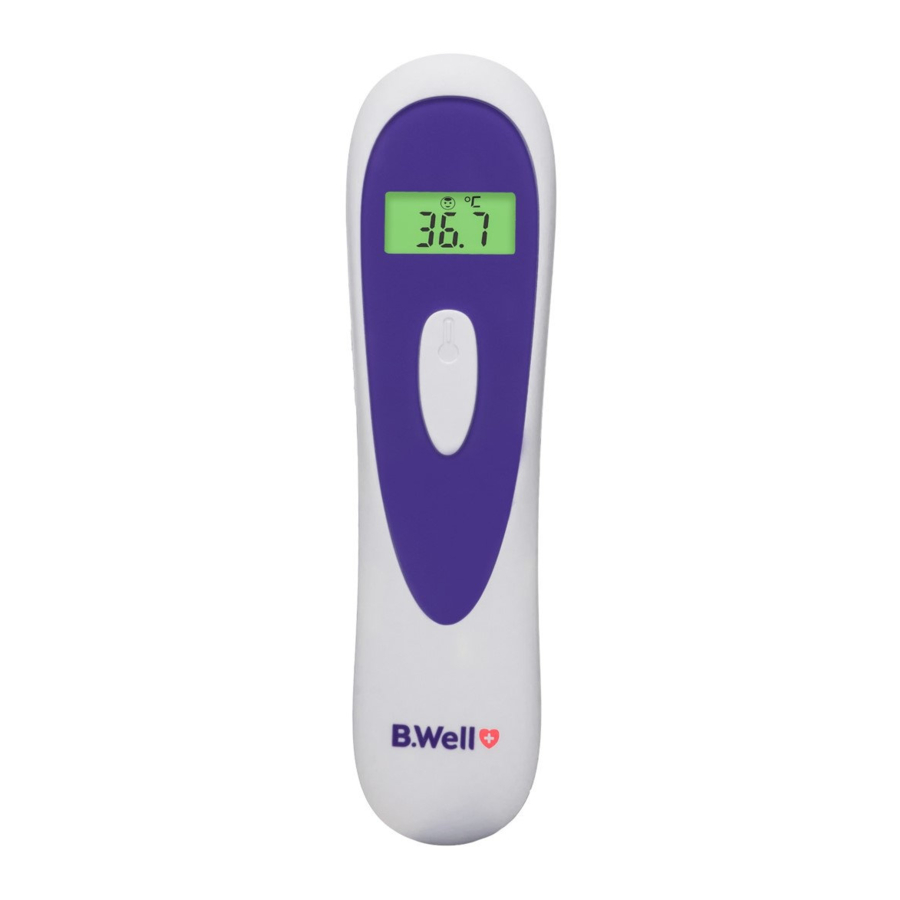
INTRODUCTION
MED-3000 advantages include:
- 3 in 1 thermometer
Human body/ object/ ambient temperature - One-second reading
- Accurate and reliable
- Traffi c lights backlight
(Human Body Mode) - Tracking light
- 25-memory recall
- Large LCD Display
- °C/°F Switchable function
INTENDED PURPOSE
The device is intended for the intermittent measurement and monitoring of human body temperature from forehead measurement at home, clinics and hospital.
A control measurement using a conventional thermometer is recommended in the following cases:
- If the reading is surprisingly low.
- For new-born infants up to 100 days old.
- For children under three years of age who have a weakened immune system or who react unusually in the presence or absence of fever.
PRECAUTIONS
When using this product, please be sure to follow all the notes listed below. Any action against these notices may cause injury or affect the accuracy.
- Close supervision is necessary when the thermometer is used by, on, or near children, handicapped persons or invalids.
- Use the thermometer only for the intended use described in this manual.
- Do not use the thermometer if it is not working properly, or if it has suffered any damage.
 and
and 
As with any thermometer, proper technique is crucial to obtaining accurate temperature readings.
Please read this manual thoroughly and carefully before using.
- Always operate the thermometer in an operating temperature range 5°C to 40°C (41°F to 104°F), and relative humidity 15 to 93%.
- Always store the thermometer in a cool and dry place -25°C to 70°C (-13°F to 158°F) and relative humidity 15% to 93%.
- The device requires no calibration.
- The device contains no user serviceable parts.
- The user must check that the equipment functions safely and see that it is in proper working condition before being use.
- The manufacturer does not require such preventive inspections by other persons.
- No modifi cation of this equipment is allowed.
- The device is not suitable for use in the presence of fl ammable anesthetic mixtures with air or with oxygen or nitrous oxide.
- Do not clean or maintenance the device is in use.
- Avoid direct sunlight.
- Avoid dropping the thermometer, if it happens and you think the thermometer may be damaged, please contact customer services immediately.
- Do not touch the lens.
- Do not disassemble the thermometer.
- Basic safety precautions should always be observed, especially when the thermometer is used on or near children and disabled persons.
![information]() This thermometer is not intended to substitute for a consultation with your physician.
This thermometer is not intended to substitute for a consultation with your physician. - Under any circumstances, the temperature taking result is ONLY for reference. Before taking any medical action, please consult your physician.
- When the measured temperature falls within the fever temperature range of >37.9°C (100.2°F) and <42.9°C (109.3°F), as indicated by the red LCD on display, please consult with your physician immediately.
- This thermometer and the subject must remain in a stable environment for at least 30 minutes before measuring the temperature.
CONTRAINDICATIONS
 Contraindications: are not revealed.
PRODUCT IDENTIFICATION

DESCRIPTION OF LCD DISPLAY

WHAT IS A "NORMAL" TEMPERATURE?
The temperature in the forehead and temple area differs from the internal temperature, which is taken orally or rectally.
Vasoconstriction, an effect which constricts the blood vessels and cools the skin, can occur during the early stages of a fever. In this case, the temperature measured by the MED-3000 Infrared thermometer may be unusually low. If the measurement therefore does not match the patient's own perception or is unusually low, repeat the measurement every 15 minutes. As a reference, you can also measure the internal body temperature using a conventional oral or rectal thermometer. Body temperature can vary from one individual/ person to next. It also varies by location on the body and time of day. Below show the statistical normal ranges from different sites. Please keep in mind that temperatures measured from different sites, even at the same time, should not be directly compared. Fever indicates that the body temperature is higher than normal. This symptom may be caused by infection, overdressing or immunisation. Some people may not experience fever even when they are ill. These include, but are not limited to, infants younger than 3 months old, persons with compromised immune systems, persons taking antibiotics, steroids or antipyretics (aspirin, ibuprofen, acetaminophen), or persons with certain chronic illnesses. Please consult your physician when you feel ill even if you do not have fever.
Normal Temperature Range of various body sites
| Oral | 36,4 - 37,6°C |
| Rectal/ Ear | 36,7 - 38,2°C |
| Axillary | 35,8 - 37,3°C |
BATTERY INSTALLATION/ REPLACEMENT
Low battery warning:
The thermometer comes with two 1.5 V AAA alkaline batteries. The thermometer will display "  " to alert you when its power is getting low. Please follow the steps below to replace new batteries immediately.
Replacing the Battery: 
- Gently slide the battery cover back.
- Carefully remove the old batteries and properly discard.
- Insert new batteries (two 1.5V AAA size alkaline batteries) according to the proper polarity.
- Slide the battery cover back on.
 NOTE:
NOTE:
- Although the thermometer works when "
![]() " appearing, we still recommend that you change the batteries.
" appearing, we still recommend that you change the batteries. - It is recommended to remove the batteries if the unit will not be used for an extended period of time.
- The batteries should be kept away out of children's reach. If they are swallowed, promptly see a doctor for help.
- Dispose of used batteries in accordance with the applicable legal regulations. Never dispose of batteries in the normal household waste.
SWITCHING BETWEEN FAHRENHEIT AND CELSIUS
This thermometer can display results in either degrees Celsius (°C) or degrees Fahrenheit (°F).

- Be sure the thermometer is OFF before selecting the temperature unit.
- Long-press the ON Button for 8 seconds until the signal
![]() °C or °F displayed on the LCD panel as fi gure shown. Re-press the ON Button to select °C or °F unit.
°C or °F displayed on the LCD panel as fi gure shown. Re-press the ON Button to select °C or °F unit. - Long-press the ON Button for 3 seconds, it will automatically save your choice and turn off.
 °C or °F displayed on the LCD panel as fi gure shown. Re-press the ON Button to select °C or °F unit.
TURNING ON THE TRACKING LIGHT
This thermometer provides Tracking Light (LED Light) to help users placing the thermometer at the correct position.

- Be sure the thermometer is OFF.
- Long-press the ON Button for 10 seconds until signal displayed on the LCD panel.
- Short press the ON Button to turn on or off LED light – when LED is turned on, the blue light will indicate, while it is turned off there is no light.
- Long-press the ON Button for 3 seconds, it will automatically save your choice and turn off.
SWITCHING BETWEEN MEASURING MODES
Following modes can be selected:
- Body Mode
This mode is used to measure the forehead temperature.

- Object Mode
This mode is used to measure the object temperature.


Choose the mode you need using a slider on the side of the device.
Silent mode
Beeps may be switched off:
- Be sure the infrared thermometer is off.
- Hold the ON Button (on button) for about 12 seconds after "ON" (on) shows on the LCD panel. (Note: keep holding the button when "°C/°F" is displayed on the LCD panel).
- Press the ON Button (on button) again to turn ON the beep.
- Then long-press the Button (button) for 3 seconds, it will automatically save your choice and turn off.
MEASURING HUMAN TEMPERATURE
Tips for measuring human temperature
Bear in mind that the thermometer needs to have been in the room in which the measurement is taken for at least 30 minutes before use.
NOTE:
- Attempting to take temperature readings from sites on the body other than the forehead may produce inaccurate results.
- If the patient's skin is covered with hair, sweat, or dirt, clean the area and wait 10 minutes before taking a measurement.
- Ensure that the thermometer is held fi rmly during measurement and that the patient does not move until the measurement is complete.
Movement can impact the measurement. - If the probe is placed at an angle close to the forehead measurement, the reading will be affected by surrounding temperature.
- Babies' skin reacts very quickly to the ambient temperature.
Therefore, do not take their temperature with the MED-3000 infrared thermometer during or after breastfeeding, because the skin temperature may then be lower than the internal body temperature. - Readings taken while asleep should not be compared directly to readings taken while awake, as body temperature while asleep is typically lower.
- Avoid measuring temperature in 30 minutes after exercise, bathing, or returning from outdoor.
Measuring Human Temperature
Taking a Measurement
- Press ON Button (on button) to turn on the thermometer fi rst. The unit will run a self-test and the LCD will briefl y display all of its symbols during this time.
- Push the Mode switch to select Body mode.
The device sounds one short beep when it is turned on and the temperature unit (°C or °F) fl ashes to confi rms the readiness to perform the measurement. - Position the thermometer at a distance within 3 cm from the centre of the patient's forehead. Make sure the probe is fl at and close to the forehead, not at an angle.
- Press and release the ON Button (on button). The measurement result will be done in 1 second. The reading is shown together with LCD lighting and one long beep informs about the temperature measurement, and after a while another, short, confi rming the saving of the result to the memory and readiness for the next measurement.

- If the reading is ≤37,4°C, the display will stay green.
If the reading is ≥37,5°C - ≤37,9°C (≥99,5°F - ≤100,2°F), the display will turn yellow.
If the reading is >37,9°C (100,2°F), the display will show together with red LCD and six short beeps. - Press the ON Button (on button) to turn off the unit, or leave it idle for 10 seconds, the unit will switch off automatically.

MEASURING OBJECT/ LIQUID TEMPERATURE
Taking a Measurement
- Press ON Button (on button) to turn on the thermometer fi rst. The unit will run a self-test and the LCD will briefl y display all of its symbols during this time.
- Push the Mode switch to select Object mode.
The device sounds two short beeps indicating that the object mode is turned on and the temperature unit fl ashes. - Position the thermometer at a distance within 3 cm from the object. Make sure the probe is fl at and close to the object, not at an angle.
- Press and release the ON Button (on button). The measurement result will be done in 1 second. The reading is shown together with LCD lighting and one long beep informs about the temperature measurement, and after a while another, short, confi rming the saving of the result to the memory and readiness for the next measurement.

- Press the ON Button (on button) to turn off the unit, or leave it idle for 10 seconds, the unit will switch off automatically.

MEMORY FUNCTION
Memory Recall
You can recall up to 25 measurements currently stored in memory to share with your physician or trained healthcare professional. 

- Be sure the thermometer is OFF before recalling the memory. Press for 2 seconds the ON Button (on button) to enter the memory mode.
- Each time you press the Button (button), a result will be displayed in the order of dates (latest result shown fi rst), together with "MEM" and number (from 1 to 25).
- The
![]() symbol or
symbol or ![]() symbol will appear with each measurement stored in memory to indicate whether a body or object temperature was taken. Body Mode measurements: LCD backlight will turn green, yellow or red according to the memory reading.
symbol will appear with each measurement stored in memory to indicate whether a body or object temperature was taken. Body Mode measurements: LCD backlight will turn green, yellow or red according to the memory reading. - Exit the memory. Long press ON Button (on button) to exit the memory or keep the thermometer in idle for 10 seconds to switch off automatically.
 symbol or
  symbol will appear with each measurement stored in memory to indicate whether a body or object temperature was taken. Body Mode measurements: LCD backlight will turn green, yellow or red according to the memory reading.
Memory Deletion
- Remove one of the batteries, long press the ON Button (on button).
- Reload the battery until "
![]() " on the LCD screen.
" on the LCD screen.

 " on the LCD screen.
Automatically on the 26th measurement: when the 25 memories have been used up, any new measurement will be recorded and the oldest memory deleted without you having to do anything.
NOTE:
All the readings will be cleared no matter record in Body Mode or Object Mode.
CLEANING INSTRUCTIONS
For the device disinfection, 75% alcohol (available in the pharmacy) can be used.
Measurement Sensor:
Please wipe with a clean and dry cotton bud to clean the Sensor on the inside. Do not use water, the Sensor is not waterproof.
Thermometer:
Use a soft and dry cloth to clean the thermometer body. Do not use abrasive cleaners. The body of the thermometer is not water-resistant. Never put the thermometer under a running tap or submerge it into water.
Store the thermometer in a cool and dry location. Free from dust and away from direct sunlight. Do not expose the thermometer to extreme temperatures, humidity, or shock.
TROUBLESHOOTING
| FAULT OR FAULT SYMBOL | FAULT DESCRIPTION | CORRECTIIVE MEASURE |
| No display On the LCD pane. | The battery has run out. Incorrect battery polarity. | Replace the battery. Please note: The (+) side of the battery must face Positive (+) indication on the device. |
| Measurement not possible (or an abnormal value is displayed). | The thermometer is not ready. | Wait until the °C symbol is displayed. |
| An abnormal temperature value is displayed. | The Sensor is dirty or damaged. | Clean the Sensor or get it repaired. |
| The thermometer was removed too early (before the beep sound). | Wait until you hear the beep before removing the thermometer from the forehead. | |
 symbol is displayed. | The temperature measured is outside the measuring range. Body Mode: Object Mode: | Check that the probe tip is clean and that the thermometer is properly placed on the forehead. |
 Symbol is displayed. | The battery has run out. | Replace the battery. |
 Symbol is displayed. | The ambient temperature is outside the operating temperature range or is changing too fast. | To ensure accurate measurement, let the thermometer rest at operating temperature for 30 minutes prior to use. |
APPLIED STANDARDS
Device Standards:
Device Corresponds to the requirements of the standard for infrared thermometers
IEC 60601-1:2012
IEC 60601-1-2:2014 ISO 80601-2-56:2009
Classification:
Anti-electric Shock Type: Internally powered equipment
Applied part: Type BF
Mode of operation: Continuous Operation
EMC: type B class I
Electromagnetic Compatibility:
Device fulfi lls the stipulations of the standard IEC 60601-1-2
The stipulations of EU-Directive 93/42/EEC for Medical Devices
Class Ila have been fulfi lled.
PRODUCT SPECIFICATIONS
| Measurement range: | |
| Human Body: | 32,0 ~ 42,9°C (89.6°F ~ 109.3°F) |
| Object: | 0,0°C ~ 100°C (32.0°F ~ 211.8°F) |
| Accuracy: | |
| For Body mode: | ±0,2°C (±0.4°F): 36,0°C ~ 39,0°C (96.8°F ~ 102.2°F) ±0,3°C (±0.5°F): out of the range |
| For Object mode: | ±1°C (±2°F): 0°C ~ 60,0°C (32.0°F ~ 140.0°F) ±4°C (±7.2°F): out of the range |
| Display resolution: | 0,1°C or 0,1°F |
| Temperature unit: | Default °C or Default °F |
| Operation Distance: | 3 cm |
| Traffic lights backlight (Body mode), Indicator light range: | Green: <37,5°C (<99.5°F); Yellow: ≥37,5°C - ≤37,9°C (≥99.5°F - ≤100.2°F); Red: >37,9°C (>100.2°F) |
| Beeps defi nition: | Power on and ready for working: a short beep Measurement finished: 1 long beep ≤37,9°C (100.2°F) 6 short beeps >37,9°C (100.2°F) |
| Memory: | 25 mesurements |
| Auto shut-off: | about 10 seconds after no using |
| Batteries: | 2 x 1.5V AAA size alkaline batteries |
| Dimensions (L×W×H): | 142,5 mm × 38 mm × 40 mm |
| Weight: | 76g (Net: 54g) |
| Operating environment: | Temperature: +5°C ~ +40°C (41°F ~ 104°F); Humidity: 15% ~ 93% RH (non-condensing); 70Kpa-106Kpa. |
| Transport and Storage environment: | Temperature: -25°C ~ +70°C (-13°F ~ 158°F); Humidity: 15% ~ 93% RH (non-condensing). |
THERMOMETER SET
Thermometer set:
- Thermometer
- Battery 2 x 1.5V AAA size alkaline batteries
- Soft bag
- Instructions for use
UTILIZATION
The unit must be utilised in accordance with current standards separately from domestic wastes. For utilising it is necessary to contact special organisations licensed to make utilisation.
WARRANTY
Warranty period is 2 years from the date of purchase.
This warranty doesn't cover any damages caused by improper using, and also battery, protective cover and packaging. When a manufacturing defect is revealed during the warranty period a faulty unit would be repaired or, if repairing is impossible, replaced with another one.
Manufacturing date is on the unit in a serial number: last 2 fi gures of the year, then month number.
The manufacturer may change units partially or completely if necessary, without prior notice.
SYMBOL INFORMATION
 FOLLOW INSTRUCTIONS BEFORE USE (follow instructions before use)
 MANUFACTURER'S NAME (manufacturer's name)
 ARTICLE NUMBER (article number)
 SERIAL NUMBER (serial number)
 TYPE BF EQUIPMENT (type BF equipment)
 DISPOSAL FOR SEPARATE COLLECTION (disposal for separate collection)
 CE MARK (0044)
 OPERATING CONDITION, TEMPERATURE 5˚C ~ 40˚C
 STORAGE CONDITION, TEPERATURE -25˚C ~ 70˚C
 KEEP DRY (keep dry)
 HOUSING INGRESS PROTECTION RATE: IP20
ELECTROMAGNETIC COMPATIBILITY INFORMATION
Manufacturer's Declaration of the Electromagnetic Compatibility
Table 1
Guidance and manufacturer's declaration – еlectromagnetic emissions
| Emissions test | Compliance |
| RF emissions CISPR 11 | Group 1 |
| RF emissions CISPR 11 | Class B |
| Harmonic emissions IEC 61000-3-2 | Not application |
| Voltage fluctuations/ flicker emissions IEC 61000-3-3 | Not application |
Table 2
Guidance and manufacturer's declaration – еlectromagnetic immunity
| Immunity test | IEC 60601-1-2 Test level | Compliance level |
| Electrostatic discharge (ESD) IEC 61000-4-2 | ±8 kV contact ±2 kV, ±4 kV, ±8 kV, ±15 kV air | ±8 kV contact ±2 kV, ±4 kV, ±8 kV, ±15 kV air |
| Electrical fast transient/ burst IEC 61000-4-4 | Power supply lines: ±2 kV input/output lines: ±1 kV | Not application |
| Surge IEC 61000-4-5 | line(s) to line(s): ±1 kV. line(s) to earth: ±2 kV. 100 kHz repetition frequency | Not application |
| Voltage dips, short interruptions and voltage variations on power supply input lines IEC 61000-4-11 | 0% 0.5 cycle At 0°, 45 °, 90 °, 135 °, 180 °, 225 °, 270 ° and 315 ° 0% 1 cycle And 70% 25/30 cycles Single phase: at 0 0% 300 cycle | Not application |
| Power frequency magnetic fi eld IEC 61000-4-8 | 30 A/m 50Hz/60Hz | 30 A/m 50Hz/60Hz |
| Conduced RF IEC 61000-4-6 | 150KHz to 80MHz: 3Vrms 6Vrms (in ISM and amateur radio bands) 80% Am at 1kHz | Not application |
| Radiated RF IEC 61000-4-3 | 10 V/m 80 MHz – 2,7 GHz 80% AM at 1 kHz | 10 V/m 80 MHz – 2,7 GHz 80% AM at 1 kHz |
| NOTE UT is the a.c. mians voltage prior to application of the test level. Remark In the presence of strong electromagnetic fi eld (Horizontal/Vertical, 80MHz~180MHz and 1.4GHz~2GHz, 10V/m applied on the product), it will have a change from 0.1°C to 0.3°C of the measured value. In case of malfunction due to these strong electromagnetic fi elds, user need to wait till resume normal operation without intervene. | ||
Table 3
Guidance and manufacturer's declaration – electromagnetic Immunity
| Radiated RF IEC61000-4-3 (Test specifi cations for ENCLOSURE PORT IMMUNITY to RF wireless communications equipment) | Test Frequency (MHz) | Band (MHz) | Service | Modulation | Modulation (W) | Distance (m) | IMMUNITY TEST LEVEL (V/m) |
| 385 | 380 – 390 | TETRA 400 | Pulse modulation 18 Hz | 1,8 | 0.3 | 27 | |
| 450 | 380 – 390 | GMRS 460, FRS 460 | FM ± 5 kHz deviation 1 kHz sine | 2 | 0.3 | 28 | |
| 710 | 704 – 787 | LTE Band 13, 17 | Pulse modulation 217 Hz | 0,2 | 0.3 | 9 | |
| 745 | |||||||
| 780 | |||||||
| 810 | 800 – 960 | GSM 800/900, TETRA 800, iDEN 820, CDMA 850, LTE Band 5 | Pulse modulation 18 Hz | 2 | 0.3 | 28 | |
| 870 | |||||||
| 930 | |||||||
| 1720 | 1 700 – 1 990 | GSM 1800; CDMA 1900; GSM 1900; DECT; LTE Band 1, 3, 4, 25; UMTS | Pulse modulation 217 Hz | 2 | 0.3 | 28 | |
| 1845 | |||||||
| 1970 |
Last revision 2020-W51
 B.Well Swiss AG
Bahnhofstr. 24, 9443 Widnau, Switzerland
www.bwell-swiss.ch

References

Download manual
Here you can download full pdf version of manual, it may contain additional safety instructions, warranty information, FCC rules, etc.
Download SteriPEN MED-3000 - Infrared Thermometer Manual

