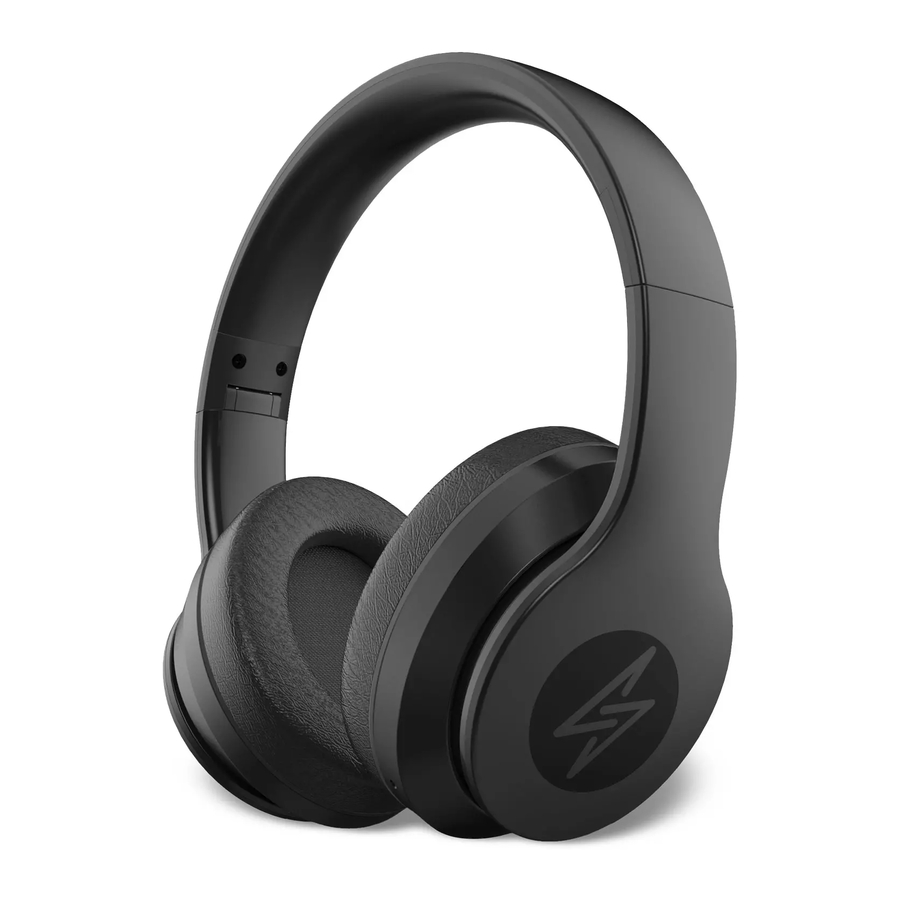
Champion HBT500 - ANC Bluetooth Headphone Manual
Parts and Functions
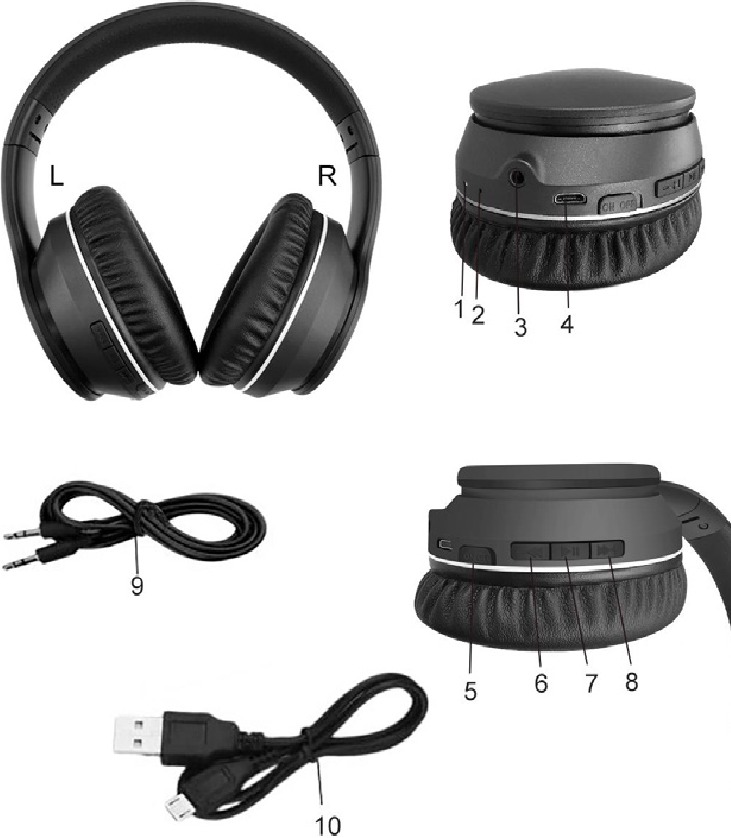
- LED indicator
- Microphone
- Line in jack
- Micro USB charging port
- ANC button ON/OFF
- Volume down (short press)/ Last song (long press)
- Switch button (power on/off, play/pausee, Answer/End calls/Reject call/Last outgoing number redial)
- Volume up (short press)/Next song (long press)
- 3.5mm audio line in cable
- Charging cable
Power on/off the headset
Power on: Press the play/pause button for about 2-3 seconds until the indicator light start flashing red and blue alternately (the headset will have reminder sound).
Power off: Press the play/pause button for about 2-3 seconds until the blue indicator light goes off (the headset will have reminder sound).
Pair to your mobile phone
- Press the play/pause button for about 2-3 seconds until the indicator light start flashing red and blue alternately (the headset will have reminder sound).
- Turn on the Bluetooth function of your phone.
- Search for the Bluetooth devices and select "HBT500" (enter the code"0000" if needed).
- If pairing is successful, the light indicator starts flashing (the headset will have short reminder sound).
- Please make sure the headphone is on before pairing.
- It will connect to the Pre-set phone automatically when it turns on (please make sure the Bluetooth function of your phone is on).
- If the pairing is not successful, please switch off headset firstly, and then switch on the headphone to re-pair again.
Aux line-in
Insert the 3.5mm audio line in cable into the 3.5mm earphone port and insert the other 3.5mm jack into mp3/mp4 player/your mobile phone or other compatible device to play your Music.
Answer/ End calls, reject call, last outgoing number redial (switch button)
- When there is a call, short press switch button can answer the call. After the call, press switch button to hang up.
- Reject call: long press switch button.
- Last number redial: double click the switch button.
- When the phone call/answer call, the music will pause automatically and enter waiting state.
Enter ANC mode
Move the button to "ON" (on) and the music will be in ANC mode, move the button to "OFF" (off) to turn off this function.
Charging the headset
- Insert USB charging cable into USB port which supports 5V power (such as AC/DC USB adapter or PC USB port). Connect charging cable to the charging port of headset. When the red light is on, the headset is in charging. The red light will turn off when the headset is fully charged. It takes about 2-2.5 hours to charge the headset fully.
- The battery is rechargeable. Low-battery alter: When the alert tone turns on and the indicator turns red that means the battery has run out, and it needs to charge as soon as possible.
Note: Please be sure the battery has been fully charged before using the headphone for the first time.
Precautions
- Please be gentle when using this headphone. The maximum tolerance of the button is 250g. Excessive force will damage the buttons.
- Please align the USB port when you plug or pull USB cable.
- If you do not use the headset for long periods, please turn off the headset and be sure to store it in a dry place, free from extreme temperature conditions and dust.
- Please do not vibrate or shock the headset violently, and do not let it fall from high places.
Champion | Makadamgatan 14 | 254 64 Helsingborg | Sweden
www.champion.se

References

Download manual
Here you can download full pdf version of manual, it may contain additional safety instructions, warranty information, FCC rules, etc.
Download Champion HBT500 - ANC Bluetooth Headphone Manual