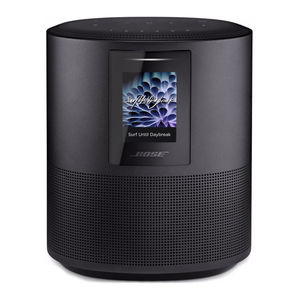
Bose 500, 700, 300 Manual
Choose your setup method
Your setup method depends on which soundbar you have.
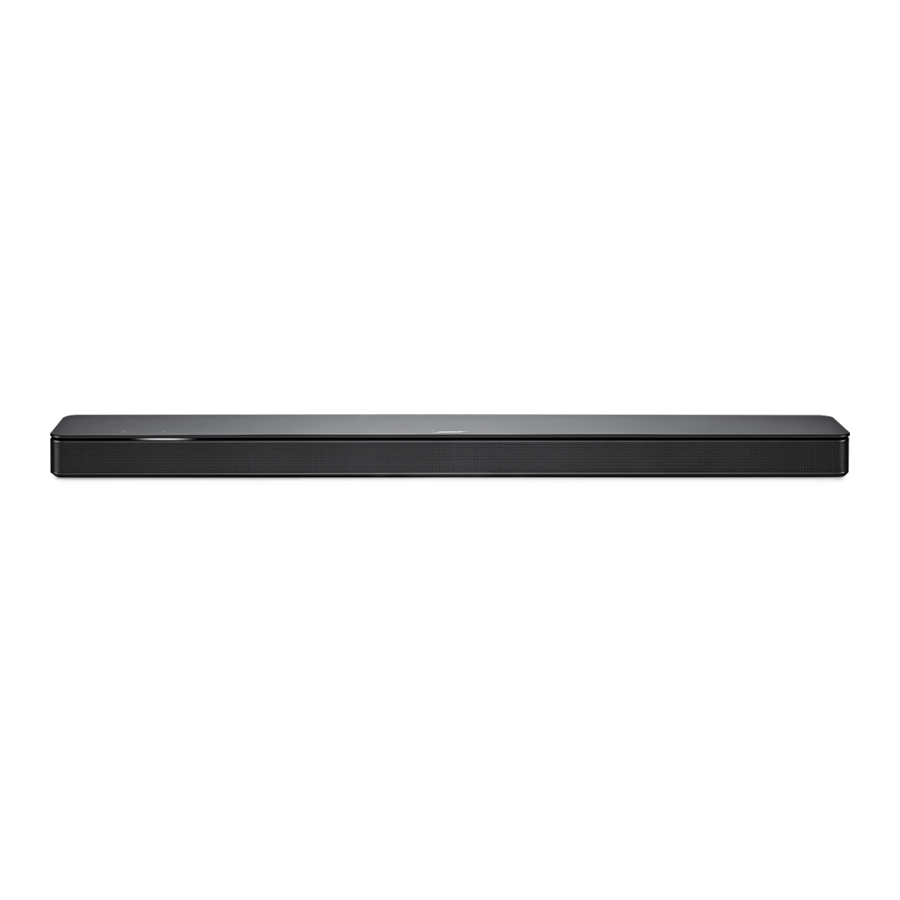
Bose Soundbar 500, Bose Soundbar 700, or Bose Smart Soundbar 300: See method 1.
SoundTouch 300 soundbar: See method 2.
METHOD 1
BOSE SOUNDBAR 500, BOSE SOUNDBAR 700, BOSE SMART SOUNDBAR 300



Set up using the Bose Music app
- In the Bose Music app, from the My Products screen, select your soundbar.
- Go to the Settings menu to add your surround speakers.
New to Bose Music app?
Download the app and follow the app instructions to set up your soundbar and surround speakers.
METHOD 2
SOUNDTOUCH 300 SOUNDBAR
Connect your adaptors
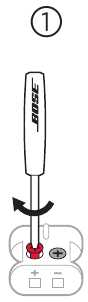
- Insert the color-coded speaker cable wires into their corresponding terminals.
- Turn the screws to the right (clockwise) to secure the wires into the terminals.
- Repeat steps a and b to connect your other adaptor.
Identify switch settings on wireless receivers
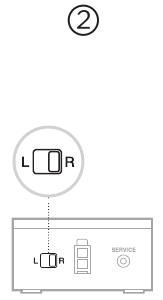
- Confirm that the switch on one wireless receiver is set toR (right).
- Confirm that the switch on the other wireless receiver is set toL (left).
Connect your rear speakers
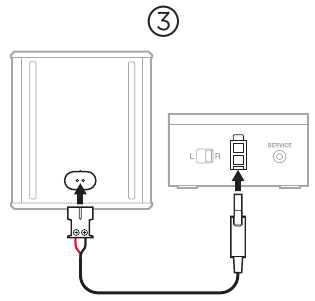
- Insert the adaptor into the back of the speaker.
- Insert the two-pin connector into the wireless receiver.
- Repeat steps 1 and 2 to set up your other speaker.
Place your rear speakers and wireless receivers
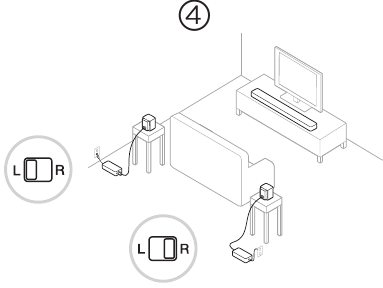
- Facing your TV, place the speaker and R wireless receiver on the right side of your room.
- Facing your TV, place the speaker and L wireless receiver on the left side of your room.
- Connect to power.
Connect the surround speakers to the soundbar
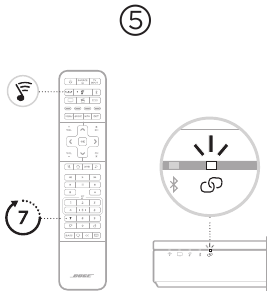
- On your SoundTouch 300 remote, press
![]() .
. - Press and hold G until
![]() on the soundbar blinks white.
on the soundbar blinks white.
 .
.Once the surround speaker connects, you hear a tone and  glows white.
 NOTE: Connecting may take several minutes.
Set up ADAPTiQ audio calibration
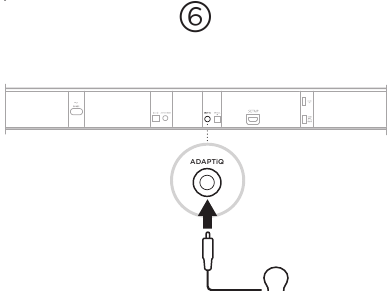
- Connect the ADAPTiQ headset (included with the soundbar) to the soundbar's
![]() connector.
connector. - Put the headset on your head.
 connector.
Run ADAPTiQ audio calibration
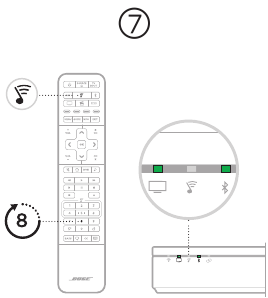
- On your SoundTouch 300 remote, press
![]() .
. - Press and hold H until
![]() and
and ![]() on the soundbar glow green.
on the soundbar glow green.
![information]() NOTE: To cycle through languages, press
NOTE: To cycle through languages, press![]() and
and ![]() on the navigation pad.
on the navigation pad.
 and
and  on the soundbar glow green.
 and
and  on the navigation pad.
worldwide. Bose.com/Support/WSS

References


Download manual
Here you can download full pdf version of manual, it may contain additional safety instructions, warranty information, FCC rules, etc.
Download Bose 500, 700, 300 Manual