steelseries ARCTIS NOVA 7P Manual
GENERAL
PACKAGE CONTENTS
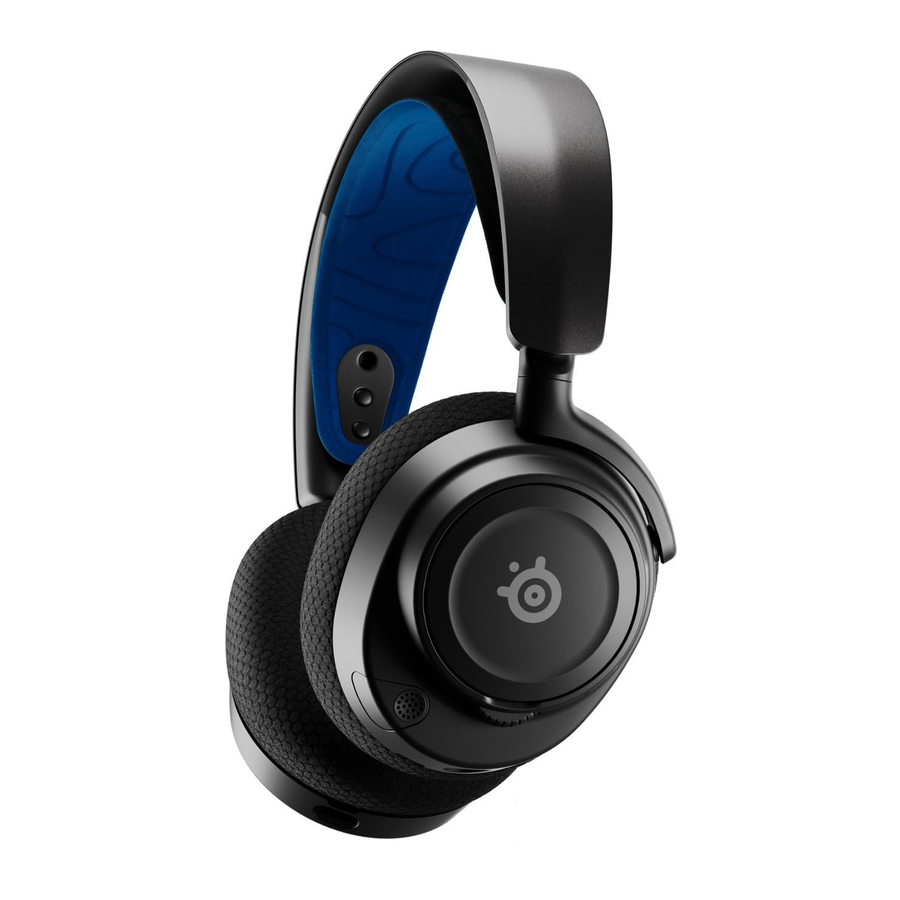
Arctis Nova 7P Wireless Headset
Wireless Dongle
USB-A Adapter Cable
Charging Cable
SYSTEM COMPATIBILITY
PlayStation 5
PlayStation 4
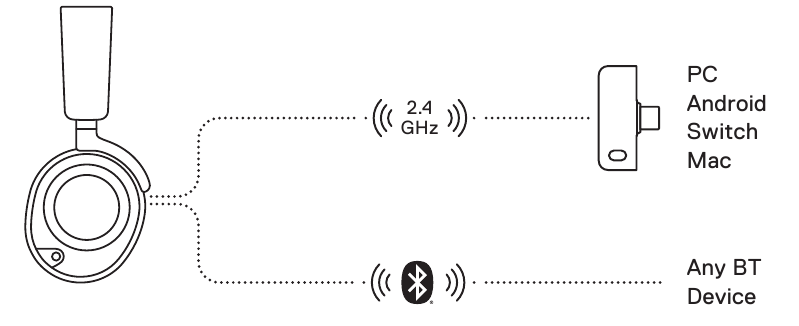
PC
Android
Nintendo Switch
Mac
SOFTWARE
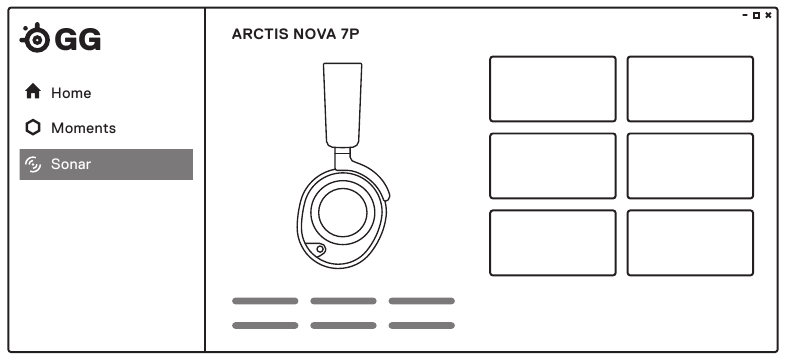
Use Engine inside SteelSeries GG to set custom equaliser settings and control your mic.
GG also has other amazing apps like Sonar, a breakthrough in gaming sound, that allows you to hear what matters most, through cutting-edge audio tools.

DOWNLOAD NOW
steelseri.es/gg
PRODUCT OVERVIEW
HEADSET
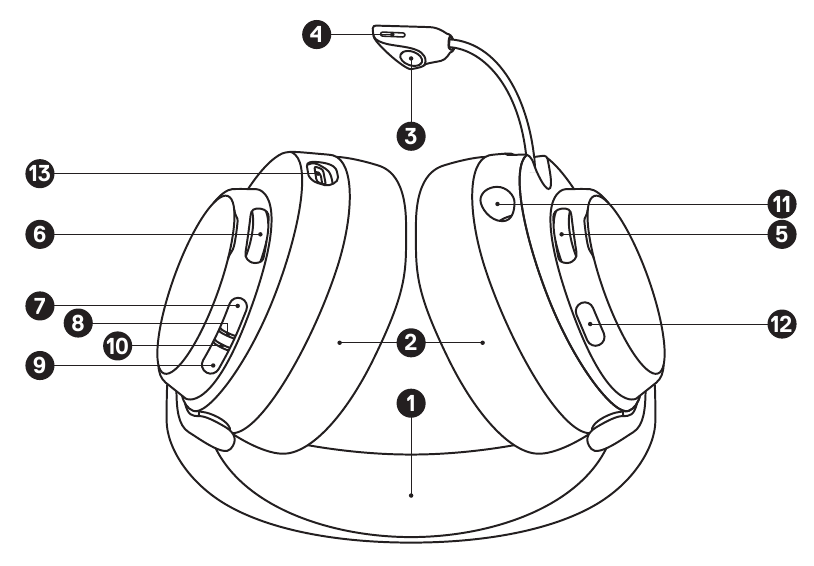
- Elastic Headband*
- Airweave Ear Cushions*
- Retractable ClearCast Microphone
- Microphone Mute LED
- Volume Wheel
- Sidetone Dial
- Power Button
- Power Indicator LED
- Bluetooth Button
- Bluetooth Indicator LED
- 3.5 mm Wired Audio Jack
- Microphone Mute Button
- USB-C Charging Jack
WIRELESS DONGLE
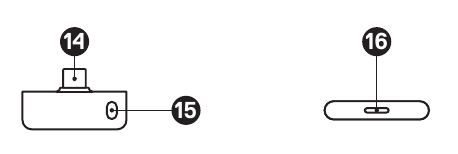
- Wireless Dongle*
- Pairing Button
- Status LED
ACCESSORIES*
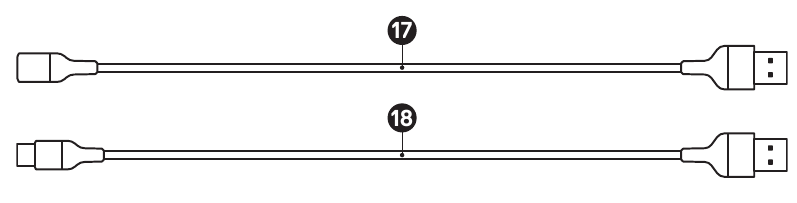
- USB-A Adapter Cable*
- Charging Cable*
SETUP
*Find accessories and replacement parts at steelseries.com/gaming-accessories
CONNECTION TO USB-A
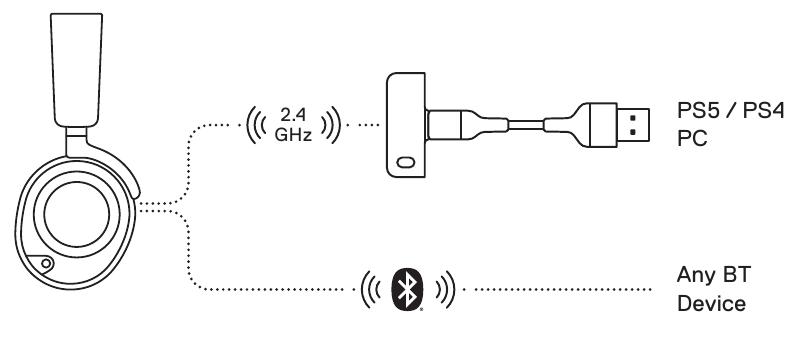
CONNECTION TO USB-C
PLAYSTATION 5 AUDIO SETTINGS
| PS5 SETTING > AUDIO OUTPUT | |
| Output to Headphones | All Audio |
| PS5 SETTING > AUDIO OUTPUT > VOLUME | |
| Headphones | Set to Max |
POWER
POWER ON/OFF
Press and hold the Power Button (7) for 1 second to power the Headset On/Off.
When the Headset is powered on and connected, the Dongle's Status LED (16) increases brightness.
CHARGING
To charge the headset, connect the Charging Cable (18) from the Headset's USB-C Charging Jack (13) to any USB power source.
The color of the Power Indicator LED (8) indicates the battery level.
Green 100–50 %
Yellow 49–15 %
Red 14–5 %
Red (fast blink) 4–1 %
PAIRING
Note: The headset and dongle come paired.
If you need to re-pair:
- Connect theWireless Dongle (14) to your gaming device.
- Press and hold the Dongle'sPairing Button (15) for 4 seconds until the Power Indicator LED (8) blinks rapidly.
- With the headset off, press and hold thePower Button (7) for 4 seconds until thePower Indicator LED (8) blinks rapidly.
- When pairing is successful you will hear a tone, and the Dongle'sStatus LED (16) will turn solid.
BLUETOOTH
BLUETOOTH POWER
Bluetooth can be powered On / Off independently of the 2.4 GHz wireless by pressing and holding the Bluetooth Button (9) for 1 second.
PAIRING
With Bluetooth Off, press and hold the Bluetooth Button (9) for 4 seconds.
MULTIMEDIA CONTROL
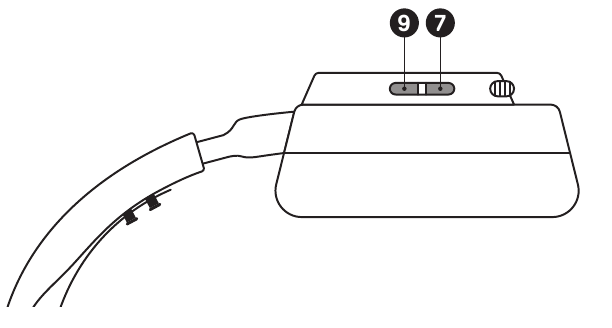
 | Answer/End Voice Call Single press the Bluetooth Button (9) |
 | Play/Pause Music Single press the Bluetooth Button (9) |
 | Skip Track Double press the Bluetooth Button (9) |
 | Previous Track Triple press the Bluetooth Button (9) |
Note: The Power Button (7) can be used for Multimedia control in the same way.
SIDETONE
Use the on-headset Sidetone Dial (6) to adjust the level of your voice you hear in the headset.
MICROPHONE
RETRACTABLE MICROPHONE
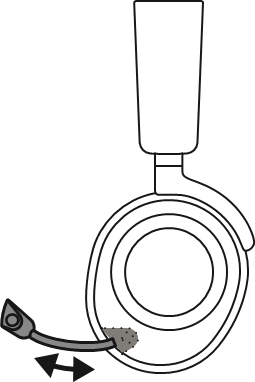
Out of the box, the Retractable ClearCast Microphone (3) is retracted. To use the microphone, slide it away from the headset until it reaches full extension.
POSITIONING
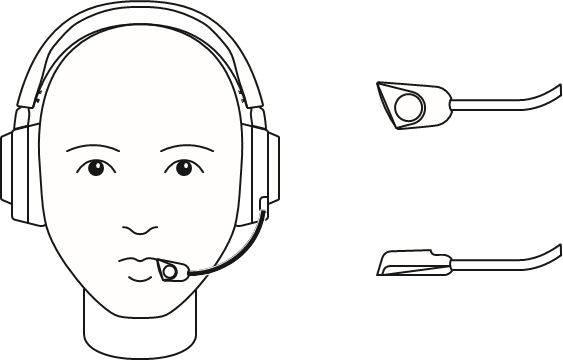
Position the Retractable ClearCast Microphone (3) close to the corner of your mouth with the front surface facing you.
Note: The microphone should not be used when retracted.
PERFECT FIT
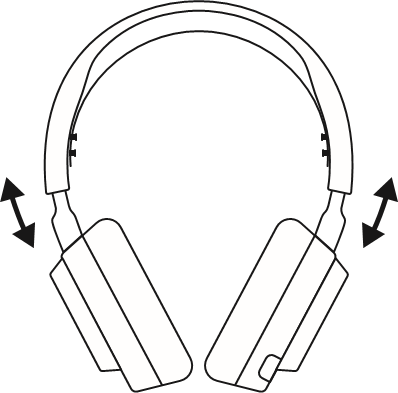
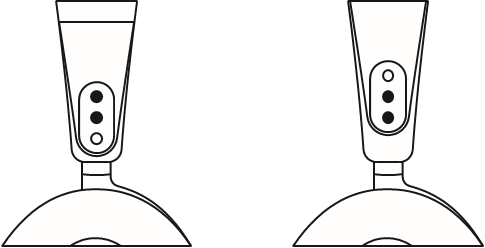
There are two ways to adjust the fit of your headset
- Slide the Earcups up or down to change the overall height.

- Change the position of theElastic Headband (1) on one or both sides to achieve the desired tension and flex.

References
![steelseri.es]() SteelSeries GG | Connect with your people, gear and game | SteelSeries
SteelSeries GG | Connect with your people, gear and game | SteelSeriesSteelSeries Gaming Accessories


Download manual
Here you can download full pdf version of manual, it may contain additional safety instructions, warranty information, FCC rules, etc.
Download steelseries ARCTIS NOVA 7P Manual


