Sign In
Manuals
Brands
Gigabyte Manuals
Motherboards
Z590 AORUS XTREME WATERFORCE
Gigabyte Z590 AORUS XTREME WATERFORCE Manuals
Manuals and User Guides for Gigabyte Z590 AORUS XTREME WATERFORCE. We have
1
Gigabyte Z590 AORUS XTREME WATERFORCE manual available for free Easy to read manuals to view: User Manual
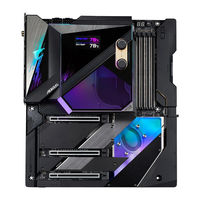
GIGABYTE Z590 AORUS XTREME WATERFORCE - Motherboard Manual
Brand:
Gigabyte
| Category:
Motherboards
| Size: 31 MB
Table of Contents
Identifying Your Motherboard Revision
Box Contents
Optional Items
Z590 AORUS XTREME WB (Z590 AORUS XTREME WATERFORCE) Motherboard Layout
Z590 AORUS XTREME WB (Z590 AORUS XTREME WATERFORCE) Motherboard Block Diagram
Hardware Installation
Installation Precautions
Product Specifications
Installing the CPU and CPU Cooler
Installing the CPU
Installing the Water Cooling Kit
Installing the Memory
Dual Channel Memory Configuration
Installing a Memory
Installing an Expansion Card
Setting up an AMD CrossFire Configuration
System Requirements
Connecting the Graphics Cards
Configuring the Graphics Card Driver
Back Panel Connectors
Onboard Buttons and Switches
BIOS Switches
Quick Buttons
OC Button (OC IGNITION)
Voltage Measurement Points
Internal Connectors
ATX_12V_2X4_1/ATX_12V_2X4_2/ATX (2x4 12V Power Connectors and 2x12 Main Power Connector)
CPU_FAN/SYS_FAN1/2/3/4/7/8 (Fan Headers)
SYS_FAN5_PUMP/SYS_FAN6_PUMP (System Fan/Water Cooling Pump Headers)
CPU_OPT (Water Cooling CPU Fan Header)
LED_CPU (Water Cooling Kit CPU LED Header)
LED_PCH (Water Cooling Kit Chipset LED Header)
NOISE_SENSOR (Noise Detection Header)
EC_TEMP1/EC_TEMP2 (Temperature Sensor Headers)
LED_C1/LED_C2 (Integrated Extension Cable Headers for Addressable and RGB LED Strips)
BAT (Battery)
SATA3 0/1/2/3/4/5 (SATA 6Gb/s Connectors)
M2A_SB/M2P_CPU (Note)/M2M_SB (M.2 Socket 3 Connectors)
F_PANEL (Front Panel Header)
F_AUDIO (Front Panel Audio Header)
F_U320G (USB Type-C Header with USB 3.2 Gen 2x2 Support)
F_U32 (USB 3.2 Gen 1 Header)
F_USB1 (USB 2.0/1.1 Header)
BIOS Setup
Startup Screen
The Main Menu
Advanced Mode
Easy Mode
Smart Fan 6
Favorites (F11)
Tweaker
Advanced CPU Settings
Advanced Memory Settings
SPD Info
Memory Channels Timings
Advanced Voltage Settings
Settings
Platform Power
IO Ports
USB Configuration
Network Stack Configuration
NVMe Configuration
SATA And RST Configuration
Miscellaneous
Trusted Computing
PC Health Status
System Info
Plug in Devices Info
Q-Flash
Boot
Secure Boot
Save & Exit
Configuring a RAID Set
Configuring SATA Controllers
Installing hard drives
Configuring SATA controller mode in BIOS Setup
UEFI RAID Configuration
Installing the RAID Driver and Operating System
Installing Intel Optane Memory and Storage Management
Enabling an Intel Optane Memory
Rebuilding an Array
Drivers Installation
Drivers & Software
Application Software
Information
Unique Features
BIOS Update Utilities
Updating the BIOS with the Q-Flash Utility
Updating the BIOS with the @BIOS Utility
Using Q-Flash Plus
APP Center
EasyTune
Fast Boot
Game Boost
RGB Fusion
Smart Backup
System Information Viewer
Configuring Audio Input and Output
Configuring 2/4/5.1/7.1-Channel Audio
Configuring Speakers
Enabling Smart Headphone Amp
Configuring the Headphone
Configuring S/PDIF Out
Using the Voice Recorder
Recording Audio
Playing the Recorded Sound
DTS:X Ultra
Using DTS:X Ultra
Using DTS Sound Unbound
Troubleshooting
Frequently Asked Questions
Troubleshooting Procedure
Debug LED Codes
Contact Us
Documents / Resources
References
Related Products
Gigabyte Z790 AORUS ELITE AX
Gigabyte Z790M AORUS ELITE AX
Gigabyte Z690 AORUS ELITE AX
Gigabyte Z790I AORUS ULTRA
Gigabyte Z790 AORUS PRO X
Gigabyte Z690 A ELITE STEALTH
Gigabyte Z690I AORUS ULTRA PLUS
Gigabyte 50M AORUS ELITE
Gigabyte 50M AORUS ELITE AX
Gigabyte 650M AORUS PRO
Gigabyte Categories
Motherboards
Monitors
Laptops
Desktops
More Gigabyte Manuals
Login
Sign In
OR
Sign in with Facebook
Sign in with Google
Upload manual
Upload from disk
Upload from URL