Monster CLARITY AirLinks, MH21903 Manual
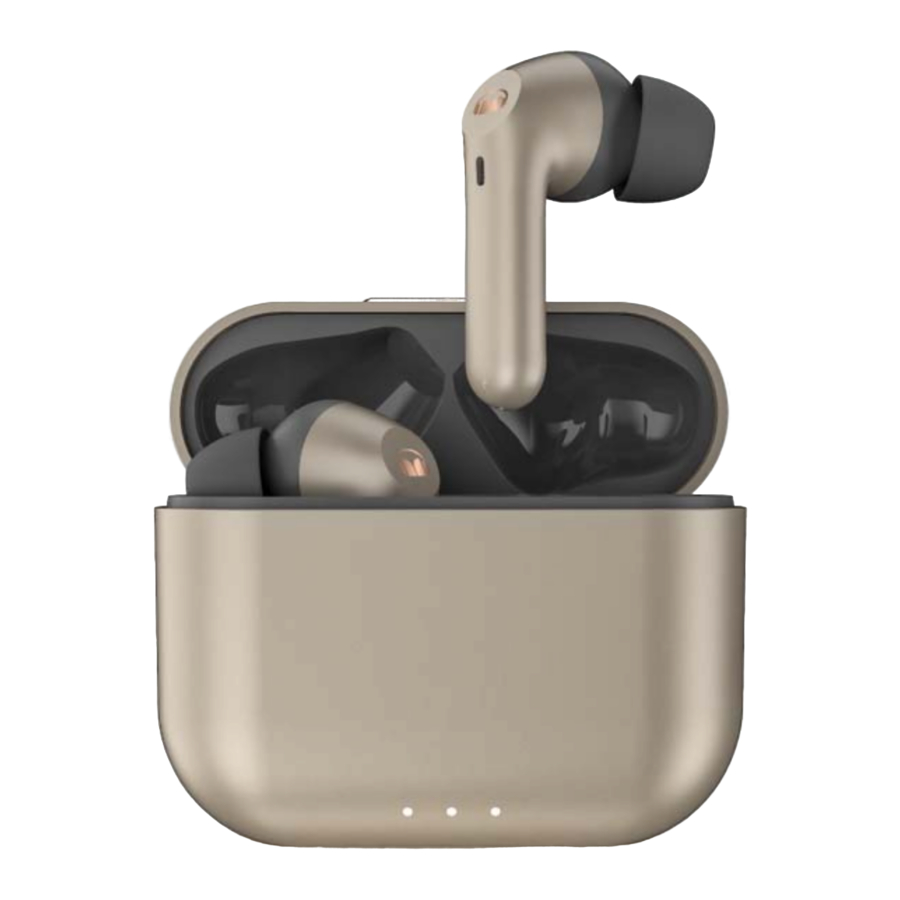
What's in the Box
- In‐ear Earphones (left & right)
- Charging Case
- USB‐C Charging Cable
- Ear Tips × 3 pairs (M size installed)
- Quick Start Guide and Warranty Letter
Product Overview

- Multi Function Button(MFB)
- Indicator Light (White)
- Microphones
- Ear Tip
- USB‐C Charging Port
- Pair/ Reset to Factory Settings Button
- Charging Case
- Charging Case Indicator Light
Power On/Off
The earphones will be turned on when opening the charging case. To turn off the earphones, put back to the charging case and close. Earphones will be turned off and start charging.
Noise Cancellation On/Off
Press and hold the MFB for about 2 seconds to switch different mode.
[Noise Cancellation On] – [Transparency Mode] – [Noise Cancellation Off]
Transparency Mode
Charging case
Connect the included USB‐C cable to charge the charging case. During the charging process, the charging case light indicator will show the current charge status. When the charging case is fully charged, the light will turn off.
Pairing
Open the charging case, the earphones will be turned on automatically. Left and right earphones will be connected automatically within few seconds. Then "pairing" voice prompt will be heard. For new device connection, go to the Bluetooth settings on your device and set it to search for new devices (new Monster device). Once the earphones are paired to the designated device, you will hear "connected".
Connect other devices
Keep the earphones in the charging case and leave the cover open. Press and hold the pair button which is located on the bottom of the charging case for about 2 seconds until the light indicator start to flash. It is now in pairing mode. Activate the Bluetooth on your device and set it to search for new devices.
Volume Control
The earphones do not have volume control function. After Bluetooth connection, volume level can be controlled on the connected device.
Calling
Answer/End call: Click the MFB.
Reject a call: Double‐click the MFB.
Music
Play/Pause music: Short press the MFB.
Previous song: Double‐click the MFB on the left earphone.
Next song: Double‐click the MFB on the right earphone.
Voice Control
After connecting to the phone, triple‐click the MFB quickly to activate the voice assistant.
LED Indicator Guide
| Mode | Description | Voice prompts |
| Power On | Indicator light stays on about 1 second. | "Power On" |
| Power Off | Indicator light stays on about 1 second. | "Power Off " |
| Pairing | Indicator light flashes quickly. | "Pairing" |
| Connected | After connected, Indicator light goes off. | "Connected" |
| Earphones charging | When left earphones is charging, the left indicator light is on. | ‐ |
When right earphones is charging, the right indicator light is on. | ||
When both earphones are charging, the left and right indicator lights are on respectively. | ||
| Charging case | Charging case indicator light flashes while charging. When charging case indicator light is off, it is fully charged. | ‐ |
 Note:
Note:
- After removing the earpieces from the charging case, without pressing any buttons, the left and right earpieces will connect automatically. If there is no connection found, it enters to pairing mode automatically.
- Please put the earphones in the correct position to charge.
- It is not recommended to replace the battery privately.
- The battery (battery pack or combination battery) must not be exposed to excessive heat such as sunlight or fire.
Download manual
Here you can download full pdf version of manual, it may contain additional safety instructions, warranty information, FCC rules, etc.
Download Monster CLARITY AirLinks, MH21903 Manual