Corsair M65 RGB ELITE - Tunable FPS Gaming Mouse Manual
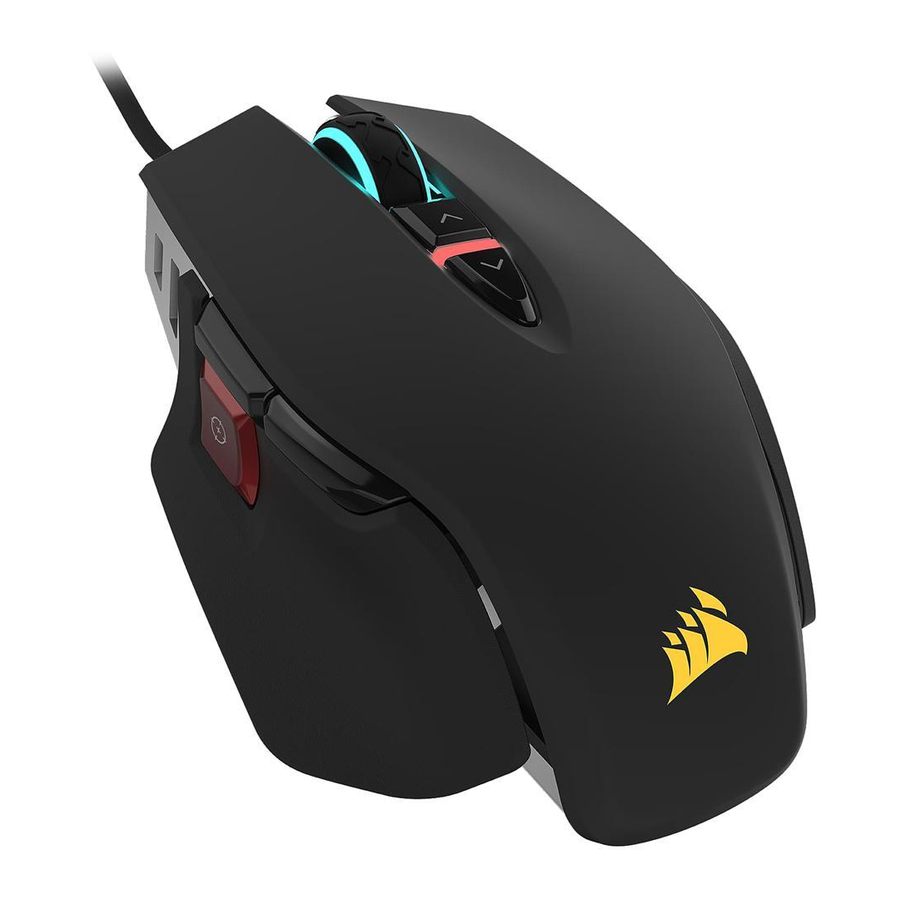
GETTING TO KNOW YOUR MOUSE
All mouse buttons are programmable through software. These represent the default settings.
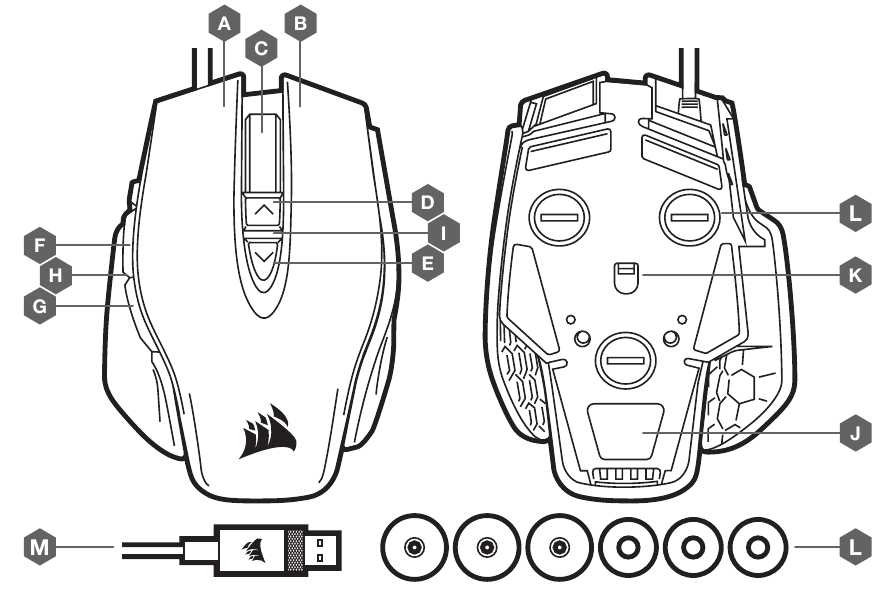
- LEFT CLICK BUTTON
- RIGHT CLICK BUTTON
- MIDDLE CLICK BUTTON
- DPI UP BUTTON
- DPI DOWN BUTTON
- FORWARD BUTTON
- BACKWARD BUTTON
- SNIPER BUTTON
- DPI LED INDICATOR
- PTFE GLIDE PADS
- OPTICAL GAMING SENSOR
- WEIGHT SYSTEM
- USB CONNECTION CABLE
SETTING UP YOUR MOUSE
- Turn on your computer.
- Connect the mouse to available USB 2.0 or USB 3.0 port on your computer.
- Download the iCUE software from www.corsair.com/downloads.
- Run the installer program.
- Follow instructions for installation.
ADJUSTING THE MOUSE WEIGHT SYSTEM
The weight of your M65 RGB ELITE can be customized for your style of play.
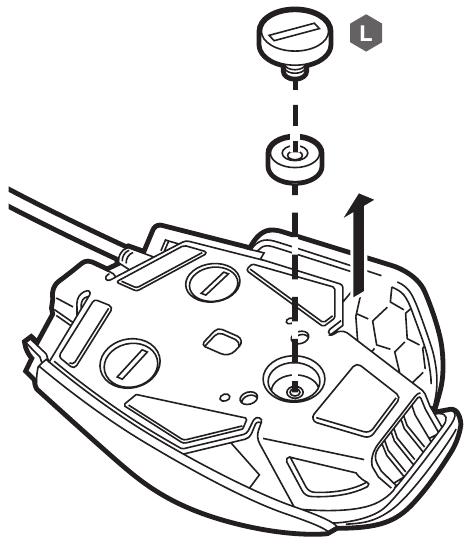
- Turn over the mouse and find the three screws (L).
- Remove any of the three screws (use either a screwdriver or a coin of the appropriate width).
- Remove the weight and replace the screw, or remove the screw and weight, depending on your preference.
Note on environmental protection

After the implementation of the European Directive 2012/19/EU in the national legal system, the following applies:
- Electrical and electronic devices may not be disposed of with domestic waste.
- Consumers are obligated by law to return electrical and electronic devices at the end of their service lives to the public collecting points set up for this purpose of point of sale. Details to this are defined by the national law of the respective country.
This symbol on the product, the instruction manual or the package indicates that a product is subject to these regulations. By recycling, reusing the materials or other forms of utilizing old devices, you are making an important contribution to protecting our environment.

WEB: corsair.com
PHONE: (888) 222-4346
SUPPORT: support.corsair.com
BLOG: corsair.com/blog
FORUM: forum.corsair.com
YOUTUBE: youtube.com/corsairhowto
© 2018 CORSAIR MEMORY, Inc. All rights reserved. CORSAIR and the sails logo are registered trademarks in the United States and/or other countries. All other trademarks are the property of their respective owners. Product may vary slightly from those pictured. 49-001758 AA

References
CORSAIR Downloads | CORSAIR iCUE Software
PC Components | Gaming Gear | CORSAIR
Corsair Blog - Corsair Community
Home - Corsair Community
![youtube.com]() CORSAIR LAB - YouTube
CORSAIR LAB - YouTube


Download manual
Here you can download full pdf version of manual, it may contain additional safety instructions, warranty information, FCC rules, etc.
Download Corsair M65 RGB ELITE - Tunable FPS Gaming Mouse Manual


