Citizen Peyten Cal. B620 - WR100 Chronograph Manual
Contents
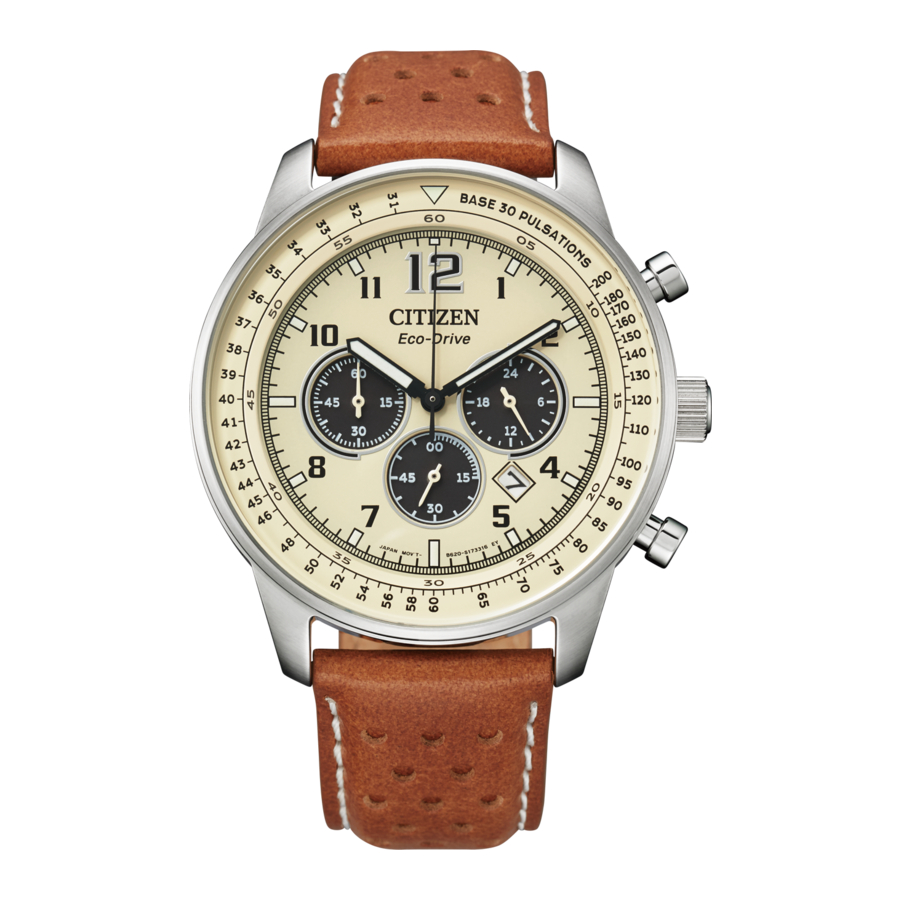
- This watch is light-powered. Be sure your watch is fully charged before use.
Component identification


- Illustrations for reference only. Actual appearance of your watch may differ from the illustrations above.
Adjusting the time
- Pull the crown out to position
![]() when the second hand points to 12:00 (0 second).
when the second hand points to 12:00 (0 second).
All the hands stop.- When using chronograph, the chronograph is reset and 1/5 chronograph second hand returns to 0 second.
- Rotate the crown to adjust the time.
- The 24-hour hand also moves. Pay particular attention to the hand to ensure AM or PM time is set properly.
- When the watch shows around 12:00 AM, the date indicator starts to change. The date indicator does not change by rotating the crown counterclockwise.
- Push the crown in to position
![]() in accordance with a reliable time source to finish the procedure.
in accordance with a reliable time source to finish the procedure.
 when the second hand points to 12:00 (0 second).
 in accordance with a reliable time source to finish the procedure.
Adjusting the calendar
Adjust the date indication on the first days of March, May, July, October and December.
- When the time on the watch is between 9:00 PM and 1:00 AM, do not execute the adjustment. Otherwise the date indication may change improperly.
- Pull the crown out to position
![]() .
. - Rotate the crown counterclockwise to adjust the date.
- Push the crown in to position
![]() to finish the procedure.
to finish the procedure.
 .
.  to finish the procedure.
 Using the chronograph
- Push the crown in to position
![]() .
.
Start/stop: press and release the upper right button![]() .
. - Press and release the lower right button
![]() to return the chronograph minute hand to 00 minute position before starting measurement if it is not at the position.
to return the chronograph minute hand to 00 minute position before starting measurement if it is not at the position.
- Press and release the lower right button
 .
. Reset: press and release the lower right button  while the chronograph is stopped.

The 60-minute chronograph can indicate a maximum of 59' 59.8".
- After one hour of continuous chronograph operation, the chronograph automatically stops.
- The current time is shown while the chronograph works.
- While the second hand is moving once every two seconds (the insufficient charge warning function), you can not use the chronograph.
Correcting the reference position of 1/5 chronograph second hand
Do the following procedure when 1/5 chronograph second hand does not return to 0 second by resetting the chronograph.
- Pull the crown out to position
![]() .
. - The watch stops. All the hands stop.
- Press and hold the upper right button
![]() for 2 or more seconds.
for 2 or more seconds. - You can adjust 1/5 chronograph second hand.
- Adjust 1/5 chronograph second hand to 0 second by pressing the upper right button
![]() repeatedly.
repeatedly.
Each time you press the button, 1/5 chronograph second hand moves by 1 step.- While you press and hold the button, the hand moves continuously.
- Chronograph minute hand moves as 1/5 chronograph second hand moves.
- Rotate the crown to adjust the time.
- Push the crown in to position
![]() .
. - Press and release the lower right button
![]() .
. - When you press and release the button, chronograph minute hand is reset.
 .
. 
Download manual
Here you can download full pdf version of manual, it may contain additional safety instructions, warranty information, FCC rules, etc.
Download Citizen Peyten Cal. B620 - WR100 Chronograph Manual


