Plantronics RIG 800 Series(800LX/800HD/800HS/800HX) Handleiding
Installatie en basisprincipes
Uw adapter is vooraf gekoppeld aan uw headset. Nadat u uw headset hebt aangepast en opgeladen en uw adapter hebt geconfigureerd, schakelt u uw headset in en is deze klaar voor gebruik.
Pasvorm

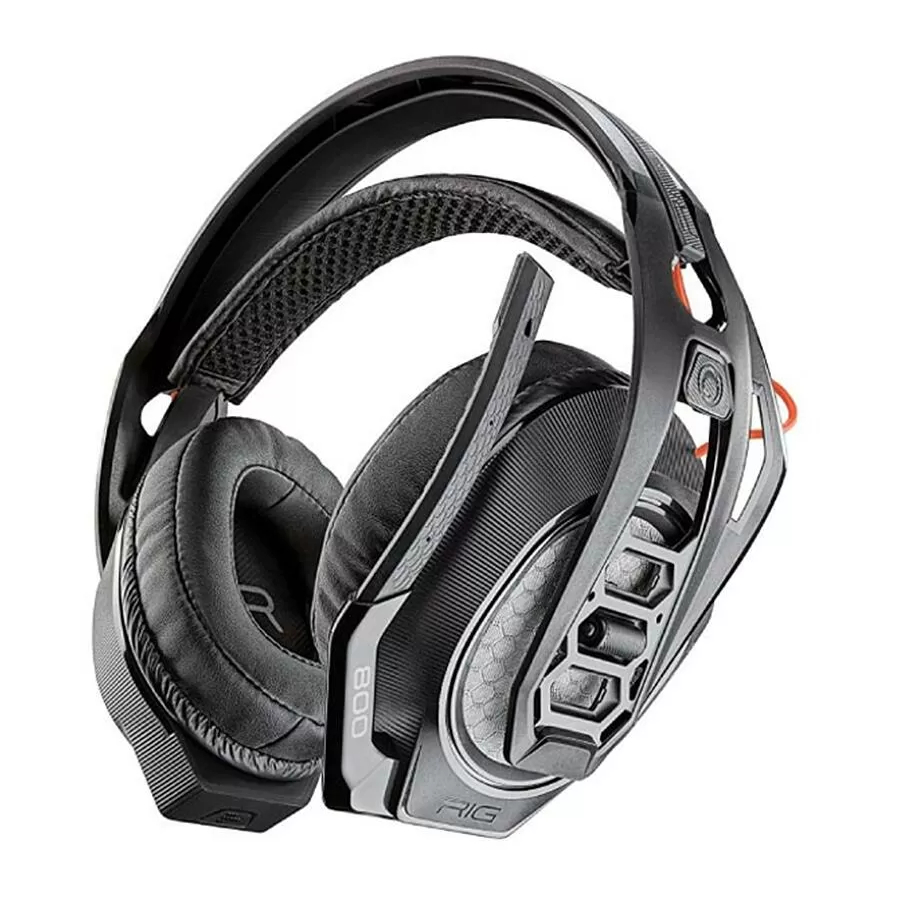
Uw headsetcomponenten klikken eenvoudig in het headsetframe om de beste pasvorm en het beste geluid te configureren.
De hoofdband kan worden aangepast aan drie maten (klein, middelgroot, groot) door de oorschelpen te verplaatsen. Om een oorschelp te verwijderen, drukt u op de oorschelp om deze van de hoofdband los te maken.
PS4 instellen
PS4
- Sluit uw adapter aan op uw systeem.

- Schakel uw PS4 in en Check for updates (Controleer op updates)
- Ga naar Settings > Sound and Screen > Audio Output Settings > Select Digital Out (Optical) (Instellingen > Geluid en scherm > Audio-uitvoerinstellingen > Selecteer Digitale uitvoer (optisch))
- Ga naar Settings > Devices > Audio Devices > Output Devices (Instellingen > Apparaten > Audioapparaten > Uitvoerapparaten) Selecteer Plantronics RIG800XX

PS4 (slim versie)
- Sluit uw adapter aan op uw systeem.
")
- Schakel uw PS4 in en Check for updates (Controleer op updates)
- Ga naar Settings > Devices > Audio Devices > Output Devices (Instellingen > Apparaten > Audioapparaten > Uitvoerapparaten) Selecteer Plantronics RIG800XX
- Ga naar Settings > Devices > Audio Devices > Output to headphones > All audio (Instellingen > Apparaten > Audioapparaten > Uitvoer naar hoofdtelefoon > Alle audio)

Xbox One instellen
- Sluit uw adapter aan op uw systeem.

- Schakel uw Xbox One in en Check for updates (Controleer op updates)
- Ga naar Display and Sound > Kinect and Devices > Device Options > Assign (Weergave en geluid > Kinect en apparaten > Apparaatopties > Toewijzen)

PC instellen
- Sluit uw adapter aan op uw systeem.

IMPORTANT (BELANGRIJK) Optical cable connection is only for RIG 800HD and RIG 800HS. (Optische kabelverbinding is alleen voor RIG 800HD en RIG 800HS.)
NOTE (OPMERKING) Optical cable is not provided in RIG 800HD. (Optische kabel is niet meegeleverd bij RIG 800HD.) - RIG 800HX and RIG 800LX only: (alleen RIG 800HX en RIG 800LX:) Ensure the switch on the back of the adapter is set to "PC." (Zorg ervoor dat de schakelaar aan de achterkant van de adapter op "PC" staat.)

Opladen
Het duurt maximaal 4,5 uur om uw hoofdtelefoon volledig op te laden. De headset-LED is rood tijdens het opladen en gaat uit wanneer het opladen voltooid is.

Volume aanpassen
- Om het game- en chatvolume te verhogen of te verlagen, past u de bovenste headsetknop aan.
- Om het hoofdvolume te verhogen of te verlagen, past u de onderste headsetknop aan.

IMPORTANT (BELANGRIJK) For the PS4 (slim version), (Voor de PS4 (slim versie),) set the top headset dial in the middle; game and chat remain balanced. Use the bottom headset dial to increase or decrease the master volume. (zet de bovenste headsetknop in het midden; game en chat blijven in evenwicht. Gebruik de onderste headsetknop om het hoofdvolume te verhogen of te verlagen.)

Dempen
Til de microfoonarm tot een volledige stop om de microfoon te dempen.


Do not force the boom past its upper or lower limits. (Forceer de microfoonarm niet voorbij zijn bovenste of onderste limieten.)
EQ instellen
Blader door de EQ-modi door op de EQ-knop te tikken.
| Tap the EQ button and hear | EQ mode |
| one tone | Pure EQ is our signature sound |
| two tones | Seismic EQ boosts bass |
| three tones | Intensify EQ focuses on detail sounds |
| four tones | Vocal EQ emphasizes vocal frequencies |
Ondersteuning
NEED MORE HELP? (MEER HULP NODIG?)
plantronics.com/support
Plantronics, Inc.
345 Encinal Street
Santa Cruz, CA 95060
United States
Scorpius 171
2132 LR Hoofddorp
Netherlands

© 2018 Plantronics, Inc. Plantronics and RIG are trademarks of Plantronics, Inc. registered in the US and other countries. Manufactured under license from Dolby Laboratories, Dolby and the double-D symbol are registerd trademarks of Dolby Laboratories. All other trademarks are the property of their respective owners.
Patents pending.
208788-06 (10.18)
Download handleiding
Hier kunt u de volledige pdf-versie van de handleiding downloaden. Deze kan aanvullende veiligheidsinstructies, garantie-informatie, FCC-regels, enz. bevatten.
Download Plantronics RIG 800 Series(800LX/800HD/800HS/800HX) Handleiding


