KENWOOD NX-1000 Series - NX-1200/E3, NX-1300-E2/E3 - User Guide
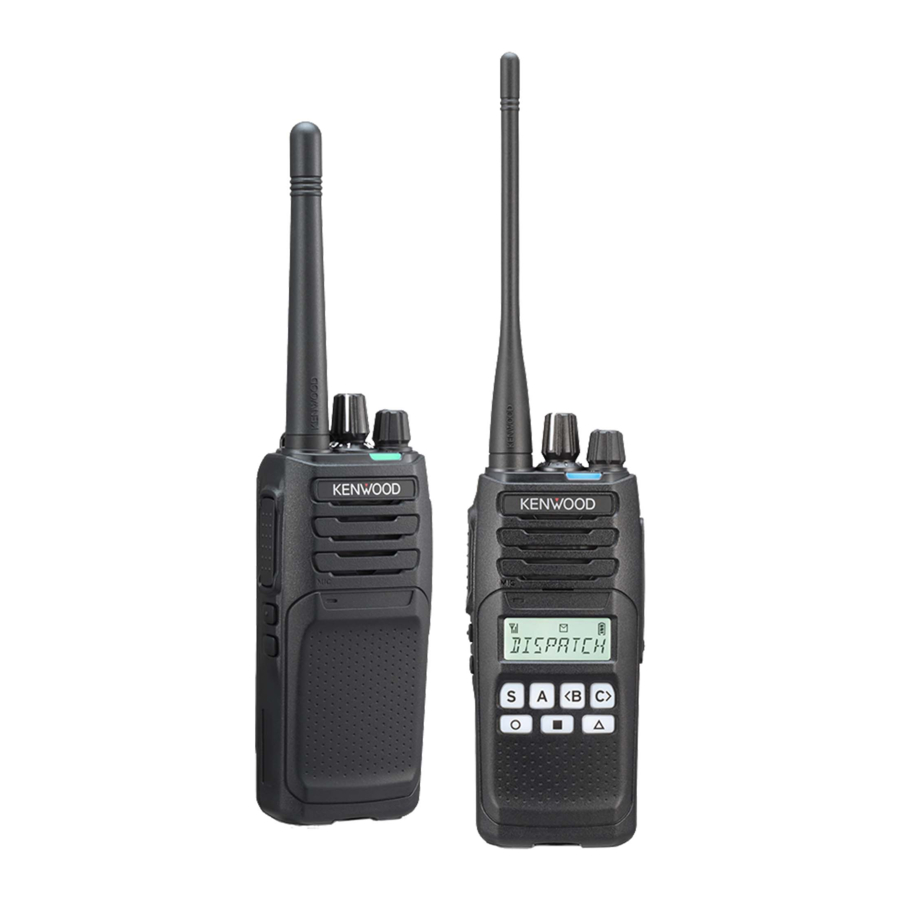
| Model | Frequency range | Max. output power | |
|
NX-1200-E2 NX-1200-E3 |
TX/RX | 136.000 - 174.000 MHz | 5 W |
|
NX-1300-E2 NX-1300-E3 |
TX/RX | 400.000 - 470.000 MHz | 5 W |
This User guide covers only the basic operations of your radio. For using details instruction manual, refer to the following URL or QR code.
https://manual.kenwood.com/files/B5K-0707-00.pdf

SUPPLIED ACCESSORIES
Carefully unpack the transceiver. We recommend that you identify the items listed in the following list before discarding the packing material. If any items are missing or have been damaged during shipment, fi le a claim with the carrier immediately.
| Item | Quantity |
| Li-ion battery pack (KNB-45L) | 1 |
| Speaker/microphone jack cap | 1 |
| Speaker/microphone locking bracket | 1 |
| Belt clip (KBH-10) | 1 |
| Screw (M3 x 8 mm) | 2 |
| User guide (user guide) | 1 |
INSTALLING/REMOVING THE BATTERY PACK
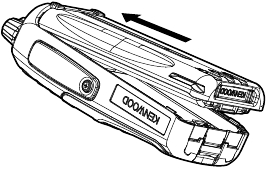
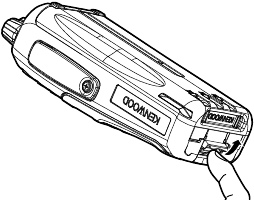
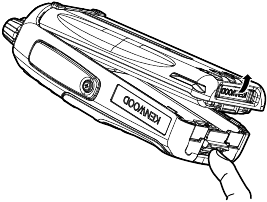
- Align the battery pack with the back of the transceiver, then press the battery pack and transceiver firmly together until the release latch on the base of the transceiver locks.

- To remove the battery pack, lift the safety catch on the base of the transceiver, then press the release latch underneath the safety catch.

- While pressing the release latch, pull the battery pack away from the transceiver.

BASIC OPERATION
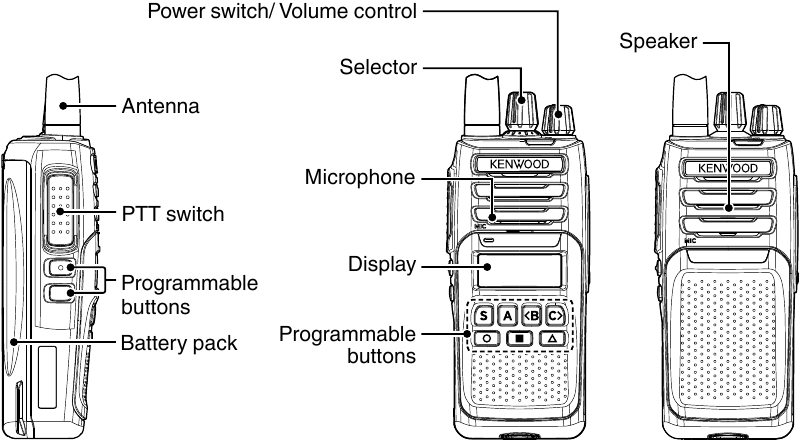
SWITCHING POWER ON/OFF
Turn the Power switch/Volume control clockwise to switch the transceiver ON.
Turn the Power switch/Volume control anticlockwise fully to switch the transceiver OFF.
ADJUSTING THE VOLUME
Rotate the Power switch/Volume control to adjust the volume. Clockwise increases the volume and anticlockwise decreases it.
SELECTING A ZONE AND CHANNEL
Select the desired zone using the buttons programmed as [Zone Up]/[Zone Down]. Each zone contains a group of channels.
Select the desired channel using the Selector or the buttons programmed as [Channel Up]/[Channel Down]. Each channel is programmed with settings for transmitting and receiving.
TRANSMITTING
- Select the desired zone and channel.
- Press the button programmed as [Monitor] or [Squelch Off] to check whether or not the channel is free.
- If the channel is busy, wait until it becomes free.
- Press the PTT switch and speak to the microphone. Release the PTT switch to receive.
- For best sound quality, hold the transceiver approximately 3 ~ 4 cm (1.5 inches) from your mouth.
RECEIVING
Select the desired zone and channel. If signalling has been programmed on the selected channel, you will hear a call only if the received signal matches your transceiver settings.

References

Download manual
Here you can download full pdf version of manual, it may contain additional safety instructions, warranty information, FCC rules, etc.
Download KENWOOD NX-1000 Series - NX-1200/E3, NX-1300-E2/E3 - User Guide


