Sign In
Manuals
Brands
Gigabyte Manuals
Monitors
S55U
Gigabyte S55U Manuals
Manuals and User Guides for Gigabyte S55U. We have
1
Gigabyte S55U manual available for free Easy to read manuals to view: User Manual
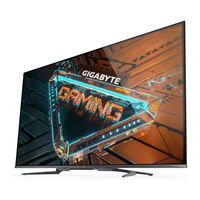
GIGABYTE S55U - Gaming Monitor 54.6" UHD with QD Display Manual
Brand:
Gigabyte
| Category:
Monitors
| Size: 1 MB
Table of Contents
Connection
Establishing a Wired Internet Connection
Establishing a Wireless Internet Connection
Connecting to a wireless network
To get access to the Internet in a wireless way
Connecting Bluetooth Devices
Listening to the monitor through Bluetooth devices
Using HDMI&CEC
Connecting an external device through HDMI&CEC function
Enabling device auto power off
Enabling Display auto power on
Connecting a Digital Audio System to Use eARC/ ARC
Connecting an AV device, a PC or a Game Console with an HDMI cable
Connecting USB Devices
Game
Game Mode Settings
Enabling game mode
Enabling Low Input Lag Mode
Enabling FreeSync
Game Assistant
Gaming Info
Crosshair
Display Alignment
Smart Functions
Getting Familiar with the Home Screen
Indicators and icons on the top of the Home screen
Names of sections that appear on the Home screen
Managing apps on the apps row
Using Voice Control
Google Assistant
Hands-free Voice Control
Media
Browsing content
Media format list
Apps
Installing an app
Removing an app
Moving app icons around
Picture and Sound
Adjusting the Picture Quality
Using the backlight function
Choosing a picture mode
Adjusting the picture quality for each picture mode
Changing the display mode
Applying the current picture settings to other input sources
Enabling smart scene function
Configuring advanced picture settings
Configuring calibration settings
Resetting the picture settings
Adjusting the Sound Quality
Enabling system sounds
Choosing a sound mode
Selecting speakers
Configuring WiSA Speaker
Enabling eARC
Enabling speaker
Enabling Dolby Atmos
Enabling Wall Mount Mode
Configuring advanced sound settings
Resetting the sound settings
Multi-screen
Screen Sharing
Content Sharing
Accessibility and System
Accessibility
Configuring Device Preferences Settings
Date & time
Language
Keyboard
Storage
Home screen
Google Assistant
Chromecast Android Shell (Chromecast built-in)
Screen saver
Location
Usage & Diagnostics
Security & restrictions
Reset
About
Configuring Advanced System Settings
Timer
Setup Assistant
Store Mode
Screenless Mode (only for models with Hands-free Voice Control)
Send Diagnostics and Usage
Serial/IP Control Port
Power LED
Power On Mode
FAV Button Customisation
E-Manual
Mobile Device Connection Tips
Clear Cache
Help
Troubleshooting
Picture Issues
Sound Issues
Network Issues
External Device Connection Issues
Apps
Media Files
Voice Control Issues
Other Issues
Using the E-Manual
Launching the E-Manual
Using the Buttons in the E-Manual
Search
Setting
Safety Precautions
Stability Hazard Precautions
Related Products
Gigabyte AORUS FI25F
Gigabyte AORUS FI27Q
Gigabyte AORUS FI27Q-P
Gigabyte AORUS FI27Q-X
Gigabyte AORUS FI32Q
Gigabyte AORUS FV43U
Gigabyte AORUS KD25F
Gigabyte G24F
Gigabyte G24F 2
Gigabyte Categories
Motherboards
Monitors
Laptops
Desktops
More Gigabyte Manuals
Login
Sign In
OR
Sign in with Facebook
Sign in with Google
Upload manual
Upload from disk
Upload from URL