Zyxel NWA1123-AC HD - 802.11ac Dual-Radio Dual-Mount PoE Access Point Quick Start
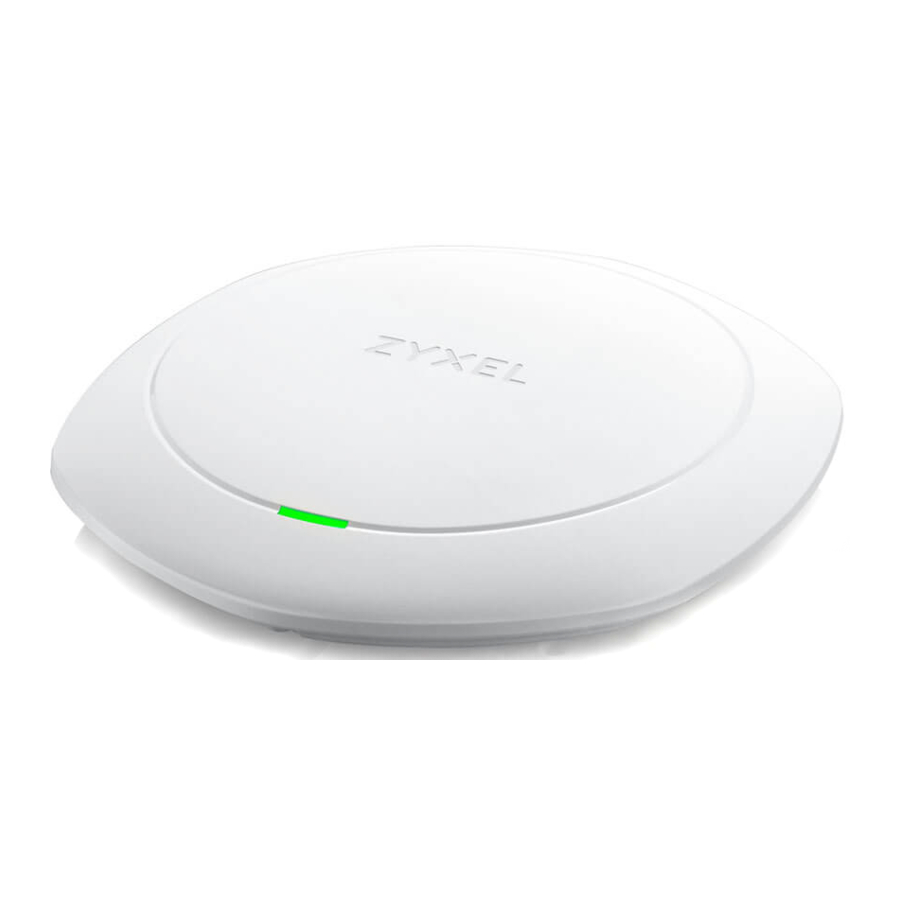
Hardware Installation
 Connect the UPLINK/POE port to a router network through a PoE switch or a PoE injector (30W). Use the included power adaptor to connect the power socket to a power outlet.
Cloud Management
Follow the steps below to manage the NWA1123-AC HD through the Zyxel cloud-based network management system.
Note: Make sure the connected router has Internet access.
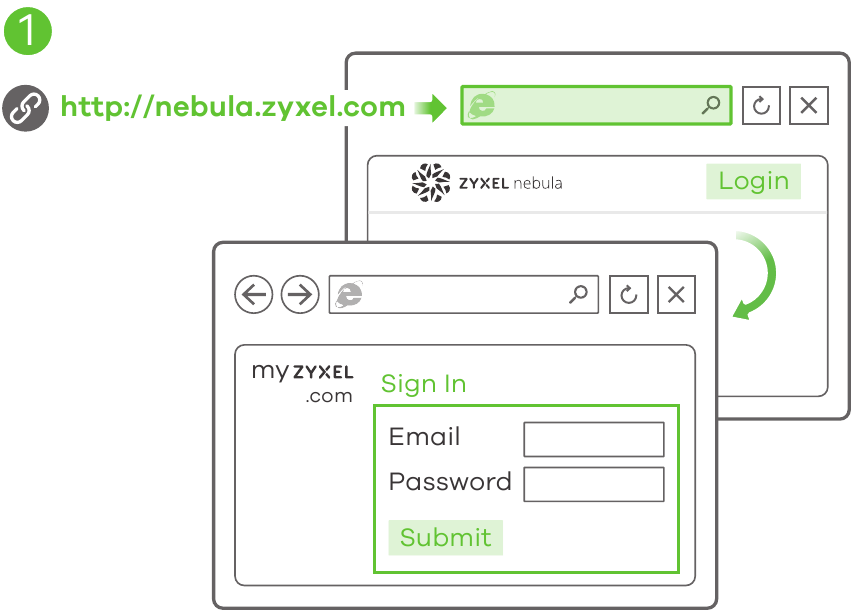
- Go to the Zyxel Nebula Control Center (NCC) website
(http://nebula.zyxel.com). Click Login and you will be redirected to the myZyxel.com portal page. Sign up for a myZyxel account and log in.

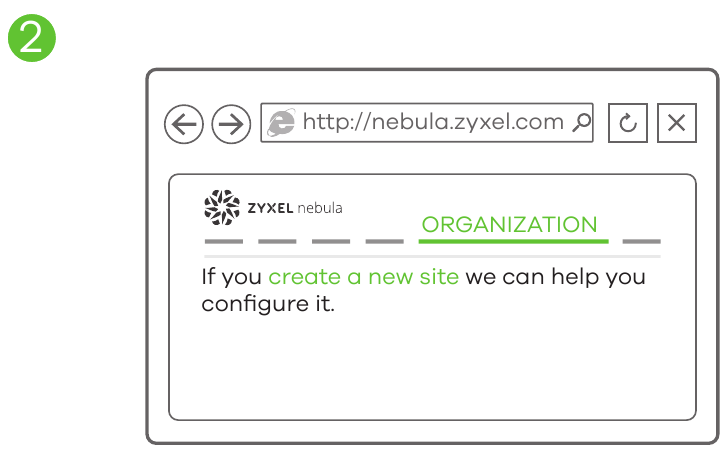
- Create an organization and a site (network) in the NCC.

- Connecting:
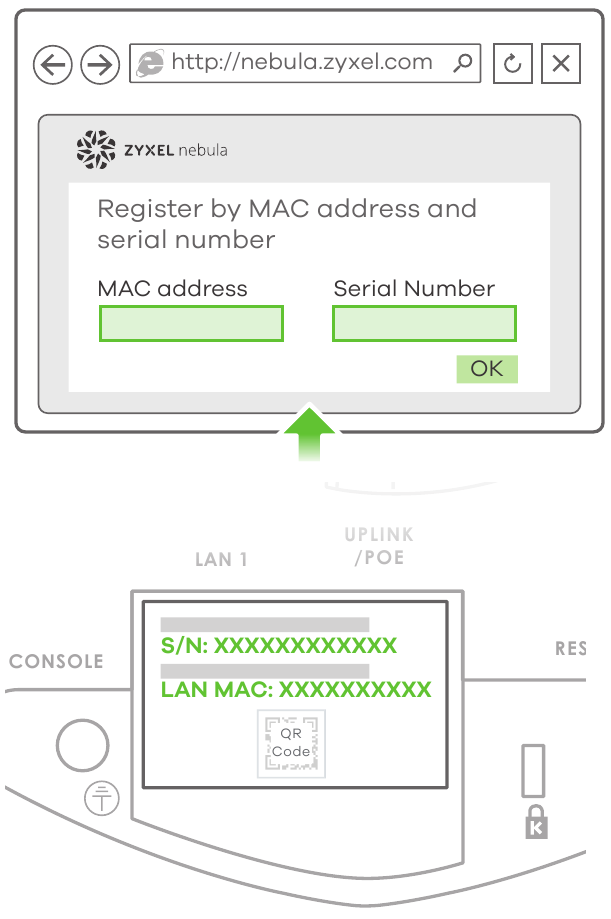
- Use MAC address and serial number to add device:
Enter the NWA1123-AC HD's LAN MAC address and serial number (S/N) (see the label on the device) in the NCC configuration screen.

- Use Nebula to add device:
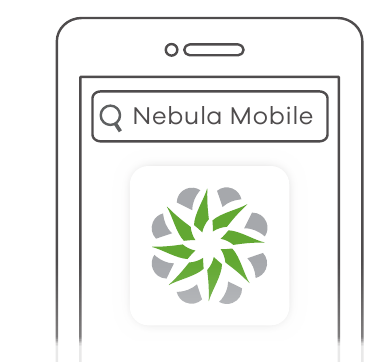
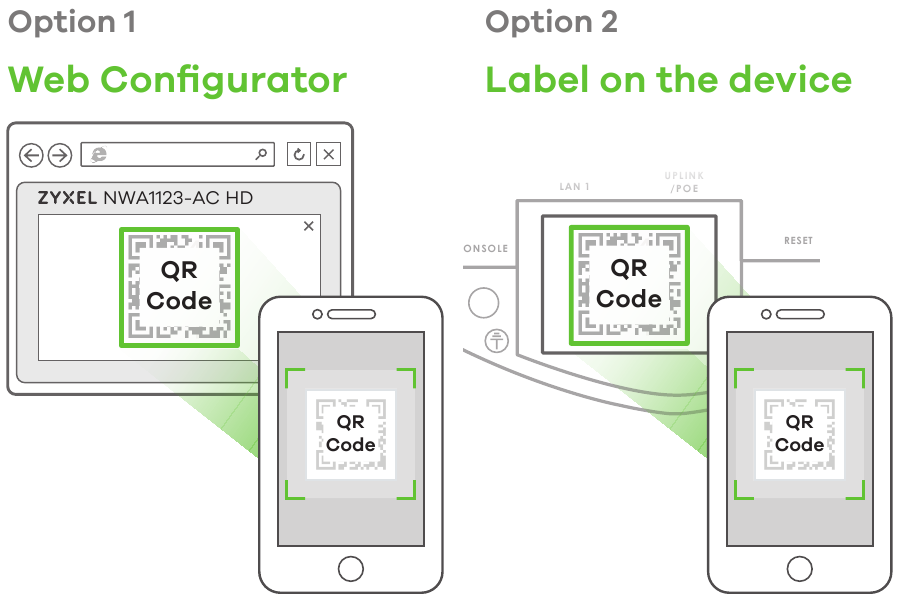
Download and open the Zyxel Nebula Mobile app. Log in with your myZyxel account. Select a site and scan the NWA1123-AC HD's QR code to add it to the site. (You can find the QR code in its web configurator dashboard or on a label on the device or its box manufactured after December 15, 2017.)
![]()
![play.google.com]()
![www.apple.com]()

- Use MAC address and serial number to add device:


Standalone Configuration
If you don't want to manage the NWA1123-AC HD through the Zyxel NCC, follow the steps below to configure the NWA1123-AC HD (in standalone mode).
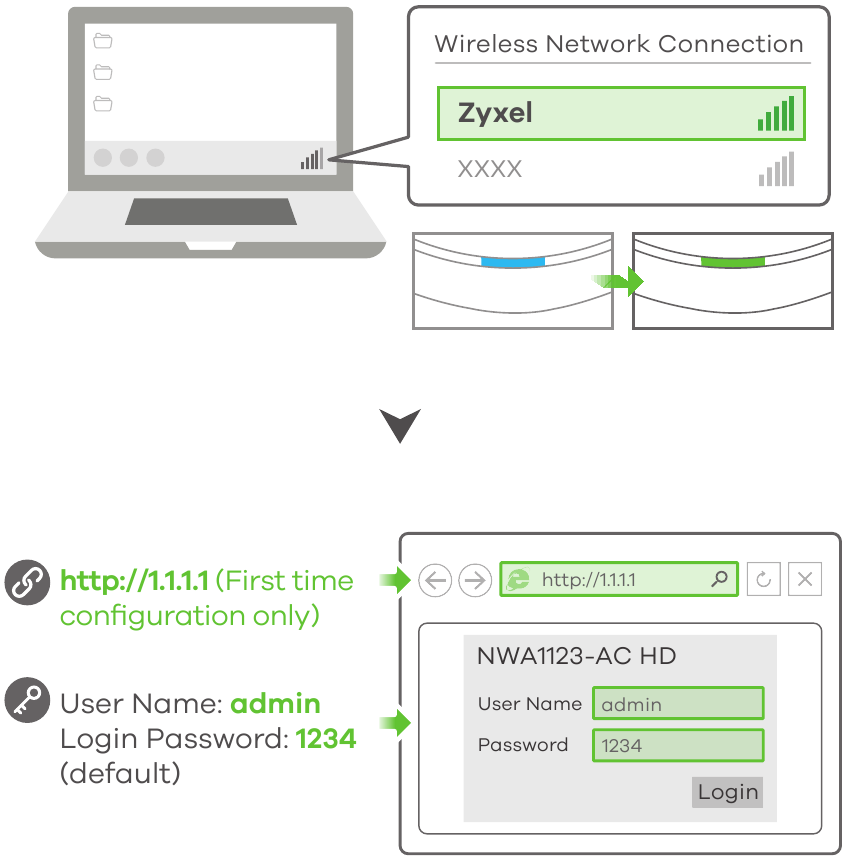
- Wireless connection
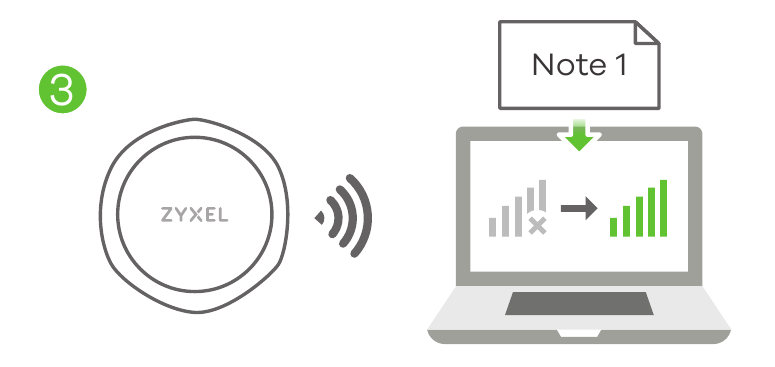
- From a Wi-Fi enabled computer, search for the NWA1123-AC HD's d efault Wi-Fi network name (Zyxel) and connect to it. Open your web browser and enter "http://1.1.1.1" for initial configuration. Enter the default user name (admin) and password (1234). Click Login.

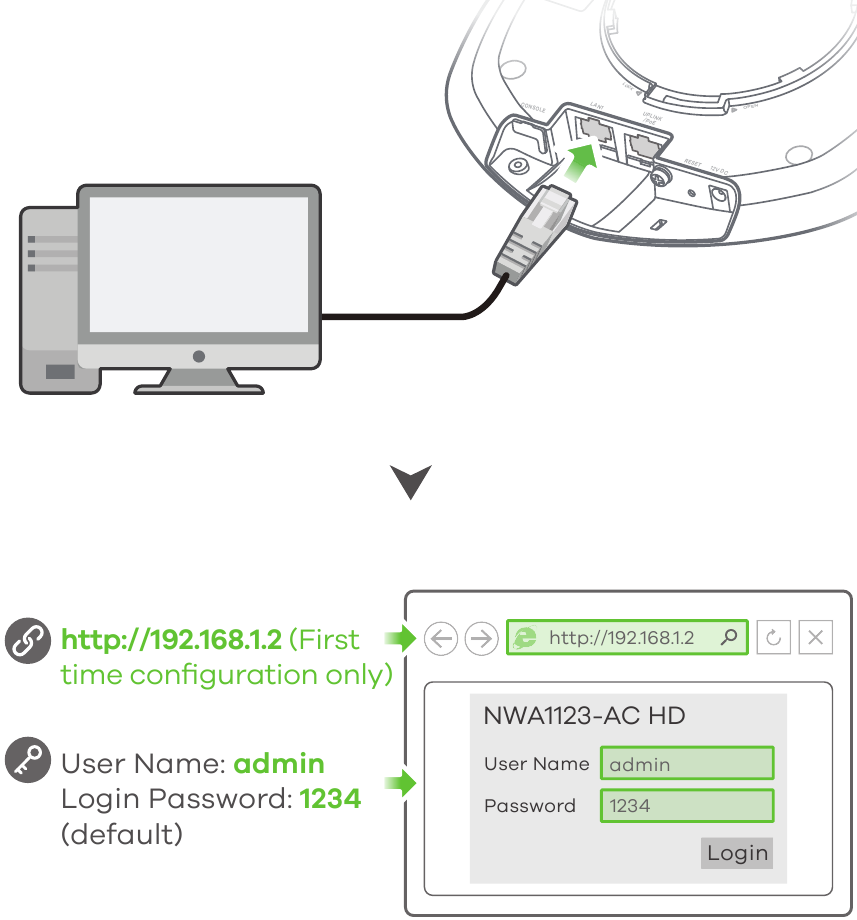
- Wired connection

- From a Wi-Fi enabled computer, search for the NWA1123-AC HD's d efault Wi-Fi network name (Zyxel) and connect to it. Open your web browser and enter "http://1.1.1.1" for initial configuration. Enter the default user name (admin) and password (1234). Click Login.
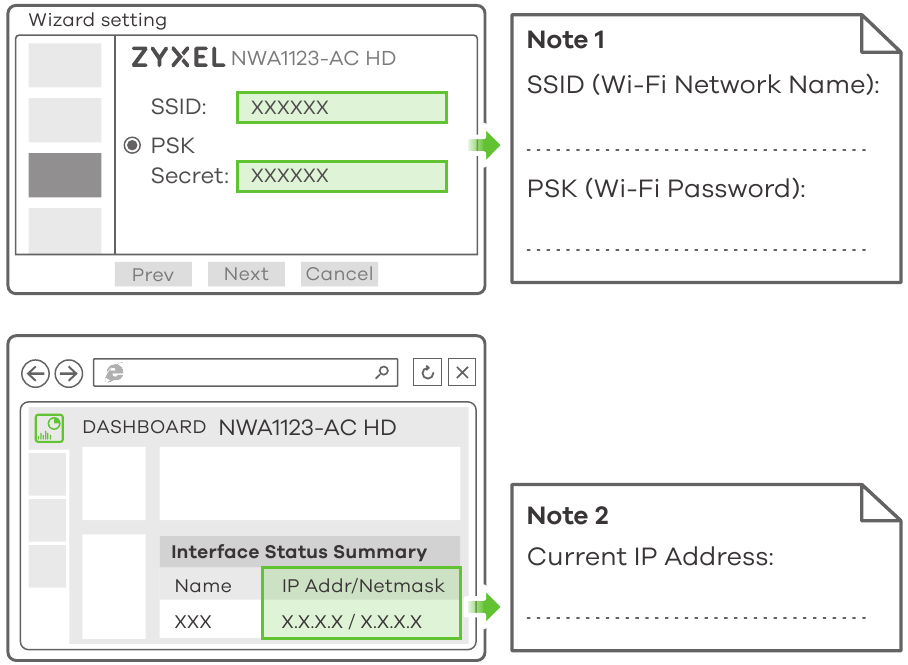
- The wizard appears automatically. Use the wizard to set up your NWA1123-AC HD. Note: It takes 1 to 2 minutes to apply your wizard changes. The power LED will blink red and green alternatively. The power and Wi-Fi LEDs then turn steady green when the system is ready. Check the Dashboard screen and note down the NWA1123-AC HD's IP address in case you need to access it's web configurator again.
Note: The 1.1.1.1 is for initial setup only. It is not usable after the NWA1123-AC HD is configured.

- Use the NWA1123-AC HD's new wireless settings (SSID and key) to re-connect to the NWA1123-AC HD's Wi-Fi network for Internet access if you change them in the wizard.

Wall / Ceiling Mounting
- Drill:
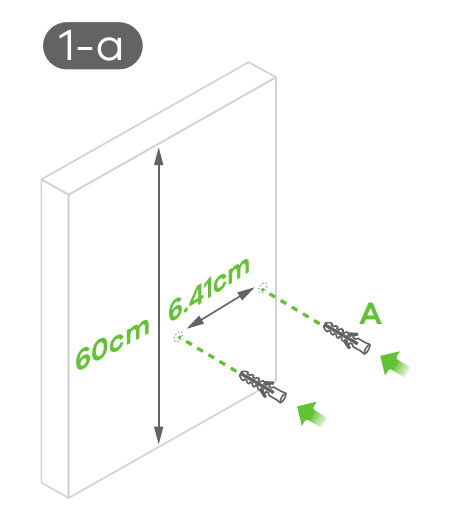
- Drill two holes for the plastic wall plugs (A), 6.41cm apart. Insert the plugs into the wall.

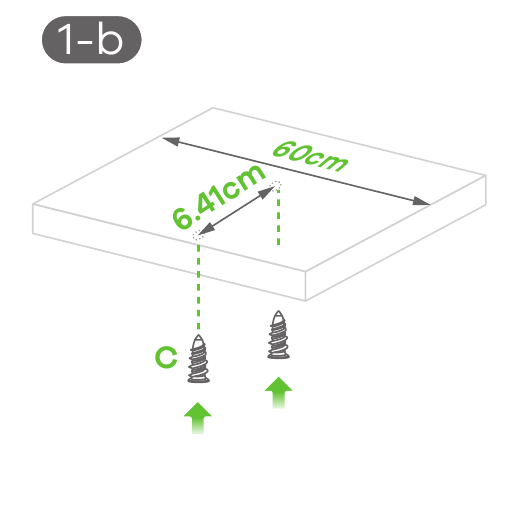
- Screw the self-drilling drywall anchors (C) into the ceiling, 6.41cm apart.

- Drill two holes for the plastic wall plugs (A), 6.41cm apart. Insert the plugs into the wall.
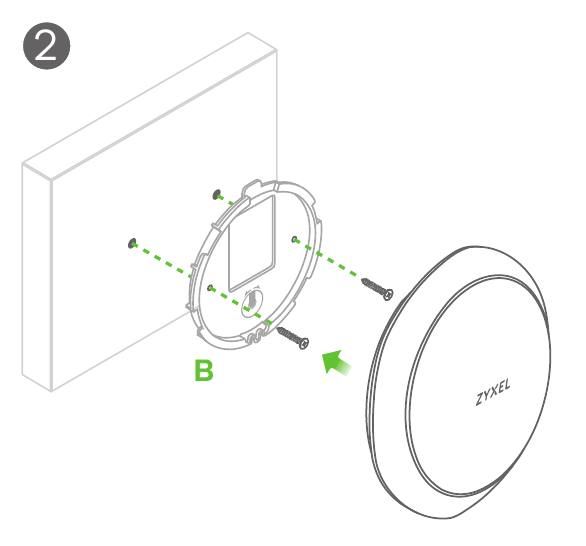
- Install two mounting screws through the holes on the bracket (B) into the plugs/anchors to secure the bracket to the wall/ceiling. Make sure the screws are snugly and securely fastened to the wall/ceiling.

- After the bracket is attached to the wall/ceiling, line up the UPLINK/POE port on the NWA1123-AC HD with the tab of the mounting bracket (B). Push the NWA1123-AC HD in and turn it to the right until it clicks into place.

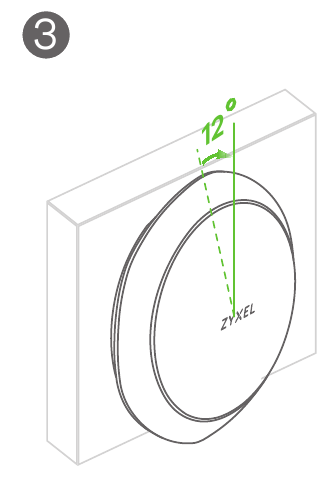
How to release the AP
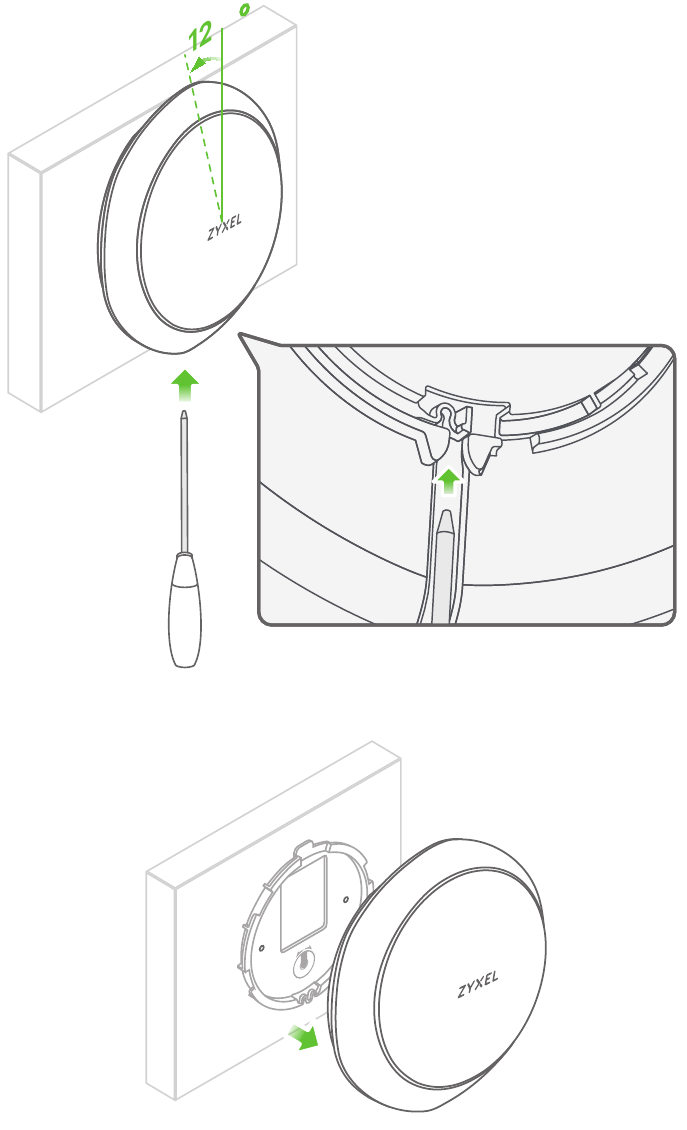
Insert a thin flat tool (such as a flat screwdriver) to push down the AP lock.
Turn the AP in a counterclockwise direction to release.
Support Information
North America
USA
+ 1 800 255 4101
support@zyxel.com
France
+ 33 (0)4 72 52 97 97
support@zyxel.fr
UK
+ 44 (0) 118 9121 700
support@zyxel.co.uk
Spain
+ 911 792 100
soporte@zyxel.es
Germany
+ 49 (0) 2405 6909 0 s
upport@zyxel.de
See the User's Guide at www.zyxel.com for more information, including customer support and safety warnings.
EU Importer
Zyxel Communications A/S
Generatorvej 8D, 2860 Søborg, Denmark.
http://www.zyxel.dk
US Importer
Zyxel Communications, Inc1130 North Miller Street Anaheim, CA 92806-2001
http://www.us.zyxel.com

References
![nebula.zyxel.com]() Zyxel Nebula
Zyxel Nebula![play.google.com]() Google Play
Google Play![www.apple.com]() App Store - Apple
App Store - AppleZyxel – Leader in Secure, AI-Powered Cloud Networking Solutions
Zyxel – Leader in Secure, AI-Powered Cloud Networking Solutions
Zyxel – Leader in Secure, AI-Powered Cloud Networking Solutions


Download manual
Here you can download full pdf version of manual, it may contain additional safety instructions, warranty information, FCC rules, etc.
Download Zyxel NWA1123-AC HD - 802.11ac Dual-Radio Dual-Mount PoE Access Point Quick Start


