Shark Lift-Away ZU780 - Upright Vacuum Manual
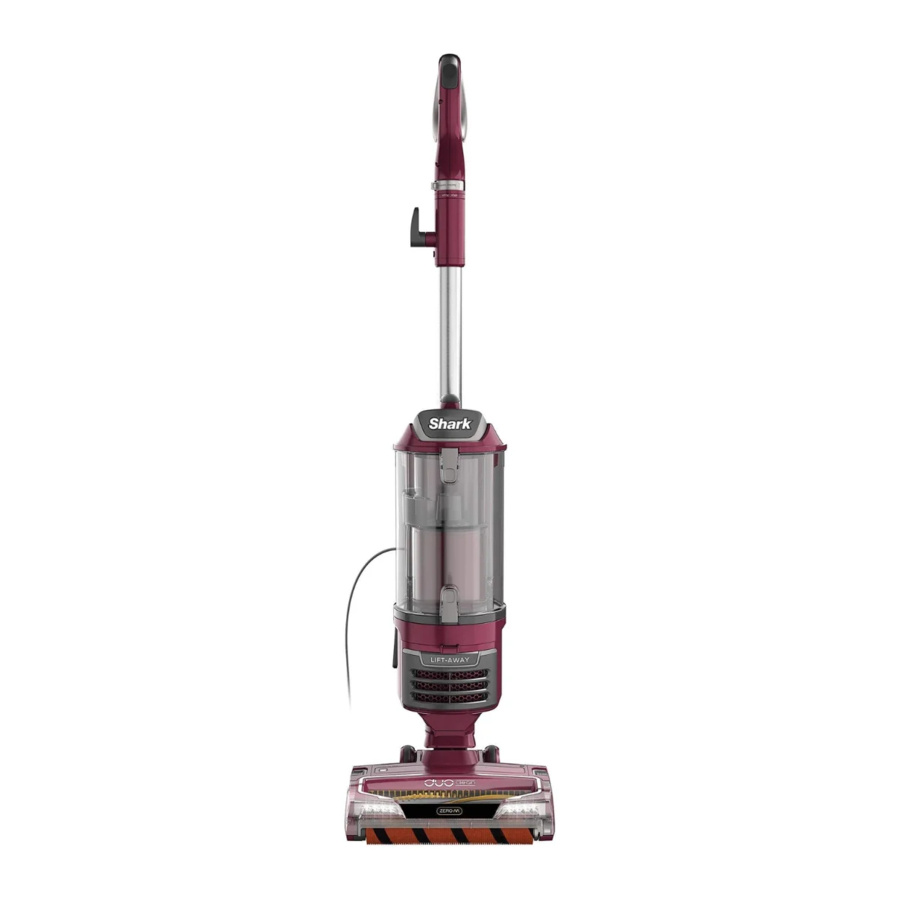
ASSEMBLY
- Place Motorized Floor Nozzle on floor and attach Pod, pressing it in until it clicks securely into place.
![]()
- Insert Wand into pod, pressing it in until it clicks securely into place.
![]()
- Insert Handle into wand, pressing it in until it clicks securely into place.
![]()
- Connect Hose into back of pod, pressing it in until it clicks securely into place.

- Insert hose clip into back of handle until it clicks into place.


For proper operation, ensure all connections are securely clicked into place.
WHOLE-HOME CLEANING
SETTINGS

HARD FLOOR
If the light is illuminated, the vacuum is in Carpet mode. To clean hard floors, press the selector button to switch to Hard Floor mode. When the light is NOT illuminated, the vacuum is in Hard Floor mode, and the brushrolls will spin slower.
 NOTE: The brushrolls will not spin unless the wand is reclined.

CARPET
For Carpet cleaning, press the button and it will illuminate in green. The brushrolls will spin faster.
NOTE: The brushrolls will not spin unless the wand is reclined.
SUCTION CONTROL

Suction Control Collar offers variable suction based on your needs.
Slide to MIN to reduce suction and increase maneuverability on carpets.
Slide to MAX to increase suction on bare floors.
BRUSHROLL INDICATOR LIGHT

WHAT DOES THE BRUSHROLL INDICATOR LIGHT MEAN?
Solid Green: The brushroll and Soft Roller are spinning and working properly.
Solid Red: There is a jam in the brushroll area. Turn your vacuum off and remove any blockages in the nozzle.
Flashing Red: The motorized floor nozzle is overheating. Turn off your vacuum and wait for it to cool down. After vacuum has cooled, move surface selector switch to Carpet setting, then press the selector button to turn vacuum back on.
NOTE: For deep cleaning per ASTM F 608 (embedded dirt in carpets) please set to Carpet.
NOTE: For particularly stubborn stuck-on dust messes on hard floors, set to Carpet.
CLEANING MODES

UPRIGHT
To engage brushrolls, turn power on, then place foot on floor nozzle and tilt handle back.

ABOVE-FLOOR—HANDLE
Press the Handle Release Latch to detach the handle from the wand.

LIFT-AWAY®—HANDLE
Detach wand from pod, then detach the handle from the wand (see above). Press the Lift-Away button to detach the pod from the floor nozzle.

ABOVE-FLOOR—WAND
Press the Wand Release button to detach the wand from the pod.

LIFT-AWAY®—WAND
Detach wand from pod (see above). Press the Lift-Away button to detach the pod from the floor nozzle.
NOTE: All accessories are compatible with both the wand and the handle.
EMPTYING THE DUST CUP

Unplug the power cord before performing any maintenance.

To remove Dust Cup, slide up the buttons on the sides of the handle. Tilt dust cup, then lift to remove.

To empty debris, press lower release button and bottom of dust cup will drop open.

To remove collected debris from Lint Screen, press top release button and lift handle to open. Gently brush lint screen to clean.

To reinstall, place bottom of dust cup into pod and then tilt until it clicks into place.
CLEANING AND REPLACING THE FILTERS
CLEANING FILTERS
Regularly clean and replace your filters to keep your vacuum's suction power optimal.
To clean filters, rinse with cold water ONLY to prevent damage from cleaning chemicals. Allow all filters to air-dry for at least 24 hours before reinstalling them to prevent liquid from being drawn into electric parts.
DO NOT use soap when cleaning the filters.

CLEAN PRE-MOTOR FILTERS EVERY 3 MONTHS
Remove Dust Cup, then lift out Filters.

CLEAN HEPA FILTER EVERY YEAR
Press Filter Access button at bottom of Filter Cover. Tilt cover and lift out. Remove HEPA Filter.
To reinstall, insert HEPA filter into unit and replace the cover.
MAINTENANCE
Zero-M® Technology

Zero-M technology actively removes hair wrap from your brushroll while you vacuum. If you run over a hard or sharp object or notice a noise change while vacuuming, check for blockages or objects caught in the brushroll.
CLEANING THE BRUSHROLL
To open the brushroll garage, slide both release buttons on the floor nozzle away from you, towards the back of the nozzle, then lift off the lid.

Clear away any objects or debris.

To close the brushroll garage, insert the 3 tabs on top of the lid into the 3 slots in the nozzle, then push down on both sides of lid until it clicks securely into place.
NOTE: If any hair is wrapped around the brushroll, extending cleaning time will allow Zero-M technology to remove it for you. If some fibers remain wrapped around brushroll after continued use, carefully cut debris with scissors and remove it.
CLEANING THE SOFT ROLLER

To remove the Soft Roller from the nozzle, lift it out by the pull tab. Tap loose debris off the Soft Roller. Use a dry towel to wipe the Soft Roller clean, or to remove any debris caught in the teeth behind the Soft Roller.

Hand wash the Soft Roller as needed. Use only water, and let air-dry completely for at least 24 hours. Reinsert the Soft Roller under the rubber bumper in the front of the nozzle until it clicks into place.
CHECKING FOR BLOCKAGES

Detach hose from vacuum pod, and check hose and opening on back of pod for blockages.

Detach wand from floor nozzle and handle, and check both ends for blockages.

Detach wand from floor nozzle, tilt nozzle neck back, and check opening for blockages.

Detach handle from wand and hose from the vacuum pod, and check openings for blockages.
ADDITIONAL ACCESSORIES
AVAILABLE ON SHARKACCESSORIES.COM

- 12-inch Crevice Tool
- Duster Crevice Tool
- Dusting Brush
- Multi-Angle Dusting Brush
- Anti-Allergen Dust Brush
- Upholstery Tool
- Wide Upholstery Tool
- Pet Multi-Tool
- Under-Appliance Wand
- Pet Power Brush
- Home & Car Detail Kit
- Precision Duster
- Accessory Bag
NOTE: Not all accessories come with all units. Please see the enclosed Quick Start Guide for your unit's configuration. To order additional accessories, visit sharkaccessories.com.
TROUBLESHOOTING
Vacuum is not picking up debris. No suction or light suction.
- Check filters to see if they need cleaning. Follow instructions for rinsing and air-drying the filters before reinserting in the vacuum.
- Dust cup may be full; empty dust cup.
- Check hose, hose connections, nozzle, wand, pod, and accessories for blockages. Clear any blockages found.
(Refer to Checking for Blockages section for more information.) - If any hair, string, or carpet fibers are wrapped around the brushroll, extend cleaning time to allow Zero-M® technology to remove them.
- If some hair or fibers remain wrapped around brushroll after continued use, remove the brushroll garage lid and carefully cut debris with scissors and remove from brushroll. See Cleaning the Brushroll section for more information.
Vacuum lifts area rugs.
- Make sure selector button is set to Hard Floor.
- Suction is powerful. Take care when vacuuming area rugs or rugs with delicately sewn edges.
- To minimize suction, slide the Suction Control collar to MIN.
Brushrolls do not spin.
- If the Brushroll Indicator Light turns red, immediately turn off and unplug the vacuum. Remove pod from floor nozzle and clear any blockages. Reconnect nozzle, plug in vacuum, and turn on power.
- With the power on, recline the handle, which will automatically activate the brushrolls.
- Ensure that the selector button is set to Carpet for brushrolls to spin.
Vacuum turns off on its own or indicator light flashes red.
This vacuum is equipped with a motor-protective thermostat. If your vacuum overheats, the thermostat will automatically turn the suction motor off. Perform the following steps to restart the thermostat:
- Turn vacuum off and unplug it.
- Empty dust cup and clean filters (see Emptying the Dust Cup and Cleaning the Filters).
- Check for blockages in hose, accessories, and inlet openings.
- A llow unit to cool for a minimum of 45 minutes.
- Plug in the vacuum and press the selector button to turn it on.
For all other issues, please call Customer Service 1-800-798-7398.
REGISTER YOUR PURCHASE

registeryourshark.com

Scan QR code using mobile device

Benefits of registering your product and creating an account:
- Get easier, faster product support and access to warranty information
- Access troubleshooting and product care instructions
- Be among the first to know about exclusive product promotions
RECORD THIS INFORMATION
Model Number:
Serial Number:
Date of Purchase (Keep receipt):
Store of Purchase:
 TIP: You can find the model and serial numbers on the QR code label which is located on the bottom of the back of the vacuum pod.
TECHNICAL SPECIFICATIONS
Voltage: 120V, 60Hz
Watts: 780W
Amps: 9.5A

Download manual
Here you can download full pdf version of manual, it may contain additional safety instructions, warranty information, FCC rules, etc.
Download Shark Lift-Away ZU780 - Upright Vacuum Manual


