Emerson Sensi Manual
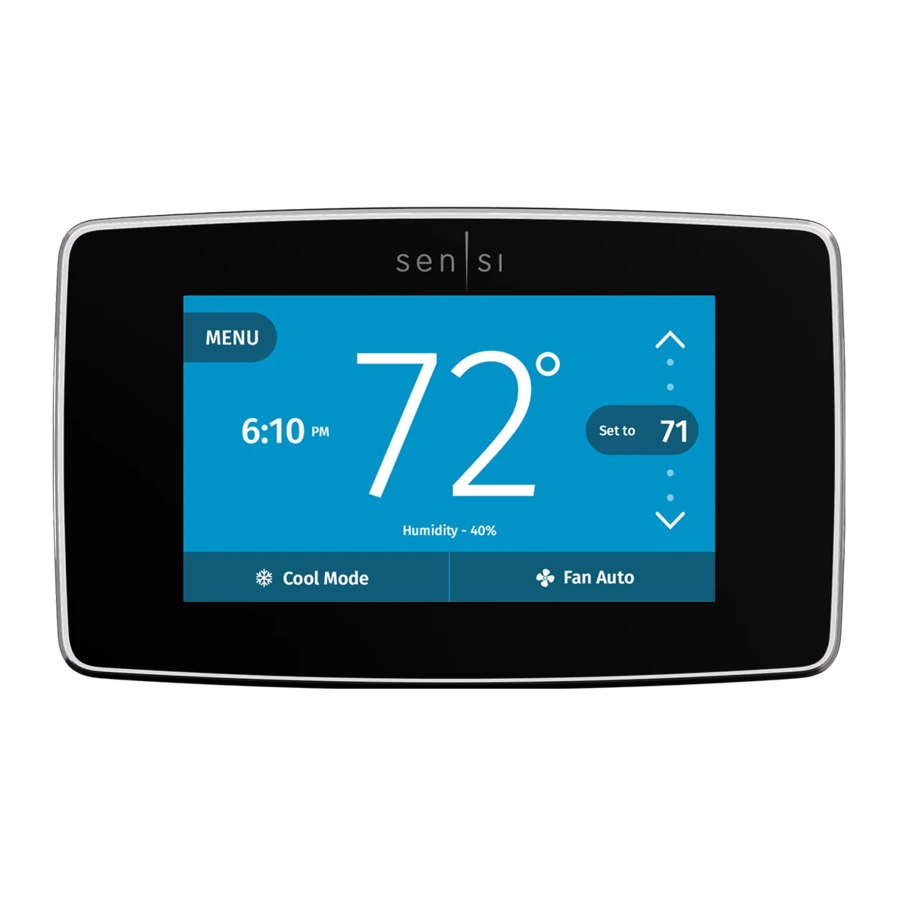
Compatibility
You're just a few steps away from complete comfort control.
Never installed a thermostat before? We've got you covered. Sensi Touch Wi-Fi Thermostat was designed for a quick and easy DIY installation. The Sensi app provides step-by-step instructions and helpful videos to get you up and running in no time.
Not only does Sensi work with the HVAC equipment in most homes, but it also works with most mobile devices and smart home platforms.
Check out the information below, to make sure Sensi thermostat will work for you:
| MOBILE DEVICE COMPATIBILITY | ||
| OPERATING SYSTEM | COMPATIBILITY | |
| iOS 10.0 or later | Yes | |
| Android | Yes | |
| Amazon Fire | Yes | |
| SMART HOME PLATFORM COMPATIBILITY | ||
| OPERATING SYSTEM | COMPATIBILITY | |
| Wink | Yes | |
| Amazon Alexa | Yes | |
| Apple HomeKit | Yes, but requires a common wire (c-wire) | |
| HVAC SYSTEM COMPATIBILITY | ||
| SYSTEM TYPE | COMPATIBILITY | MODIFICATIONS |
Conventional heating and cooling
| Yes | Requires a common wire (c-wire) |
Heat only
| Yes | Requires a common wire (c-wire) |
Cool only
| Yes | Requires a common wire (c-wire) |
| Heat pump | Yes | Requires a common wire (c-wire) |
| Communicating proprietary systems | No | Needs standard HVAC wiring |
| Line voltage | No | Requires low voltage (20-30VAC) |
| Millivolt systems | No | Requires 20-30VAC |
| Remote sensors, whole home humidifiers/ dehumidifiers | No | Control of these accessories is not currently supported |
What's in the box
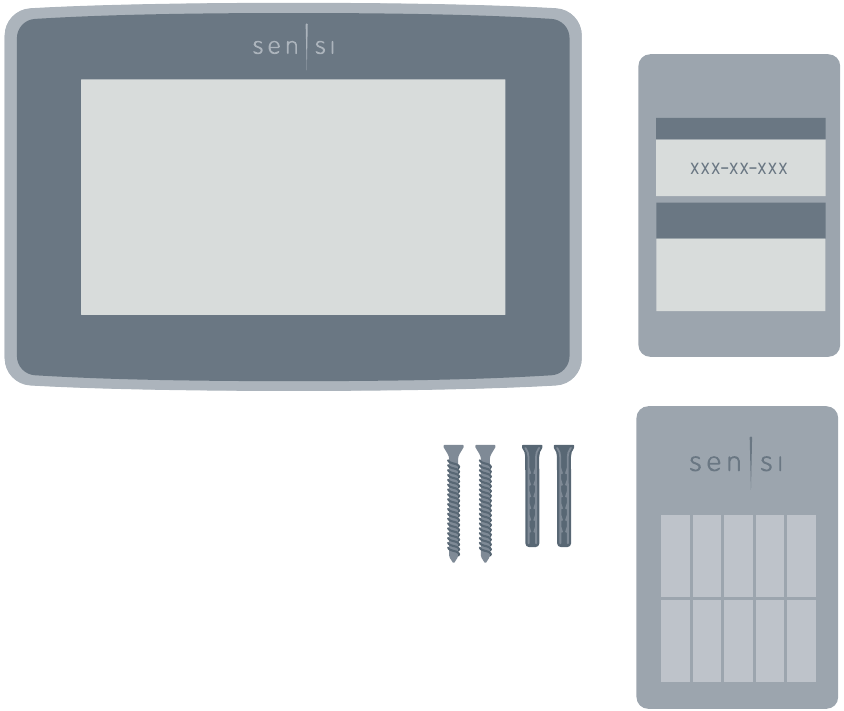
- Sensi Thermostat
- Screws and Anchors
- Wire Labels
- Sensi Password
For Android: Found on the back of the welcome guide.
For iOS: Your Sensi HomeKit Code will display on your thermostat during the connection process.
Here's what you'll need
Things you'll definitely need:
- Small Phillips Screwdriver
- Medium Phillips Screwdriver
- Compatible iOS or Android with the Sensi App Installed
- Your Email Address
- Your Wi-Fi Network Name (SSID) and Password
Things you might need:
- Needle-Nose Pliers
- Drill with 3/16" Bit
- Wire Stripper
Download the Sensi app before you begin
This document is not meant to be used independently or to replace the step-by-step installation procedure found only in the Sensi app. The app is required for installation to ensure proper configuration and enable Wi-Fi control of your thermostat.
The free Sensi mobile app is available on the App Store and Google Play. Simply search for "Sensi" and download to your device to get started.
All system types require a common wire (c-wire).


Installation Overview
CREATE YOUR ACCOUNT.
Open the Sensi app on your device and follow the prompts to create an account, using a valid email address.
Your Sensi account can only be linked to one email address, but you can share your account information across devices so your whole family can have access.
INSTALL YOUR THERMOSTAT.
The Sensi app will walk you through removing your old thermostat from the wall, labeling your existing wires and installing your new Sensi thermostat.
CONNECT TO WI-FI.
After installation the app will walk you through connecting your new thermostat to your home Wi-Fi network. Remember to have your Wi-Fi network name, password and Sensi password ready.
REGISTER YOUR THERMOSTAT.
Finally, the app will walk you through registration so you can start controlling your home comfort
Anytime. Anywhere.
Warnings
INSTALLER INFORMATION
FAILURE TO READ AND FOLLOW ALL INSTRUCTIONS CAREFULLY BEFORE INSTALLING OR OPERATING THIS CONTROL COULD CAUSE PERSONAL INJURY AND/OR PROPERTY DAMAGE.

OUT OF PHASE TRANSFORMERS
On two transformer systems, the transformers MUST be in phase. Measure the voltage across RC and RH. If more than 12 Volts AC is present between RC and RH, then the transformers are NOT in phase.
To correct this condition, reverse the secondary low voltage connections at either the Heating or Cooling transformer.


VOLTAGE REQUIREMENTS
Do not use on circuits exceeding specified voltage. Higher voltage will damage control and could cause shock or fire hazard.
Thermostat installation and all components of the control system shall conform to Class II circuits per the NEC code.

To prevent electrical shock and/or equipment damage, disconnect electric power to system at main circuit breaker box until installation is complete.

E5 Alert
If "Call For Service" is displayed on your Sensi thermostat, and E4 or E5 appears where the room temperature should be displayed or the backlight is flashing, please call our support team immediately at 888.605.7131
FOR CALIFORNIA RESIDENTS: WARNING:
This product contains a chemical known to the state of California to cause cancer and birth defects and other reproductive harm.
Need some help?
Visit sensicomfort.com/support for around-the-clock access to support articles, instructional downloads and comprehensive support videos. Our highly-trained Sensi Support Team is available seven days a week.
1.888.605.7131
support@sensicomfort.com
References
Sensi - The Best Smart Thermostat | Sensi US
![www.apple.com]() App Store - Apple
App Store - Apple![play.google.com]() Google Play
Google PlaySensi Thermostat & Product Support | Sensi US


Download manual
Here you can download full pdf version of manual, it may contain additional safety instructions, warranty information, FCC rules, etc.


