How to Change Fingerprint Animation on Xiaomi 15T Pro
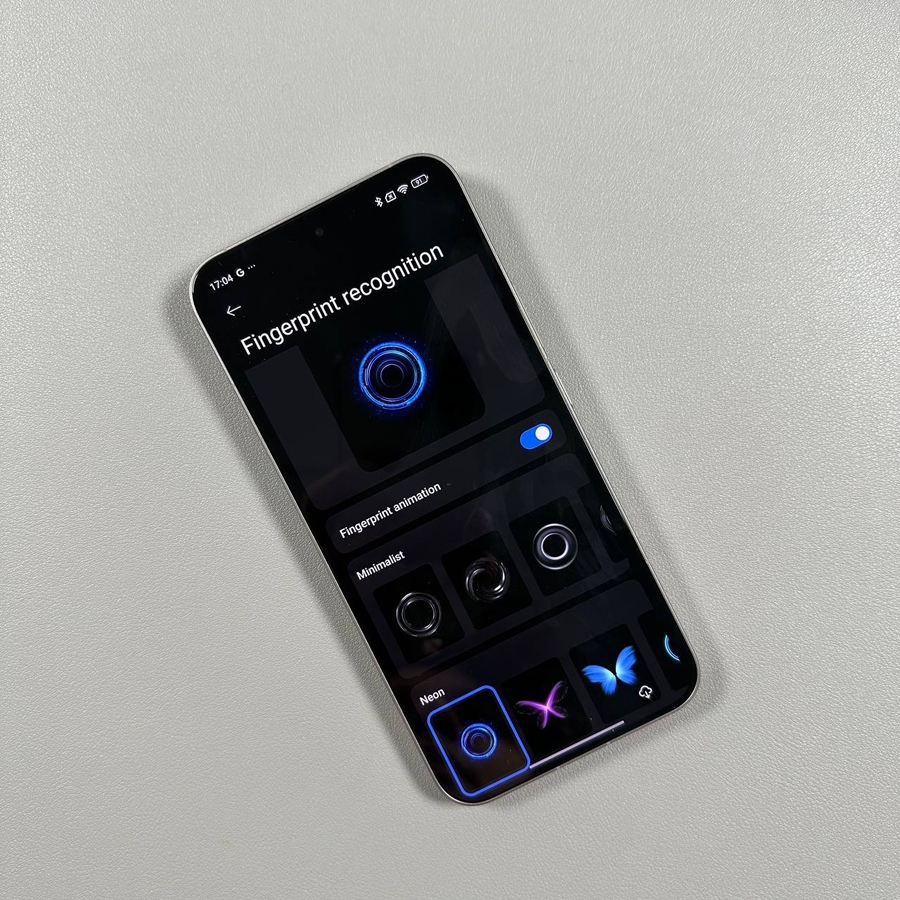
Welcome to our guide on customizing the fingerprint animation on your Xiaomi 15T Pro. This feature allows you to personalize your device even further by giving you control over the animation effect that plays when your fingerprint is detected. Follow these steps to change the fingerprint animation to one that you prefer.
Step 1: Open the Settings App
To begin, locate the Settings app. You can find this app, represented by a gear icon, either on your home screen or in the app drawer.

Step 2: Navigate to Personalization
Once you have accessed the Settings menu, scroll down to find and select the 'Personalization' option. This section contains various customization settings for your device, including themes and other visual features.

Step 3: Open Fingerprint Effects
After entering the Personalization menu, look for 'Fingerprint Effects' and tap to open it. This is where you can manage the appearance of the fingerprint recognition animation.

Step 4: Select a New Animation
Within the Fingerprint Effects menu, you will see various animation styles you can choose from. Explore the available options and select one that best fits your taste. Additionally, you may find extra styles that can be downloaded directly from this menu.

Step 5: Apply and Preview Your New Animation
After choosing an animation, apply it to your device. You can then preview the animation by locking and unlocking your phone to see the changes in action. This allows you to ensure that the new animation meets your expectations before finalizing your decision.

We hope this guide helps you enjoy the tailored experience of personalized fingerprint animations on your Xiaomi 15T Pro.