Philips EasyKey DV001 - Smart Door Viewer Manual (Philips EasyKey DV001 - Ақылды есік қарау құралының нұсқаулығы)
- 1 Introduction (Кіріспе)
- 2 Packing List (Қаптама тізімі)
- 3 Appearance overview (Сыртқы көрінісі)
-
4
Installation (Орнату)
- 4.1 Confirm installation position (Орнату орнын растау)
- 4.2 Sub-unit pre-install instruction (Қосалқы құрылғыны алдын ала орнату нұсқаулығы)
- 4.3 Fix sub-unit (Қосалқы құрылғыны бекіту)
- 4.4 Magnetic Stand Installation (Магниттік тіреуішті орнату)
- 4.5 Fix sub-unit interface (Қосалқы құрылғы интерфейсін бекіту)
- 4.6 Host Installation (Негізгі құрылғыны орнату)
- 4.7 Remove the host (Негізгі құрылғыны алып тастау)
- 5 General Operation (Жалпы жұмыс)
- 6 Setup instruction (Орнату нұсқаулығы)
- 7 Host Charging (Негізгі құрылғыны зарядтау)
- 8 Precaution (Сақтық шаралары)
- 9 Нұсқаулықты жүктеп алу
- 10 Басқа тілдерде
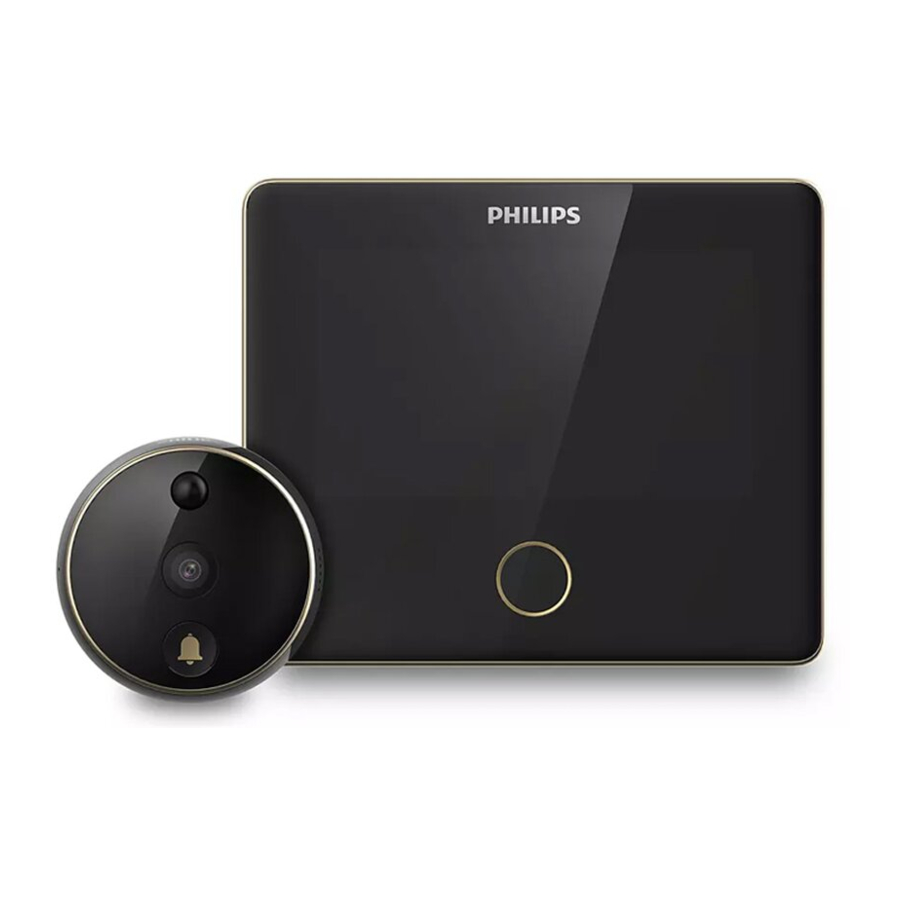
Introduction (Кіріспе)
Thank you for purchasing Philips-branded products. For your safety, please read this user manual carefully before using the product. Any personal injury, property or other loss caused by not following the user manual or precautions, no liability will be assumed by Philips.
Please read this user manual carefully before using this product. (Өтінеміз, бұл өнімді қолданар алдында осы пайдаланушы нұсқаулығын мұқият оқып шығыңыз.)
To register your product(s) and get support from below site:
www.philips.com/support
Kind reminder: (Ескерту):
This user manual is used as a guide. The photos, pictures, or illustrations provided in the manual are for explanation purposes, which may differ from the specific product, please refer to the actual product. Due to product version upgrade or other needs, Philips may update this manual timely without advanced informing. If you need the latest version of the manual, please download it from the Philips website (www.philips.com/support). The copyright of any part from this manual, including text, pictures or illustrations, belongs to Philips. Without written permission, no corporation or individual may extract, copy, translate, or modify all or part of this manual in any way. Unless otherwise agreed, Philips does not make any express or implied representations and guarantees.
Packing List (Қаптама тізімі)

Appearance overview (Сыртқы көрінісі)
Indoor host (Үй ішіндегі негізгі құрылғы)

Outdoor sub-unit (Сыртқы қосалқы құрылғы)

Installation (Орнату)
Confirm installation position (Орнату орнын растау)
If there is no hole on the door, please drill one with a diameter of 15 ~ 30mm at the height of 145cm from the ground.
If there is a hole on the door and installed with a peephole, please remove the peephole and install the smart door viewer. The hole diameter range should be 15~50mm.

Please choose the proper screw as per the door thickness for sub-unit installation. (Қосалқы құрылғыны орнату үшін есік қалыңдығына сәйкес келетін бұранданы таңдаңыз.)
Short size screw is applicable for a door thickness of 35mm-60mm. (Қысқа бұранда 35мм-60мм есік қалыңдығына жарамды.)
Medium size screw is applicable for a door thickness of 60mm-85mm. (Орташа бұранда 60мм-85мм есік қалыңдығына жарамды.)
Long size screw is applicable for a door thickness of 85mm-110mm. (Ұзын бұранда 85мм-110мм есік қалыңдығына жарамды.)
Sub-unit pre-install instruction (Қосалқы құрылғыны алдын ала орнату нұсқаулығы)

Sort out the connecting cable, then tighten the screw into the sub-unit for 5mm, and tear the foam label protective sheet on the rear side of the sub-unit. (Қосылатын кабельді реттеңіз, содан кейін бұранданы қосалқы құрылғыға 5 мм-ге дейін қатайтыңыз және қосалқы құрылғының артқы жағындағы көбік жапсырмасының қорғаныс қабатын жыртыңыз.)
Fix sub-unit (Қосалқы құрылғыны бекіту)

Adjust the direction of the sub-unit from outside and make sure the doorbell button  is at the bottom. Then pass the screw and connecting cable through the hole. (If your door is too thick, use a paper tube to pass the cable through the door, then remove the paper tube ). Press hard on the sub-unit to make sure it perfectly adheres to the door, then remove the lens protective film. (Сырттан қосалқы құрылғының бағытын реттеңіз және қоңырау түймесінің төменде екеніне көз жеткізіңіз. Содан кейін бұранда мен қосылатын кабельді тесік арқылы өткізіңіз. (Егер сіздің есігіңіз тым қалың болса, кабельді есік арқылы өткізу үшін қағаз түтікті пайдаланыңыз, содан кейін қағаз түтікті алып тастаңыз). Қосалқы құрылғының есікке толығымен жабысқанына көз жеткізу үшін қатты басыңыз, содан кейін линзаның қорғаныс пленкасын алып тастаңыз.)
Magnetic Stand Installation (Магниттік тіреуішті орнату)

Pass the connecting cable of the sub-unit through the square hole on the magnetic stand from the inside door ( Do not twist or squeeze the connecting cable.). (Қосалқы құрылғының қосылатын кабелін есіктің ішкі жағынан магниттік тіреуіштегі төртбұрышты тесік арқылы өткізіңіз (Қосылатын кабельді бұрап немесе қыспаңыз).)

 -
-  Attention (Назар аударыңыз): Move down the magnetic stand so that the screws can be matched with the marked position, and then fasten the screws. (Магниттік тіреуішті төмен жылжытыңыз, сонда бұрандалар белгіленген позицияға сәйкес келеді, содан кейін бұрандаларды бекітіңіз.)
Hang the magnetic stand on the screws of the sub-unit and fasten the screws until the magnetic stand can be fixed firmly on the door. (Магниттік тіреуішті қосалқы құрылғының бұрандаларына іліп, магниттік тіреуіш есікке мықтап бекітілгенше бұрандаларды қатайтыңыз.)
Fix sub-unit interface (Қосалқы құрылғы интерфейсін бекіту)

Gently pull out the connecting cable from the inside door, and then peel off the protection film on the back of the sub-unit interface. (Қосылатын кабельді есіктің ішкі жағынан ақырын тартып шығарыңыз, содан кейін қосалқы құрылғы интерфейсінің артқы жағындағы қорғаныс пленкасын алып тастаңыз.)

- Attention (Назар аударыңыз): Insert the sub-unit interface into the groove on the magnetic stand as shown in the picture. (Суретте көрсетілгендей, қосалқы құрылғы интерфейсін магниттік тіреуіштегі ойыққа салыңыз.)
Align the sub-unit interface with the groove on the magnetic stand, and make sure they are stick to each other firmly. (Қосалқы құрылғы интерфейсін магниттік тіреуіштегі ойықпен туралаңыз және олардың бір-біріне мықтап жабысқанына көз жеткізіңіз.)
Host Installation (Негізгі құрылғыны орнату)

 - Attention (Назар аударыңыз): Align the host device to the magnetic stand from the top to bottom. (Негізгі құрылғыны магниттік тіреуішке жоғарыдан төмен қарай туралаңыз.)
Tilt the host by 10 degrees and hang it on the steel sheet from top to bottom. The bottom magnet will automatically suck with the host. After installation, gently pull the upper part of the host to check if it is correctly installed. (Негізгі құрылғыны 10 градусқа еңкейтіп, оны жоғарыдан төмен қарай болат табаққа іліңіз. Төменгі магнит автоматты түрде негізгі құрылғымен сорылады. Орнатқаннан кейін, дұрыс орнатылғанын тексеру үшін негізгі құрылғының жоғарғы бөлігін ақырын тартыңыз.)
Remove the host (Негізгі құрылғыны алып тастау)

Please hold the bottom of the host with both hands and tilt it upwards by 10 degrees, and then move it against the steel sheet to remove the host. (Негізгі құрылғының төменгі жағын екі қолыңызбен ұстап, оны жоғары қарай 10 градусқа еңкейтіңіз, содан кейін негізгі құрылғыны алып тастау үшін оны болат табаққа қарсы жылжытыңыз.)
General Operation (Жалпы жұмыс)
On/Off (Қосу/Өшіру)
- Long press the function button for 3 seconds to turn on the device. (Құрылғыны қосу үшін функция түймесін 3 секунд басып тұрыңыз.)
- Long press the function button for 3 seconds could also turn off the device. (Құрылғыны өшіру үшін функция түймесін 3 секунд басып тұруға болады.)
Sleep / Wake up mode (Ұйқы / Ояту режимі)
- This device has an automatic timeout feature to reduce battery consumption. If the user does not input anything within the defined time, the screen will turn off. (Бұл құрылғыда батарея зарядын азайту үшін автоматты тайм-аут мүмкіндігі бар. Егер пайдаланушы белгіленген уақыт ішінде ештеңе енгізбесе, экран өшеді.)
- Short press the function button could wake up the device. (Құрылғыны ояту үшін функция түймесін қысқа басыңыз.)
Reset (Қалпына келтіру)
If the device fails to turn on or stops responding, please use a needle or paper clip to shortly press the reset button to reboot the device. Long press the reset button for two seconds to turn off the device. (Егер құрылғы қосылмаса немесе жауап беруді тоқтатса, құрылғыны қайта жүктеу үшін ине немесе қағаз қыстырғышты пайдаланып, қалпына келтіру түймесін қысқа басыңыз. Құрылғыны өшіру үшін қалпына келтіру түймесін екі секунд басып тұрыңыз.)
Resetting does not affect the data storage or time settings. Do not reset the device during normal operation, as this may lose the data stored in the device. (Қалпына келтіру деректерді сақтауға немесе уақыт параметрлеріне әсер етпейді. Құрылғыда сақталған деректерді жоғалтуы мүмкін болғандықтан, қалыпты жұмыс кезінде құрылғыны қалпына келтірмеңіз.)
Touch Screen (Сенсорлық экран)
You could use your fingers to click or slide to set up all the needed settings. (Барлық қажетті параметрлерді орнату үшін саусақтарыңызды басуға немесе сырғытуға болады.)
Outdoor checking (Сыртқы тексеру)
Wake up the device to enter into the interface, and then press the outdoor checking icon or short press the function button to view the instant scenes outside the door. (Интерфейске кіру үшін құрылғыны оятыңыз, содан кейін есік сыртындағы лездік көріністерді көру үшін сыртқы тексеру белгішесін басыңыз немесе функция түймесін қысқа басыңыз.)
Charging (Зарядтау)
When this device is charging, a lightning icon will appear on the top of the touch screen to show the battery status. The indicator ring will glow in red when it is charging, and it will glow in green when fully charged. (Бұл құрылғы зарядталып жатқанда, батарея күйін көрсету үшін сенсорлық экранның жоғарғы жағында найзағай белгішесі пайда болады. Индикатор сақинасы зарядталып жатқанда қызыл түспен, толық зарядталғанда жасыл түспен жанады.)
Setup instruction (Орнату нұсқаулығы)
- APP download and installation (APP жүктеп алу және орнату)
Andriod: Search and download the "Philips EasyKey" from Google Play. (Google Play-ден "Philips EasyKey" іздеп жүктеп алыңыз.)

IOS: Download the Philips EasyKey from the App Store. (App Store дүкенінен Philips EasyKey жүктеп алыңыз.)

- Sign up for registration and log in (Тіркеуден өтіп, кіріңіз)
![]()
- Click on "Add a device" ("Құрылғы қосу" түймесін басыңыз)
![]()
- Select "Smart door viewer" ("Ақылды есік қарау құралын" таңдаңыз)
![]()
- Please connect the host to the sub-unit, and then long press the function button for 3 seconds until entering the interface. (Негізгі құрылғыны қосалқы құрылғыға қосыңыз, содан кейін интерфейске кіргенше функция түймесін 3 секунд басып тұрыңыз.)

- Press "Settings" (Параметрлер) to enter to the next interface. (Келесі интерфейске өту үшін "Settings" ("Параметрлер") түймесін басыңыз.)

![]() Power-saving mode switching (Энергия үнемдеу режимін ауыстыру)
Power-saving mode switching (Энергия үнемдеу режимін ауыстыру)
![]() Camera Preview (Камера алдын ала қарау)
Camera Preview (Камера алдын ала қарау)
![]() Check the visitors/alarms record (Келушілер/дабылдар жазбасын тексеру)
Check the visitors/alarms record (Келушілер/дабылдар жазбасын тексеру)
![]() Time, doorbell, theme and network connection settings. (Уақыт, қоңырау, тақырып және желі қосылымы параметрлері.)
Time, doorbell, theme and network connection settings. (Уақыт, қоңырау, тақырып және желі қосылымы параметрлері.)
- Click on the Network icon to enter into next menu. (Келесі мәзірге өту үшін Желі белгішесін басыңыз.)

![]() Time, human detection sensitivity, alarm mode and alarm sound settings (Уақыт, адамды анықтау сезімталдығы, дабыл режимі және дабыл дыбысының параметрлері)
Time, human detection sensitivity, alarm mode and alarm sound settings (Уақыт, адамды анықтау сезімталдығы, дабыл режимі және дабыл дыбысының параметрлері)
![]() Door bell and volume settings (Есік қоңырауы және дыбыс деңгейінің параметрлері)
Door bell and volume settings (Есік қоңырауы және дыбыс деңгейінің параметрлері)
![]() Theme, time-out and brightness settings (Тақырып, тайм-аут және жарықтық параметрлері)
Theme, time-out and brightness settings (Тақырып, тайм-аут және жарықтық параметрлері)
![]() WIFI connection and device binding settings (WIFI қосылымы және құрылғыны байланыстыру параметрлері)
WIFI connection and device binding settings (WIFI қосылымы және құрылғыны байланыстыру параметрлері)
![]() Date & time, language and anti-prying alarm settings (Күні мен уақыты, тілі және бұзуға қарсы дабыл параметрлері)
Date & time, language and anti-prying alarm settings (Күні мен уақыты, тілі және бұзуға қарсы дабыл параметрлері)
![]() Check device version, firmware information, storage and restore to default settings. (Құрылғы нұсқасын, микробағдарламалық жасақтама туралы ақпаратты, сақтау орнын тексеріңіз және әдепкі параметрлерді қалпына келтіріңіз.)
Check device version, firmware information, storage and restore to default settings. (Құрылғы нұсқасын, микробағдарламалық жасақтама туралы ақпаратты, сақтау орнын тексеріңіз және әдепкі параметрлерді қалпына келтіріңіз.)
- In the interface of Network, click on "Scan QR Code" could enter into next menu. (Желі интерфейсінде "QR кодын сканерлеу" түймесін басу арқылы келесі мәзірге өтуге болады.)

- Enter into "Scan QR Code" Interface ("QR кодын сканерлеу" интерфейсіне кіріңіз)

- Open the door viewer and enter into the "Scan QR Code" menu via the mobile phone, then choose available WIFI, input password and click on "Next" to generate a QR code. (Есік қарау құралын ашып, ұялы телефон арқылы "QR кодын сканерлеу" мәзіріне кіріңіз, содан кейін қолжетімді WIFI таңдаңыз, құпия сөзді енгізіңіз және QR кодын жасау үшін "Келесі" түймесін басыңыз.)
![]()
- Use the camera of sub-unit to scan the QR code generated in last step. (Соңғы қадамда жасалған QR кодын сканерлеу үшін қосалқы құрылғының камерасын пайдаланыңыз.)
![]()
- Please wait for 1-2 minutes during the connection process. After successfully adding the device, click on "Done" to bind the device. (**SIGN#1178;осылу процесі кезінде 1-2 минут күтіңіз. Құрылғыны сәтті қосқаннан кейін, құрылғыны байланыстыру үшін "Дайын" түймесін басыңыз.)
![]()
- Check your device list on the "Device" page. ("Құрылғы" бетіндегі құрылғылар тізімін тексеріңіз.)
![]()
- Click on any binding device could check the device access record. (Кез келген байланыстыру құрылғысын басу арқылы құрылғыға кіру жазбасын тексеруге болады.)
![]()


 Time, human detection sensitivity, alarm mode and alarm sound settings (Уақыт, адамды анықтау сезімталдығы, дабыл режимі және дабыл дыбысының параметрлері)
 Door bell and volume settings (Есік қоңырауы және дыбыс деңгейінің параметрлері)
 Theme, time-out and brightness settings (Тақырып, тайм-аут және жарықтық параметрлері)
 WIFI connection and device binding settings (WIFI қосылымы және құрылғыны байланыстыру параметрлері)
 Date & time, language and anti-prying alarm settings (Күні мен уақыты, тілі және бұзуға қарсы дабыл параметрлері)
 Check device version, firmware information, storage and restore to default settings. (Құрылғы нұсқасын, микробағдарламалық жасақтама туралы ақпаратты, сақтау орнын тексеріңіз және әдепкі параметрлерді қалпына келтіріңіз.)


Host Charging (Негізгі құрылғыны зарядтау)
When the battery is running low, you can remove the host from the magnetic stand after turning it off, then use a power adpter to charge it, install the host on the magnetic stand and turn on the device. (Батарея заряды азайған кезде, негізгі құрылғыны өшіргеннен кейін магниттік тіреуіштен алып тастауға болады, содан кейін оны зарядтау үшін қуат адаптерін пайдаланыңыз, негізгі құрылғыны магниттік тіреуішке орнатыңыз және құрылғыны қосыңыз.)

If you do not want to remove the host, you can take the power socket to the nearest position of the smart door viewer and connect the power adapter to charge. (Егер сіз негізгі құрылғыны алып тастағыңыз келмесе, қуат розеткасын ақылды есік қарау құралының ең жақын жеріне апарып, зарядтау үшін қуат адаптерін қосуға болады.)

Precaution (Сақтық шаралары)
- Do not expose this product to the harsh environment with high temperature, high humidity, dust, salt spray, rain, and water splashing, it may damage the device. (Бұл өнімді жоғары температура, жоғары ылғалдылық, шаң, тұз бүрку, жаңбыр және су шашырауы бар қатал ортаға ұшыратпаңыз, бұл құрылғыға зақым келтіруі мүмкін.)
- Do not press too hard on the lens of the sub-unit and the black round cover from the top, it may cause hardware damage. (Қосалқы құрылғының линзасын және қара дөңгелек қақпақты жоғарыдан қатты баспаңыз, бұл аппараттық құралдың зақымдалуына әкелуі мүмкін.)
- During the installation process, please not to pull out the connecting cable of the sub-unit, and prevent the cable from being scratched or cut off (Improper operation that causes cable damage is not covered by the warranty). (Орнату процесі кезінде қосалқы құрылғының қосылатын кабелін тартпаңыз және кабельдің сызылып немесе кесіліп қалуына жол бермеңіз (Кабельдің зақымдалуына әкелетін дұрыс жұмыс істемеу кепілдікке кірмейді).)
- Please use the authorized power adapter included in the packaging. The use of unauthorized adapter may result in failure to charge or system damage. (Қаптамадағы рұқсат етілген қуат адаптерін пайдаланыңыз. Рұқсат етілмеген адаптерді пайдалану зарядталмауына немесе жүйенің зақымдалуына әкелуі мүмкін.)
- Do not connect the sub-unit when the host stays on, otherwise, the camera may be connected abnormally. If there is an abnormality, please reconnect the sub-unit when the host is turned off. (Негізгі құрылғы қосулы күйде тұрғанда қосалқы құрылғыны қоспаңыз, әйтпесе камера қалыпты жағдайда қосылмауы мүмкін. Егер ақаулық болса, негізгі құрылғы өшірілген кезде қосалқы құрылғыны қайта қосыңыз.)
- This product supports the 2.4GHz WLAN only, please make sure that this product is within the coverage of the WiFi, and position the WiFi router as close as possible to this product. (Бұл өнім тек 2,4 ГГц WLAN-ды қолдайды, сондықтан бұл өнімнің
Нұсқаулықты жүктеп алу
Мұнда нұсқаулықтың толық pdf нұсқасын жүктеп алуға болады, онда қосымша қауіпсіздік нұсқаулары, кепілдік туралы ақпарат, FCC ережелері және т.б. болуы мүмкін.