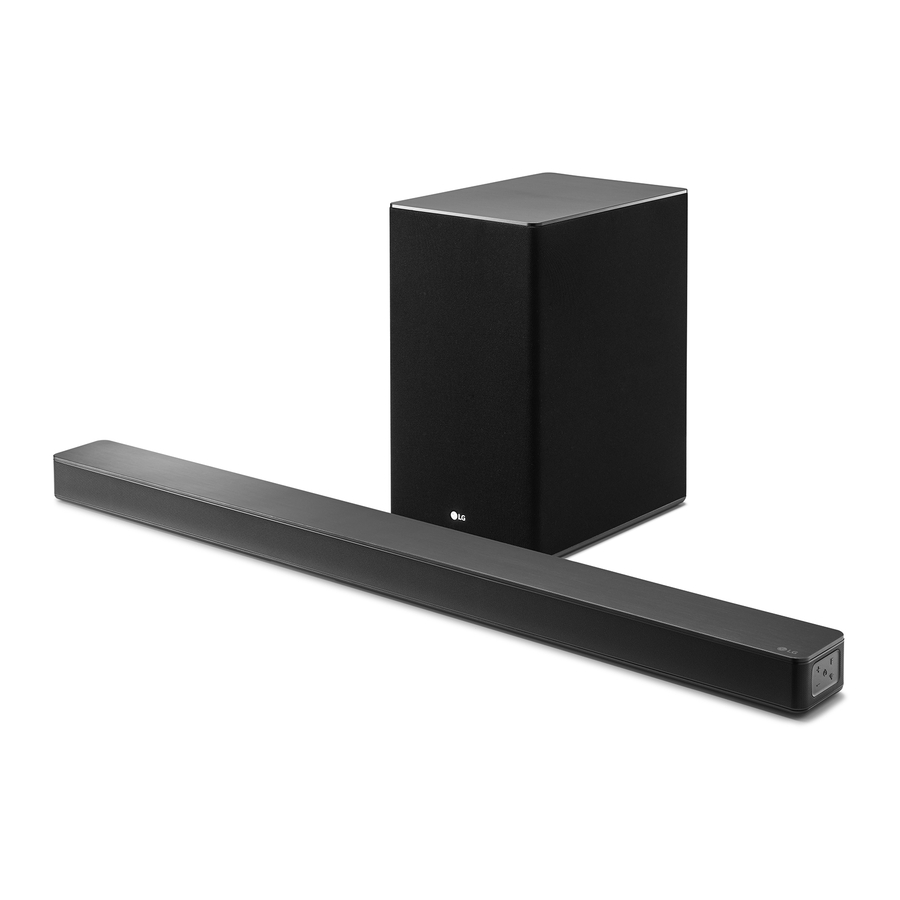
LG SK8 - Wi-Fi Soundbar Eenvoudige Handleiding
Voorpaneel
Lees deze handleiding zorgvuldig door voordat u uw apparaat bedient en bewaar deze voor toekomstig gebruik.
Om de instructies van geavanceerde functies te bekijken, gaat u naar http://www.lg.com en downloadt u vervolgens de gebruikershandleiding. Een deel van de inhoud in deze handleiding kan afwijken van uw apparaat.

 (Standby) - Schakelt het apparaat AAN of UIT.
 (Functie) - Selecteert functie
 (Volume) - Past het volume aan
 - Selecteert de Wi-Fi-functie.
LED-indicator: Geeft de verbindingsstatus weer.
- White (Blinking): Waiting for network connection (Wit (Knipperend): Wachten op netwerkverbinding) op de Wi-Fi-functie
- White (Staying on): Network connection is (Wit (Blijft aan): Netwerkverbinding is) voltooid op de Wi-Fi-functie of de andere functies zijn geselecteerd
- White (Dimmed): Standby mode with network (Wit (Gedimd): Stand-by modus met netwerk) verbinding.
- Red (Staying on): Standby mode without network (Rood (Blijft aan): Stand-by modus zonder netwerk) verbinding.
Achterpaneel

DC IN - AC-adapter ingang
OPTICAL IN - Aansluiten op een optisch apparaat.
PORTABLE IN - Sluit een draagbaar apparaat aan.
USB (Service only) - S/W download connector.
LAN - Aansluiten op een router.
HDMI OUT (TV ARC) - Aansluiten op een TV.
HDMI IN - Aansluiten op een apparaat met HDMI OUT.
Subwoofer Aansluiting
Plaats de draadloze subwoofer in de buurt van de soundbar en volg de onderstaande stappen. a Sluit het netsnoer van de soundbar en de draadloze subwoofer aan op het stopcontact.
- Connect the power cord of the sound bar and the (Sluit het netsnoer van de soundbar en de) draadloze subwoofer aan op het stopcontact.
- Turn on the sound bar. (Zet de soundbar aan.)
- The sound bar and wireless subwoofer will be (De soundbar en draadloze subwoofer zullen) automatically (automatisch) connected. The subwoofer's green LED turns on.
Manually Subwoofer Connection (Handmatige Subwoofer Aansluiting)
If the subwoofer does not make sound, try to connect manually. (Als de subwoofer geen geluid maakt, probeer dan handmatig verbinding te maken.)
- Press Pairing (Koppelen) button on the rear of the wireless subwoofer. (Druk op de Pairing (Koppelen) knop aan de achterkant van de draadloze subwoofer.)
- The green LED on the rear of the wireless subwoofer blinks quickly. (De groene LED aan de achterkant van de draadloze subwoofer knippert snel.)
(If the green LED does not blink, press and hold the Pairing button.) (Als de groene LED niet knippert, houd dan de Pairing knop ingedrukt.)
- The green LED on the rear of the wireless subwoofer blinks quickly. (De groene LED aan de achterkant van de draadloze subwoofer knippert snel.)
- Turn on the sound bar. (Zet de soundbar aan.)
- Pairing is completed. (Het koppelen is voltooid.)
- The green LED on the rear of the wireless subwoofer turns on. (De groene LED aan de achterkant van de draadloze subwoofer gaat branden.)
 Keep the sound bar and the subwoofer (Houd de soundbar en de subwoofer) away from the device (ex. wireless router, (weg van het apparaat (bijv. draadloze router,) microwave oven, etc.) over 1 m to prevent (magnetron, etc.) meer dan 1 m om te voorkomen) wireless interference. (draadloze interferentie.)

TV Aansluiting
Connect the sound bar and TV using Optical ( ) or HDMI ARC (
 ). (Sluit de soundbar en TV aan met Optical of HDMI ARC).
- Optical Connection (Optische Aansluiting)

- Connect the sound bar to the TV using Optical cable. (Sluit de soundbar aan op de TV met een optische kabel.)
- Set up [External Speaker (Optical)] on your TV setting menu. (Stel [Externe luidspreker (Optisch)] in in het instellingenmenu van uw TV.)
- HDMI (ARC) Connection (HDMI (ARC) Aansluiting)
 Aansluiting")
- Connect the sound bar to the TV using HDMI cable. (Sluit de soundbar aan op de TV met een HDMI-kabel.)
- Set up [External Speaker (HDMI ARC)] on your TV setting menu. (Stel [Externe luidspreker (HDMI ARC)] in in het instellingenmenu van uw TV.)


- HDMI connection is unavailable if your TV (HDMI-aansluiting is niet beschikbaar als uw TV) does not support HDMI ARC.
- If this unit is connected by OPTICAL and (Als dit apparaat tegelijkertijd is aangesloten via OPTICAL en) ARC at the same time, the ARC signal is a high priority.
Additional Device Connection (Extra Apparaat Aansluiting)
- Connect to the external device like as follow. (Sluit aan op het externe apparaat zoals hieronder.)

- Set the input source by pressing
![]() on the remote control or unit repeatedly. (Stel de ingangsbron in door herhaaldelijk op
on the remote control or unit repeatedly. (Stel de ingangsbron in door herhaaldelijk op ![]() op de afstandsbediening of het apparaat te drukken.)
op de afstandsbediening of het apparaat te drukken.)

Netwerkverbinding

- Check network condition. A router connected to (Controleer de netwerkconditie. Een router die is aangesloten op) network should be installed. (het netwerk moet worden geïnstalleerd.)
- Connect your smart device to your home (Verbind uw smart device met uw thuis) network. (netwerk.)
- Connect the sound bar to the power supply. (Sluit de soundbar aan op de stroomvoorziening.)
All devices should be connected to same router. (Alle apparaten moeten op dezelfde router zijn aangesloten.)
Download LG Wi-Fi Speaker Application (Download de LG Wi-Fi Speaker Applicatie)
Download "LG Wi-Fi Speaker" on the App Store or Google Play Store. (Download "LG Wi-Fi Speaker" in de App Store of Google Play Store.)


Launch LG Wi-Fi Speaker App (Start de LG Wi-Fi Speaker App)
Follow the steps for wired or wireless connection displayed on the screen. (Volg de stappen voor een bekabelde of draadloze verbinding die op het scherm worden weergegeven.)
Afstandsbediening

SOUND EFFECT: (GELUIDSEFFECT:) Selects a sound effect mode. (Selecteert een geluidseffectmodus.)
 : Adjusts sound level of each speaker. (Past het geluidsniveau van elke luidspreker aan.)
AV SYNC: (AV-SYNCHRONISATIE:) Synchronizes the audio and video. (Synchroniseert de audio en video.)
 : Displays the input source information. (Geeft de informatie over de ingangsbron weer.)
AUTO VOL: (AUTO VOLUME:) Adjusts too loud or low output volume level appropriately. (Past het te luide of lage uitvoervolume op de juiste manier aan.)
AUTO POWER: (AUTO AAN/UIT:) Automatically turns on by an input source. (Schakelt automatisch in door een ingangsbron.)
Replacement of Battery (Vervanging van de Batterij)

Aanvullende Informatie
Specificatie
| Stroomverbruik | Refer to the main label. (Raadpleeg het hoofdlabel.) |
| Networked standby: 5.2 W (Netwerk standby: 5,2 W) (If all network ports are activated.) (Als alle netwerkpoorten zijn geactiveerd.) | |
| AC adapter (AC-adapter) |
|
| Dimensions (W x H x D) (Afmetingen (B x H x D)) | Approx. 1061.0 mm x 57.5 mm x 87.0 mm (Ca. 1061,0 mm x 57,5 mm x 87,0 mm) |
| Amplifier (Versterker) (Total RMS Output power) (Totaal RMS uitgangsvermogen) | 360 W RMS |
 1.52 A (Uitgang: 25 V
 Design and specifications are subject to change without notice. (Ontwerp en specificaties kunnen zonder voorafgaande kennisgeving worden gewijzigd.)
OPEN SOURCE SOFTWARE NOTICE INFORMATION (OPEN SOURCE SOFTWARE KENNISGEVING INFORMATIE)
To obtain the source code under GPL, LGPL, MPL, and other open source licenses, that is contained in this product, please visit http://opensource.lge.com. (Om de broncode te verkrijgen onder GPL, LGPL, MPL en andere open source licenties, die in dit product is opgenomen, kunt u terecht op http://opensource.lge.com.)
In addition to the source code, all referred license terms, warranty disclaimers and copyright notices are available for download. (Naast de broncode zijn alle genoemde licentievoorwaarden, garantie afwijzingen en copyright vermeldingen beschikbaar om te downloaden.)
LG Electronics will also provide open source code to you on CD-ROM for a charge covering the cost of performing such distribution (such as the cost of media, shipping, and handling) upon email request to opensource@lge.com. (LG Electronics zal u ook open source code op CD-ROM verstrekken tegen een vergoeding die de kosten dekt van het uitvoeren van dergelijke distributie (zoals de kosten van media, verzending en handling) op e-mailverzoek aan opensource@lge.com.)
This offer is valid for a period of three years after our last shipment of this product. (Dit aanbod is geldig voor een periode van drie jaar na onze laatste verzending van dit product.) This offer is valid to anyone in receipt of this information. (Dit aanbod is geldig voor iedereen die deze informatie ontvangt.)
How to disconnect the wireless network connection or the wireless device (Hoe de draadloze netwerkverbinding of het draadloze apparaat te verbreken)
Press and hold  button until you hear the beep sound once. (Houd de knop ingedrukt totdat u eenmaal de pieptoon hoort.)
POWER: (VOEDING:) This unit operates on a mains supply of 100 - 240 V ~ 50 - 60 Hz. (Dit apparaat werkt op een netvoeding van 100 - 240 V ~ 50 - 60 Hz.)
Wiring: (Bedrading:) This unit is supplied with a BS 1363 approved main plug. (Dit apparaat wordt geleverd met een BS 1363 goedgekeurde stekker.) When replacing the fuse, always use of the same rating approved to BS 1362. (Gebruik bij het vervangen van de zekering altijd dezelfde classificatie die is goedgekeurd volgens BS 1362.) Never use this plug with the fuse cover omitted. (Gebruik deze stekker nooit zonder de zekeringdeksel.) To obtain a replacement fuse cover contact your dealer. (Neem contact op met uw dealer om een vervangende zekeringdeksel te verkrijgen.) If the type of plug supplied is not suitable for the mains sockets in your home, then the plug should be removed and a suitable type fitted. (Als het type stekker dat wordt meegeleverd niet geschikt is voor de stopcontacten in uw huis, moet de stekker worden verwijderd en een geschikt type worden gemonteerd.) Please refer to the wiring instructions below: (Raadpleeg de onderstaande bedradingsinstructies:)

A mains plug removed from the mains lead of this unit must be destroyed. (Een stekker die uit het netsnoer van dit apparaat is verwijderd, moet worden vernietigd.) A mains plug with bared wires is hazardous if inserted in a mains socket. (Een stekker met blanke draden is gevaarlijk als deze in een stopcontact wordt gestoken.) Do not connect either wire to the earth pin, marked with the letter E or with the earth symbol  or coloured green or green and yellow. (Sluit geen van beide draden aan op de aardingspen, gemarkeerd met de letter E of met het aardingssymbool of gekleurd groen of groen en geel.)
If any other plug is fitted, use same rating of fuse in the plug. (Als er een andere stekker is gemonteerd, gebruik dan dezelfde waarde van zekering in de stekker.)

The wires in this mains lead are coloured in accordance with the following codes: (De draden in dit netsnoer zijn gekleurd volgens de volgende codes:)
- BLUE: NEUTRAL, BROWN: (BLAUW: NEUTRAAL, BRUIN:) LIVE - As the colours of the wires in the mains lead of this unit may not correspond with the coloured marking identifying the terminals in your plug, proceed as follows: (LIVE - Aangezien de kleuren van de draden in het netsnoer van dit apparaat mogelijk niet overeenkomen met de gekleurde markering die de aansluitingen in uw stekker identificeert, gaat u als volgt te werk:) The wire which is coloured blue must be connected to the terminal which is marked with the letter N or coloured black. (De draad die blauw is gekleurd, moet worden aangesloten op de aansluiting die is gemarkeerd met de letter N of zwart is gekleurd.) The wire which is coloured brown must be connected to the terminal which is marked with the letter L or coloured red. (De draad die bruin is gekleurd, moet worden aangesloten op de aansluiting die is gemarkeerd met de letter L of rood is gekleurd.)

www.lg.com
Copyright © 2018 LG Electronics Inc. All Rights Reserved. (Alle rechten voorbehouden.)

Referenties


Download handleiding
Hier kunt u de volledige pdf-versie van de handleiding downloaden. Deze kan aanvullende veiligheidsinstructies, garantie-informatie, FCC-regels, enz. bevatten.
Download LG SK8 - Wi-Fi Soundbar Eenvoudige Handleiding


