LG SK8 - Wi-Fi Sound Bar Simple Manual
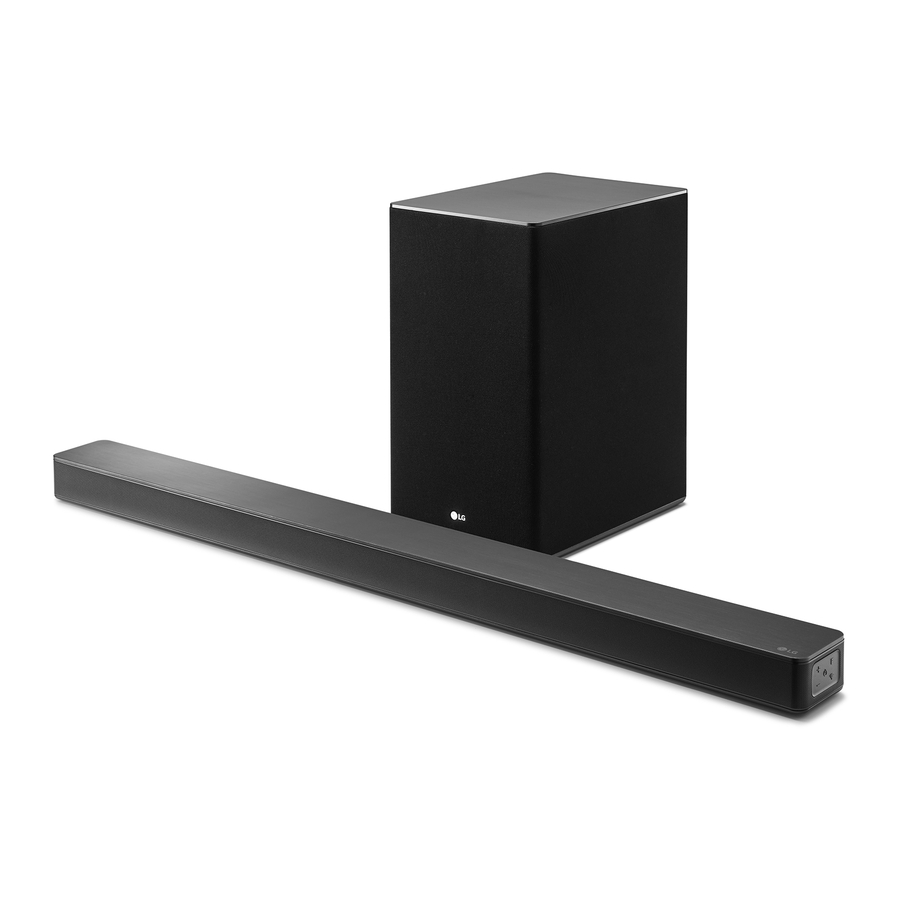
Front Panel
Please read this manual carefully before operating your set and retain it for future reference.
To view the instructions of advanced features, visit http://www.lg.com and then download Owner's Manual. Some of the content in this manual may differ from your unit.

 (Standby) - Switches the unit ON or OFF.
 (Function) - Selects function
 (Volume) - Adjusts volume
 - Selects Wi-Fi function.
LED indicator: Shows connection status.
- White (Blinking): Waiting for network connection on Wi-Fi function
- White (Staying on): Network connection is completed on Wi-Fi function or the other functions are selected
- White (Dimmed): Standby mode with network connection.
- Red (Staying on): Standby mode without network connection.
Rear Panel

DC IN - AC adapter input
OPTICAL IN - Connect to an optical device.
PORTABLE IN - Connect portable device.
USB (Service only) - S/W download connector.
LAN - Connect to router.
HDMI OUT (TV ARC) - Connect to a TV.
HDMI IN - Connect to device with HDMI OUT.
Subwoofer Connection
Place the wireless subwoofer near the sound bar and follow steps below. a Connect the power cord of the sound bar and the wireless subwoofer to the outlet.
- Connect the power cord of the sound bar and the wireless subwoofer to the outlet.
- Turn on the sound bar.
- The sound bar and wireless subwoofer will be automatically connected. The subwoofer's green LED turns on.
Manually Subwoofer Connection
If the subwoofer does not make sound, try to connect manually.
- Press Pairing button on the rear of the wireless subwoofer.
- The green LED on the rear of the wireless subwoofer blinks quickly.
(If the green LED does not blink, press and hold the Pairing button.)
- The green LED on the rear of the wireless subwoofer blinks quickly.
- Turn on the sound bar.
- Pairing is completed.
- The green LED on the rear of the wireless subwoofer turns on.
 Keep the sound bar and the subwoofer away from the device (ex. wireless router, microwave oven, etc.) over 1 m to prevent wireless interference.

TV Connection
Connect the sound bar and TV using Optical ( ) or HDMI ARC (
 ).
).
- Optical Connection

- Connect the sound bar to the TV using Optical cable.
- Set up [External Speaker (Optical)] on your TV setting menu.
- HDMI (ARC) Connection
 Connection")
- Connect the sound bar to the TV using HDMI cable.
- Set up [External Speaker (HDMI ARC)] on your TV setting menu.


- HDMI connection is unavailable if your TV does not support HDMI ARC.
- If this unit is connected by OPTICAL and ARC at the same time, the ARC signal is a high priority.
Additional Device Connection
- Connect to the external device like as follow.

- Set the input source by pressing
![]() on the remote control or unit repeatedly.
on the remote control or unit repeatedly.

Network Connection

- Check network condition. A router connected to network should be installed.
- Connect your smart device to your home network.
- Connect the sound bar to the power supply.
All devices should be connected to same router.
Download LG Wi-Fi Speaker Application
Download "LG Wi-Fi Speaker" on the App Store or Google Play Store.


Launch LG Wi-Fi Speaker App
Follow the steps for wired or wireless connection displayed on the screen.
Remote control

SOUND EFFECT: Selects a sound effect mode.
 : Adjusts sound level of each speaker.
AV SYNC: Synchronises the audio and video.
 : Displays the input source information.
AUTO VOL: Adjusts too loud or low output volume level appropriately.
AUTO POWER: Automatically turns on by an input source.
Replacement of Battery

Additional Information
Specification
| Power consumption | Refer to the main label. |
| Networked standby: 5.2 W (If all network ports are activated.) | |
| AC adapter |
|
| Dimensions (W x H x D) | Approx. 1061.0 mm x 57.5 mm x 87.0 mm |
| Amplifier (Total RMS Output power) | 360 W RMS |
 1.52 A
Design and specifications are subject to change without notice.
OPEN SOURCE SOFTWARE NOTICE INFORMATION
To obtain the source code under GPL, LGPL, MPL, and other open source licenses, that is contained in this product, please visit http://opensource.lge.com.
In addition to the source code, all referred license terms, warranty disclaimers and copyright notices are available for download.
LG Electronics will also provide open source code to you on CD-ROM for a charge covering the cost of performing such distribution (such as the cost of media, shipping, and handling) upon email request to opensource@lge.com.
This offer is valid for a period of three years after our last shipment of this product. This offer is valid to anyone in receipt of this information.
How to disconnect the wireless network connection or the wireless device
Press and hold  button until you hear the beep sound once.
POWER: This unit operates on a mains supply of 100 - 240 V ~ 50 - 60 Hz.
Wiring: This unit is supplied with a BS 1363 approved main plug. When replacing the fuse, always use of the same rating approved to BS 1362. Never use this plug with the fuse cover omitted. To obtain a replacement fuse cover contact your dealer. If the type of plug supplied is not suitable for the mains sockets in your home, then the plug should be removed and a suitable type fitted. Please refer to the wiring instructions below:

A mains plug removed from the mains lead of this unit must be destroyed. A mains plug with bared wires is hazardous if inserted in a mains socket. Do not connect either wire to the earth pin, marked with the letter E or with the earth symbol  or coloured green or green and yellow.
If any other plug is fitted, use same rating of fuse in the plug.

The wires in this mains lead are coloured in accordance with the following codes:
- BLUE: NEUTRAL, BROWN: LIVE - As the colours of the wires in the mains lead of this unit may not correspond with the coloured marking identifying the terminals in your plug, proceed as follows: The wire which is coloured blue must be connected to the terminal which is marked with the letter N or coloured black. The wire which is coloured brown must be connected to the terminal which is marked with the letter L or coloured red.

www.lg.com
Copyright © 2018 LG Electronics Inc. All Rights Reserved.

References


Download manual
Here you can download full pdf version of manual, it may contain additional safety instructions, warranty information, FCC rules, etc.
Download LG SK8 - Wi-Fi Sound Bar Simple Manual


