LG SKM5Y - Wireless Sound Bar Simple Manual
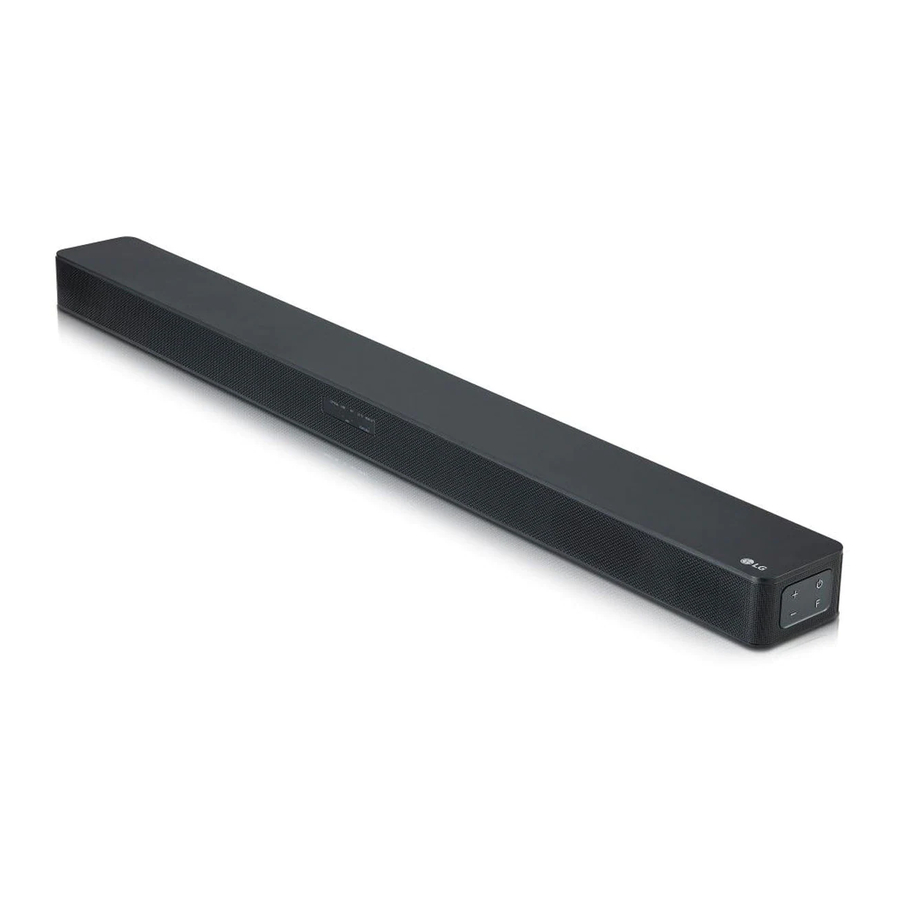
Introduction
Please read this manual carefully before operating your set and retain it for future reference. (Please read this manual carefully before using your device and keep it for future reference.)
To view the instructions of advanced features, visit http://www.lg.com and then download Owner's Manual.
Some of the content in this manual may differ from your unit. (Some of the content in this manual may be different to your device.)
FCC Compliance Statement
This equipment has been tested and found to comply with the limits for a Class B digital device, pursuant to Part 15 of the FCC Rules. These limits are designed to provide reasonable protection against harmful interference in a residential installation. This equipment generates, uses, and can radiate radio frequency energy and, if not installed and used in accordance with the instructions, may cause harmful interference to radio communications. However, there is no guarantee that interference will not occur in a particular installation. If this equipment does cause harmful interference to radio or television reception, which can be determined by turning the equipment off and on, the user is encouraged to try to correct the interference by one or more of the following measures: (This equipment has been tested and found to comply with the limits for a Class B digital device, according to Part 15 of the FCC Rules. These limits are designed to provide reasonable protection against harmful interference in a residential installation. This equipment generates, uses, and can radiate radio frequency energy and, if not installed and used in accordance with the instructions, may cause harmful interference to radio communications. However, there is no guarantee that interference will not occur in a particular installation. If this equipment does cause harmful interference to radio or television reception, which can be determined by switching the equipment off and on, the user is encouraged to try to correct the interference by one or more of the following measures:)
- Reorient or relocate the receiving antenna. (Reorient or move the receiving antenna.)
- Increase the separation between the equipment and the receiver. (Increase the distance between the equipment and the receiver.)
- Connect the equipment to an outlet on a circuit different from that to which the receiver is connected. (Connect the equipment to an outlet on a circuit that is different from the one to which the receiver is connected.)
- Consult the dealer or an experienced radio/TV technician for help. (Consult the dealer or an experienced radio/TV technician for assistance.)
This device complies with part 15 of the FCC Rules.
Operation is subject to the following two conditions: (This device complies with part 15 of the FCC Rules. Operation is subject to the following two conditions:)
- this device may not cause harmful interference and (this device may not cause harmful interference and)
- this device must accept any interference received, including interference that may cause undesired operation. (this device must accept any interference received, including interference that may cause undesired operation.)
Any changes or modifications in construction of this device which are not expressly approved by the party responsible for compliance could void the user's authority to operate the equipment. (Any changes or modifications to the construction of this device which are not expressly approved by the party responsible for compliance could invalidate the user's authority to operate the equipment.)
FCC RF Radiation Exposure Statement: This equipment complies with FCC radiation exposure limits set forth for an uncontrolled environment. This transmitter must not be co-located or operating in conjunction with any other antenna or transmitter.
This equipment should be installed and operated with minimum distance 20 cm (7.8 inches) between the antenna and your body. Users must follow the specific operating instructions for satisfying RF exposure compliance. (This equipment complies with FCC radiation exposure limits set forth for an uncontrolled environment. This transmitter must not be co-located or operating in conjunction with any other antenna or transmitter. This equipment should be installed and operated with a minimum distance of 20 cm (7.8 inches) between the antenna and your body. Users must follow the specific operating instructions for satisfying RF exposure compliance.)
FCC Radio Frequency Interference Requirements:
High power radars are allocated as primary users of the 5.25 to 5.35 GHz and 5.65 to 5.85 GHz bands. These radar stations can cause interference with and/or damage this device. This device cannot be co-located with any other transmitter. (High power radars are allocated as primary users of the 5.25 to 5.35 GHz and 5.65 to 5.85 GHz bands. These radar stations can cause interference with and/or damage this device. This device cannot be co-located with any other transmitter.)
Supplier's Declaration of Conformity
| Trade Name (Trade Name) | LG |
| Responsible Party (Responsible Party) | LG Electronics USA, Inc. |
| Address (Address) | 1000 Sylvan Ave Englewood |
| Cliffs, NJ 07632 | |
| Telephone (Telephone) | (201)266-2215 |
Front Panel

 (Standby) (Standby) - Switches the unit ON or OFF (Switches the unit on or off)
F (Function) (Function) - Selects Function (Selects function)
 (Volume) (Volume) - Adjusts Volume (Adjusts volume)
Rear Panel

DC IN - Connect to the AC adapter (Connect to the AC adapter)
OPTICAL IN - Connect to an Optical device (Connect to an optical device)
PORTABLE IN - Connect to a Portable device (Connect to a portable device)
USB  - Connect to a USB device (Connect to a USB device)
HDMI OUT (TV ARC) (HDMI OUT (TV ARC)) - Connect to a TV (Connect to a TV)
HDMI IN - Connect to HDMI out on a device (Connect to HDMI out on a device)
Subwoofer Connection
Place the wireless subwoofer near the speaker and follow steps below. (Place the wireless subwoofer near the speaker and follow the steps below.)
- Connect the power cord of wireless subwoofer and sound bar to the outlet. (Connect the power cord of the wireless subwoofer and sound bar to the outlet.)
- Turn on the main unit: (Turn on the main unit:)
The sound bar and wireless subwoofer will be automatically connected. The subwoofer's green LED turns on. (The sound bar and wireless subwoofer will be automatically connected. The subwoofer's green LED will turn on.)
Subwoofer Connection Manually (Subwoofer Connection Manually)
If the subwoofer does not make sound, try to connect manually. (If the subwoofer does not make a sound, try to connect manually.)
- Press Pairing button on the rear of the wireless subwoofer. (Press Pairing (pairing) button on the rear of the wireless subwoofer.)
- The green LED on the rear of wireless subwoofer blinks quickly. (If the green LED does not blink, press and hold the Pairing button.) (The green LED on the rear of the wireless subwoofer flashes quickly. (If the green LED does not flash, press and hold the Pairing button.))
- Turn on the main unit. (Turn on the main unit.)
- Pairing is completed. (Pairing is completed.)
- The green LED on the rear of wireless subwoofer turns on. (The green LED on the rear of the wireless subwoofer turns on.)
 Keep the sound bar and the subwoofer away from the device (ex. wireless router, microwave oven, etc.) over 1 m (3.3 ft) to prevent wireless interference.

TV Connection
Connect with the Sound Bar and TV using Optical ( ) or HDMI ARC (
 ).
).
- Optical Connection (Optical Connection)
- Connect the sound bar to the TV using Optical cable. (Connect the sound bar to the TV using an optical cable.)
- Set up [External Speaker (Optical)] on your TV setting menu. (Set up [External Speaker (Optical)] on your TV settings menu.)

- HDMI(ARC) Connection (HDMI(ARC) Connection)
- Connect the sound bar to the TV using HDMI cable. (Connect the sound bar to the TV using an HDMI cable.)
- Set up [External Speaker (HDMI ARC)] on your TV setting menu. (Set up [External Speaker (HDMI ARC)] on your TV settings menu.)
 Connection")


- HDMI connection is unavailable if your TV does not support HDMI ARC.
- If this unit is connected by OPTICAL and ARC at the same time, the ARC signal is a high priority.
Additional Device Connection (Additional Device Connection)
- Connect to the external device as follows. (Connect to the external device as follows.)

- Set the input source by pressing F on the remote control or unit repeatedly. (Set the input source by pressing F (function) on the remote control or unit repeatedly.)

Remote control

ASC/DTS V:X/BASS BLAST: Selects the sound effect. (Selects the sound effect.)
REAR +/-: Adjusts the volume level of rear speakers.
(For rear speakers) (Adjusts the volume level of rear speakers. (For rear speakers))
Adjustment of the Rear speakers volume levels and using Surround Sound are applied only when the rear speakers are connected.
Rear speaker kit sold separately. (Adjustment of the rear speakers volume levels and using surround sound are only applied when the rear speakers are connected. Rear speaker kit sold separately.)
WOOFER +/-: Adjusts the volume level of subwoofer. (Adjusts the volume level of the subwoofer.)
AUTO POWER ON/OFF: Automatically turns on by an input source. (Automatically turns on by an input source.)
Replacement of battery (Replacement of battery)

Additional Information
Specification (Specification)
| Power consumption (Power consumption) | Refer to the main label. (Refer to the main label.) |
| AC adapter (AC adapter) |
|
| Dimensions (W x H x D) (Dimensions (W x H x D)) |
Approx. With foot (35 inch x 2.2 inch x 3.4 inch) (With foot (35 inch x 2.2 inch x 3.4 inch)) |
| Bus Power Supply (USB) (Bus Power Supply (USB)) |
5 V (5 V)  500 mA 500 mA
|
| Amplifier (Total RMS Output power) (Amplifier (Total RMS Output power)) | 360 W RMS |
Design and specifications are subject to change without notice. (Design and specifications are subject to change without notice.)
Rear Speakers Ready
Ready for surround sound with Rear Speakers Kit sold separately. (SPK8-S) (Ready for surround sound with rear speakers. Kit sold separately (SPK8-S).)
OPEN SOURCE SOFTWARE NOTICE INFORMATION (OPEN SOURCE SOFTWARE NOTICE INFORMATION)
To obtain the source code under GPL, LGPL, MPL, and other open source licenses, that is contained in this product, please visit http://opensource.lge.com.
In addition to the source code, all referred license terms, warranty disclaimers and copyright notices are available for download. (In addition to the source code, all referred licence terms, warranty disclaimers and copyright notices are available for download.)
LG Electronics will also provide open source code to you on CD-ROM for a charge covering the cost of performing such distribution (such as the cost of media, shipping, and handling) upon email request to opensource@lge.com. (LG Electronics will also provide open source code to you on CD-ROM for a charge covering the cost of performing such distribution (such as the cost of media, shipping and handling) upon email request to opensource@lge.com.)
This offer is valid for a period of three years after our last shipment of this product. This offer is valid to anyone in receipt of this information. (This offer is valid for a period of three years after our last shipment of this product. This offer is valid to anyone who receives this information.)
| LG Customer Information Center (LG Customer Information Centre) |
|
1-800-243-0000 USA, Consumer 1-888-865-3026 USA, Commercial |
| Register your product Online! (Register your product online!) |
| www.lg.com |
www.lg.com
Copyright © 2019 LG Electronics Inc. All Rights Reserved.

References


Download manual
Here you can download full pdf version of manual, it may contain additional safety instructions, warranty information, FCC rules, etc.
Download LG SKM5Y - Wireless Sound Bar Simple Manual


