Muse M-280 BT - Wireless Bluetooth Stereo Headphones Manual
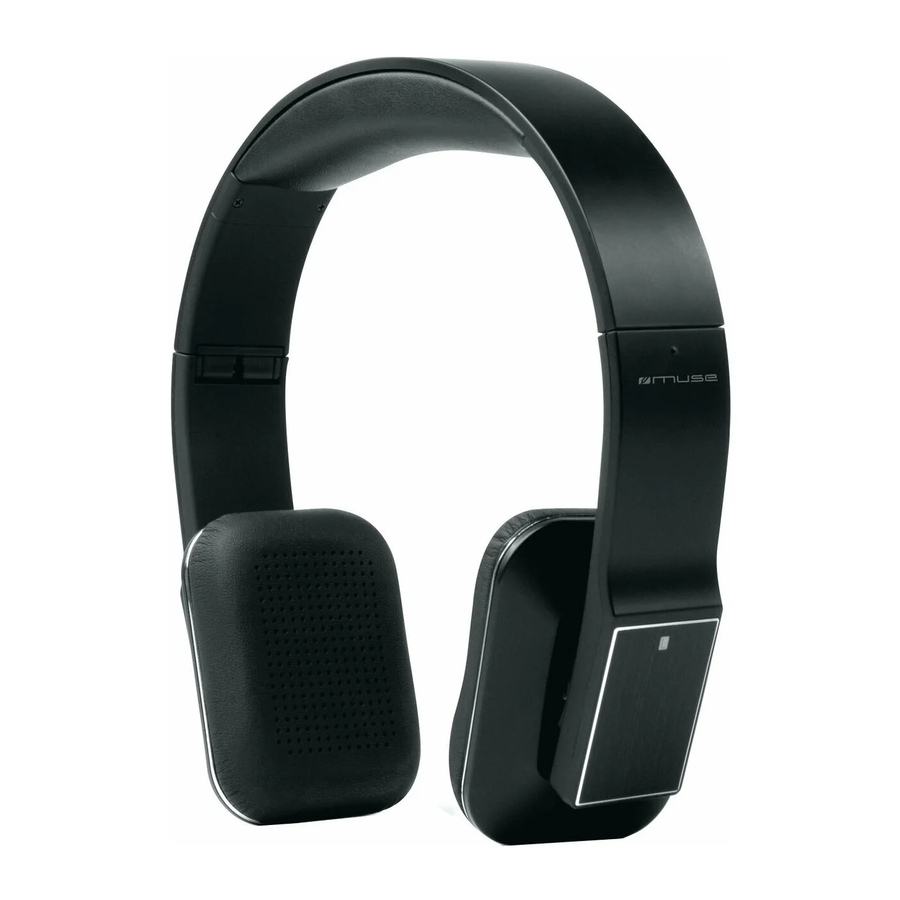
DEVICE OVERVIEW
Read the instructions carefully before operating the unit.


LOCATION AND DESCRIPTION OF CONTROLS
- Microphone
- Multi-function button(MFB)
- ► Next
![]() Pause/play
Pause/play- ◄ Previous
- Aux-in jack
- LED indicator
- DC input (USB cable jack)
- Volume down
- Volume up
- Right speaker
- Left speaker
 Pause/play
POWER SUPPLY
Batteries
This headphone is equipped with a rechargeable lithium-ion polymer battery.
Charging the headphone
Use the provided USB cable. Connect one end to the headphone and the other end to a computer or use an adaptor (sold separately) and connect it to a wall socket.
Red LED on: Charging
Red LED off: finish charging
 Note: Please note that the USB cable can only be used for charging and not for data transfer. USB cable can be used during playback.
Using the built-in battery
This headphone is equipped with a rechargeable lithium-ion polymer battery. Charge this battery for at least 3 hours before using the headphone for the first time. This battery can be recharged at any time independently of the fact that it is completely loaded or not.

- Charge the internal battery only when you are ready to re-use the device again.
- When using the device in battery, the ambient temperature must be 5°C (41°F) at 35°C (95°F)
For a longer service life it is recommended to charge the battery indoor. - The integrated battery of this device may present a risk of fire or chemical burn if mistreated.
- The unit must not be exposed to excessive heat such as sunshine, fire or similar heat source.
GETTING STARTED
Turning on/off the headphone
| Functions | Operation | LED indicator |
| Turning on | Press and hold MFB button for 3~5 seconds until blue LED flashes. | Blue LED on one second |
| Turning off | Press and hold MFB button for 3 seconds until red LED flashes | Red LED on one second |
Remark: In order to save power, the headphone will turn off automatically if no devices can be connected after 5 minutes.
Pairing the headphone with Bluetooth devices
- Turn off the Bluetooth functionality of other devices that were paired with your headphone.
- Turn on Bluetooth functionality on your Bluetooth device. Typically, Bluetooth controls are found on the device's tools or settings menu (see your user manual). Turn on Bluetooth connectivity and make your device "discoverable".
- Ensure the headphone in OFF mode, press and hold MFB button for 7~8 seconds until red and blue LED indicator flash alternately which will put the headphone in pairing mode(Pairing mode will last 2 minutes, If no devices can be connected over 2 minutes, the headphone goes to standby mode automatically)
- Choose "add a new Bluetooth device" or "setup Bluetooth device" on your device. It will start to search. (keep the headphone and your device within 1 metre when pairing).
- After your device and the "M-280BT" have discovered each other, a "Pairing Successful" or similar message should appear on your device, blue LED indicator flashes twice every 4 seconds. If your device prompts you for a pass code, please enter 0000. On some devices such as computers, once paired you must select the unit from the Bluetooth menu and choose "Use as Audio Device (stereo)" or similar.
Remark:
- If pairing is failed, please turn off the headphone first and then re-pair according to steps 2~5 mentioned above.
- After pairing is successful, the headphone and device will remember each other, they will no need to re-pair next time. The headphone can remember 8 paired devices that they are successful to pair previous. when the number of paired devices exceeds 8, the first one will be replaced.
- Next time the headphone is powered on, it will automatically try to re-establish a link with the most recently linked Bluetooth device. If you want to pair it with other devices, please turn off the Bluetooth function of last connected devices first and pair the headphone with new device according to step 2~5 mentioned above.
Play MUSIC from Bluetooth devices
Make sure the Bluetooth connection between the headphone and the device is active.
- To start play, press
![]() on unit.
on unit. - To pause/resume play, press
![]() again.
again.
 on unit.
 again.
 Note: blue LED indicator flashes 3 times every 4 seconds when music is playing.
Play from an external device
The Bluetooth will disconnect between headphone and your device automatically if you plug 3.5mm audio input, and the Aux in is available in this time. You can also listen to an external audio device through this headphone.
- Connect the Aux-in link cable(supplied) to:
- the AUX IN jack (3.5mm) of the unit, the Bluetooth light will cut off once the cable is connected with the headphone.
- the headphone jack on an external device.
- Start to play the device.
Note: please unplug the Aux-in link cable if you don't want to play with it.
Adjust volume level
During play, press +/- to increase/decrease the volume level.
Sometimes volume adjustment made on your device will also affect volume output from the speaker.
Changing tracks/songs
To skip to the previous/next songs, press the◄ or ► button to change.
Incoming calls
When you receive an incoming call, music audio will automatically mute. Once the call has ended, it depends entirely on you mobile phone whether the current track will return to playback or not.
MAKING CALLS AND ANSWER CALLS
Before making a call used with your mobile phone, you need to pair and link your Bluetooth-enabled phone with the unit.
- Basic operation:
| Functions | Status of headphone | Operation |
| Cancel a call | Calling | Short press MFB once |
| Answer a call | Incoming ringing | Short press MFB once |
| Reject a call | Incoming ringing | Long press MFB for 2 seconds and release it until listen a tone. |
| End a call | During a call | Short press MFB once |
| Volume up | During a call | Short press + button |
| Volume down | During a call | Short press – button |
| Transfer conversation to mobile phone | During a call | Long press MFB for 2 seconds |
| Transfer conversation to headphone. | During a call | Long press MFB for 2 seconds |
| Microphone mute | During a call | Double click MFB |
| Cancel mute | During a call (microphone mute) | Double click MFB |
| Voice dial | Standby mode (connected device) | Long press  button for 2 seconds button for 2 seconds |
| Redial the last number | Standby mode (connected device) | Double click MFB |
| Remove paired list | Turned off | Press MFB and  play/pause button for 8 seconds simultaneously, and release it until the red and blue(or purple) LED on at the same time. play/pause button for 8 seconds simultaneously, and release it until the red and blue(or purple) LED on at the same time. |
- Three-ways call operation
| Functions | Status of headphone | Operation |
| Answer new call and end current call | There are second incoming call | Short press MFB once |
| Answer new call and retain current call | There are second incoming call | Long press MFB for 2 seconds |
| Switch calls | Keep conversation | Long press MFB for 2 seconds |
| End current call and switch retain call | Keep conversation | Short press MFB once |

Excessive pressure form earphones and headphones can cause hearing loss.
Note:
- Not all the mobile phones support all the functions listed above. Please refer to your mobile phone user's manual.
- Different function and prompt tone according to different mobile phone.
- When the volume is adjusted to max or min, you will hear one prompt tone.
- When pressing the answer button on some mobile phones, the call will be transferred to the mobile phone. You can switch the call to the headphone by using the conversation switch button or through operating on the mobile phone. Please refer to your mobile phone user manual for further information.
LED INDICATOR
- Charging
| LED indicator | Status of headphone |
| Red LED on | Charging |
| Red LED off | Finish charging |
- Pairing with Bluetooth device
| LED indicator | Status of headphone |
| Red and blue LED flashes alternately | Pairing mode |
| Blue LED flashes once quickly every 2 seconds | Not connect device. |
| Blue LED flashes twice quickly every 4 seconds | Have already connected HFP or A2DP |
| Blue LED flashes three times quickly every 4 seconds | Connect HFP and A2DP simultaneously |
| Blue LED flashes quickly | Calling/incoming call |
| Blue LED flashes once quickly every 4 seconds | During a call |
| Red LED flashes twice every 30 seconds | Low battery |
- Indication tone
| Indication tone | Status of the headphone |
| Continuous two prompt tone every 10 seconds | Conversation mode and microphone mute |
| Three "dong" warning tone every 30 seconds | Low battery |
WEAK BATTERY ALARM
If the battery is weak, "Dong...Dong...Dong..." warning will alert and RED LED flash twice every 30 seconds which it remind you that the battery life will not last to playing, please recharge the battery of the headphone.
FACTORY RESET
When the headphone is turned off, long press MFB and  button simultaneously for 8 seconds until the red and blue LED on.
TROUBLE SHOOTING GUIDE
| Problem | Solution |
| The headphone turns off automatically | Recharge the battery |
| No connection |
|
| Not functioning correctly | you can plug 3.5mm Line-in or charging the eadphone so that to reset products. |
| Cannot stream music | Make sure your device must support the A2DP Bluetooth profile. |
| Cannot activate Bluetooth | Make sure the Aux-in link cable is unplug from the Aux-in jack. |
Warning
- This unit will not operate or may operate improperly with some Bluetooth mobile phones / audio players.
- There are many mobile phones in the market. We cannot guarantee the compatibility of all mobile phones together with the unit.
- If you found the conversation is not clear, try to move closer to the microphone.
- Never expose the product to fire as this could result in personal injury.
- Do not store the product in extremely cold or warm environments.
- Never dismantle the product.
- Never let children play with the product.
- Do not expose the product to dampness or moisture
- The apparatus shall not be exposed to dripping or splashing and no objects filled with liquids, such as vases, shall be placed on the apparatus.
SPECIFICATIONS
| Weight: | Approx 172.8 g |
| Battery type: | 3.7V 430 mAh Lithium-ion Polymer battery |
| Bluetooth version | V2.1+EDR |
| Operating time | Up to 14 hours at 60% volume |
| Charging time | Approx 3 hours |
| Max output | 2x30mW |
| Charging voltage | 5V |
| Working distance: | Up to 10 metres measured in open space. (Wall and structures may affect range of device). |

If at any time in the future you should need to dispose of this product please note that Waste electrical products should not be disposed of with household waste. Please recycle where facilities exist. Check with your Local Authority or retailer for recycling advice. (Waste Electrical and Electronic Equipment Directive.)


Download manual
Here you can download full pdf version of manual, it may contain additional safety instructions, warranty information, FCC rules, etc.
Download Muse M-280 BT - Wireless Bluetooth Stereo Headphones Manual


