RAZER Deathadder V2 X Hyperspeed - Gaming Mouse Manual (Pelihiiren käyttöohje)
- 1 INTRODUCTION (ESITTELY)
- 2 WHAT'S INSIDE (MITÄ PAKKAUKSESSA ON)
- 3 WHAT'S NEEDED (MITÄ TARVITAAN)
- 4 LET'S GET YOU COVERED (HUOLEHDITAAN SINUSTA)
- 5 GETTING STARTED (ALOITTAMINEN)
- 6 SAFETY AND MAINTENANCE (TURVALLISUUS JA HUOLTO)
- 7 REGULATORY & COMPLIANCE INFORMATION (SÄÄDÖSTENMUKAISUUS- JA VAATIMUSTENMUKAISUUSTIEDOT)
- 8 Lataa käyttöohje
- 9 Muilla kielillä
INTRODUCTION (ESITTELY)

Unleash your true potential. (Päästä todellinen potentiaalisi valloilleen.)
We were the first to create a mouse dedicated to gaming. Today, we continue to be industry leaders, utilizing the latest technology to deliver gaming mice equipped with the best optical sensors, backed by the fastest and most stable wired and wireless connections. Left or right-handed, MMO or FPS, you'll find just what you need to bring your A-game every time. (Olimme ensimmäisiä, jotka loivat hiiren pelaamiseen. Tänään olemme edelleen alan johtajia, jotka hyödyntävät uusinta teknologiaa toimittaaksemme pelihiiriä, jotka on varustettu parhailla optisilla sensoreilla ja joita tukevat nopeimmat ja vakaimmat langalliset ja langattomat yhteydet. Olitpa vasen- tai oikeakätinen, MMO tai FPS, löydät juuri sen, mitä tarvitset tuodaksesi parhaan pelisi joka kerta.)

As a Razer faithful, you can get rewarded just by writing a product review. Find out how, and discover other goodies at razer.com/getstarted

MAXIMIZE YOUR DEVICE WITH RAZER SYNAPSE (MAKSIMOI LAITTEESI RAZER SYNAPSEN AVULLA)
Access advanced options and granular control as you rebind buttons, assign macros, personalize device lighting and more with the unified hardware configuration tool. (Käytä edistyneitä asetuksia ja tarkkaa hallintaa, kun määrität painikkeita uudelleen, määrität makroja, mukautat laitteen valaistusta ja paljon muuta yhtenäisellä laitteistokokoonpanotyökalulla.)
razer.com/synapse
Internet connection required for software updates and modules. Registering for a Razer ID account is recommended to access full features, but not required. (Ohjelmistopäivityksiin ja moduuleihin tarvitaan Internet-yhteys. Razer ID -tilin rekisteröinti on suositeltavaa, jotta voit käyttää kaikkia ominaisuuksia, mutta se ei ole pakollista.)

GET HELP WITH RAZER SUPPORT (HANKI APUA RAZER-TUESTA)
We're here to assist you with your Razer device. Find software downloads, register your product, or contact us by phone, chat or email if you have any questions. (Olemme täällä auttamassa sinua Razer-laitteesi kanssa. Löydä ohjelmistolataukset, rekisteröi tuotteesi tai ota meihin yhteyttä puhelimitse, chatin kautta tai sähköpostitse, jos sinulla on kysyttävää.)
support.razer.com

PROTECT YOUR RAZER GEAR TODAY (SUOJAA RAZER-LAITTEESI TÄNÄÄN)
Get peace of mind with our RazerCare Protection Plans (Hanki mielenrauha RazerCare-suojaussuunnitelmillamme)
Enjoy greater coverage and even be protected against drops, spills, and more. (Nauti laajemmasta kattavuudesta ja suojaudu jopa putoamisilta, roiskeilta ja muulta.)
Need to replace lost or damaged parts? (Tarvitsetko kadonneiden tai vahingoittuneiden osien vaihtoa?)
Purchase authentic original replacements at the RazerCare Store. (Osta aitoja alkuperäisiä varaosia RazerCare-kaupasta.)
support.razer.com/razercare
WHAT'S INSIDE (MITÄ PAKKAUKSESSA ON)
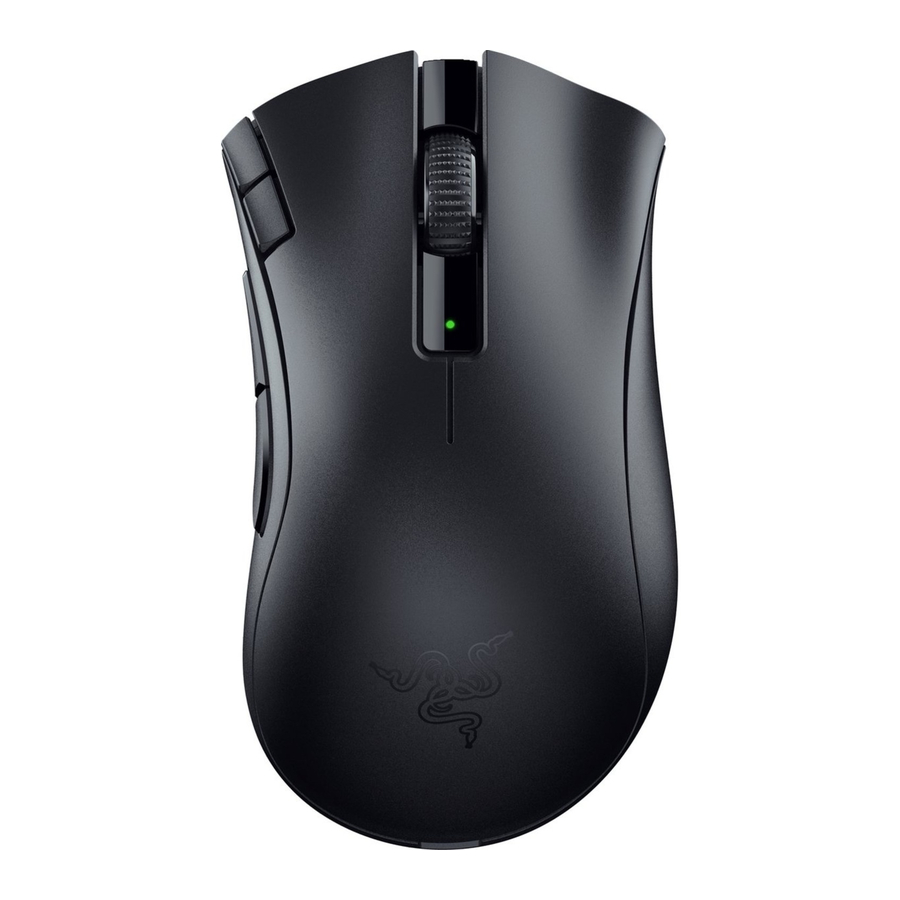
- Razer DeathAdder V2 X HyperSpeed

- DPI stage up (DPI-tason nosto)
- DPI stage down (DPI-tason lasku)
- Left mouse button (Vasen hiiren painike)
- Right mouse button (Oikea hiiren painike)
- Scroll wheel (Vierityspyörä)
- Status indicator (Tilan ilmaisin)
- Mouse button 5 (Hiiren painike 5)
- Mouse button 4 (Hiiren painike 4)
- Razer™ HyperSpeed 2.4GHz wireless dongle (Razer™ HyperSpeed 2.4GHz langaton sovitin)
- Ultraslick mouse feet (Erittäin liukkaat hiiren jalat)
- Slider switch (Liukukytkin)
- Bluetooth mode (Bluetooth-tila)
- Power off mode (Virta pois -tila)
- Razer™ HyperSpeed Wireless (2.4 GHz) mode (Razer™ HyperSpeed Wireless (2.4 GHz) -tila)
- Razer™ 5G Advanced 14K DPI Optical Sensor (Razer™ 5G Advanced 14K DPI optinen sensori)
- 1 x AA battery (1 x AA-paristo)
- Important Product Information Guide (Tärkeä tuotetieto-opas)
 The DPI stages are as follows: 400, 800, 1600 (default), 3200 and 6400. The DPI stages can be customized using Razer Synapse. (DPI-tasot ovat seuraavat: 400, 800, 1600 (oletus), 3200 ja 6400. DPI-tasoja voidaan mukauttaa Razer Synapsen avulla.)
WHAT'S NEEDED (MITÄ TARVITAAN)
PRODUCT REQUIREMENTS (TUOTTEEN VAATIMUKSET)
- USB-A port or Bluetooth 5.1 connectivity (USB-A-portti tai Bluetooth 5.1 -yhteys)
- 1 x 1.5V AA battery* (1 x 1.5V AA-paristo*)
RAZER SYNAPSE REQUIREMENTS (RAZER SYNAPSEN VAATIMUKSET)
- Windows® 10 64-bit (or higher) (Windows® 10 64-bittinen (tai uudempi))
- Internet connection for software installation (Internet-yhteys ohjelmiston asennusta varten)
*Also compatible with a AAA battery (not included). (*Yhteensopiva myös AAA-pariston kanssa (ei sisälly).)
LET'S GET YOU COVERED (HUOLEHDITAAN SINUSTA)
You've got a great device in your hands, complete with a 2-year limited warranty coverage. Now maximize its potential and score exclusive Razer benefits by registering at razerid.razer.com

Got a question? Ask the Razer Support Team at support.razer.com (Onko sinulla kysyttävää? Kysy Razer-tukitiimiltä osoitteessa support.razer.com)
GETTING STARTED (ALOITTAMINEN)
INSERTING THE BATTERY (PARISTON ASETTAMINEN)
- Remove the top cover of the mouse and insert the AA battery as indicated in the battery compartment. (Irrota hiiren yläkansi ja aseta AA-paristo paristolokeroon merkityn mukaisesti.)

![]()
The included AA battery is nonrechargeable. Only one (1) battery will fit in the battery compartment. Do not forcefully insert two (2) batteries at the same time. Dispose batteries in accordance with your local environmental laws. For your safety, use only lithium or alkaline batteries. (Mukana toimitettu AA-paristo ei ole ladattava. Paristolokeroon mahtuu vain yksi (1) paristo. Älä työnnä kahta (2) paristoa väkisin samanaikaisesti. Hävitä paristot paikallisten ympäristölakien mukaisesti. Turvallisuutesi vuoksi käytä vain litium- tai alkaliparistoja.)
![information]() You may also use one (1) AAA battery (not included) if preferred. (Voit halutessasi käyttää myös yhtä (1) AAA-paristoa (ei sisälly).)
You may also use one (1) AAA battery (not included) if preferred. (Voit halutessasi käyttää myös yhtä (1) AAA-paristoa (ei sisälly).) - Reattach the top cover onto the mouse and make sure that it is tightly secured. (Kiinnitä yläkansi takaisin hiireen ja varmista, että se on tiukasti kiinni.)
![]()

 You may also use one (1) AAA battery (not included) if preferred. (Voit halutessasi käyttää myös yhtä (1) AAA-paristoa (ei sisälly).)
CONNECTING YOUR MOUSE (HIIRTEN YHDISTÄMINEN)
- VIA RAZER™ HYPERSPEED WIRELESS (2.4 GHZ) MODE (RAZER™ HYPERSPEED WIRELESS (2.4 GHZ) -TILAN KAUTTA)
- Remove the top cover of the mouse and take out the wireless USB dongle. (Irrota hiiren yläkansi ja ota langaton USB-sovitin ulos.)

- Close the top cover and insert the wireless dongle into any of the USB ports on your PC. (Sulje yläkansi ja aseta langaton sovitin mihin tahansa tietokoneesi USB-porttiin.)

- Push the slider switch to Razer™ HyperSpeed Wireless (2.4 GHz) mode. When connected, the status indicator will briefly turn static green. (Työnnä liukukytkin Razer™ HyperSpeed Wireless (2.4 GHz) -tilaan. Kun yhteys on muodostettu, tilan ilmaisin muuttuu hetkeksi vihreäksi.)

Your Razer DeathAdder V2 X HyperSpeed is now ready for use in wireless mode. (Razer DeathAdder V2 X HyperSpeed on nyt valmis käytettäväksi langattomassa tilassa.)


- VIA BLUETOOTH MODE (BLUETOOTH-TILAN KAUTTA)
- Push the slider switch to Bluetooth mode (
![]() ). (Työnnä liukukytkin Bluetooth-tilaan (
). (Työnnä liukukytkin Bluetooth-tilaan (![]() ).)
).)

- Press and hold the two side buttons, the DPI stage up, and the DPI stage down buttons simultaneously for three seconds to activate pairing mode. The status indicator will blink twice in repeated intervals to show that the device is in pairing mode. (Paina ja pidä kahta sivupainiketta, DPI-tason nosto- ja DPI-tason laskupainikkeita samanaikaisesti painettuna kolmen sekunnin ajan aktivoidaksesi pariliitostilan. Tilan ilmaisin vilkkuu kahdesti toistuvin väliajoin osoittaen, että laite on pariliitostilassa.)

- Activate Bluetooth on your device, search for new Bluetooth devices, and select "DA V2 X" from the list of devices found. (Aktivoi Bluetooth laitteellasi, etsi uusia Bluetooth-laitteita ja valitse "DA V2 X" löydettyjen laitteiden luettelosta.)
![]()
- Wait until the mouse pairs with your device. When paired, the status indicator will briefly turn static blue. (Odota, kunnes hiiri muodostaa pariliitoksen laitteesi kanssa. Kun pariliitos on muodostettu, tilan ilmaisin muuttuu hetkeksi siniseksi.)

![warning]() Once paired, your Razer DeathAdder V2 X HyperSpeed will automatically reconnect to your device whenever in Bluetooth mode and within range. Keep the pairing devices within close proximity of each other for faster and more stable connection. (Kun pariliitos on muodostettu, Razer DeathAdder V2 X HyperSpeed muodostaa automaattisesti yhteyden laitteeseesi aina, kun se on Bluetooth-tilassa ja kantaman sisällä. Pidä pariliitosta muodostavat laitteet lähellä toisiaan nopeamman ja vakaamman yhteyden saavuttamiseksi.)
Once paired, your Razer DeathAdder V2 X HyperSpeed will automatically reconnect to your device whenever in Bluetooth mode and within range. Keep the pairing devices within close proximity of each other for faster and more stable connection. (Kun pariliitos on muodostettu, Razer DeathAdder V2 X HyperSpeed muodostaa automaattisesti yhteyden laitteeseesi aina, kun se on Bluetooth-tilassa ja kantaman sisällä. Pidä pariliitosta muodostavat laitteet lähellä toisiaan nopeamman ja vakaamman yhteyden saavuttamiseksi.)
 ). (Työnnä liukukytkin Bluetooth-tilaan (


Congratulations, your Razer DeathAdder V2 X HyperSpeed is now ready to use in Bluetooth mode. (Onnittelut, Razer DeathAdder V2 X HyperSpeed on nyt valmis käytettäväksi Bluetooth-tilassa.)
LOW POWER INDICATOR (VÄHÄISEN VIRRAN ILMAISIN)
The status indicator will blink red twice in repeated intervals to indicate that the battery level of the inserted battery is less than 5%*. This lighting sequence will repeat until the battery is fully drained. Once you receive this notification, it's time to replace the battery. (Tilan ilmaisin vilkkuu punaisena kahdesti toistuvin väliajoin osoittaen, että asetetun pariston varaustaso on alle 5 %*. Tämä valaistusjakso toistuu, kunnes paristo on täysin tyhjä. Kun saat tämän ilmoituksen, on aika vaihtaa paristo.)

PERSONALIZING YOUR MOUSE WITH RAZER SYNAPSE (HIIRTEN MUKAUTTAMINEN RAZER SYNAPSEN AVULLA)
Change your mouse's DPI to match your playstyle with a press of the DPI stage up or DPI stage down buttons or re-configure them to your favorite key binds using the Razer Synapse app. The status indicator will briefly change its color to show which DPI stage is currently active. (Vaihda hiiren DPI vastaamaan pelityyliäsi painamalla DPI-tason nosto- tai DPI-tason laskupainikkeita tai määritä ne uudelleen suosikkipikanäppäimillesi Razer Synapse -sovelluksen avulla. Tilan ilmaisin muuttaa hetkeksi väriään osoittaakseen, mikä DPI-taso on tällä hetkellä aktiivinen.)

Install Razer Synapse when prompted or download the installer from razer.com/synapse.
SAFETY AND MAINTENANCE (TURVALLISUUS JA HUOLTO)
In order to achieve maximum safety while using your Razer DeathAdder V2 X HyperSpeed, we suggest that you adopt the following guidelines: (Jotta voisit saavuttaa maksimaalisen turvallisuuden käyttäessäsi Razer DeathAdder V2 X HyperSpeed -hiirtäsi, suosittelemme, että noudatat seuraavia ohjeita:)
Should you have trouble operating the device properly and troubleshooting does not work, unplug the device and contact the Razer hotline or go to support.razer.com for support. (Jos sinulla on ongelmia laitteen asianmukaisessa käytössä ja vianmääritys ei toimi, irrota laite pistorasiasta ja ota yhteyttä Razerin neuvontaan tai mene osoitteeseen support.razer.com saadaksesi tukea.)
Do not take apart the device (doing so will void your warranty) and do not attempt to operate it under abnormal current loads. (Älä pura laitetta (tämä mitätöi takuusi) äläkä yritä käyttää sitä epänormaaleissa virtakuormituksissa.)
Keep the device away from liquid, humidity or moisture. Operate the device only within the specific temperature range of 0°C (32°F) to 40°C (104°F). Should the temperature exceed this range, unplug and/or switch off the device in order to let the temperature stabilize to an optimal level. (Pidä laite loitolla nesteestä, kosteudesta tai vedestä. Käytä laitetta vain määritellyssä lämpötila-alueessa 0 °C (32 °F) - 40 °C (104 °F). Jos lämpötila ylittää tämän alueen, irrota laite pistorasiasta ja/tai sammuta se, jotta lämpötila vakiintuu optimaaliselle tasolle.)
COMFORT (MUKAVUUS)
Research has shown that long periods of repetitive motion, improper positioning of your computer peripherals, incorrect body position, and poor habits may be associated with physical discomfort and injury to nerves, tendons, and muscles. Below are some guidelines to avoid injury and ensure optimum comfort while using your Razer DeathAdder V2 X HyperSpeed. (Tutkimukset ovat osoittaneet, että pitkät toistuvat liikkeet, tietokoneen oheislaitteiden virheellinen sijoittelu, virheellinen kehon asento ja huonot tavat voivat liittyä fyysiseen epämukavuuteen ja hermojen, jänteiden ja lihasten vaurioihin. Alla on joitain ohjeita vammojen välttämiseksi ja optimaalisen mukavuuden varmistamiseksi Razer DeathAdder V2 X HyperSpeed -hiiren käytön aikana.)
- Position your keyboard and monitor directly in front of you with your mouse next to it. Place your elbows next to your side, not too far away and your keyboard within easy reach. (Aseta näppäimistö ja näyttö suoraan eteesi ja hiiri sen viereen. Aseta kyynärpääsi kyljesi viereen, ei liian kauas, ja näppäimistö helposti ulottuville.)
- Adjust the height of your chair and table so that the keyboard and mouse are at or below elbow-height. (Säädä tuolin ja pöydän korkeutta siten, että näppäimistö ja hiiri ovat kyynärpään korkeudella tai sen alapuolella.)
- Keep your feet well supported, posture straight and your shoulders relaxed. (Pidä jalat hyvin tuettuina, asento suorana ja hartiat rentoina.)
- During gameplay, relax your wrist and keep it straight. If you do the same tasks with your hands repeatedly, try not to bend, extend or twist your hands for long periods. (Pelaamisen aikana rentouta ranteesi ja pidä se suorana. Jos teet samoja tehtäviä käsilläsi toistuvasti, yritä olla taivuttamatta, ojentamatta tai kiertämättä käsiäsi pitkiä aikoja.)
- Do not rest your wrists on hard surfaces for long periods. Use a wrist rest to support your wrist while gaming. (Älä lepuuta ranteitasi kovilla pinnoilla pitkiä aikoja. Käytä rannetukea tukemaan rannettasi pelaamisen aikana.)
- Do not sit in the same position all day. Get up, step away from your desk and do exercises to stretch your arms, shoulders, neck and legs. (Älä istu samassa asennossa koko päivää. Nouse ylös, astu pois työpöydän äärestä ja tee harjoituksia venyttääksesi käsiäsi, hartioitasi, niskaasi ja jalkojasi.)
If you should experience any physical discomfort while using your mouse, such as pain, numbness, or tingling in your hands, wrists, elbows, shoulders, neck or back, please consult a qualified medical doctor immediately. (Jos koet fyysistä epämukavuutta hiirtä käyttäessäsi, kuten kipua, tunnottomuutta tai pistelyä käsissäsi, ranteissasi, kyynärpäissäsi, hartioissasi, niskassasi tai selässäsi, ota välittömästi yhteyttä pätevään lääkäriin.)
MAINTENANCE AND USE (HUOLTO JA KÄYTTÖ)
The Razer DeathAdder V2 X HyperSpeed requires minimum maintenance to keep it in optimum condition. Once a month we recommend you clean the device using a soft cloth or cotton swab to prevent dirt buildup. Do not use soap or harsh cleaning agents. (Razer DeathAdder V2 X HyperSpeed vaatii mahdollisimman vähän huoltoa, jotta se pysyy optimaalisessa kunnossa. Suosittelemme, että puhdistat laitteen kerran kuukaudessa pehmeällä liinalla tai vanupuikolla lian kertymisen estämiseksi. Älä käytä saippuaa tai voimakkaita puhdistusaineita.)
To get the ultimate experience in movement and control, we highly recommend a premium mouse mat from Razer. Some surfaces will cause undue wear on the feet requiring constant care and eventual replacement. (Liikkumisen ja hallinnan parhaan kokemuksen saavuttamiseksi suosittelemme Razerin premium-hiirimattoa. Jotkut pinnat aiheuttavat tarpeetonta kulumista jaloissa, mikä vaatii jatkuvaa hoitoa ja lopulta vaihtoa.)
Do note that the sensor of the Razer DeathAdder V2 X HyperSpeed is 'tuned' or optimized especially for the Razer mouse mats. This means that the sensor has been tested extensively to confirm that the Razer DeathAdder V2 X HyperSpeed reads and tracks best on Razer mouse mats. (Huomaa, että Razer DeathAdder V2 X HyperSpeed -hiiren sensori on "viritetty" tai optimoitu erityisesti Razerin hiirimatoille. Tämä tarkoittaa, että sensori on testattu laajasti sen varmistamiseksi, että Razer DeathAdder V2 X HyperSpeed lukee ja seuraa parhaiten Razerin hiirimatoilla.)
REGULATORY & COMPLIANCE INFORMATION (SÄÄDÖSTENMUKAISUUS- JA VAATIMUSTENMUKAISUUSTIEDOT)
FCC STATEMENT (FCC:N LAUSUNTO)
This equipment has been tested and found to comply with the limits for a Class B digital device, pursuant to part 15 of the FCC Rules. These limits are designed to provide reasonable protection against harmful interference in a residential installation. This equipment generates uses and can radiate radio frequency energy and, if not installed and used in accordance with the instructions, may cause harmful interference to radio communications. However, there is no guarantee that interference will not occur in a particular installation. If this equipment does cause harmful interference to radio or television reception, which can be determined by turning the equipment off and on, the user is encouraged to try to correct the interference by one or more of the following measures: (Tämä laite on testattu ja sen on todettu täyttävän FCC-sääntöjen osan 15 mukaisen luokan B digitaalilaitteen rajoitukset. Nämä rajoitukset on suunniteltu tarjoamaan kohtuullinen suoja haitallisia häiriöitä vastaan asuinrakennuksessa. Tämä laite tuottaa, käyttää ja voi säteillä radiotaajuusenergiaa, ja jos sitä ei asenneta ja käytetä ohjeiden mukaisesti, se voi aiheuttaa haitallisia häiriöitä radioviestinnälle. Ei kuitenkaan ole mitään takeita siitä, että häiriöitä ei esiinny tietyssä asennuksessa. Jos tämä laite aiheuttaa haitallisia häiriöitä radio- tai televisiovastaanotolle, mikä voidaan määrittää sammuttamalla ja käynnistämällä laite, käyttäjää kehotetaan yrittämään korjata häiriö yhdellä tai useammalla seuraavista toimenpiteistä:)
- Reorient or relocate the receiving antenna. (Suuntaa tai sijoita vastaanottoantenni uudelleen.)
- Increase the separation between the equipment and receiver. (Lisää laitteen ja vastaanottimen välistä etäisyyttä.)
- Connect the equipment into an outlet on a circuit different from that to which the receiver is connected. (Kytke laite pistorasiaan, joka on eri piirissä kuin vastaanotin.)
- Consult the dealer or an experienced radio/TV technician for help. (Pyydä apua jälleenmyyjältä tai kokeneelta radio-/TV-teknikolta.)
FCC RADIATION EXPOSURE STATEMENT (FCC:N SÄTEILYALTISTUSLAUSUNTO)
This device complies with FCC radiation exposure limits set forth for an uncontrolled environment and it also complies with Part 15 of the FCC RF Rules. This equipment must not be co-located or operating in conjunction with any other antenna or transmitter. End-users and installers must be provide with antenna installation instructions and consider removing the no-collocation statement. (Tämä laite täyttää FCC:n säteilyaltistusrajat, jotka on asetettu valvomattomalle ympäristölle, ja se on myös FCC:n RF-sääntöjen osan 15 mukainen. Tätä laitetta ei saa sijoittaa tai käyttää yhdessä minkään muun antennin tai lähettimen kanssa. Loppukäyttäjille ja asentajille on annettava antennin asennusohjeet ja harkittava yhteissijoittelua koskevan lausunnon poistamista.)
This device complies with Part 15 of the FCC Rules. (Tämä laite on FCC-sääntöjen osan 15 mukainen.)
Operation is subject to the following two conditions: (Käyttö edellyttää seuraavia kahta ehtoa:)
- this device may not cause harmful interference, and (tämä laite ei saa aiheuttaa haitallisia häiriöitä,)
- this device must accept any interference received, including interference that may cause undesired operation. (tämän laitteen on hyväksyttävä kaikki vastaanotetut häiriöt, mukaan lukien häiriöt, jotka voivat aiheuttaa ei-toivottua toimintaa.)

Any changes or modifications not expressly approved by the party responsible for compliance could void the user's authority to operate the equipment. (Kaikki muutokset tai muokkaukset, joita vaatimustenmukaisuudesta vastaava osapuoli ei ole nimenomaisesti hyväksynyt, voivat mitätöidä käyttäjän oikeuden käyttää laitetta.)
CANADA STATEMENT (KANADAN LAUSUNTO)
This device contains licence-exempt transmitter(s)/ receiver(s) that comply with Innovation, Science and Economic Development Canada's licence-exempt RSS(s). Operation is subject to the following two conditions: (Tämä laite sisältää lisenssivapaita lähettimiä/vastaanottimia, jotka ovat Innovation, Science and Economic Development Canadan lisenssivapaiden RSS-standardien mukaisia. Käyttö edellyttää seuraavia kahta ehtoa:)
- This device may not cause interference. (Tämä laite ei saa aiheuttaa häiriöitä.)
- This device must accept any interference, including interference that may cause undesired operation of the device. (Tämän laitteen on hyväksyttävä kaikki häiriöt, mukaan lukien häiriöt, jotka voivat aiheuttaa laitteen ei-toivottua toimintaa.)
Lataa käyttöohje
Täältä voit ladata täydellisen pdf-version käyttöohjeesta, se voi sisältää lisäturvallisuusohjeita, takuutietoja, FCC-sääntöjä jne.
Lataa RAZER Deathadder V2 X Hyperspeed - Gaming Mouse Manual (Pelihiiren käyttöohje)


