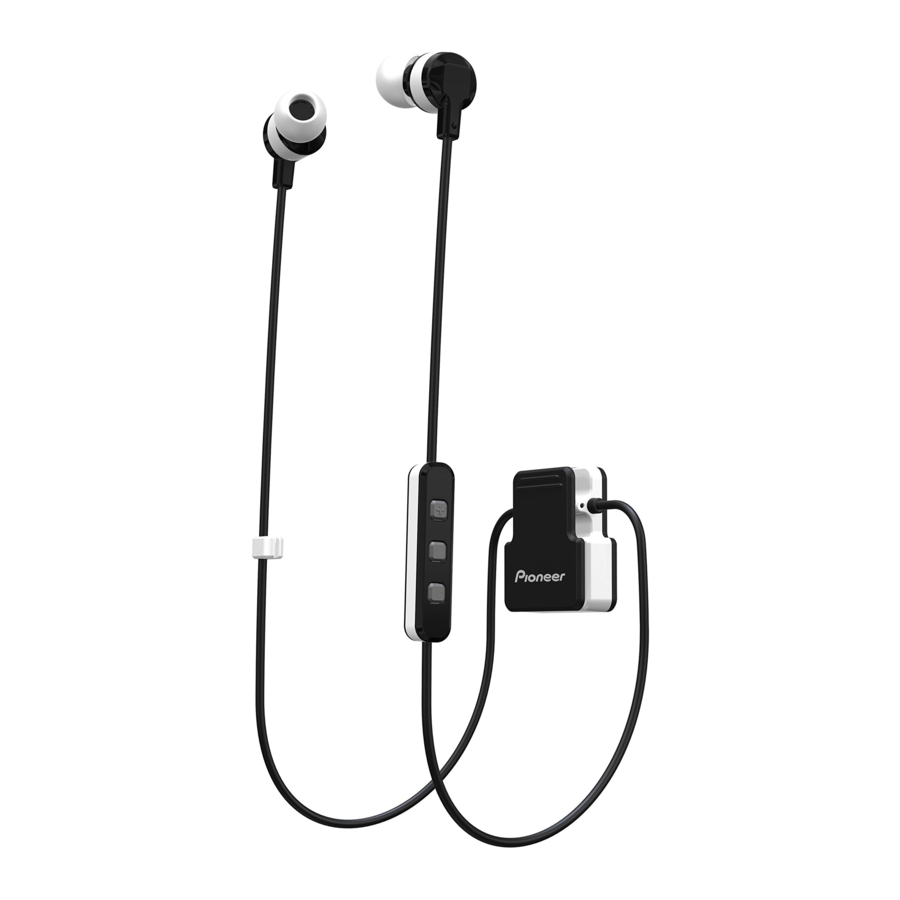
Pioneer SE-CL5BT - ClipWear Active Wireless Earphones Quick Start Guide
Before you start
This document describes the information and operations required for startup. For more advanced operation procedures, read the instruction manual which is available on the website.
<Europe>
http://www.pioneer-audiovisual.eu/
<U.S.A.>
www.PioneerElectronics.com/Home
<Canada>
www.PioneerElectronics.ca/Home
Set Contents
Confirm the presence of all parts and componets before use.

- Earphone
- Micro-USB cable
- S, M, L eartips
- Warranty card (Europe / U.S.A. and Canada / Japan)
- Quick Start Guide (this document)
- Safety Guide
Names of Parts

- Main Function Button
- Volume Up Button
- Volume Down Button
- LED Indicator
- Micro-USB Port
- Microphone
- Clipper
Replacing the earphone tip

- Installation
- Press the mounting surface firmly onto the nozzle. Failure to press the tip fully onto the nozzle may cause the tip to come off.
- Removal
- Hold the earphone body securely and twist off the earphone tip.
Wearing the clipper how you like it

The clipper is designed as a clothing clip. This gives you a variety of simple and practical wearing styles: Just clip it on your shirt, jacket, t-shirt or whatever that fits your needs. Just clip it on the neckline(as shown in figure 4), collar edge, or wherever that fits your needs.
Charging the batteries
The unit's battery must be recharged before use.
The accessory micro-USB cable must be used for recharging the unit's battery.

Connect the appropriate connector on the accessory micro-USB cable to the microUSB port on the earphones, and the USB plug on the other end to a USB port on a computer (see Fig.5).
- When recharging begins, the LED indicator on the earphone will light red.
- Full recharging requires about 2 hours, when recharging is completed, the LED indication will turn blue.

Note
- Battery recharging time and usable battery time may vary depending on ambient temperature and frequency of use.
Notes on battery charging
- Battery performance is influenced by surrounding temperature. Charge the supplied rechargeable batteries within a temperature range 10 to 35 degrees celcius.
- Batteries become slightly warm when charging. This is not a malfunction.
- Recharging may not be possible if computer is in power-saving mode.
- The unit cannot be used during charging.
Pairing
Pairing must be performed before the earphones can be used to listen the music or communicate using a Bluetooth device.
For further details regarding the pairing procedure, consult the user's manual for your Bluetooth device.
- While the power of the unit is off, press and hold the Main Function Button until the unit enters paring mode.
- The paring mode is confirmed by LED indicator's alternatively flashing blue and red.
Release the Main Function Button after confirming that the LED indicator is alternately lighting blue and red.
- The paring mode is confirmed by LED indicator's alternatively flashing blue and red.
- Turn on the power to the Bluetooth device you are going to pair with, and begin pairing; search for this unit (wireless earphones) from the paired Bluetooth device.
- Set Bluetooth device close (within one meter) to the wireless earphones.
- These wireless earphones will appear in the Bluetooth device's display as "Pioneer SE-CL5BT".
- Confirm that pairing has been successfully completed with the Bluetooth device.
- Look at the display for the Bluetooth-enabled device and select "Pioneer SE-CL5BT".
- When the LED is flashing in blue slowly about once every 3 seconds, pairing is completed.
- The PIN code for these wireless earphones has been factory set as "0000".
Input this code if requested by the Bluetooth device.
Connect to the Bluetooth device
- Confirm that the power to the wireless earphones is ON before connecting to the Bluetooth device.
- Depending on the device, connection between the wireless earphones and Bluetooth device may be effected automatically after pairing.
Disconnecting from the Bluetooth device
- Press and hold the Main Function Button until the LED turns off and the power of the device turns off.
Enjoying Music
To use the wireless earphones to listen to music from a Bluetooth device, you must first perform pairing with the Bluetooth device using the A2DP audio profile. For details on how to perform pairing, see < Pairing >.
- With power to the wireless earphones' turned off, hold the MFB depressed for about three seconds.
The earphones' power will turn on and the LED indicator will flash blue. - Turn on the Bluetooth function on the device you wish to connect to.
When pairing is completed, the wireless earphones will automatically connect to the Bluetooth device.
*If automatic connection is not achieved, or the earphones automatically connect to a different Bluetooth device than the one you wish to use, follow the instructions for the desired Bluetooth device regarding manual connection.
Controls when listening to music
If the connected Bluetooth device supports AVFCP, the following operations can be used.
- (+) button
![]() Press once: increase volume
Press once: increase volume
![]() Press and hold: advance to next track or chapter
Press and hold: advance to next track or chapter - (﹣) button
![]() Press once: decrease volume
Press once: decrease volume
![]() Press and hold: advance to previous track or chapter
Press and hold: advance to previous track or chapter - Main Function Button
Press once: Play / Pause
 Press once: increase volume
 Press and hold: advance to next track or chapter
*When sound volume is set to maximum or minimum levels, a beep sound will be produced from the headphones.
*Sound volume can be adjusted on the matching Bluetooth device.
*Depending on the specifications of the connected Bluetooth device, the controls noted above and controls on the Bluetooth device may not be supported.
*Depending on the specifications of the connected Bluetooth device, the music playback settings may need to be configured. Consult the user's manual for the Bluetooth device.
*Depending on the specifications of the connected Bluetooth device, a music playback application may start automatically or the music cannot be paused/played. Consult the user's manual for the Bluetooth device.
Vocal communication
To use the wireless earphones for vocal communication, pairing must be performed with the desired Bluetooth device using the "hands-free profile" (HFP) or "headset profile" (HSP).
For details on how to perform pairing, see < Pairing >.
*If the Bluetooth device supports both profiles HFP & HSP, use the profile HFP.
- With power to the wireless earphones' turned off, hold the Main Function Button depressed for about 3 seconds.
The earphones' power will turn on and the LED indicator will flash blue. - Turn on the Bluetooth function on the device you wish to connect to.
When pairing is completed, the wireless earphones will automatically connect to the Bluetooth device.
*If automatic connection is not achieved, or the earphones automatically connect to a different Bluetooth device than the one you wish to use, follow the instructions for the desired Bluetooth device regarding manual connection.
Vocal communication controls
If the connected Bluetooth device supports AVRCP, the following operations can be used.
- (+) button
![]() Press and hold: Increase volume
Press and hold: Increase volume - (﹣) button
![]() Press and hold: Decrease volume
Press and hold: Decrease volume - Main Function Button
![]() Press once when receiving a call: Enable conversation. Press once again to end conversation.
Press once when receiving a call: Enable conversation. Press once again to end conversation.
![]() Press and hold when receiving a call: Refuse communication
Press and hold when receiving a call: Refuse communication
The same controls are supported in the event a call is received while listening to music.
*When sound volume is set to maximum or minimum levels, a beep sound will be produced from the earphones.
*Sound volume can be adjusted on the matching Bluetooth device.
*Depending on the specifications of the connected Bluetooth device, the controls noted above and controls on the Bluetooth device may not be supported.
*Depending on the specifications of the connected Bluetooth device, the phone settings may need to be configured. Consult the user's manual of the Bluetooth device.
Specification
Basic
| Transmission format | Bluetooth Standard Protocol Ver. 4.1 | |
| Maximum transmission distance | About 10m line of sight *1 | |
| Frequency used | 4GHz (2.400 GHz to 2.4835 GHz)*2 | |
| Supported Bluetooth profiles | A2DP, AVRCP, HFP, HSP | |
| Supported CODEC | SBC | |
| Battery life with continuous use | Maximum 8 hours of continuous transmission(including music-play time) | |
| Recharging time | About 2 hours | |
| Battery | DC3.7V internally rechargeable Lithium-ion battery | |
| IPX level | IPX-4 | |
| Weight | 21g | |
Headphone
| Type | Fully-enclosed dynamic earphones |
| Driver units | φ9.2mm |
| Impedance | 16 ohm |
| Frequency response | 20 Hz ~ 20 000 Hz |
| Sensivity | 95 dB |
Accessories
| S, M, L eartips | 1pc |
| Micro-USB cable (50cm) | 1pc |
| Warranty card (Europe / U.S.A. and Canada / Japan) | 1pc |
| Quick Start Guide (this document) | 1pc |
| Safety Guide | 1pc |
*1 Transmission distance is an approximation. Actual usable distance may vary depending on surrounding conditions.
*2 This product utilizes radio wave in the 2.4 GHz spectrum. Some signal dropouts may be experienced due to interference with radios, microwave ovens, and other devices using 2.4 GHz spectrum.

Note
Specifications and design are subject to possible modifications without notice due to improvements.

References
![www.pioneer-audiovisual.eu]() This domain name is registered with Netim
This domain name is registered with Netim![www.pioneerelectronics.com]() Home AV | Pioneer Electronics USA
Home AV | Pioneer Electronics USA![www.pioneerelectronics.ca]() Home | Pioneer of Canada - English
Home | Pioneer of Canada - English

Download manual
Here you can download full pdf version of manual, it may contain additional safety instructions, warranty information, FCC rules, etc.
Download Pioneer SE-CL5BT - ClipWear Active Wireless Earphones Quick Start Guide

