Ion Bright Max Plus - Portable 360° Bluetooth Speaker Manual (Nešiojamo 360° Bluetooth garsiakalbio vadovas)
- 1 Introduction (Įvadas)
- 2 Box Contents (Pakuotės turinys)
- 3 Outdoor Use and Care (Naudojimas ir priežiūra lauke)
- 4 Connection Diagram (Jungimo schema)
- 5 Features (Savybės)
-
6
Operation (Valdymas)
- 6.1 App Control (Programėlės valdymas)
- 6.2 Bluetooth Connecting with Bright MaxTM Plus (Bluetooth jungimas prie Bright MaxTM Plus)
- 6.3 Using Smart Connect Mode with a Smart Assistant (Išmaniojo prijungimo režimo naudojimas su išmaniuoju asistentu)
- 6.4 Bluetooth Dual Connect (Bluetooth dvigubas prijungimas)
- 6.5 Ambient Sounds (Aplinkos garsai)
- 6.6 Light Modes (Šviesos režimai)
- 7 Troubleshooting (Trikčių šalinimas)
- 8 Atsisiųsti instrukciją
- 9 Kitomis kalbomis
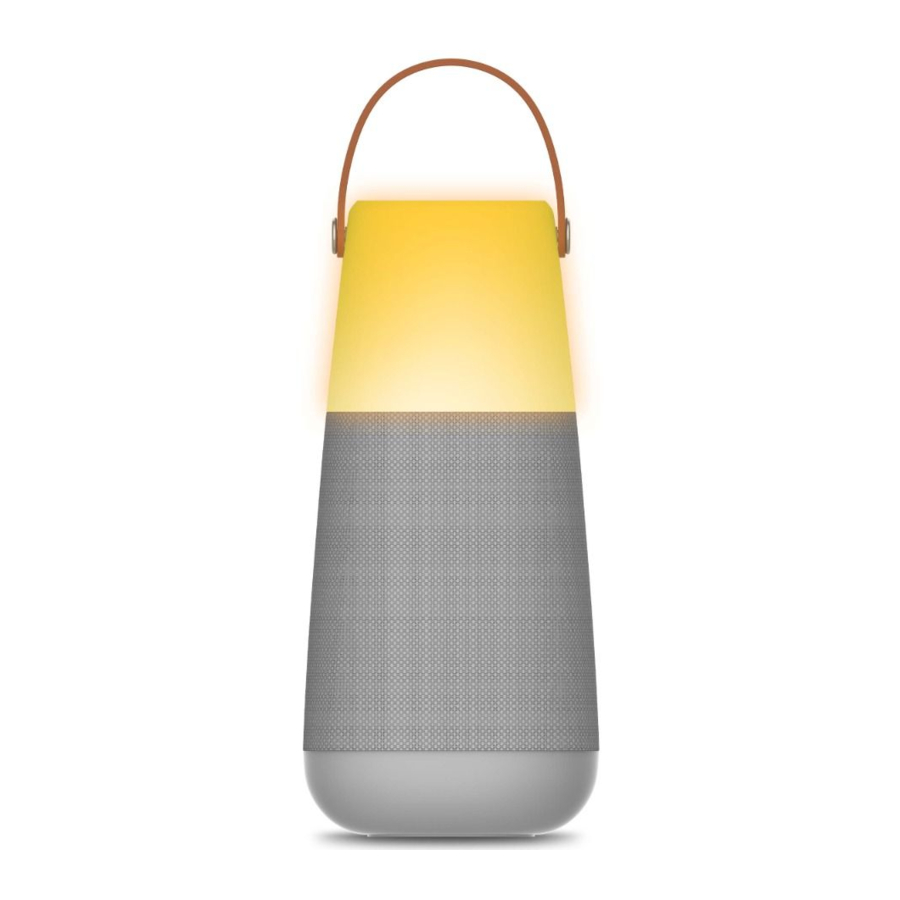
Introduction (Įvadas)
Thank you for purchasing the Bright MaxTM Plus. At ION, your entertainment is as important to us as it is to you. That's why we design our products with one thing in mind—to make your life more fun and more convenient. (Dėkojame, kad įsigijote Bright MaxTM Plus. ION kompanijoje jūsų pramogos mums yra tokios pat svarbios, kaip ir jums. Todėl kurdami savo produktus galvojame tik apie vieną dalyką – kaip padaryti jūsų gyvenimą smagesnį ir patogesnį.)
Note: Before you first use the product, please fully charge the battery. Your unit was purposely shipped with a reduced battery charge to ensure safe transit. For optimal charging, power off the speaker while charging. (Pastaba: prieš pirmą kartą naudodami gaminį, visiškai įkraukite akumuliatorių. Jūsų įrenginys buvo specialiai išsiųstas su sumažintu akumuliatoriaus įkrovimu, kad būtų užtikrintas saugus transportavimas. Norėdami optimaliai įkrauti, įkraudami išjunkite garsiakalbį.)
Use the included micro-USB cable to connect the unit to a power adapter (not included) connected to a power outlet and let it charge for up to 5 hours. This helps ensure the longest life for your battery. (Naudokite pridedamą micro-USB kabelį, kad prijungtumėte įrenginį prie maitinimo adapterio (nepridedamas), prijungto prie maitinimo lizdo, ir leiskite jam įkrauti iki 5 valandų. Tai padeda užtikrinti ilgiausią akumuliatoriaus tarnavimo laiką.)
Box Contents (Pakuotės turinys)
Bright MaxTM Plus
Micro-USB Cable (3 ft. / 100 cm) (Micro-USB kabelis (3 pėdos / 100 cm))
Quickstart Guide (Greitos pradžios vadovas)
Outdoor Use and Care (Naudojimas ir priežiūra lauke)
Though Bright MaxTM Plus is water-resistant and able to tolerate splashing water, please review the tips below to get the best performance from Bright MaxTM Plus: (Nors Bright MaxTM Plus yra atsparus vandeniui ir gali toleruoti purslų vandenį, peržiūrėkite toliau pateiktus patarimus, kad gautumėte geriausią Bright MaxTM Plus veikimą:)
- Bright MaxTM Plus must only be used outdoors with power outlets or extension cords that are rated for outdoor use. (Bright MaxTM Plus būtinai turi būti naudojamas lauke su maitinimo lizdais arba ilginamaisiais laidais, kurie yra skirti naudoti lauke.)
- Bring Bright MaxTM Plus indoors during extreme weather. (Ekstremalių oro sąlygų metu įneškite Bright MaxTM Plus į patalpą.)
- Please do not place Bright MaxTM Plus in standing water. (Nepalikite Bright MaxTM Plus stovinčiame vandenyje.)
- Please do not connect the power adapter to Bright MaxTM Plus in a wet environment. Make sure the power input, power adapter, and power outlet are all completely dry before making any connections. (Neprijunkite maitinimo adapterio prie Bright MaxTM Plus drėgnoje aplinkoje. Prieš atlikdami bet kokius prijungimus, įsitikinkite, kad maitinimo įvestis, maitinimo adapteris ir maitinimo lizdas yra visiškai sausi.)
![]()
Keep any non-water-resistant devices (phones, music players, etc.) in a dry place where they will not be affected by water and cause a risk of electric shock. (Laikykite visus vandeniui neatsparius įrenginius (telefonus, muzikos grotuvus ir kt.) sausoje vietoje, kur jų neveiks vanduo ir nekils elektros smūgio pavojus.)

Connection Diagram (Jungimo schema)

Items not listed under the Box Contents are sold separately. (Prekės, nenurodytos Pakuotės turinyje, parduodamos atskirai.)
Features (Savybės)
Top Panel (Viršutinis skydelis)

Power Button: Press and hold to turn Bright MaxTM Plus on and off.
Double-press to disable or enable voice prompts. (Maitinimo mygtukas: paspauskite ir palaikykite, kad įjungtumėte ir išjungtumėte Bright MaxTM Plus. Du kartus paspauskite, kad išjungtumėte arba įjungtumėte balso pranešimus.)
Note: Bright MaxTM Plus will automatically power off after 15 minutes if no audio is playing. (Pastaba: Bright MaxTM Plus automatiškai išsijungs po 15 minučių, jei nebus grojamas joks garsas.)

Bluetooth Button: Press and hold to disconnect a Bluetooth device.
Double-press to enter Bright MaxTM Plus Multi-SyncTM mode. See Bluetooth Connecting with Bright MaxTM Plus to learn how to connect via Bluetooth and sync multiple compatible speakers.
Dual-ConnectTM Audio allows 2 devices to simultaneously connect to the speaker via Bluetooth. (Bluetooth mygtukas: paspauskite ir palaikykite, kad atjungtumėte Bluetooth įrenginį. Du kartus paspauskite, kad įjungtumėte Bright MaxTM Plus Multi-SyncTM režimą. Žr. Bluetooth jungimas prie Bright MaxTM Plus, kad sužinotumėte, kaip prisijungti per Bluetooth ir sinchronizuoti kelis suderinamus garsiakalbius. Dual-ConnectTM Audio leidžia 2 įrenginiams vienu metu prisijungti prie garsiakalbio per Bluetooth.)
Note: Dual-ConnectTM Audio cannot be used in Multi-SyncTM mode. (Pastaba: Dual-ConnectTM Audio negali būti naudojamas Multi-SyncTM režimu.)
 Ambient Sounds Button: Press this button to enter Ambient Sounds mode. (Aplinkos garsų mygtukas: paspauskite šį mygtuką, kad įjungtumėte aplinkos garsų režimą.)
When enabled, press the Play/Pause button (Paleisti/Pauzė mygtukas) to play or pause the ambient sounds. Press the </> buttons to cycle between ambient sounds. (Kai įjungtas, paspauskite Play/Pause button (Paleisti/Pauzė mygtukas), kad paleistumėte arba pristabdytumėte aplinkos garsus. Paspauskite </> mygtukus, kad perjungtumėte aplinkos garsus.)
To exit Ambient Sounds mode, either press this button again or press the Bluetooth button to return to Bluetooth mode. (Norėdami išeiti iš aplinkos garsų režimo, dar kartą paspauskite šį mygtuką arba paspauskite Bluetooth mygtuką, kad grįžtumėte į Bluetooth režimą.)
 Lights Button: Press this button to cycle between light modes. Press and hold this button to freeze on a color during color cycling mode. (Šviesų mygtukas: paspauskite šį mygtuką, kad perjungtumėte šviesos režimus. Paspauskite ir palaikykite šį mygtuką, kad užšaldytumėte spalvą spalvų ciklo režimu.)
– / + Volume Buttons: Press these buttons to decrease or increase the speaker volume. (– / + Garsumo mygtukai: paspauskite šiuos mygtukus, kad sumažintumėte arba padidintumėte garsiakalbio garsumą.)
< / > Track Buttons: Press these buttons to go to the previous/next track on a Bluetooth connected device. When in Ambient Sounds mode, press these buttons to cycle between ambient sounds. (< / > Takelio mygtukai: paspauskite šiuos mygtukus, kad pereitumėte prie ankstesnio / kito takelio Bluetooth prijungtame įrenginyje. Kai esate aplinkos garsų režime, paspauskite šiuos mygtukus, kad perjungtumėte aplinkos garsus.)

Play/Pause Button: Press this button to play or pause on a connected Bluetooth device. (Play/Pause Button (Paleisti/Pauzė mygtukas): paspauskite šį mygtuką, kad paleistumėte arba pristabdytumėte prijungtame Bluetooth įrenginyje.)
Hold Play/Pause (Paleisti/Pauzė) to trigger your device's smart assistant. Speak your command into the microphone located below Play/Pause (Paleisti/Pauzė).
Rear Panel (Galinis skydelis)

- Aux In: This stereo 1/8" (3.5 mm) input can be used to connect a CD player, MP3 player, or other audio source. (Aux In: ši stereo 1/8" (3,5 mm) įvestis gali būti naudojama CD grotuvui, MP3 grotuvui ar kitam garso šaltiniui prijungti.)
- Micro-USB Speaker Charging Port: For fastest charging, power off Bright MaxTM Plus and use the included micro-USB cable to connect the speaker to (A) a USB power adapter (DC 5V, not included) connected to a power outlet, or (B) your computer (powered on). (Micro-USB garsiakalbio įkrovimo prievadas: norėdami greičiausiai įkrauti, išjunkite Bright MaxTM Plus ir naudokite pridedamą micro-USB kabelį, kad prijungtumėte garsiakalbį prie (A) USB maitinimo adapterio (DC 5V, nepridedamas), prijungto prie maitinimo lizdo, arba (B) jūsų kompiuterio (įjungto).)
A solid red LED will appear next to the power button (maitinimo mygtukas) to indicate that the speaker is charging. When charging is complete, the red LED will turn off. (Šalia maitinimo mygtuko (power button) pasirodys raudonas šviesos diodas, rodantis, kad garsiakalbis įkraunamas. Kai įkrovimas bus baigtas, raudonas šviesos diodas išsijungs.)
Operation (Valdymas)
App Control (Programėlės valdymas)

To ensure the best possible experience with the app, use the most current Android OS or iOS on your device. (Norėdami užtikrinti geriausią įmanomą patirtį su programėle, naudokite naujausią Android OS arba iOS savo įrenginyje.)
Follow these steps to download the free app on your device: (Norėdami atsisiųsti nemokamą programėlę į savo įrenginį, atlikite šiuos veiksmus:)
- Open the Apple App Store or Google Play on your device. Then, search for the ION Sound XPTM app. (Atidarykite Apple App Store arba Google Play savo įrenginyje. Tada ieškokite ION Sound XPTM programėlės.)
- Follow the on-screen instructions to download and install the app. Once downloaded, the ION Sound XPTM app will appear on your device's home screen. (Vykdykite ekrane pateikiamas instrukcijas, kad atsisiųstumėte ir įdiegtumėte programėlę. Atsisiuntus, ION Sound XPTM programėlė pasirodys jūsų įrenginio pagrindiniame ekrane.)
- Connect your device to Bright MaxTM Plus via Bluetooth. See the Bluetooth Connecting with Bright MaxTM Plus to learn how to do this. (Prijunkite savo įrenginį prie Bright MaxTM Plus per Bluetooth. Žr. Bluetooth jungimas prie Bright MaxTM Plus, kad sužinotumėte, kaip tai padaryti.)
- Open the ION Sound XPTM app. If prompted, allow the app to access your device's Bluetooth and Location Services. (Atidarykite ION Sound XPTM programėlę. Jei būsite paraginti, leiskite programėlei pasiekti jūsų įrenginio Bluetooth ir vietos nustatymo paslaugas.)
- Tap to select Add A Product (Pridėti produktą) on the screen. The app will scan and find Bright MaxTM Plus. (Bakstelėkite, kad ekrane pasirinktumėte Add A Product (Pridėti produktą). Programėlė nuskaitys ir ras Bright MaxTM Plus.)
If you are having issues connecting, tap Help with setting up? (Pagalba nustatant?) for additional tips. (Jei kyla problemų prisijungiant, bakstelėkite Help with setting up? (Pagalba nustatant?), kad gautumėte papildomų patarimų.) - Select the Bright MaxTM Plus icon to go to the next screen, where you can use the app to control various functions of the speaker such as: (Pasirinkite Bright MaxTM Plus piktogramą, kad pereitumėte į kitą ekraną, kuriame galite naudoti programėlę įvairioms garsiakalbio funkcijoms valdyti, pvz.:)
- Volume: Adjust the speaker volume and microphone volume. (Garsumas: reguliuokite garsiakalbio garsumą ir mikrofono garsumą.)
- Voice Prompts: Enable or disable the voice prompts. (Balso pranešimai: įjunkite arba išjunkite balso pranešimus.)
- Lights: Change the light mode and colors. (Šviesos: pakeiskite šviesos režimą ir spalvas.)
- EQ: Change the speaker's equalization. (EQ: pakeiskite garsiakalbio išlyginimą.)
- BT Connection: Shows the Bluetooth connection status and track control. (BT jungtis: rodo Bluetooth jungties būseną ir takelio valdymą.)
- Ambient Sounds: Shows the selection of ambient sounds to choose from. (Aplinkos garsai: rodo aplinkos garsų pasirinkimą.)
- Multi-Syncing: Displays the Multi-Syncing instructions. (Multi-Syncing: rodo Multi-Syncing instrukcijas.)
- Battery Status: Displays the battery level. (Baterijos būsena: rodo baterijos lygį.)
- Support: Visit ionaudio.com, contact Technical Support, and view Warranty information and Frequently Asked Questions. (Palaikymas: apsilankykite ionaudio.com, susisiekite su technine pagalba ir peržiūrėkite informaciją apie garantiją bei dažniausiai užduodamus klausimus.)
Bluetooth Connecting with Bright MaxTM Plus (Bluetooth jungimas prie Bright MaxTM Plus)
Connecting to one Bright MaxTM Plus Speaker: (Jungimas prie vieno Bright MaxTM Plus garsiakalbio:)
- Power on the Bright MaxTM Plus by holding down the Power button (Maitinimo mygtukas) for 2 seconds. Bright MaxTM Plus will automatically enter Bluetooth pairing mode. (Įjunkite Bright MaxTM Plus, 2 sekundes palaikydami Power button (Maitinimo mygtukas). Bright MaxTM Plus automatiškai įjungs Bluetooth susiejimo režimą.)
- Navigate to your device's Bluetooth setup screen, find Bright Max Plus, and connect. When connected, the Bluetooth LED will be lit solid blue and you will hear "Connected" ("Prisijungta"). (Eikite į savo įrenginio Bluetooth nustatymų ekraną, raskite Bright Max Plus ir prisijunkite. Prisijungus, Bluetooth šviesos diodas švies mėlynai ir išgirsite "Connected" ("Prisijungta").)
Note: Do not connect to ISP138B_BLE; this is reserved exclusively for connecting to the ION Sound XPTM app. If you experience trouble in connecting, select "Forget this Device" ("Pamiršti šį įrenginį") on your Bluetooth device and try to connect again. (Pastaba: nesijunkite prie ISP138B_BLE; tai skirta tik prisijungimui prie ION Sound XPTM programėlės. Jei kyla problemų prisijungiant, savo Bluetooth įrenginyje pasirinkite "Forget this Device" ("Pamiršti šį įrenginį") ir bandykite prisijungti iš naujo.) - To disconnect, turn off Bluetooth from your device's Bluetooth settings, or press and hold the Bluetooth button. (Norėdami atsijungti, išjunkite Bluetooth savo įrenginio Bluetooth nustatymuose arba paspauskite ir palaikykite Bluetooth mygtuką.)
Syncing multiple Bright MaxTM Plus Speakers: (Kelių Bright MaxTM Plus garsiakalbių sinchronizavimas:)
- Connect to one Bright MaxTM Plus speaker using the steps above. This will be the "primary" speaker. (Prijunkite prie vieno Bright MaxTM Plus garsiakalbio, atlikdami aukščiau nurodytus veiksmus. Tai bus "pagrindinis" garsiakalbis.)
- Double-press the Bluetooth button on the primary speaker to enter Multi-SyncTM mode. The Bluetooth LED will change from blue to solid white to indicate it is in Multi-SyncTM mode. (Du kartus paspauskite Bluetooth mygtuką ant pagrindinio garsiakalbio, kad įjungtumėte Multi-SyncTM režimą. Bluetooth šviesos diodas pasikeis iš mėlyno į baltą, rodydamas, kad jis yra Multi-SyncTM režime.)
Note: Bright MaxTM Plus speakers should be within 100' (30 m) of each other to properly sync. The closer the speakers are, the faster they will sync. (Pastaba: Bright MaxTM Plus garsiakalbiai turi būti ne didesniu kaip 100' (30 m) atstumu vienas nuo kito, kad tinkamai sinchronizuotųsi. Kuo arčiau garsiakalbiai, tuo greičiau jie sinchronizuosis.)
Note: To exit Multi-SyncTM mode, double-press the Bluetooth button again. (Pastaba: norėdami išeiti iš Multi-SyncTM režimo, dar kartą du kartus paspauskite Bluetooth mygtuką.) - Power on any other speakers. Press and hold the Bluetooth button on the secondary speakers to disconnect any currently connected Bluetooth sources. (Įjunkite bet kuriuos kitus garsiakalbius. Paspauskite ir palaikykite Bluetooth mygtuką ant antrinių garsiakalbių, kad atjungtumėte visus šiuo metu prijungtus Bluetooth šaltinius.)
- Double-press the Bluetooth button to enter Multi-SyncTM Mode for the secondary speakers. The Bluetooth LED will begin flashing green and the secondary speakers should automatically sync to the primary speakers. (Du kartus paspauskite Bluetooth mygtuką, kad įjungtumėte Multi-SyncTM režimą antriniams garsiakalbiams. Bluetooth šviesos diodas pradės mirksėti žaliai, o antriniai garsiakalbiai turėtų automatiškai sinchronizuotis su pagrindiniais garsiakalbiais.)
- Once a successful sync is established, the Bluetooth LED on the secondary speaker will be lit solid green, and you will hear "Synced" ("Sinchronizuota") from the "secondary" speaker. (Sėkmingai sinchronizavus, Bluetooth šviesos diodas ant antrinio garsiakalbio švies žaliai, o iš "antrinio" garsiakalbio išgirsite "Synced" ("Sinchronizuota").)
Note: The Bluetooth range will be determined by the distance that your Bluetooth device is to the "primary" speaker. See Technical Specifications for Bluetooth and Multi-SyncTM ranges. (Pastaba: Bluetooth diapazoną lems atstumas nuo jūsų Bluetooth įrenginio iki "pagrindinio" garsiakalbio. Žr. Techninės specifikacijos, kad sužinotumėte Bluetooth ir Multi-SyncTM diapazonus.)
Tip: Bright MaxTM Plus can sync audio with other Multi-SyncTM-compatible ION Audio speakers. To find out more, visit ionaudio.com. (Patarimas: Bright MaxTM Plus gali sinchronizuoti garsą su kitais Multi-SyncTM suderinamais ION Audio garsiakalbiais. Norėdami sužinoti daugiau, apsilankykite ionaudio.com.)
Using Smart Connect Mode with a Smart Assistant (Išmaniojo prijungimo režimo naudojimas su išmaniuoju asistentu)
Smart Connect Mode allows you to connect and speak commands through Bright Max Plus to Android and iOS devices that have a smart assistant. (Išmaniojo prijungimo režimas leidžia prisijungti ir kalbėti komandas per Bright Max Plus į Android ir iOS įrenginius, turinčius išmanųjį asistentą.)
- Connect to your device via Bluetooth (see Bluetooth Connecting with Bright MaxTM Plus). (Prijunkite prie savo įrenginio per Bluetooth (žr. Bluetooth jungimas prie Bright MaxTM Plus).)
- Press and hold Play/Pause (Paleisti/Pauzė) on Bright Max Plus to enter Smart Connect Mode. If music is playing at the time, it will be paused. The device's default native sound will be heard through Bright Max Plus (if your device's settings are set to play a sound). (Paspauskite ir palaikykite Play/Pause (Paleisti/Pauzė) ant Bright Max Plus, kad įjungtumėte išmaniojo prijungimo režimą. Jei tuo metu groja muzika, ji bus pristabdyta. Įrenginio numatytasis vietinis garsas bus girdimas per Bright Max Plus (jei jūsų įrenginio nustatymai nustatyti groti garsą).)
- Speak commands to Bright Max Plus at a normal volume within 1 meter away from the microphone. The smart assistant should reply to the spoken commands and will be heard through the Bright Max Plus. (Kalbėkite komandas Bright Max Plus normaliu garsumu, būdami ne didesniu kaip 1 metro atstumu nuo mikrofono. Išmanusis asistentas turėtų atsakyti į ištartas komandas ir bus girdimas per Bright Max Plus.)
- After the smart assistant has spoken a reply or if no command is given, the smart assistant will "stop listening" based on the device's native settings and will exit Smart Connect Mode. If music was playing prior to Step 2, the music will un-pause and continue to play.
To disconnect, press and hold Play/Pause (Paleisti/Pauzė) again. (Kai išmanusis asistentas atsakys arba jei nebus duota jokia komanda, išmanusis asistentas "nustos klausytis" pagal įrenginio vietinius nustatymus ir išeis iš išmaniojo prijungimo režimo. Jei prieš 2 veiksmą grojo muzika, muzika bus atnaujinta ir toliau gros. Norėdami atsijungti, dar kartą paspauskite ir palaikykite Play/Pause (Paleisti/Pauzė).)
Bluetooth Dual Connect (Bluetooth dvigubas prijungimas)
This feature allows for 2 devices to connect via Bluetooth simultaneously. (Ši funkcija leidžia 2 įrenginiams prisijungti per Bluetooth vienu metu.)
Note: This feature does not work in Multi-Sync Mode. (Pastaba: ši funkcija neveikia Multi-Sync režimu.)
- Connect your Bluetooth device "A" to Bright Max Plus as seen in Bluetooth Connecting with Bright MaxTM Plus. (Prijunkite savo Bluetooth įrenginį "A" prie Bright Max Plus, kaip parodyta Bluetooth jungimas prie Bright MaxTM Plus.)
- Connect your Bluetooth device "B" to Bright Max Plus by selecting Bright Max Plus. Connecting to device "B" will not disrupt the music that is playing from device "A". (Prijunkite savo Bluetooth įrenginį "B" prie Bright Max Plus, pasirinkdami Bright Max Plus. Prisijungimas prie įrenginio "B" nesutrikdys muzikos, grojamos iš įrenginio "A".)
Note: If play is pressed on device "B's" media player app, the music on device "A" will pause, and the music on device "B" will play through Bright Max Plus. If play is pressed on device "A's" media player app, the music on device "B" will pause, and the music on device "A" will play through Bright Max Plus. (Pastaba: jei paspaudžiamas paleidimas įrenginio "B" medijos grotuvo programėlėje, muzika įrenginyje "A" bus pristabdyta, o muzika įrenginyje "B" gros per Bright Max Plus. Jei paspaudžiamas paleidimas įrenginio "A" medijos grotuvo programėlėje, muzika įrenginyje "B" bus pristabdyta, o muzika įrenginyje "A" gros per Bright Max Plus.)
Ambient Sounds (Aplinkos garsai)
Bright MaxTM Plus includes 10 ambient sounds that may be used for relaxation, sleep, study, and more. (Bright MaxTM Plus apima 10 aplinkos garsų, kurie gali būti naudojami atsipalaidavimui, miegui, mokymuisi ir kt.)
To enter Ambient Sounds mode, press the Ambient Sounds button ( ). (Norėdami įjungti aplinkos garsų režimą, paspauskite aplinkos garsų mygtuką ().)
When enabled, press the Play/Pause button (Paleisti/Pauzė mygtukas) to play or pause the ambient sounds. (Kai įjungtas, paspauskite Play/Pause button (Paleisti/Pauzė mygtukas), kad paleistumėte arba pristabdytumėte aplinkos garsus.)
Press the </> buttons to cycle between ambient sounds: (Paspauskite </> mygtukus, kad perjungtumėte aplinkos garsus:)
- Babbling Brook (Šaltinio čiurlenimas)
- Ocean Waves (Vandenyno bangos)
- Rain Forest (Atogrąžų miškas)
- Rain (Lietus)
- White Noise (Baltas triukšmas)
- ASMR-Inspired Brushing (ASMR įkvėptas šepetėliavimas)
- Bonfire (Laužas)
- Dreamscape (Sapnų peizažas)
- Tibetan Bowls (Tibetietiški dubenys)
- Traffic (Eismas)
To exit Ambient Sounds mode, either press the Ambient Sounds button ( ) again or press the Bluetooth button to return to Bluetooth mode. (Norėdami išeiti iš aplinkos garsų režimo, dar kartą paspauskite Ambient Sounds mygtuką () arba paspauskite Bluetooth mygtuką, kad grįžtumėte į Bluetooth režimą.)
Light Modes (Šviesos režimai)
To cycle between light modes, press the Lights button ( ): (Norėdami perjungti šviesos režimus, paspauskite Lights mygtuką ():)
- Candle Flicker (Žvakės mirgėjimas)
- Candle Color Solid, High (Žvakės spalva vientisa, aukšta)
- Candle Color Solid, Medium (Žvakės spalva vientisa, vidutinė)
- Candle Color Solid, Low (Žvakės spalva vientisa, žema)
- Color Cycling/Phasing: Slowly phases though multiple colors. While color cycling, press and hold the Lights button to freeze on the current color. Press and hold the Lights button again to return to color cycling. (Spalvų ciklas / fazavimas: lėtai pereina per kelias spalvas. Spalvų ciklo metu paspauskite ir palaikykite Lights mygtuką, kad užšaldytumėte esamą spalvą. Dar kartą paspauskite ir palaikykite Lights mygtuką, kad grįžtumėte į spalvų ciklą.)
- Color Cycling/Beat Sync: Slowly phases through multiple colors and reacts to the beat of music being played. (Spalvų ciklas / ritmo sinchronizavimas: lėtai pereina per kelias spalvas ir reaguoja į grojamos muzikos ritmą.)
- Off (Išjungta)
Troubleshooting (Trikčių šalinimas)
If the unit is not charging: Make sure the micro-
Atsisiųsti instrukciją
Čia galite atsisiųsti visą pdf instrukcijos versiją, kurioje gali būti papildomų saugos instrukcijų, garantijos informacijos, FCC taisyklių ir kt.


