Muse M-830 DJ - Portable Bluetooth Speaker Manual (Nešiojama "Bluetooth" kolonėlė - vartotojo vadovas)
- 1 LOCATION OF CONTROLS (Valdiklių išdėstymas)
- 2 POWER SUPPLY (Maitinimo šaltinis)
-
3
OPERATION (Valdymas)
- 3.1 Turning unit ON/OFF (Įrenginio įjungimas/išjungimas)
- 3.2 Pairing a Bluetooth Device ("Bluetooth" įrenginio susiejimas)
- 3.3 Using a Bluetooth Device ("Bluetooth" įrenginio naudojimas)
- 3.4 Using a NFC Device (NFC įrenginio naudojimas)
- 3.5 Receiving/ Dialing a Phone Call (Skambučio priėmimas/rinkimas)
- 4 STEREO PAIRING (Stereo susiejimas)
- 5 CONNECTING AUXILIARY SOURCE (Pagalbinio šaltinio prijungimas)
- 6 USB CHARGING (Įkrovimas per USB)
- 7 TROUBLESHOOTING GUIDE (Trikčių šalinimo vadovas)
- 8 SPECIFICATIONS (Specifikacijos)
- 9 Atsisiųsti instrukciją
- 10 Kitomis kalbomis
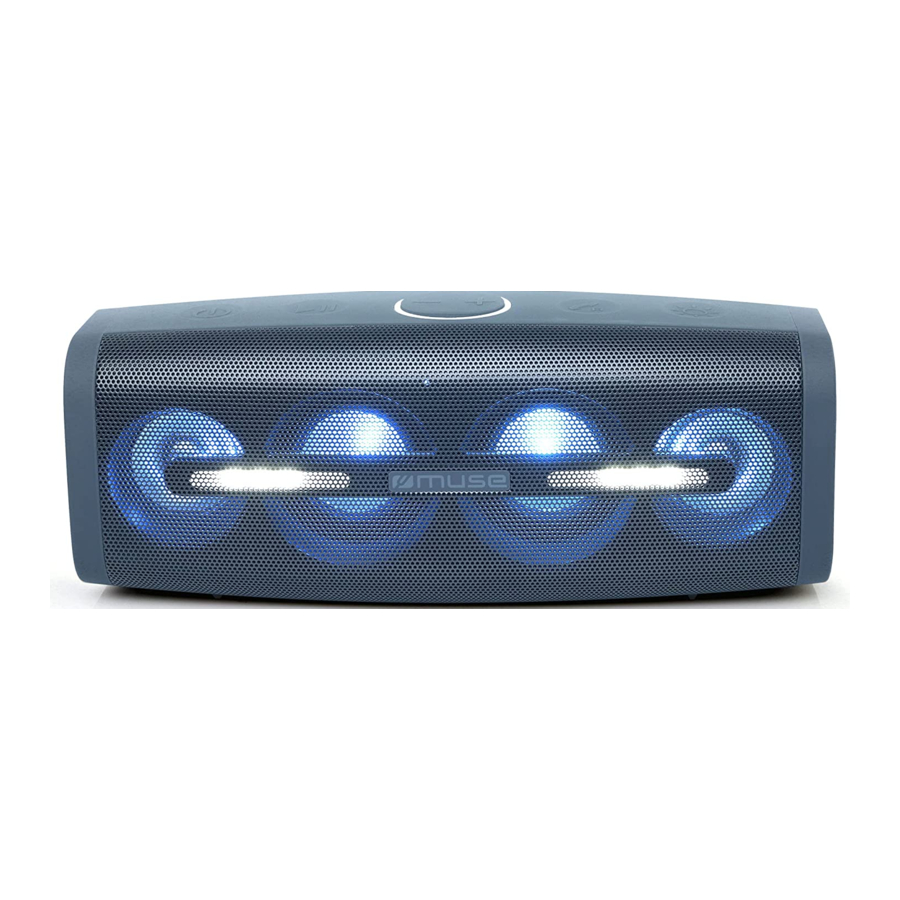
LOCATION OF CONTROLS (Valdiklių išdėstymas)

![]() Power ON/OFF (Įjungimas/Išjungimas)
Power ON/OFF (Įjungimas/Išjungimas)![]() Play/Pause Button (Paleidimo/Pauzės mygtukas)
Play/Pause Button (Paleidimo/Pauzės mygtukas)![]() : Long press to decrease the volume; short press to skip to previous track (Ilgai paspauskite, norėdami sumažinti garsumą; trumpai paspauskite, norėdami pereiti prie ankstesnio takelio)
: Long press to decrease the volume; short press to skip to previous track (Ilgai paspauskite, norėdami sumažinti garsumą; trumpai paspauskite, norėdami pereiti prie ankstesnio takelio)![]() : Long press to increase the volume; short press to skip to next track (Ilgai paspauskite, norėdami padidinti garsumą; trumpai paspauskite, norėdami pereiti prie kito takelio)
: Long press to increase the volume; short press to skip to next track (Ilgai paspauskite, norėdami padidinti garsumą; trumpai paspauskite, norėdami pereiti prie kito takelio)![]() Receive call/ Transfer call/ Redial call/ End call (Atsiliepti į skambutį/ Peradresuoti skambutį/ Perinkti numerį/ Baigti skambutį)
Receive call/ Transfer call/ Redial call/ End call (Atsiliepti į skambutį/ Peradresuoti skambutį/ Perinkti numerį/ Baigti skambutį)![]() Lighting control Button (Apšvietimo valdymo mygtukas)
Lighting control Button (Apšvietimo valdymo mygtukas)- Microphone (Mikrofonas)
- Function LED indicator (blue for (Funkcijos LED indikatorius (mėlynas, skirtas) Bluetooth mode, green for AUX IN mode, red for charging) ("Bluetooth" režimui, žalias - AUX IN režimui, raudonas - įkrovimui)
- Speakers (Garsiakalbiai)
- USB jack for charging your (USB lizdas jūsų) mobile device (mobiliajam įrenginiui įkrauti)
- AUX IN jack (lizdas)
- Micro USB jack for charging the (Micro USB lizdas įrenginiui įkrauti) unit (DC IN 5V
![]() 1A)
1A) ![]() NFC tag (NFC žyma)
NFC tag (NFC žyma)
 : Long press to decrease the volume; short press to skip to previous track (Ilgai paspauskite, norėdami sumažinti garsumą; trumpai paspauskite, norėdami pereiti prie ankstesnio takelio)
 : Long press to increase the volume; short press to skip to next track (Ilgai paspauskite, norėdami padidinti garsumą; trumpai paspauskite, norėdami pereiti prie kito takelio)


POWER SUPPLY (Maitinimo šaltinis)
The unit is powered by a built-in, lithium-ion rechargeable battery. Charge the built-in battery for at least four hours before using the device for the first time. (Įrenginys maitinamas įmontuota ličio jonų įkraunama baterija. Įkraukite įmontuotą bateriją mažiausiai keturias valandas prieš naudodami įrenginį pirmą kartą.)
To charge the internal battery, connect the smaller end of the supplied USB cable to the Micro USB jack and the other end to a powered USB jack on your computer or an AC power supply (not included). (Norėdami įkrauti vidinę bateriją, prijunkite mažesnį pateikto USB kabelio galą prie Micro USB lizdo, o kitą galą - prie maitinamo USB lizdo kompiuteryje arba kintamosios srovės maitinimo šaltinio (nepridedamas).)
The function LED indicator will change to red color during charging and lights off when the battery becomes fully charged. (Funkcijos LED indikatorius įkrovimo metu pakeis spalvą į raudoną ir išsijungs, kai baterija bus visiškai įkrauta.)
In a concern of saving energy, when playback has reached to the end or listening volume is set at a very low level and no control is operated on the device for a period of 30 minutes, the unit will turn off automatically. (Siekdami taupyti energiją, kai atkūrimas pasiekia pabaigą arba klausymo garsumas nustatytas labai žemas ir įrenginys nevaldomas 30 minučių, įrenginys automatiškai išsijungs.)

- While using the built-in battery, the environmental temperature should be 5°C (41°F) to 35°C (95°F). (Naudojant įmontuotą bateriją, aplinkos temperatūra turėtų būti nuo 5°C (41°F) iki 35°C (95°F).)
- The built-in battery in this device may present a risk of fire or chemical burn if mistreated. Do not disassemble, heat above 100°C (212°F), or incinerate. (Šio įrenginio įmontuota baterija gali sukelti gaisro arba cheminio nudegimo pavojų, jei su ja netinkamai elgiamasi. Neardykite, nekaitinkite virš 100°C (212°F) arba nedeginkite.)
- To get the longest service life of the built-in battery, charge at indoor-temperature. (Norėdami užtikrinti ilgiausią įmontuotos baterijos tarnavimo laiką, įkraukite ją kambario temperatūroje.)
- Attention should be drawn to the environmental aspects of battery disposal. (Reikėtų atkreipti dėmesį į baterijų išmetimo aplinkosaugos aspektus.)
- Do not throw batteries in fire! (Nemeskite baterijų į ugnį!)
- Battery shall not be exposed to excessive heat such as sunshine, fire or the like. (Baterija neturi būti veikiama per didelio karščio, pvz., saulės spindulių, ugnies ar pan.)
- When the battery is low, you will hear the voice "Low Battery" ("Žemas akumuliatoriaus lygis") every 40 seconds. The unit will switch to standby mode automatically when the battery is too low to work. (Kai baterijos įkrova bus maža, kas 40 sekundžių išgirsite balsą "Low Battery" ("Žemas akumuliatoriaus lygis"). Kai baterijos įkrova bus per maža, kad veiktų, įrenginys automatiškai persijungs į budėjimo režimą.)
Notes: (Pastabos:)
- The unit is supplied from limited power sources. (Įrenginys tiekiamas iš ribotų energijos šaltinių.)
- The unit is designed with a thermal protection system. When the unit's operation temperature exceeds 45°C, it will stop charging the built-in battery automatically for protection. In this case, await the unit to cool down to resume normal. (Įrenginys sukurtas su šilumine apsaugos sistema. Kai įrenginio veikimo temperatūra viršija 45°C, jis automatiškai sustabdys įmontuotos baterijos įkrovimą, kad apsaugotų. Tokiu atveju palaukite, kol įrenginys atvės, kad vėl veiktų normaliai.)
OPERATION (Valdymas)
Turning unit ON/OFF (Įrenginio įjungimas/išjungimas)
Press (Paspauskite)  to turn ON the unit. You will hear the voice "Bluetooth". (norėdami įjungti įrenginį. Išgirsite balsą "Bluetooth".)
Press (Paspauskite) again to turn OFF the unit. You will hear the voice "Power OFF" ("Išjungti"). (norėdami išjungti įrenginį. Išgirsite balsą "Power OFF" ("Išjungti").)
The Bluetooth® word mark and logos are registered trademarks owned by Bluetooth SIG, Inc. and any use of such marks by New One S.A.S is under license. Other trademarks and trade names are those of their respective owners. ("Bluetooth" žodinis prekės ženklas ir logotipai yra registruoti prekių ženklai, priklausantys "Bluetooth" SIG, Inc., ir bet koks tokių ženklų naudojimas "New One S.A.S" yra licencijuotas. Kiti prekių ženklai ir prekių pavadinimai priklauso atitinkamiems jų savininkams.)
Pairing a Bluetooth Device ("Bluetooth" įrenginio susiejimas)
Press (Paspauskite) to turn ON the unit. The function LED indicator will blink blue rapidly indicating it's in pairing mode. On the Bluetooth device, enable Bluetooth and select "MUSE M-830 DJ" from the Device List. (Refer to the user manual of the device to be connected for detailed operations.) If the Bluetooth device prompts for a passcode, use "0000". Some Bluetooth devices will ask you to accept the connection. If the units are paired properly, you will hear the voice "Connected" ("Prisijungta"). The function LED indicator will blink blue slowly. (norėdami įjungti įrenginį. Funkcijos LED indikatorius greitai mirksės mėlynai, rodydamas, kad jis veikia susiejimo režimu. "Bluetooth" įrenginyje įjunkite "Bluetooth" ir įrenginių sąraše pasirinkite "MUSE M-830 DJ". (Išsamias operacijas rasite prijungiamo įrenginio vartotojo vadove.) Jei "Bluetooth" įrenginys prašo slaptažodžio, naudokite "0000". Kai kurie "Bluetooth" įrenginiai paprašys jūsų priimti ryšį. Jei įrenginiai susieti tinkamai, išgirsite balsą "Connected" ("Prisijungta"). Funkcijos LED indikatorius lėtai mirksės mėlynai.)
Tip: If you want to connect your Bluetooth speaker to another Bluetooth audio device, press (Patarimas: jei norite prijungti "Bluetooth" garsiakalbį prie kito "Bluetooth" garso įrenginio, paspauskite)  button twice to disconnect the device, and then follow the steps above to make a new connection. (mygtuką du kartus, kad atjungtumėte įrenginį, ir tada atlikite aukščiau nurodytus veiksmus, kad užmegztumėte naują ryšį.)
- On some devices such as computers, once paired you must select the unit from the Bluetooth menu and choose "Use as Audio Device (stereo)" ("Naudoti kaip garso įrenginį (stereo)") or similar. (Kai kuriuose įrenginiuose, pvz., kompiuteriuose, susieję turite pasirinkti įrenginį iš "Bluetooth" meniu ir pasirinkti "Use as Audio Device (stereo)" ("Naudoti kaip garso įrenginį (stereo)") arba panašų.)
- Pairing remains intact when the unit and/or your Bluetooth device is taken out of communication range. An active connection will be reestablished when your Bluetooth device returns within range. (Susiejimas išlieka nepakitęs, kai įrenginys ir (arba) "Bluetooth" įrenginys išimami iš ryšio diapazono. Aktyvus ryšys bus atkurtas, kai "Bluetooth" įrenginys vėl pateks į diapazoną.)
- When the unit is turned on again, it will automatically try to reconnect with the most recently paired Bluetooth device. (Kai įrenginys vėl įjungiamas, jis automatiškai bandys vėl prisijungti prie paskutinio susieto "Bluetooth" įrenginio.)
Using a Bluetooth Device ("Bluetooth" įrenginio naudojimas)
- With a unit paired (see previous section), operate your Bluetooth device and its sound will be heard through the M-830 DJ's speakers. (Kai įrenginys susietas (žr. ankstesnį skyrių), valdykite "Bluetooth" įrenginį ir jo garsas bus girdimas per M-830 DJ garsiakalbius.)
- Press the (Paspauskite)
![]() button to pause playback. Press again to resume playback. (mygtuką, norėdami pristabdyti atkūrimą. Paspauskite dar kartą, kad tęstumėte atkūrimą.)
button to pause playback. Press again to resume playback. (mygtuką, norėdami pristabdyti atkūrimą. Paspauskite dar kartą, kad tęstumėte atkūrimą.) - Long press (Ilgai paspauskite)
![]() /
/ ![]() buttons to adjust the volume level. You can also adjust the volume on the device to which you are paired. (mygtukus, norėdami reguliuoti garsumo lygį. Taip pat galite reguliuoti garsumą įrenginyje, su kuriuo esate susietas.)
buttons to adjust the volume level. You can also adjust the volume on the device to which you are paired. (mygtukus, norėdami reguliuoti garsumo lygį. Taip pat galite reguliuoti garsumą įrenginyje, su kuriuo esate susietas.) - Short press (Trumpai paspauskite)
![]() /
/ ![]() buttons to select your desired audio file. (mygtukus, norėdami pasirinkti norimą garso failą.)
buttons to select your desired audio file. (mygtukus, norėdami pasirinkti norimą garso failą.)
Using a NFC Device (NFC įrenginio naudojimas)
NFC (Near Field Communication) is a technology that enables short-range wireless communication between NFC-enabled devices, such as mobile phones. (NFC (artimojo lauko ryšys) yra technologija, leidžianti užmegzti trumpojo nuotolio belaidį ryšį tarp NFC palaikančių įrenginių, pvz., mobiliųjų telefonų.)
- Press (Paspauskite)
![]() to turn ON the unit. The function LED indicator will blink blue indicating it's in pairing mode. (norėdami įjungti įrenginį. Funkcijos LED indikatorius mirksės mėlynai, rodydamas, kad jis veikia susiejimo režimu.)
to turn ON the unit. The function LED indicator will blink blue indicating it's in pairing mode. (norėdami įjungti įrenginį. Funkcijos LED indikatorius mirksės mėlynai, rodydamas, kad jis veikia susiejimo režimu.) - Enable NFC and Bluetooth on your Bluetooth device (see the user manual of your device for details), tap the NFC device on the NFC tag of this unit. If the units are paired properly, you will hear the voice "Connected" ("Prisijungta"). The NFC device is connected to this unit via Bluetooth. (Įjunkite NFC ir "Bluetooth" savo "Bluetooth" įrenginyje (išsamesnės informacijos ieškokite įrenginio vartotojo vadove), palieskite NFC įrenginį prie šio įrenginio NFC žymos. Jei įrenginiai susieti tinkamai, išgirsite balsą "Connected" ("Prisijungta"). NFC įrenginys prijungtas prie šio įrenginio per "Bluetooth".)
- Select and play audio files or music on your NFC device. (Pasirinkite ir paleiskite garso failus arba muziką savo NFC įrenginyje.)
- To break the connection, tap the NFC device with the NFC tag (Norėdami nutraukti ryšį, palieskite NFC įrenginį prie)
![]() on this unit again. (šio įrenginio NFC žymos dar kartą.)
on this unit again. (šio įrenginio NFC žymos dar kartą.)
Note: The operational range between the main unit and a NFC device is approximately 10 meters. (Pastaba: pagrindinio įrenginio ir NFC įrenginio veikimo nuotolis yra maždaug 10 metrų.)
Receiving/ Dialing a Phone Call (Skambučio priėmimas/rinkimas)
This unit is equipped with a built-in microphone (located at the front cabinet behind the speaker gill), which allows you to make or end calls of a connected mobile phone through this unit. Make sure your Bluetooth-enabled mobile phone is paired with the unit. When there is an incoming call to the connected mobile phone, you will hear an incoming call alert tone from the unit. (Šiame įrenginyje yra įmontuotas mikrofonas (įrengtas priekinėje spintelėje už garsiakalbio grotelių), kuris leidžia jums skambinti arba baigti prijungto mobiliojo telefono skambučius per šį įrenginį. Įsitikinkite, kad jūsų "Bluetooth" palaikantis mobilusis telefonas yra susietas su įrenginiu. Kai į prijungtą mobilųjį telefoną įeinantis skambutis, iš įrenginio išgirsite įeinančio skambučio įspėjimo toną.)
- Press the (Paspauskite)
![]() button to answer the incoming call. (mygtuką, norėdami atsiliepti į įeinantį skambutį.)
button to answer the incoming call. (mygtuką, norėdami atsiliepti į įeinantį skambutį.) - Press and hold the (Paspauskite ir palaikykite)
![]() button to end call. (mygtuką, norėdami baigti skambutį.)
button to end call. (mygtuką, norėdami baigti skambutį.) - To reject the incoming call, press and hold the (Norėdami atmesti įeinantį skambutį, paspauskite ir palaikykite)
![]() button. (mygtuką.)
button. (mygtuką.) - To transfer the sound between the mobile phone and the unit, press the (Norėdami perkelti garsą tarp mobiliojo telefono ir įrenginio, paspauskite)
![]() button during a call. (mygtuką skambučio metu.)
button during a call. (mygtuką skambučio metu.) - To redial the last number retained in the memory of the mobile phone, press the (Norėdami perinkti paskutinį numerį, išsaugotą mobiliojo telefono atmintyje, paspauskite)
![]() button. (mygtuką.)
button. (mygtuką.)
Notes: (Pastabos:)
- Re-dialing function is unavailable if there is no dial record feature in your mobile phone. (Perinkimo funkcija nepasiekiama, jei jūsų mobiliajame telefone nėra skambučių įrašų funkcijos.)
- This unit will not operate or may operate improperly with some Bluetooth mobile phones/audio players. (Šis įrenginys neveiks arba gali veikti netinkamai su kai kuriais "Bluetooth" mobiliaisiais telefonais/garso grotuvais.)
- If the conversation is not clear, try to move closer to the microphone (located at the front cabinet behind the speaker gill). (Jei pokalbis nėra aiškus, pabandykite priartėti prie mikrofono (įrengto priekinėje spintelėje už garsiakalbio grotelių).
STEREO PAIRING (Stereo susiejimas)
This function makes it possible for you to get stereo surround sound quality. It requires two Bluetooth speakers M-830 DJ to realize the real Bluetooth radio channel wireless separation, therefore, you've got to purchase two M-830 DJ. (Ši funkcija leidžia jums gauti stereo erdvinio garso kokybę. Norint įgyvendinti tikrą belaidį "Bluetooth" radijo kanalo atskyrimą, reikia dviejų "Bluetooth" garsiakalbių M-830 DJ, todėl turite įsigyti du M-830 DJ.)
Tips: it is suggested that the distance between the main speaker and secondary speaker is within 4 meters. (Patarimai: rekomenduojama, kad atstumas tarp pagrindinio garsiakalbio ir antrinio garsiakalbio būtų ne didesnis kaip 4 metrai.)

- Turn on the two Bluetooth speakers M-830 DJ. (Įjunkite du "Bluetooth" garsiakalbius M-830 DJ.)
- When both speakers are in pairing mode, press and hold (Kai abu garsiakalbiai veikia susiejimo režimu, paspauskite ir palaikykite)
![]() button on one Bluetooth speaker which will become the main speaker (left channel) until you hear the indication voice "Searching" ("Ieškoma"), then it will search and connect to the secondary speaker (right channel). They will recognize the left and right channel automatically. You will hear the indication voice "Stereo Pairing" ("Stereo susiejimas") when the two speakers are connected successfully. (mygtuką ant vieno "Bluetooth" garsiakalbio, kuris taps pagrindiniu garsiakalbiu (kairysis kanalas), kol išgirsite indikacinį balsą "Searching" ("Ieškoma"), tada jis ieškos ir prisijungs prie antrinio garsiakalbio (dešinysis kanalas). Jie automatiškai atpažins kairįjį ir dešinįjį kanalus. Kai abu garsiakalbiai bus sėkmingai prijungti, išgirsite indikacinį balsą "Stereo Pairing" ("Stereo susiejimas").)
button on one Bluetooth speaker which will become the main speaker (left channel) until you hear the indication voice "Searching" ("Ieškoma"), then it will search and connect to the secondary speaker (right channel). They will recognize the left and right channel automatically. You will hear the indication voice "Stereo Pairing" ("Stereo susiejimas") when the two speakers are connected successfully. (mygtuką ant vieno "Bluetooth" garsiakalbio, kuris taps pagrindiniu garsiakalbiu (kairysis kanalas), kol išgirsite indikacinį balsą "Searching" ("Ieškoma"), tada jis ieškos ir prisijungs prie antrinio garsiakalbio (dešinysis kanalas). Jie automatiškai atpažins kairįjį ir dešinįjį kanalus. Kai abu garsiakalbiai bus sėkmingai prijungti, išgirsite indikacinį balsą "Stereo Pairing" ("Stereo susiejimas").) - Connect your main speaker to Bluetooth enabled device (e.g. smart phone). (Prijunkite pagrindinį garsiakalbį prie "Bluetooth" palaikančio įrenginio (pvz., išmaniojo telefono).)
- Play your song and listen to the sound in stereo. (Paleiskite dainą ir klausykite garso stereo režimu.)
- Press (Paspauskite)
![]() button on either speaker to pause playback. Press again to resume playback. (mygtuką ant bet kurio garsiakalbio, norėdami pristabdyti atkūrimą. Paspauskite dar kartą, kad tęstumėte atkūrimą.)
button on either speaker to pause playback. Press again to resume playback. (mygtuką ant bet kurio garsiakalbio, norėdami pristabdyti atkūrimą. Paspauskite dar kartą, kad tęstumėte atkūrimą.) - Press (Paspauskite)
![]() button twice on the main speaker to disconnect the stereo pairing. (mygtuką du kartus ant pagrindinio garsiakalbio, norėdami atjungti stereo susiejimą.)
button twice on the main speaker to disconnect the stereo pairing. (mygtuką du kartus ant pagrindinio garsiakalbio, norėdami atjungti stereo susiejimą.)
Using the flash/color light (Blykstės/spalvotos šviesos naudojimas)
- In standby mode, press (Budėjimo režime paspauskite)
![]() button to turn on the color light, and multiple color change to achieve a color cycle effect. Press the button again to settle down the light, repeatedly operate to select desired color. Press and hold the (mygtuką, norėdami įjungti spalvotą šviesą, ir kelis spalvų pakeitimus, kad pasiektumėte spalvų ciklo efektą. Paspauskite mygtuką dar kartą, kad nusistovėtų šviesa, pakartotinai valdykite, kad pasirinktumėte norimą spalvą. Paspauskite ir palaikykite)
button to turn on the color light, and multiple color change to achieve a color cycle effect. Press the button again to settle down the light, repeatedly operate to select desired color. Press and hold the (mygtuką, norėdami įjungti spalvotą šviesą, ir kelis spalvų pakeitimus, kad pasiektumėte spalvų ciklo efektą. Paspauskite mygtuką dar kartą, kad nusistovėtų šviesa, pakartotinai valdykite, kad pasirinktumėte norimą spalvą. Paspauskite ir palaikykite) ![]() to turn off the light.
to turn off the light.
Note: The flash light will not work in standby mode. (norėdami išjungti šviesą.
Pastaba: blykstės šviesa neveiks budėjimo režime.) - When the unit is on, repeatedly press (Kai įrenginys įjungtas, pakartotinai paspauskite)
![]() button to select the lighting mode: (mygtuką, norėdami pasirinkti apšvietimo režimą:)
button to select the lighting mode: (mygtuką, norėdami pasirinkti apšvietimo režimą:)
- Both color light and flash light will be on, and change along with music. (Įjungiama tiek spalvota šviesa, tiek blykstės šviesa, ir jos keičiasi kartu su muzika.)
- Only color light will be on and change along with music. (Įjungiama tik spalvota šviesa ir ji keičiasi kartu su muzika.)
- Only flash light will be on and change along with music. (Įjungiama tik blykstės šviesa ir ji keičiasi kartu su muzika.)
- Light off. (Šviesa išjungta.)
CONNECTING AUXILIARY SOURCE (Pagalbinio šaltinio prijungimas)
- Press (Paspauskite)
![]() to turn ON the unit. (norėdami įjungti įrenginį.)
to turn ON the unit. (norėdami įjungti įrenginį.) - Connect your auxiliary source (e. g. mp3 player) to the AUX IN jack on unit (cable not included). The unit will switch to AUX mode automatically. The function LED indicator will change to green, indicating it's in AUX mode. (Prijunkite savo pagalbinį šaltinį (pvz., mp3 grotuvą) prie įrenginio AUX IN lizdo (kabelis nepridedamas). Įrenginys automatiškai persijungs į AUX režimą. Funkcijos LED indikatorius pakeis spalvą į žalią, rodydamas, kad jis veikia AUX režimu.)
- Start playback of the external unit and the external audio unit's output sound will be heard through the M-830 DJ's speakers. (Pradėkite išorinio įrenginio atkūrimą ir išorinio garso įrenginio išvesties garsas bus girdimas per M-830 DJ garsiakalbius.)
- Adjust the volume to desired level. (Nustatykite norimą garsumo lygį.)
- To stop playback, disconnect the audio cable from the AUX IN jack. The unit will switch to Bluetooth mode automatically. (Norėdami sustabdyti atkūrimą, atjunkite garso kabelį nuo AUX IN lizdo. Įrenginys automatiškai persijungs į "Bluetooth" režimą.)
USB CHARGING (Įkrovimas per USB)
This unit is equipped with a built-in USB charging port (Output: 5V (Šiame įrenginyje yra įmontuotas USB įkrovimo prievadas (išvestis: 5V)  1A) for recharging your mobile device (e.g. Smartphone, tablet, etc.) (skirtas įkrauti mobilųjį įrenginį (pvz., išmanųjį telefoną, planšetinį kompiuterį ir kt.))
Simply plug the USB charging cable (not included) into the USB charging port and connect it to your mobile device. (Tiesiog įkiškite USB įkrovimo kabelį (nepridedamas) į USB įkrovimo prievadą ir prijunkite jį prie mobiliojo įrenginio.)
TROUBLESHOOTING GUIDE (Trikčių šalinimo vadovas)
Should this unit exhibit a problem, check the following before seeking service: (Jei šis įrenginys turi problemų, prieš kreipdamiesi į aptarnavimo centrą patikrinkite šiuos dalykus:)
No Power (Nėra maitinimo)
- Power is not on; press (Maitinimas neįjungtas; paspauskite)
![]() to turn ON the unit. (norėdami įjungti įrenginį.)
to turn ON the unit. (norėdami įjungti įrenginį.) - Make sure the battery is recharged. (Įsitikinkite, kad baterija įkrauta.)
No Sound – General (Nėra garso - bendra)
- External device's volume is set to minimum; raise volume. (Išorinio įrenginio garsumas nustatytas minimalus; padidinkite garsumą.)
- The M-830DJ's volume is set to minimum; raise volume. (M-830DJ garsumas nustatytas minimalus; padidinkite garsumą.)
- The audio cable is plugged in. Unplug cable if not using AUX IN function. (Garso kabelis įjungtas. Atjunkite kabelį, jei nenaudojate AUX IN funkcijos.)
The Bluetooth device cannot pair or connect with the unit ("Bluetooth" įrenginys negali susieti arba prisijungti prie įrenginio)
- You have not activated the Bluetooth function of your device. Refer to the user manual of your device to activate Bluetooth function. (Neįjungėte "Bluetooth" funkcijos savo įrenginyje. Norėdami įjungti "Bluetooth" funkciją, žr. įrenginio vartotojo vadovą.)
- The unit is already connected with another Bluetooth device; disconnect that device and then try again. (Įrenginys jau prijungtas prie kito "Bluetooth" įrenginio; atjunkite tą įrenginį ir bandykite dar kartą.)
SPECIFICATIONS (Specifikacijos)
RECHARGEABLE BATTERY (Įkraunama baterija)
Battery Type: 7.4V 1800mAh Lithium-ion Battery (Baterijos tipas: 7.4V 1800mAh ličio jonų baterija)
Charging voltage: DC 5V 1000mA (Įkrovimo įtampa: DC 5V 1000mA)
Operating Time: Approx. 8 hours at 5
Atsisiųsti instrukciją
Čia galite atsisiųsti visą pdf instrukcijos versiją, kurioje gali būti papildomų saugos instrukcijų, garantijos informacijos, FCC taisyklių ir kt.


