Paradox NV35X - Window And Sliding Door Detector With Pet Immunity Manual
General Description
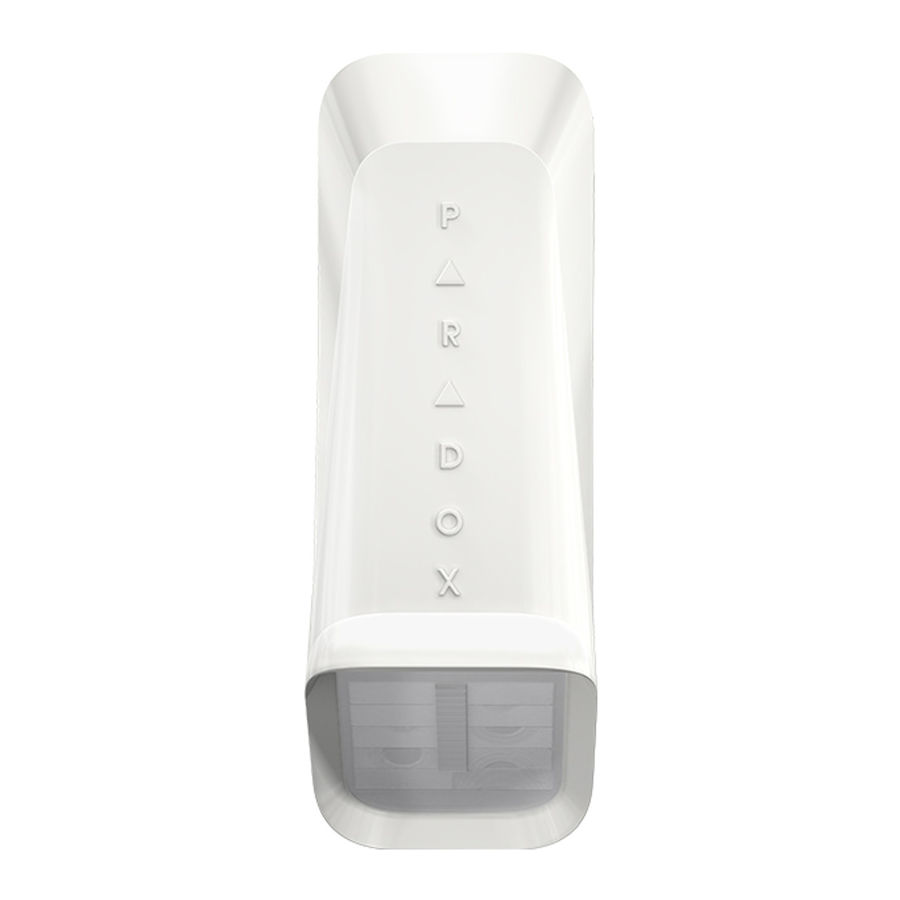
Thank you for choosing the NV35MX for your professional protection needs. The NV35MX EVO version will provide you the most advanced window and sliding door protection either in Pet Immune or Sharp mode, while programming can be done remotely via EVO bus connection. If you have any comments please write to us at Paradox.com/products/feedback. This guide describes how to install and program the NV35MX.
Pet Recommended Installation
The NV35MX has been designed to be installed within the frame of windows and doors when installed outdoors. This will ensure the best performance against false alarms when random pets such as birds, cats and small dogs access the window sill. Other installation methods can be used with the NV35MX such as wall beam protection but if installed outside of the frame its pet immunity may be compromised.
Installing the Device
- Remove the NV35MX front cover - open the Captive screw.

- Remove the Main Unit: open the two snap-lock mechanisms on each side of the back cover attaching the Main Unit to the back cover as displayed below. Then remove the Main Unit.

- Pull the wires from the control panel through the knockout holes and mount the back cover onto the window frame or wall using screws.

- Attach the Main Unit to the back cover - ensure the locks snap closed.

- Connect the wires to the terminal blocks according to the following wiring assignment.


Table 1: Wiring Assignment
| Terminal Connector | Recommended Wiring Assignment | |
| Bus Label | Wire Colour | |
| 1 | 12V+ | Red |
| 2 | Minus (-) | Black |
| 3 | Data | Green |
| 4 | Clock | Yellow |
- Replace the front cover and close the Captive screw.

Do not obscure the detector's field of view.
Programming the Device
Program the detector with a keypad or BabyWare software.
Programming with a Keypad
- Enter EVO Installer Programming Mode.
- Enter Module Programming:
- Enter section [4003] in the Enter Section field.
- Enter the detector's 8-digit [SERIAL NUMBER].
- Enter the 3-digit [SECTION] number you want to program.
- Program required functions in section [001] (table 2), section [002] (table 3) and section [003] (table 4) below.
Table 2: Section [001]
| Bit | Function | Status/Description |
| [1] | LED Display Alarm | ON: Enabled (default) OFF: Disabled |
| [3] | LED Display Trouble | ON: Enabled (default) OFF: Disabled |
| [4] | LED Display Anti- Mask | ON: Enabled (default) OFF: Disabled |
| [5] | Anti- Mask | ON: Enabled (default) OFF: Disabled |
Table 3: Section [002]
| Bit | Function | Status/Description |
| [1] | Unit Tamper | ON: Enabled (default), OFF: Disabled |
| [2] | Wall Tamper | ON: Enabled (default), OFF: Disabled |
| [3] | PET Immunity | ON: Enabled (default) (PET Mode) OFF: Disabled (SHARP Mode) |
Table 4: Section [003]
| PIR Sensitivity Level | ||
| Low: 00 | Normal: 01 (default) | High: 02 |
Programming with BabyWare
- Open BabyWare.
- Select the detector and set zone type.
- Right-click on the detector to open detector Programming.

- Configure the required settings.

Testing the Unit
Perform a Walk-Test to test successful installation: Walk slowly across the far end of the detection range. Ensure detection.
Walk test mode lasts 5 minutes after the tamper screw is closed.
LED Display
| Feature | LED Status Indicator |
| Tamper open | Green: ON for 0.3 seconds every 30 seconds |
| PIR sensitivity level setting | Green: Flashes 1-3 times according to the selected level |
| Alarm detection | Red: ON for 2 seconds |
| Booting/Tamper close | Green/Red alternating flashes for 30 seconds |
| Anti-mask detection | Orange: Flashes ON/OFF 3 times every 60 seconds |
Technical Specifications
| Model Number | NV35MX |
| Infrared Sensor type | 2 Dual elements |
| Detection range | PET Immunity mode: 7.5m x 2m (25 x 7 ft). Sharp mode: 10 x 2m (33 x 7 ft) |
| Super Pet Immunity | Pet size approximately 50cm |
| Anti- mask | Active IR detection for blocking 30cm and sprayed liquid |
| Input voltage | 10 to 15 VDC |
| Current consumption | Typical: 15mA Maximum: 19.2mA |
| Compatibility | EVO systems |
| Outdoor protection | IP54 |
| Operation temperature | -35°C to +50°C |
| Relative humidity | 95% non-condensing |
| Dimensions | 12.3 x 6.1 x 4.3 cm (4.8 x 2.4 x 1.7 in.) |
| Certifications | CE, EN50131-2-2 Grade 3, Class IV |
| Weight | 100g / 0.2 lb |
Beam Pattern
PET Mode

SHARP Mode

Top View

PET Immunity Mode Installation

Notifications
Changes or modifications to this equipment not expressly approved by the party responsible for compliance (Paradox Security Systems Ltd.) could void the user's authority to operate the equipment.
Warranty
The Limited Warranty Statement found on the website www.paradox.com/terms.
Patents
Your use of the Paradox product signifies your acceptance of these terms and conditions. The following US patents may apply 5,886,632 and 6,215,399. Other Canadian and international patents may apply.
Printed in Canada 08/2015

References

Download manual
Here you can download full pdf version of manual, it may contain additional safety instructions, warranty information, FCC rules, etc.
Download Paradox NV35X - Window And Sliding Door Detector With Pet Immunity Manual


