How to Access All Camera Settings on Your Xiaomi 15T Pro
Welcome! If you're keen on exploring the full potential of your Xiaomi 15T Pro camera capabilities, this guide will lead you through the process of accessing all the available camera settings. Whether you're an aspiring photographer or just want to capture everyday moments beautifully, these settings can significantly enhance your photography experience.
Step 1: Open the Camera App
To get started, locate the Camera app on your Xiaomi 15T Pro. You can easily find the app's icon, which resembles a camera, on your home screen or within the app drawer. Tap on it to launch the application and begin your configuration journey.

Step 2: Access the Arrow Menu
Once the camera app is open, direct your attention to the top of the screen. There, you should notice a small arrow icon. Tapping this arrow will reveal additional options that you can explore to customise your camera's settings.

Step 3: Navigate to Settings
After tapping the arrow icon, a menu will expand. Look for the option labelled 'Settings' within this menu. Selecting this option will take you directly to where you can modify and access all the detailed settings for both photos and videos.

Step 4: Explore All Camera Settings
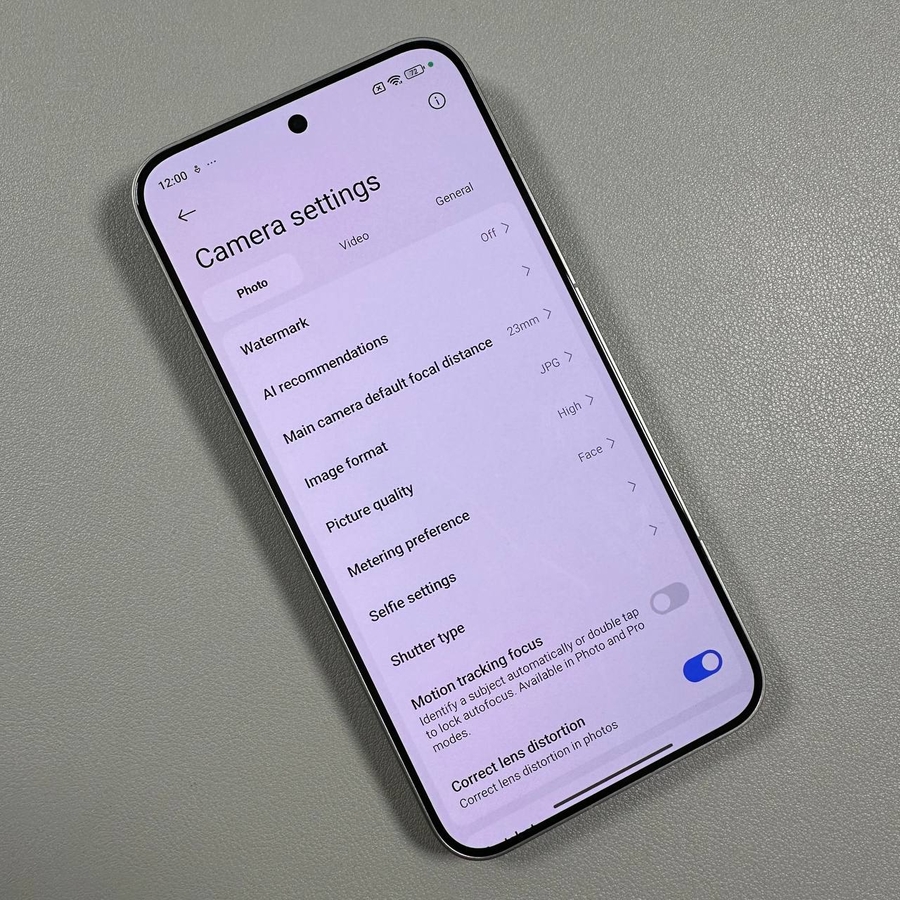
Within the settings menu, you'll find a comprehensive list of options divided into sections like Photo, Video, and General settings. Each section offers various features you can tweak to fine-tune your camera's performance according to your needs.

And there you have it! You've successfully accessed all the camera settings on your Xiaomi 15T Pro. With these settings, you can take full advantage of your phone's photography capabilities. Feel free to experiment with different settings to see which ones work best for your style of photography.