Trek Bicycle Bontrager 450R/RT - Front Bike Light Manual
- 1 For more information
- 2 List of parts
- 3 Accessories
- 4 Installing the light
- 5 Removing the light
- 6 Operating the light
- 7 Charging the battery
- 8 Pairing to the Transmitr Remote or select Garmin edge computers (Ion 450RT only)
- 9 Using the Transmitr Remote
- 10 Travelling with the battery
- 11 References
- 12 Download manual
- 13 In Other Languages
For more information
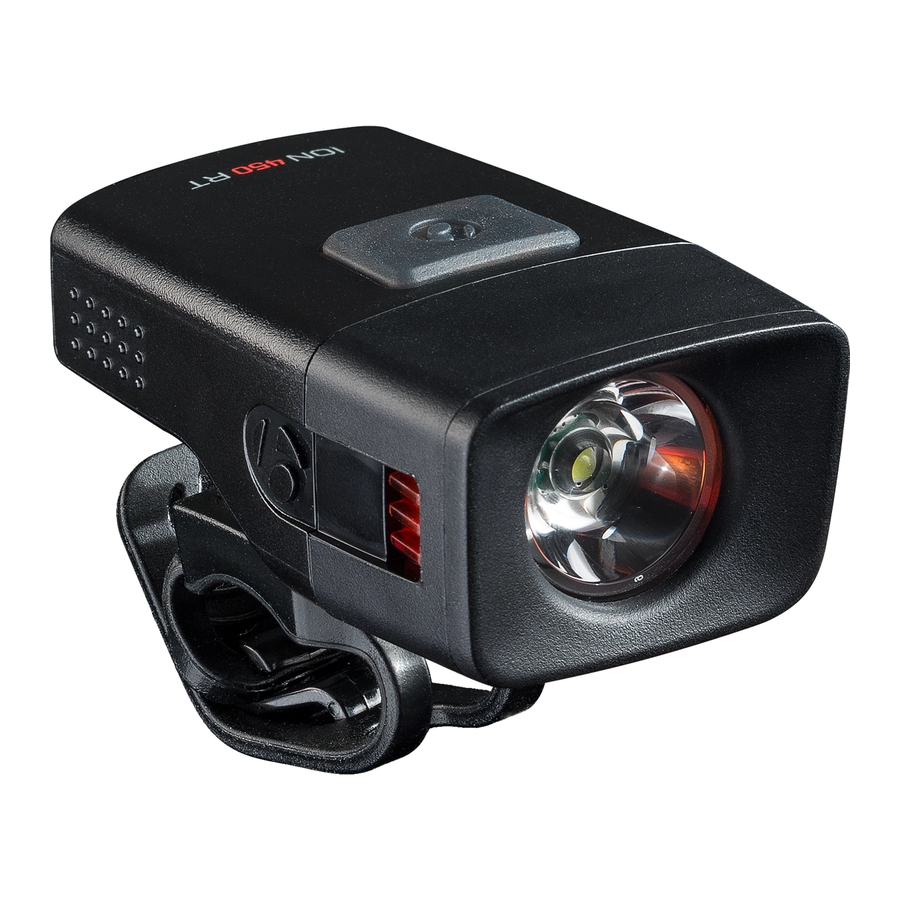
This manual is for Bontrager lights Ion 450R and Ion 450RT.
The RT version allows wireless control when paired with the Bontrager Transmitr system. Please read this entire manual. Check for updates at bontrager.com

Check your local lighting laws. Flashing Lights and full brightness may not be allowed in all locations. Ion 450 R/RT do not conform to the German road traffic regulation StVZO.
If you need help not offered by this manual, talk to your Bontrager retailer or visit bontrager.com
List of parts
Light (with battery enclosed)
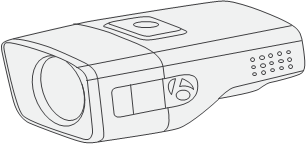
"To see" LED light source provides a bright light up to 450 lumens in a focused 15-degree beam pattern to illuminate the road ahead.
"To be seen" light sources at the sides of the light provide 270-degree visibility.
The permanently enclosed Lithium-ion (Li-ion) battery is a high-performance rechargeable 1450 mAh cell.
Quick connect mounting bracket
(PN W527649)

Quick connect fits any size of round handlebar, 22.2mm to 35mm.
The mount may be turned 90 degrees for attaching to the stem.
Charger cable
(PN W327765)
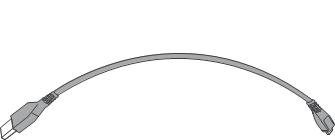
Micro USB cable can be plugged into a computer or wall adapter (adapter not included).
Accessories
This light is compatible with these optional mounting systems. Please see your Bontrager retailer for details.
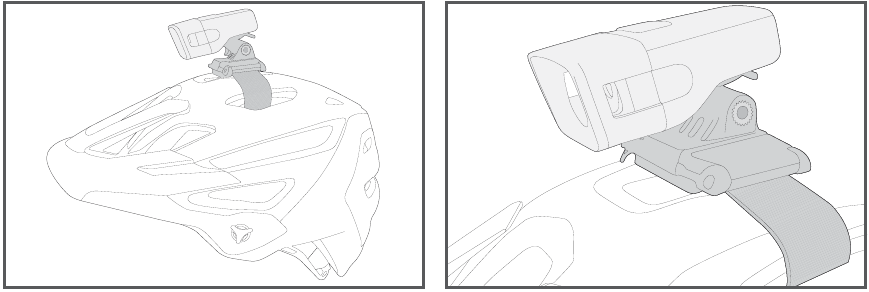
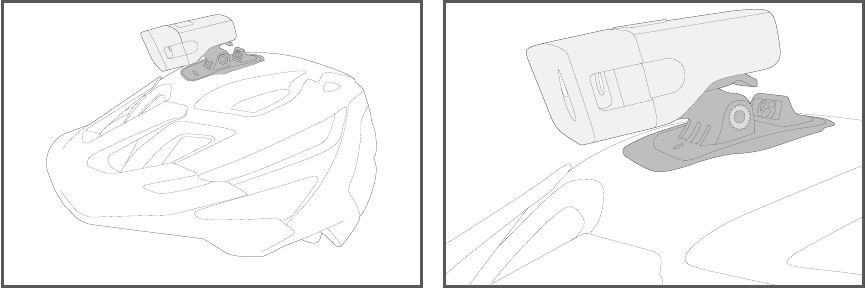
Bontrager helmet mount
(PN 428462)
- A strap mount that easily attaches a Bontrager Ion or Flare light to most helmets.

Bontrager Lithos helmet Blendr accessory mount
(PN 516635)
- A Blendr mount that integrates into the Bontrager Lithos helmet.

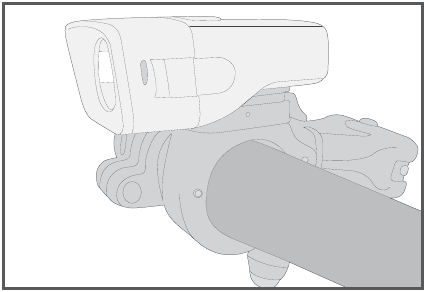
Bontrager Ion handlebar mount
(PN W530421 fits 22.2-31.8mm)
(PN 552375 fits 31.8-35mm)
- A hinged clamp that securely attaches an Ion light to the handlebar.

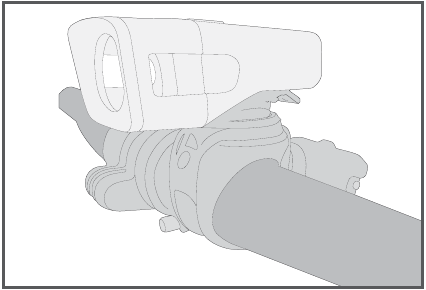
Bontrager Sync handlebar bracket
(PN 418921)
- An adjustable rubber mount that fits 22.2–35mm handlebars or seatpost.

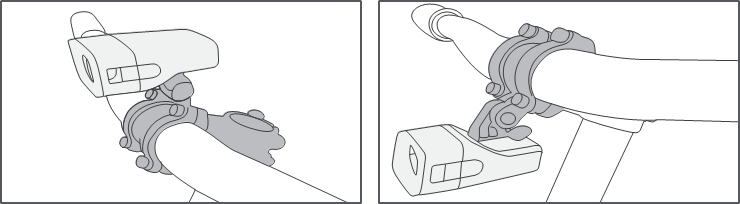
Bontrager Blendr accessories
- An attachment system designed as a feature of Bontrager Blendr stems that fits a variety of accessories. Please see your Bontrager retailer for details.

Installing the light
Before first use, charge the battery.
- Place the Quick connect on the handlebar with the strap in front.

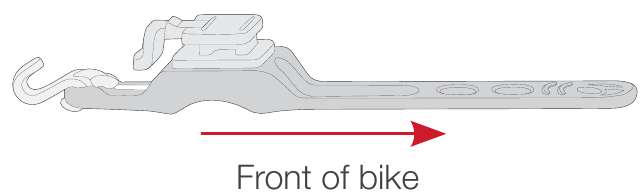
If desired, the bracket can be placed on the stem. Rotate the mount 90 degrees.
- Stretch the strap under the bar and connect to the hook.

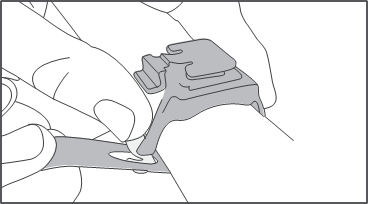
Note: Use the second hook to latch excess strap.
- From the front, slide the light onto the bracket until the light engages.

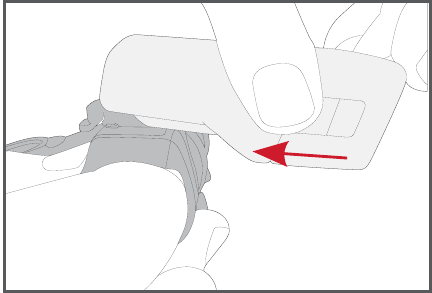
Removing the light
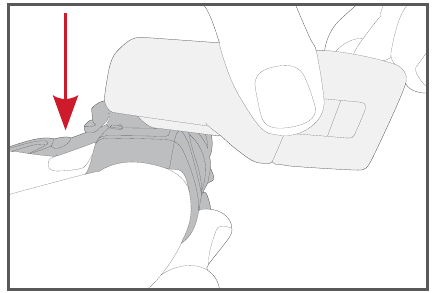
To remove the light, press down on the tab and slide the light forward.
Operating the light
Power button
To turn on, press the power button.
When turned on, the Ion 450 will be in the output mode last used before turning off.
To turn off, press and hold the power button.
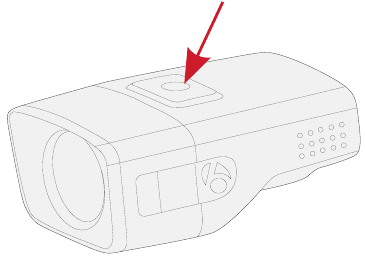
Power button
The power button LED tells the percent of battery charge that remains.
| Power button LED color | Run time |
| Green | 25 to 100% |
| Red steady | 5 to 25% |
| Red flashing | Less than 5% |
To change mode
- Quick-press the power button. Each press moves to the next mode (see table below).
Modes of the Ion 450R/RT
| Mode | Lumen Output (peak) | Runtime (hours) |
| High | 450 | 1.5 |
| Medium | 200 | 3 |
| Low | 100 | 6 |
| Night Flash | 50 steady with 150 flash | 8 |
| Day Flash | 300 day pattern | 10 |
Low Battery
Low Battery protection automatically adjusts the output brightness to 50 lumens when the battery supply goes below 5% and extends the light output for an additional 20 – 30 minutes.
High Beam* enables full brightness when paired with Transmitr Remote and center button on remote is pressed. Pressing the center button again will return light to previous mode.
* Ion 450 RT only - The high beam feature can be used only when paired to a Transmitr Remote.
Trail Configuration enables the Ion 450 R/RT to toggle between 450 and 200 lumen steady modes. To enable and disable press and hold the power button for 10 seconds with the light off. The main LED will flash once indicating trail configuration has been enabled/disabled.

The light may be hot to touch.
Charging the battery
Although the Ion 450R/RT is fully charged at the factory, it is recommended to charge it before first use. Complete charging takes approximately 4 hours from empty.
- Plug the Micro charger cable into the USB port on the light.
![]()
- Plug the cable into a computer or wall adapter.
![]()
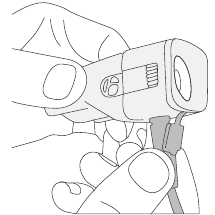
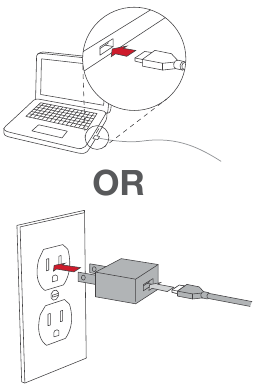
Status indicator while charging
While charging, the status indicator will flash:
- Red: Actively charging
- Green: Charging complete
NOTE: As the battery progresses from zero charge to full charge, the duration of the flashes will get progressively longer.
The power button LED indicates the battery charging status.
| Power button color | Battery power status |
| Flashing red | Charging: flash rate slows as charge nears completion |
| Green | Charge complete |
For best results, charge at room temperature in a dry place. Avoid extreme conditions including wet, cold, or extremely hot.
NOTE: Use with a quality CE or UL approved USB charger rated for 500 mA or greater.
Pairing to the Transmitr Remote or select Garmin edge computers (Ion 450RT only)
The Transmitr Remote or select Garmin Edge computers, sold separately, allows remote control of the light. This feature is only available on the Ion 450RTor other compatible Transmitr lights.
For more complete instructions, refer to the Transmitr manual at bontrager.com or visit support.garmin.com for Garmin related instruction and a complete listing of compatible Edge devices.
All pairings must be done in a single session. Before starting, place the remote and all lights within a small area.
NOTE: Move 15 feet from other Transmitr / ANT+ compatible lights to prevent accidental pairing. If a light is accidentally paired, start the pairing process over.
- Place the light close to the Transmitr Remote (within 15cm / 6in).
- Quick-press the power button on the light to turn it on, then quick-press to turn it off again.
NOTE: After completing this step, do not press the power button on the light again until pairing is complete.
- Press-and-hold the center button on the Transmitr Remote for at least 8 seconds. When the corner buttons flash, release the center button.
- While the remote searches for a light, its center button flashes red. When the Transmitr Remote finds a light, the center button on the remote will change from red to green, and the found light will flash.
- While the found light is still flashing, quickpress the button on the Transmitr Remote to which you would like to pair the light. The selected button will glow, and the found (paired) light will stop flashing and turn off.
NOTE: After the pairing, the center button on the remote will flash red until the Transmitr Remote finds another available light. - Repeat Step 4 and Step 5 for each additional light to be paired.
NOTE: After pairing is finished, pairing any additional lights will require that you repeat the entire pairing procedure.
To exit pairing
- When all lights are paired, quick-press the center button on the remote. The button will stop flashing and turn off.
To verify pairing
- Quick-press the center button on the remote to turn on all paired lights.
- Press-and-hold the center button to turn off all of them.
- Turn on each light individually. Quick-press each paired button on the remote to turn on the individual light(s).
- Press-and-hold the same button to turn off the light.
Using the Transmitr Remote
Controlling Lights with the Transmitr Remote
To turn on all lights
ON: Quick-press the center button.
OFF: Press and hold the center button.
To turn on an individual light
ON: Quick-press the corner button that controls the light.
OFF: Press and hold the same button.
To change modes of an individual light
Each quick-press of a button that controls a light will cycle through the modes.
Seeing Battery Power Status of the light on the Remote
When a corner button is pressed, the center button will show the battery status of the light
| Button light color | Power remaining |
| Green | More than 25% |
| Red | Between 5% and 25% |
| Blinking red | Less than 5% |
Travelling with the battery
Li-ion batteries cannot be shipped by air due to an overheating hazard. When traveling by air, place the light in your carry-on.

References

Download manual
Here you can download full pdf version of manual, it may contain additional safety instructions, warranty information, FCC rules, etc.
Download Trek Bicycle Bontrager 450R/RT - Front Bike Light Manual