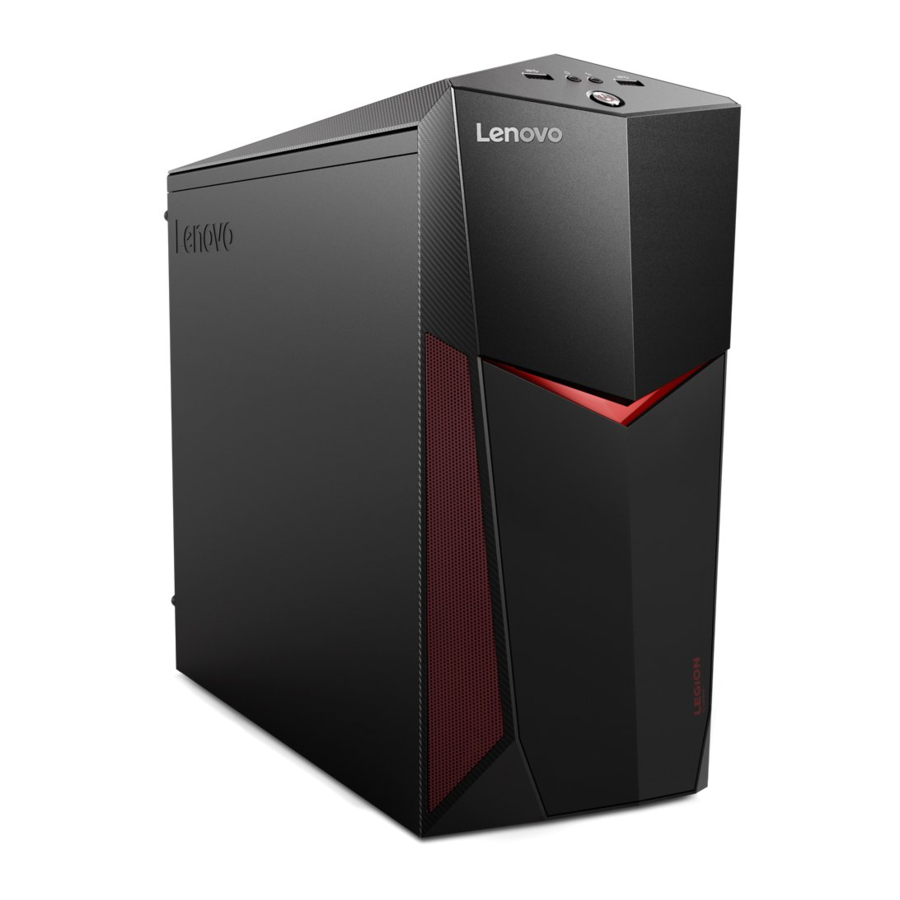
Lenovo Legion Y520 Tower Series Quick Start Guide (Udhëzues i Shpejtë i Serisë Lenovo Legion Y520 Tower)
- 1 Unpacking (Shpaketimi)
- 2 Connecting the keyboard and mouse (Lidhja e tastierës dhe mausit)
- 3 Connecting the Ethernet cable (Lidhja e kabllit Ethernet)
- 4 Connecting the monitor and power cable (Lidhja e monitorit dhe kabllit të energjisë)
- 5 Turning on the computer (Ndizja e kompjuterit)
- 6 Front/Top view of the computer (Pamja e përparme/e sipërme e kompjuterit)
- 7 Rear view of the computer (Pamja e pasme e kompjuterit)
- 8 Connecting to the Internet (Lidhja me Internetin)
- 9 Replacing or upgrading hardware (Zëvendësimi ose përmirësimi i hardware-it)
- 10 Windows help system (Sistemi i ndihmës i Windows)
- 11 Accessing other manuals (Hyrja në manuale të tjera)
- 12 Service and Support information (Informacione për shërbimin dhe mbështetjen)
- 13 Declaration of conformity to EU Directive 2014/53/EU (Deklarata e konformitetit me Direktivën e BE-së 2014/53/BE)
- 14 Shkarko manual
- 15 Në Gjuhë të Tjera
Unpacking (Shpaketimi)

* Selected models only. (Vetëm modele të zgjedhura.)
NOTE: Some models may contain items not listed here. (SHËNIM: Disa modele mund të përmbajnë artikuj që nuk janë të listuar këtu.)
Connecting the keyboard and mouse (Lidhja e tastierës dhe mausit)

Connecting the Ethernet cable (Lidhja e kabllit Ethernet)

Connecting the monitor and power cable (Lidhja e monitorit dhe kabllit të energjisë)

Turning on the computer (Ndizja e kompjuterit)

Front/Top view of the computer (Pamja e përparme/e sipërme e kompjuterit)

- USB 3.0 connector (Lidhës USB 3.0)
- Headphone connector (Lidhës kufjesh)
- Microphone connector (Lidhës mikrofoni)
- USB 3.0 connector (Lidhës USB 3.0)
- Power button (Butoni i energjisë)
- Optical drive 1 (Disk optik 1)
- Optical drive eject button (Butoni i nxjerrjes së diskut optik)
1 Selected models only. (Vetëm modele të zgjedhura.)
ATTENTION: Do not insert 3-inch discs into the optical drive. (KUJDES: Mos futni disqe 3-inç në diskun optik.)
Rear view of the computer (Pamja e pasme e kompjuterit)

- HDMI-out connector (Lidhës HDMI-dalës)
- USB 3.0 connector (Lidhës USB 3.0)
- USB 2.0 connectors (2) (Lidhës USB 2.0 (2))
- USB 3.0 connector (Lidhës USB 3.0)
- Ethernet connector (Lidhës Ethernet)
- Audio connectors (Lidhës audio)
- PCI-Express card area 1 (Zona e kartës PCI-Express 1)
- Power connector (Lidhës energjie)
1 Different cards provide different connectors. (Karta të ndryshme ofrojnë lidhës të ndryshëm.)
NOTE: If your model has two VGA monitor connectors, be sure to use the connector on the graphics adapter. (SHËNIM: Nëse modeli juaj ka dy lidhës monitori VGA, sigurohuni që të përdorni lidhësin në adaptuesin grafik.)
Connecting to the Internet (Lidhja me Internetin)
You need a contract with an Internet Service Provider (ISP) and some hardware in order to connect to the Internet. (Ju nevojitet një kontratë me një ofrues shërbimi interneti (ISP) dhe disa pajisje hardware për t'u lidhur me internetin.) ISPs and the services they offer vary by country. (ISP-të dhe shërbimet që ata ofrojnë ndryshojnë sipas vendit.) Contact your ISP for services available in your country. (Kontaktoni ISP-në tuaj për shërbimet e disponueshme në vendin tuaj.) Your computer supports wireless (selected models only) or wired networks that connect your computer to other devices. (Kompjuteri juaj mbështet rrjete pa tela (vetëm modele të zgjedhura) ose me tela që lidhin kompjuterin tuaj me pajisje të tjera.)
Wired network connection (Lidhja e rrjetit me tela)
For wired networks, connect one end of an Ethernet cable (purchased separately) to the Ethernet connector on your computer, and then connect the other end to the network router or broadband modem. (Për rrjetet me tela, lidhni njërin skaj të një kablli Ethernet (blihet veçmas) me lidhësin Ethernet në kompjuterin tuaj, dhe pastaj lidhni skajin tjetër me ruterin e rrjetit ose modemin e brezit të gjerë.) Consult your ISP for detailed setup instructions. (Konsultohuni me ISP-në tuaj për udhëzime të hollësishme konfigurimi.)
NOTE: Broadband modem and router installation procedures vary depending on the manufacturer. (SHËNIM: Procedurat e instalimit të modemit të brezit të gjerë dhe ruterit ndryshojnë në varësi të prodhuesit.) Follow the manufacturer's instructions. (Ndiqni udhëzimet e prodhuesit.)
Wireless network connection (Lidhja e rrjetit pa tela)
For wireless networks, you can use the built-in Wi-Fi antenna to access your wireless home network. (Për rrjetet pa tela, mund të përdorni antenën e integruar Wi-Fi për të hyrë në rrjetin tuaj shtëpiak pa tela.)
To connect your computer to the wireless network: (Për të lidhur kompjuterin tuaj me rrjetin pa tela:)
Click or tap the network icon on the taskbar, then select the name of your router. (Klikoni ose prekni ikonën e rrjetit në shiritin e detyrave, pastaj zgjidhni emrin e ruterit tuaj.) Click or tap Connect (Lidhu), then follow the steps on the screen. (pastaj ndiqni hapat në ekran.)
Test the wireless network by opening your Web browser and accessing any Web site. (Testoni rrjetin pa tela duke hapur shfletuesin tuaj të internetit dhe duke hyrë në çdo faqe interneti.)
Replacing or upgrading hardware (Zëvendësimi ose përmirësimi i hardware-it)

Safety information for replacing CRUs (Informacione sigurie për zëvendësimin e CRU-ve)
Do not open your computer or attempt any repairs before reading the "Important safety information" in the Safety, Warranty, Environment, Recycling Information Guide and Important Product Information Guide that was included with your computer. (Mos e hapni kompjuterin tuaj ose mos provoni ndonjë riparim para se të lexoni "Informacionin e rëndësishëm të sigurisë" në Udhëzuesin e Informacionit të Sigurisë, Garancisë, Mjedisit, Riciklimit dhe Udhëzuesin e Informacionit të Rëndësishëm të Produktit që ishte përfshirë me kompjuterin tuaj.)
If you no longer have this copy of the Safety, Warranty, Environment, Recycling Information Guide and Important Product Information Guide, you can obtain one online from the website at http://www.lenovo.com/UserManuals. (Nëse nuk e keni më këtë kopje të Udhëzuesit të Informacionit të Sigurisë, Garancisë, Mjedisit, Riciklimit dhe Udhëzuesit të Informacionit të Rëndësishëm të Produktit, mund ta merrni atë online nga faqja e internetit në http://www.lenovo.com/UserManuals.)
Pre-disassembly instructions (Udhëzime para çmontimit)
Before proceeding with the disassembly procedure, make sure that you do the following: (Para se të vazhdoni me procedurën e çmontimit, sigurohuni që të bëni sa vijon:)
- Turn off the power to the system and all peripherals. (Fikni energjinë në sistem dhe të gjitha pajisjet periferike.)
- Unplug all power and signal cables from the computer. (Shkëputni të gjitha kabllot e energjisë dhe sinjalit nga kompjuteri.)
- Place the system on a flat, stable surface. (Vendoseni sistemin në një sipërfaqe të sheshtë dhe të qëndrueshme.)
CRUs for your computer include: (CRU-të për kompjuterin tuaj përfshijnë:)
- keyboard (tastierë)
- optical drive (disk optik)
- mouse (maus)
- memory module (modul memorie)
- power cord (kordë energjie)
- hard disk drive (disk i ngurtë)
- front bezel (korniza e përparme)
- top bezel (korniza e sipërme)
The part listed below is optional CRU for experienced users: (Pjesa e listuar më poshtë është CRU opsionale për përdoruesit me përvojë:)
- graphic card (kartë grafike)
Instructions for replacing these parts can be found in the Hardware Maintenance Manual from the Lenovo Support Web Site. (Udhëzimet për zëvendësimin e këtyre pjesëve mund të gjenden në Manualin e Mirëmbajtjes së Hardware-it nga Faqja e Internetit e Mbështetjes së Lenovo-s.) To obtain a copy of the Hardware Maintenance Manual, go to: www.lenovo.com/UserManuals. (Për të marrë një kopje të Manualit të Mirëmbajtjes së Hardware-it, shkoni te: www.lenovo.com/UserManuals.)
This part contains instructions for replacing the following parts: (Kjo pjesë përmban udhëzime për zëvendësimin e pjesëve të mëposhtme:)
- Optical drive (Follow steps: (Ndiqni hapat:)
![]()
![]() )
) - Hard disk drive (Follow steps: (Ndiqni hapat:)
![]()
![]() )
) - Graphic card (Follow steps: (Ndiqni hapat:)
![]()
![]() )
) - Memory module (Follow steps: (Ndiqni hapat:)
![]()
![]() )
) - Front bezel (Follow steps: (Ndiqni hapat:)
![]()
![]() )
) - Top bezel (Follow steps: (Ndiqni hapat:)
![]()
![]() )
)

 )
) )
) )
) )
) )
) )
)A CRUs replacing video guide is also available via a smart phone. (Një udhëzues video për zëvendësimin e CRU-ve është gjithashtu i disponueshëm përmes një telefoni inteligjent.) Scan the below QR code to access the video guide. (Skanoni kodin QR më poshtë për të hyrë në udhëzuesin video.)

- Removing the computer cover (Heqja e kapakut të kompjuterit)
")
- Replacing an optical drive (Zëvendësimi i një disku optik)
")
- Replacing a hard disk drive (Zëvendësimi i një disku të ngurtë)
")
- Replacing a graphic card (Zëvendësimi i një karte grafike)
")
- Replacing a memory module (Zëvendësimi i një moduli memorie)
")
- Removing the front bezel (Heqja e kornizës së përparme)
")
- Removing the top bezel (Heqja e kornizës së sipërme)
")


Windows help system (Sistemi i ndihmës i Windows)
The Windows help system provides you with detailed information about using the Windows operating system. (Sistemi i ndihmës i Windows ju ofron informacione të hollësishme rreth përdorimit të sistemit operativ Windows.)
To access the Windows help system, do the following: (Për të hyrë në sistemin e ndihmës i Windows, bëni sa vijon:)
Open the Start menu and then click or tap Get Started (Fillo) to get more details. (Hapni menunë Start dhe pastaj klikoni ose prekni Get Started (Fillo) për të marrë më shumë detaje.) You can also enter Get Started (Fillo) or what you're looking for in the search box on the taskbar. (Ju gjithashtu mund të shkruani Get Started (Fillo) ose atë që po kërkoni në kutinë e kërkimit në shiritin e detyrave.) You'll get suggestions and answers to your questions about Windows and the best search results available from your PC and the Internet. (Do të merrni sugjerime dhe përgjigje për pyetjet tuaja rreth Windows dhe rezultatet më të mira të kërkimit të disponueshme nga PC-ja juaj dhe interneti.)
To perform system recovery after a serious error in Windows 10, click or tap the Start button and select Settings (Cilësimet) → Update & security (Përditësimi dhe siguria) → Recovery (Rimëkëmbja). (Për të kryer rimëkëmbjen e sistemit pas një gabimi serioz në Windows 10, klikoni ose prekni butonin Start dhe zgjidhni Settings (Cilësimet) → Update & security (Përditësimi dhe siguria) → Recovery (Rimëkëmbja).) Then, follow the instructions on the screen for system recovery. (Pastaj, ndiqni udhëzimet në ekran për rimëkëmbjen e sistemit.)
ATTENTION: The Windows operating system is provided by Microsoft Corporation. (KUJDES: Sistemi operativ Windows ofrohet nga Microsoft Corporation.) Please use it in accordance with the END USER LICENSE AGREEMENT (EULA) between you and Microsoft. (Ju lutemi përdorni atë në përputhje me MARRËVESHJEN E LICENCËS PËR PËRDORUESIN FUNDOR (EULA) midis jush dhe Microsoft.) For any question related to the operating system, please contact Microsoft directly. (Për çdo pyetje në lidhje me sistemin operativ, ju lutemi kontaktoni drejtpërdrejt Microsoft.)
Accessing other manuals (Hyrja në manuale të tjera)
The Important Product Information Guide has been preloaded onto your computer. (Udhëzuesi i Informacionit të Rëndësishëm të Produktit është ngarkuar paraprakisht në kompjuterin tuaj.) To access this guide, do the following: (Për të hyrë në këtë udhëzues, bëni sa vijon:)
For models come with Lenovo Companion: (Për modele që vijnë me Lenovo Companion:)
- Open the Start menu and then click or tap Lenovo Companion. (Hapni menunë Start dhe pastaj klikoni ose prekni Lenovo Companion.)
- Click or tap Support (Mbështetje) → User Guide (Udhëzuesi i përdoruesit). (Klikoni ose prekni Support (Mbështetje) → User Guide (Udhëzuesi i përdoruesit).)
For models without Lenovo Companion: (Për modele pa Lenovo Companion:)
Open the Start menu and then click or tap Manual (Manual) to access this guide. (Hapni menunë Start dhe pastaj klikoni ose prekni Manual (Manual) për të hyrë në këtë udhëzues.)
For models without preinstalled operating systems: (Për modele pa sisteme operative të instaluara paraprakisht:)
Go to the Lenovo Support Web site to access your manuals. (Shkoni në faqen e internetit të Mbështetjes së Lenovo-s për të hyrë në manualet tuaja.) See "Downloading manuals" for additional information. (Shihni "Shkarkimi i manualeve" për informacione shtesë.)
Service and Support information (Informacione për shërbimin dhe mbështetjen)
The following information describes the technical support that is available for your product, during the warranty period or throughout the life of your product. (Informacioni i mëposhtëm përshkruan mbështetjen teknike që është e disponueshme për produktin tuaj, gjatë periudhës së garancisë ose gjatë gjithë jetës së produktit tuaj.) Refer to the Lenovo Limited Warranty for a full explanation of Lenovo warranty terms. (Referojuni Garancisë së Kufizuar të Lenovo-s për një shpjegim të plotë të kushteve të garancisë së Lenovo-s.) See "Lenovo Limited Warranty notice" later in this document for details on accessing the full warranty. (Shihni "Njoftimin e Garancisë së Kufizuar të Lenovo-s" më vonë në këtë dokument për detaje mbi hyrjen në garancinë e plotë.) If you purchased Lenovo services, refer to the following terms and conditions for detailed information: (Nëse keni blerë shërbime Lenovo, referojuni kushteve dhe kushteve të mëposhtme për informacione të hollësishme:)
- For Lenovo Warranty Service Upgrades or Extensions, go to: (Për Përmirësimet ose Zgjatjet e Shërbimit të Garancisë së Lenovo-s, shkoni te:) http://support.lenovo.com/lwsu
- For Lenovo Accidental Damage Protection Services, go to: (Për Shërbimet e Mbrojtjes nga Dëmtimet Aksidentale të Lenovo-s, shkoni te:) http://support.lenovo.com/ladps
- Online technical support is available during the lifetime of a product at: (Mbështetja teknike online është e disponueshme gjatë gjithë jetës së një produkti në:) http://www.lenovo.com/support
The following information refers to Lenovo Legion Y520 Tower machine type: (Informacioni i mëposhtëm i referohet llojit të makinës Lenovo Legion Y520 Tower:)
90H7 [Y520T-25IKL/Energy Star] / 90JB [Y520T-25ICZ/Energy Star]
The descriptions in this guide might be different from what you see on your computer, depending on the computer model and configuration. (Përshkrimet në këtë udhëzues mund të jenë të ndryshme nga ajo që shihni në kompjuterin tuaj, në varësi të modelit dhe konfigurimit të kompjuterit.)
Product design and specifications may be changed without notice. (Dizajni dhe specifikimet e produktit mund të ndryshohen pa njoftim.)
Lenovo, the Lenovo logo and ideacentre are trademarks of Lenovo in the United States, other countries, or both. (Lenovo, logoja e Lenovo-s dhe ideacentre janë marka tregtare të Lenovo-s në Shtetet e Bashkuara, vende të tjera, ose të dyja.)
Windows is a trademark of the Microsoft group of companies. (Windows është një markë tregtare e grupit të kompanive Microsoft.)
Other company, product, or service names may be trademarks or service marks of others. (Emrat e tjerë të kompanive, produkteve ose shërbimeve mund të jenë marka tregtare ose marka shërbimi të të tjerëve.)
Declaration of conformity to EU Directive 2014/53/EU (Deklarata e konformitetit me Direktivën e BE-së 2014/53/BE)
| Product Name (Emri i Produktit) | Wireless Modules (Modulet pa tela) |
| Y520T-25IKL | RTL8821CE, QCNFA435 |
| Y520T-25ICZ | RTL8821CE, QCNFA435 |
| Frequency band (MHz) (Brezi i frekuencës (MHz)) | Maximum transmit power (dBm) Less than (Fuqia maksimale e transmetimit (dBm) Më pak se) |
| WLAN 802.11b/g/n, 2400 - 2483.5 | 20 |
| WLAN 802.11a/n/ac, 5150 - 5725 | 23 |
| WLAN 802.11a/n/ac, 5725 - 5875 | 13.98 |
| Bluetooth BR/EDR/LE, 2400 - 2483.5 | 10 |
European Union conformity (Konformiteti i Bashkimit Evropian)
EU contact: Lenovo, Einsteinova 21, 851 01 Bratislava, Slovakia (Kontakti i BE-së: Lenovo, Einsteinova 21, 851 01 Bratislava, Sllovaki)

Compliance to Directives for Information Technology Equipment (ITE) and Radio Equipment (Pajtueshmëria me Direktivat për Pajisjet e Teknologjisë së Informacionit (ITE) dhe Pajisjet Radio)
EMC Directive Statement: This product is in conformity with the protection requirements of EU Council Directive 2014/30/EU on the approximation of the laws of the Member States relating to electromagnetic compatibility. (Deklarata e Direktivës EMC: Ky produkt është në përputhje me kërkesat e mbrojtjes të Direktivës 2014/30/BE të Këshillit të BE-së për përafrimin e ligjeve të Shteteve Anëtare në lidhje me përputhshmërinë elektromagnetike.) The full compliance statement is located in the User Guide. (Deklarata e plotë e pajtueshmërisë ndodhet në Udhëzuesin e Përdoruesit.) See "Accessing other manuals" in this document for additional information. (Shihni "Hyrja në manuale të tjera" në këtë dokument për informacione shtesë.)
Models with a radio device: (Modele me një pajisje radio:)
Compliance with the Radio Equipment Directive (Pajtueshmëria me Direktivën e Pajisjeve Radio)
Hereby, Lenovo (Singapore) Pte. Ltd., declares that the radio equipment types listed at the beginning of this section are in compliance with Directive 2014/53/ EU. (Me këtë, Lenovo (Singapore) Pte. Ltd., deklaron se llojet e pajisjeve radio të listuara në fillim të këtij seksioni janë në përputhje me Direktivën 2014/53/BE.)
The full text of the system
Shkarko manual
Këtu mund të shkarkoni versionin e plotë pdf të manualit, ai mund të përmbajë udhëzime shtesë sigurie, informacione garancioni, rregulla FCC, etj.


