How to Fix Bluetooth Device Not Connecting on Nothing Phone (3)
Experiencing issues with connecting your Bluetooth device to the Nothing Phone (3) can be frustrating, but there are several steps you can take to resolve this problem. We'll guide you through various troubleshooting methods that can help you reconnect and get your Bluetooth devices working smoothly again.
Access the Settings Menu
To begin addressing this issue, unlock your Nothing Phone (3) and locate the Settings app. The icon resembles a gear and is typically found on the home screen or within your app drawer. Tap on it to open the menu.

Navigate to Connected Devices
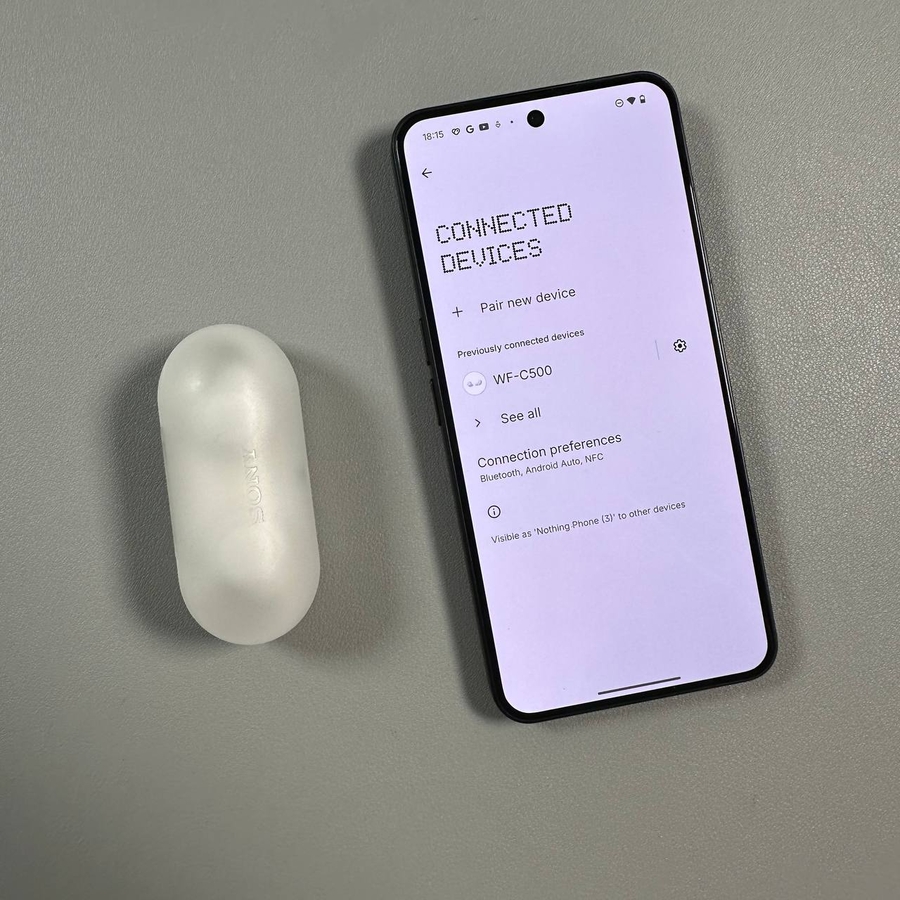
Within the Settings menu, scroll and tap on "Connected devices" (connected devices). This section allows you to view and manage all Bluetooth and wired connections available on your phone, seeing both currently and previously connected devices.

Forget and Re-pair a Bluetooth Device
If your device refuses to connect, try forgetting the connection. In the "Connected devices" (connected devices) list, find the problematic device, tap it, and select "Forget" (forget). Then, re-initiate the pairing process like you did the first time to reconnect the device.


Turn Bluetooth Off and On Again
Sometimes, a simple restart of your device's Bluetooth can resolve connectivity issues. Head to "Connection preferences" (connection preferences) within Settings and toggle Bluetooth off. Wait a few moments before turning it back on, giving your phone a chance to refresh the connection.


Wait a few moments before turning it back on, giving your phone a chance to refresh the connection.

Reset Bluetooth and Wi-Fi Settings
If all else fails, consider resetting your Bluetooth settings. Go back to the main menu in your Settings app, scroll down to "System" (system), proceed to "Reset options" (reset options), and select "Reset Wi-Fi, mobile & Bluetooth" (reset Wi-Fi, mobile & Bluetooth). Be warned that this will reset all network settings, so you'll need to reconnect to your Wi-Fi networks afterward.


Be warned that this will reset all network settings, so you'll need to reconnect to your Wi-Fi networks afterward.


Check your Bluetooth Device
Finally, if your Bluetooth device remains undetectable, it may be necessary to perform a factory reset on the device to eliminate any previously stored pairing data. Refer to the device's manual for specific steps on resetting its settings to factory defaults.


With these steps, you're more likely to solve any Bluetooth issues you face on your Nothing Phone (3). Whether it's forgetting a device or resetting network settings, these actions aim to refresh and restore connectivity so that you can continue to enjoy a seamless wireless experience.