Guía de inicio rápido del monitor de frecuencia cardíaca Sigma ONYX CLASSIC / BALANCE
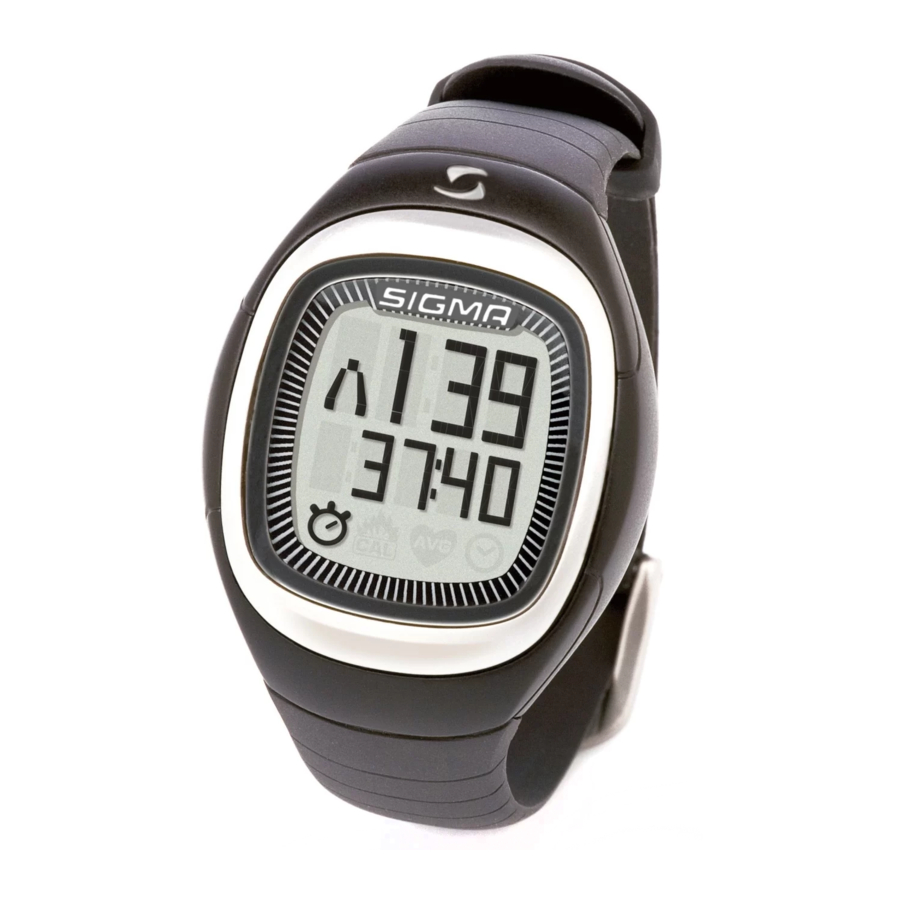
Ocupación de las teclas

Botón superior:
- Iniciar/detener el cronómetro ("Start /stop the stopwatch")
- Restablecer el cronómetro (mantener pulsado) ("Reset the stopwatch (hold down)")
- Abrir y confirmar la configuración ("Open and confirm the settings")
Botón inferior:
- Cambiar entre funciones ("Change between functions")
- Abrir el menú de configuración (mantener pulsado) ("Open the settings menu (hold down)")
- Cambiar el valor en el menú de configuración ("hange the value in the settings menu")
Pulsar ambos botones simultáneamente:
- Activar la función de luz ("Activate the light function")
- Poner el reloj en modo de suspensión (mantener pulsado) ("Put the clock into sleep mode (hold down)")
Activar/desactivar el dispositivo
Su ONYX CLASSIC/ BALANCE está en modo de reposo. ("Your ONYX CLASSIC/ BALANCE is in rest mode.")

Para activar su ONYX CLASSIC/BALANCE, mantenga pulsados los botones superior e inferior durante 3 segundos. ("To activate your ONYX CLASSIC/BALANCE keep the top and bottom buttons pressed for 3 seconds.")

Pulsar el botón inferior le permite desplazarse entre los menús principales. ("Pressing the bottom button allows you to scroll between the main menus.")

Ajustes antes del primer entrenamiento
Abra el menú de configuración manteniendo pulsado el botón inferior en el menú principal. ("Open the settings menu by holding down the bottom button in the main menu.")
El menú de configuración se divide en: ("The settings menu is divided into:")
- USER (ajustes de usuario) ("user settings")
![]()
- ZONE (ajustes de zona) ("zone settings")
![]()
- TIME (ajustes de hora) ("time settings")
![]()
- DATE (ajustes de fecha) ("date settings")
![]()
- TONE (ajustes de tono de alarma de zona) ("zone alarm tone settings")
![]()


Abra el encabezado del menú correspondiente pulsando el botón superior. Desplácese entre estos menús de configuración pulsando el botón inferior. ("Open the relevant menu heading by pressing the top button. Scroll between these settings menus by pressing the bottom button.")
Entrenamiento/Menú principal
Su ONYX CLASSIC/BALANCE tiene un menú principal que se divide en las siguientes áreas: ("Your ONYX CLASSIC/BALANCE has a main menu which is divided into the following areas:")
- "Tiempo de entrenamiento" ("Training time")
![]()
![]()
- "Calorías" ("Calories")
![]()
![]()
- "FC media" ("Average HR")
![]()
![]()
- "Hora" ("Time")
![]()
![]()


El símbolo en la pantalla inferior indica dónde se encuentra en el menú principal. Utilice el botón inferior para cambiar entre las funciones principales individuales. ("The symbol on the bottom screen indicates where you are in the main menu. Use the bottom button to change between the individual main functions.")
Iluminación de la pantalla
Activar la luz
Pulse los botones superior e inferior al mismo tiempo. ("Press the top and bottom buttons at the same time.")
La luz permanece encendida durante aprox. 3 segundos y luego se apaga automáticamente. ("The light stays on for approx. 3 seconds and then switches off automatically.")
Notas sobre las zonas de entrenamiento
Su FC máx. se calcula a partir de su edad, peso y sexo en el menú "Ajustes/Usuario" ("Settings/User"). La FC máx. constituye la base para determinar los límites superior e inferior de las dos zonas de entrenamiento. ("Your max. HR is calculated from your age, weight and gender in the "Settings/User" menu. The max. HR forms the basis for determining the upper and lower limits of the two training zones.")
Las siguientes dos zonas de entrenamiento están disponibles para usted o puede establecer su propia zona personal. ("The following two training zones are available to you or you can set your own personal zone yourself.")
Zonas de entrenamiento según la FC máx.
(Calculado automáticamente por factores de edad, sexo y peso). ("(Worked out automatically by age, gender and weight factors.)")
- FAT (Zona quemagrasas): aprox. 55–70% de la FC máx. ("FAT (Fatburner Zone): approx. 55–70% of the max. HR")
Dirigido a: Entrenamiento para principiantes o aquellos que comienzan de nuevo. Cuando se entrena a una intensidad menor y, por lo tanto, durante un período más largo, en términos porcentuales se utiliza más grasa que carbohidratos para proporcionar energía. ("Aimed at: Training for beginners or those starting again. When training at a lower intensity and therefore for a longer period, in percentage terms more fat that carbohydrates are used to provide energy.") - FIT (Zona de fitness): 70–80% de la FC máx. ("FIT (Fitness Zone): 70–80% of the max. HR")
Dirigido a: Nivel de fitness avanzado. Se entrena mucho más intensamente en la zona de fitness. En esta zona, una mayor proporción de los carbohidratos disponibles inmediatamente se utilizan como fuente de energía. El entrenamiento en esta intensidad fortalece el sistema de circulación cardíaca y la resistencia aeróbica básica. ("Aimed at: Advanced level fitness. You train much more intensively in the fitness zone. In this zone, a higher proportion of the immediately available carbohydrates are used as a source of energy. Training in this intensity strengthens the heart circulation system and basic aerobic stamina.") - OWN (Zona individual): ("OWN (Individual Zone):")
El ONYX CLASSIC también le ofrece la posibilidad de establecer su propia zona de entrenamiento. Para ello, en el encabezado del menú "ZONE OWN" cambie el límite inferior (LOW) y el límite superior (HIGH) utilizando el botón inferior. ("The ONYX CLASSIC also gives you the possibility to set your own training zone. To do this, in the "ZONE OWN" menu heading change the lower limit (LOW) and the upper limit (HIGH) using the bottom button.")

Descargar manual
Aquí puedes descargar la versión completa en pdf del manual, puede contener instrucciones de seguridad adicionales, información de garantía, reglas de la FCC, etc.
Descargar Guía de inicio rápido del monitor de frecuencia cardíaca Sigma ONYX CLASSIC / BALANCE


