How to Change the Ringtone on Your Samsung Galaxy S25 FE
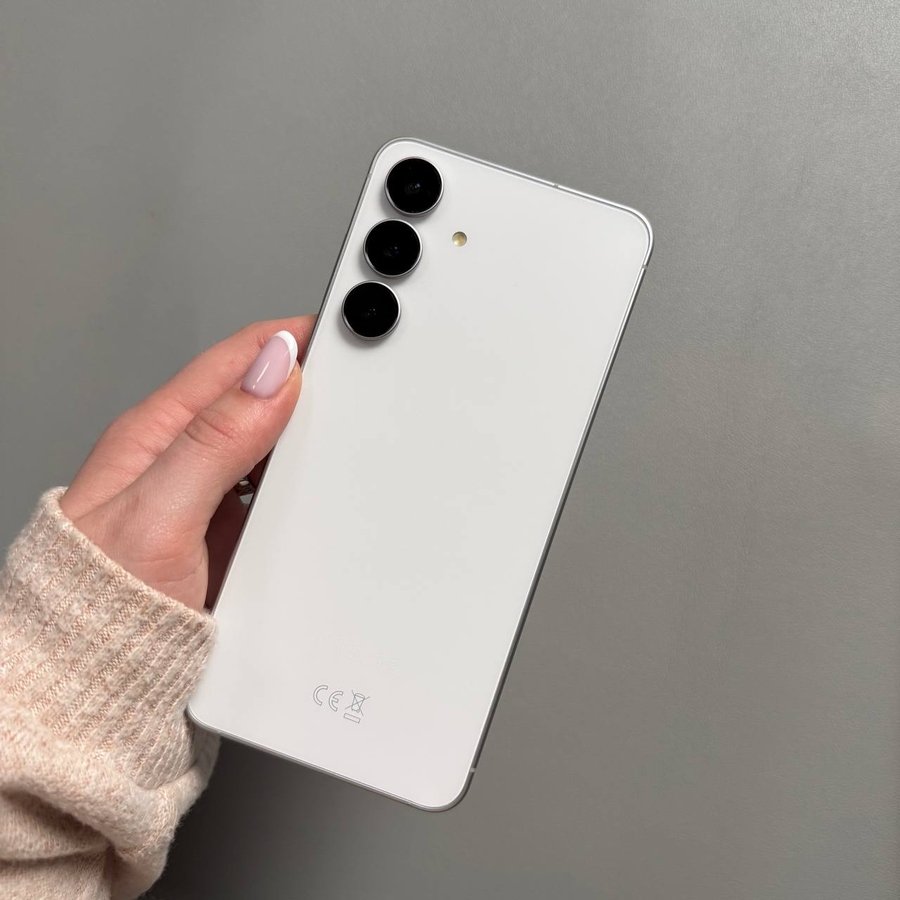
Having a unique ringtone can help you quickly recognise when your Samsung Galaxy S25 FE is ringing. Whether you want to set a default ringtone or choose a personalised sound, this step-by-step guide will show you how to easily change the ringtone on your device.
Step 1: Access the Main Settings Menu
To begin with, you'll need to unlock your Samsung Galaxy S25 FE and access the settings menu. Swipe up from the home screen to reveal the app drawer, then look for the gear-shaped icon labelled "Settings" and tap on it.

Step 2: Navigate to Sound and Vibration
Once you are in the Settings menu, scroll through the options until you find "Sounds and Vibration." This section allows you to manage all audio and vibration settings on your device. Tap on it to proceed to the next step.

Step 3: Select Your Preferred Ringtone
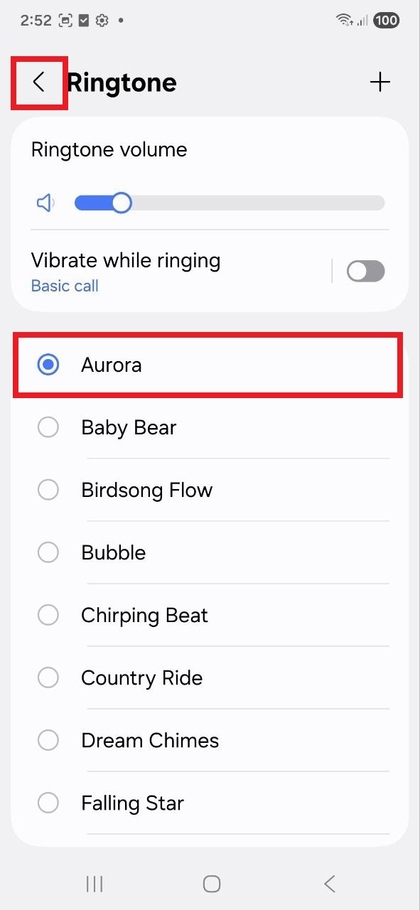
In the Sounds and Vibration menu, you will see an option for "Ringtone." Tap on this option to open a list of available ringtones. Here, you can browse through default ringtones or add custom ringtones. Once you find the ringtone you like, select it to set it as your default ringtone.

Step 4: Finalise Your Selection
After choosing your preferred ringtone, simply press the "Back" (back) button or gesture, and your new ringtone will be saved automatically. Congratulations! You have successfully changed the ringtone on your Samsung Galaxy S25 FE.