JBL Club A600/A1000 - Amplifier Manual
- 1 WHAT'S IN THE BOX
- 2 ACCESSING CONNECTORS AND CONTROL PANEL
- 3 MOUNTING THE AMP
- 4 WIRING FOR POWER AND GROUND
- 5 WIRING FOR INPUT SIGNAL
- 6 CONNECTING TWO CLUB A1000 AMPLIFIERS FOR EXTRA POWER
- 7 WIRING FOR AUDIO OUTPUT
- 8 CONNECTING THE REMOTE BASS CONTROLLER
- 9 SETTING GAIN, CROSSOVERS, AND BASS BOOST
- 10 SPECIFICATIONS
- 11 TROUBLESHOOTING
- 12 References
- 13 Download manual
- 14 In Other Languages
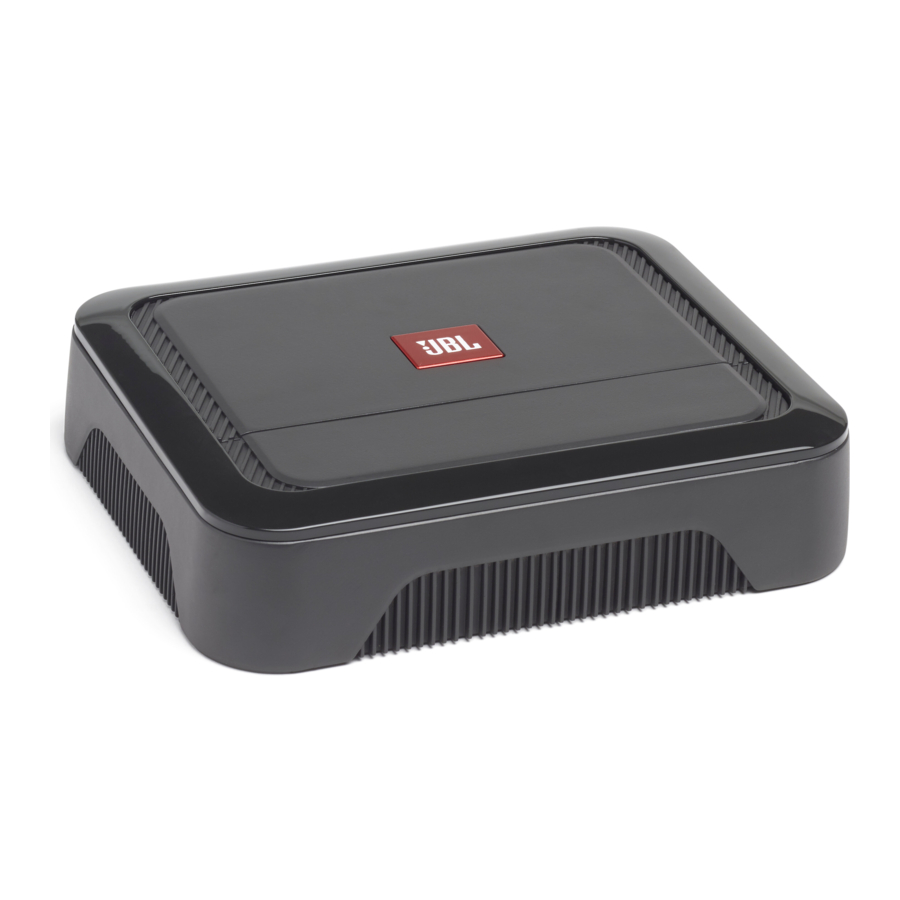
WHAT'S IN THE BOX
Club A600

Club A1000

ACCESSING CONNECTORS AND CONTROL PANEL
- Pry off trim piece

- Slide the panel cover down

- Remove panel cover


MOUNTING THE AMP

 Note: It is recommended that you make all wire connections before permanently mounting the amp.

Disconnect the vehicle's negative (–) battery terminal before beginning the installation.
- Always wear protective eyewear when using tools.
- Choose a safe mounting location, away from moisture. Check clearances on both sides of a planned mounting surface. Be sure that screws or wires will not puncture brake lines, fuel lines, or wiring harnesses and that wire routing will not interfere with the safe vehicle operation. Use caution when drilling or cutting in the mounting area.
- Choose a location that provides enough air circulation.
- Do not mount the amplifier with the heat sink facing downward, as this interferes with cooling.
- Mount the amplifier so that it will not be damaged by the feet of backseat passengers or shifting cargo in the trunk.
WIRING FOR POWER AND GROUND
At amplifier:

(used only with low-level signal inputs)
At ground location:

WIRING FOR INPUT SIGNAL
Low-level signals

Note: when using low-level signals and remote turn-on lead, set the "TURN-ON MODE" switch to "REM" and the "INPUT LEVEL" switch to "LO".
High-level signals

Note: when using high-level signals, set the "TURN-ON MODE" switch to "DC" and the "INPUT LEVEL" switch to "HI1". If no sound plays, change the "INPUT LEVEL" switch to "HI2".
CONNECTING TWO CLUB A1000 AMPLIFIERS FOR EXTRA POWER
To connect two Club A1000 amplifiers, use an RCA patch cable to connect the "PRIMARY OUT" of the primary amplifier to the "SECONDARY IN" of the secondary amplifier. Set the Primary/ Secondary switch to "PRIMARY" on the primary amplifier, and to "SECONDARY" on the secondary amplifier.

WIRING FOR AUDIO OUTPUT
One subwoofer ( 4ohm/2ohm )

Two subwoofers ( 4ohm )

CONNECTING THE REMOTE BASS CONTROLLER

SETTING GAIN, CROSSOVERS, AND BASS BOOST
Setting the gain
- Start with
![]() control set to minimum, and the crossover control rotated midway.
control set to minimum, and the crossover control rotated midway. - Choose music with substantial bass content.
- Turn the volume control on your receiver to ¾ of its total output.
- Adjust the
![]() control clockwise, listening carefully to the bass output. If you hear distortion, turn the
control clockwise, listening carefully to the bass output. If you hear distortion, turn the ![]() control counterclockwise to decrease the gain.
control counterclockwise to decrease the gain.
![]()
 control set to minimum, and the crossover control rotated midway.
Selecting the crossover frequency
Choose the crossover point to suit listening preferences. Turn the dials to the left to lower the crossover point and to the right to raise the crossover point. Exact crossover settings depend on your listening preferences.

Selecting the subwoofer phase
Switch the  back and forth to determine which setting provides the most clean bass output.

Selecting the bass boost
Adjust the BASS-BOOST control clockwise or counterclockwise to suit your taste.

SPECIFICATIONS
| Club A600 | Club A1000 | |
| Power output @ 4 ohms | 350 watts RMS x 1 | 600 watts RMS x 1 |
| Power output @ 2 ohms | 600 watts RMS x 1 | 1000 watts RMS x 1 |
| Frequency response | 10-320 Hz | 10-320 Hz |
| Crossover frequencies | 32-320 Hz variable, 12 dB/octave | 32 -320 Hz variable 12 dB/Octave |
| Line-level input sensitivity | 200 mV rms - 2.0 V rms | 200 mV rms - 2.0 V rms |
| High-level input sensitivity | 2V rms - 20V rms. | 2V rms - 20V rms. |
| Signal-to-noise ratio | >80 dB | >80 dB |
| THD+N @ rated power | <1% | <1% |
| Fuse rating | 30 A x 2 | 35 A x 3 |
| Operating voltage | 9~16 V | 9~16 V |
| Dimensions (W x H x D) | 8-11/16" x 2-1/16" x 7-1/8" (220 mm x 51.3 mm x 180 mm) | 12-5/8" x 2-1/16" x 7-1/8" (320 mm x 51.3 mm x 180 mm) |
| Weight | 2.46 kg | 3.52 kg |
| Recommended wire gauge | 8 | 4 |
TROUBLESHOOTING
No audio and POWER INDICATOR is off.
- No voltage at BATT+ and/or REM terminals, or bad or no ground connection. Check voltages at amplifier terminals with VOM.
No audio and PROTECT INDICATOR flashes every 4 seconds.
- DC voltage on amplifier output. Amplifier may need service; see enclosed warranty card for service information.
No audio and PROTECT and POWER INDICATORS flash.
- Voltage less than 9V on BATT+ connection. Check vehicle charging system.
No audio and PROTECT INDICATOR is on.
- Amplifier is overheated. Make sure amplifier cooling is not blocked at mounting location. Or, there may be voltage greater than 16V (or less than 8.5V) on BATT+ connection. Check vehicle charging system.
Amplifier fuse keeps blowing.
- The wiring is connected incorrectly or there is a short circuit. Check wiring connections.
Distorted audio.
- Gain Is Not Set Properly. Check Setting. Check Wires For Shorts Or Grounds. Amplifier Or Source Unit May Be Defective.
Distorted audio and PROTECT INDICATOR flashes.
- Short circuit in speaker or wire. Remove speaker leads one at a time to locate shorted speaker or wire, and repair.
Music lacks dynamics or "punch".
- Speakers are not connected properly. Check speaker connections for proper polarity.
Engine noise—whining or clicking—in system when the engine is on.
- Amplifier is picking up alternator noise. First, check ground connection on the amplifier – a loose or improper ground is one of the main causes for noise. Turn down gain. Move RCA audio cables away from power wires. Installing an alternator noise filter on power line between battery and alternator might also be necessary.

HARMAN International Industries, Incorporated 8500 Balboa Boulevard, Northridge, CA 91329 USA
www.jbl.com
© 2019 HARMAN International Industries, Incorporated. All rights reserved. JBL is a trademark of HARMAN International Industries, Incorporated, registered in the United States and/or other countries. Features, specifications and appearance are subject to change without notice.

References

Download manual
Here you can download full pdf version of manual, it may contain additional safety instructions, warranty information, FCC rules, etc.
Download JBL Club A600/A1000 - Amplifier Manual